Tapo vs Wyze 2026: Which Budget Camera Ecosystem Should You Buy Into
Affiliate Disclosure: This article contains affiliate links. If you buy through these links, we may earn a commission at no extra cost to you. Our editorial opinions are our own and are not influenced by affiliate relationships. Read our full disclosure policy →
Contents
Quick Answer
Both brands make good cheap cameras, so the camera is not the decision — the subscription policy is. Tapo puts free person, vehicle and pet detection on the camera itself on its current outdoor models and keeps cloud storage as an optional extra. Wyze puts full-length cloud recordings and its advanced AI behind Cam Plus. If you want smart alerts without a recurring bill, Tapo is the ecosystem to buy into. If you want the simpler app, the wider range of odd-shaped products and do not mind paying monthly for the clever parts, Wyze is the better fit — and its Cam v4 is the stronger single camera of the two entry models, at 2.5K with IP65 weather resistance.
The Real Difference Is Not the Cameras
Put a Tapo and a Wyze camera side by side and you will struggle to care about the difference. Both are plastic, both mount easily, both record to a microSD card, both have apps that work. Buyers who compare specification lists end up flipping a coin, and then discover the thing that actually mattered a year later, when a feature they assumed was included turns out to be a subscription.
So compare the two the way you will experience them: not as cameras, but as ongoing arrangements. One of these brands has moved detection onto the device and sells cloud storage as an extra. The other keeps its smartest features in a plan. Neither is dishonest about it, but only one of them matches what most people assume they are buying. At the front door the brands split the same way, and our Tapo video doorbell guide covers TP-Link’s side of it.
What Each Brand Charges For
| Tapo | Wyze |
|---|
| The paid plan | Tapo Care, described as a subscription service for cloud video recording | Cam Plus, described as full-length cloud recordings plus advanced AI |
| Smart detection | Free person, vehicle and pet detection running on the camera on current outdoor models | Advanced AI is part of what Cam Plus provides |
| Local recording | microSD in the camera, no plan needed | microSD in the camera, no plan needed |
| Free trial | 30 days of Tapo Care, and TP-Link states there is only one chance to take it | Wyze runs trial offers on Cam Plus from time to time |
| What you lose without paying | Cloud copies of footage | Full-length cloud recordings and the advanced AI features |
That last row is the whole article in one line. Without a plan, a Tapo camera still sorts a person from a passing car on the models where that detection is on-device; without a plan, a Wyze camera is a camera that records to a card. Both are usable. Only one keeps the feature people actually notice.
If avoiding recurring costs is the whole reason you are shopping at this price, our guide to subscription-free systems sets out how the same question plays across whole systems rather than single cameras. For Wyze’s doorbells specifically, see our Wyze video doorbell guide.
Where Each Range Is Actually Stronger
Two Ranges, Two Shapes
Tapo is stronger at
- Outdoor cameras, including a 4K wired pan-tilt flagship
- On-device detection that does not need a plan
- Motorized pan and tilt even on entry models
- Sheer number of camera models to choose between
Wyze is stronger at
- A single obvious mainstream camera rather than a confusing lineup
- Weather resistance on cheap models — the Cam v4 is IP65
- Simplicity: the app asks less of you
- Breadth beyond cameras, into locks, lighting and household products
The IP65 point on the Cam v4 is worth pulling out, because it is the single most useful thing either brand does at the entry price. Most budget cameras are indoor-only and get put outside anyway, which is how they die. A cheap camera that is actually rated for the weather removes that failure mode.
If you have already settled on one brand and just want the right model within it, our Tapo camera guide and the Wyze camera guide each go model by model. This page is for the decision that comes before that one.
TP-Link Tapo C201 — Tapo’s entry camera
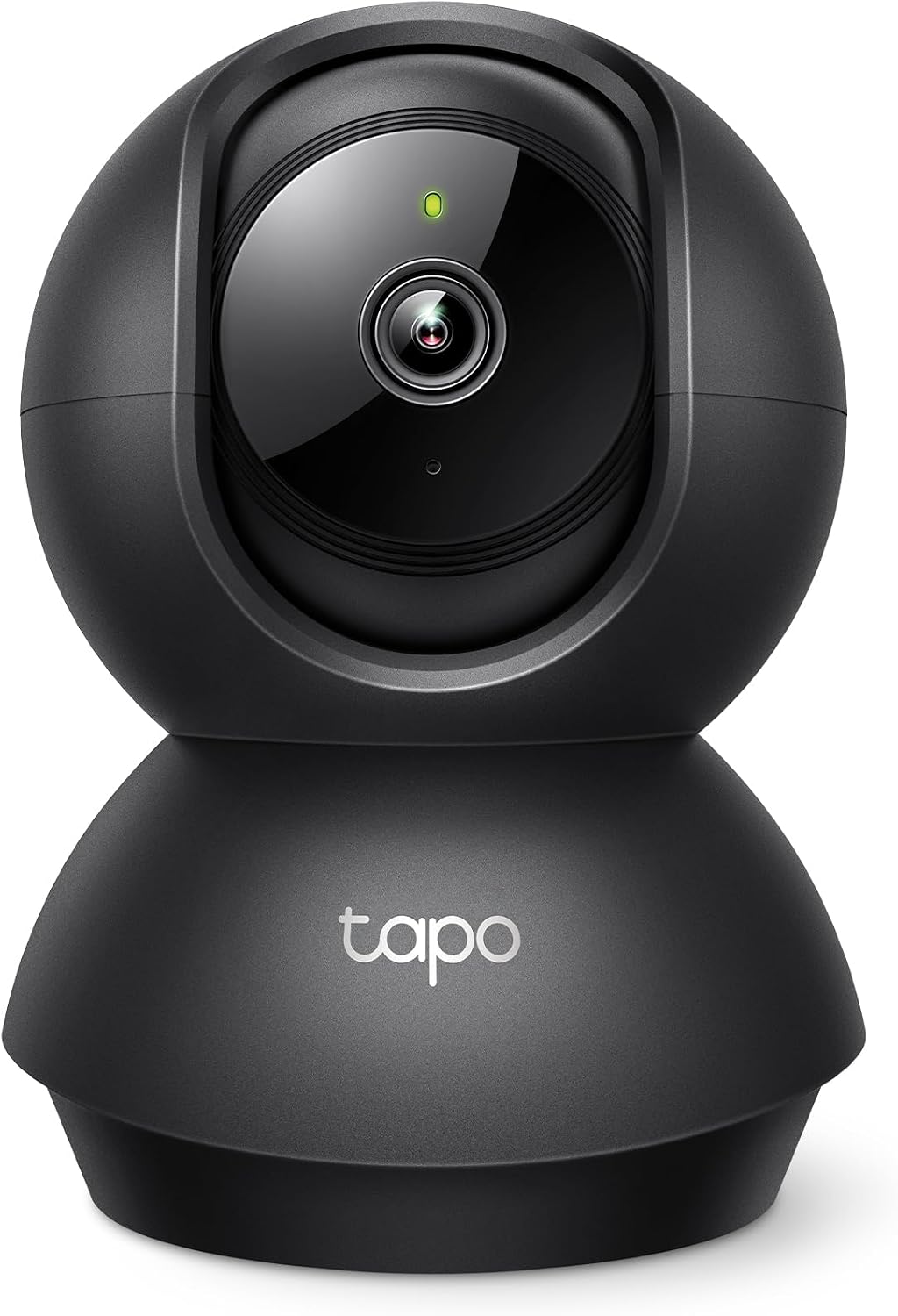
Key specs: Tapo’s entry indoor camera: 1080p on a motorized pan and tilt head, motion detection, two-way audio, night vision and microSD recording
This is the cheapest way into the Tapo ecosystem and it is a genuinely good first camera. The motorized head matters more than the resolution: a fixed camera watches one slice of a room, while this one covers the doorway, the window and the hallway from a single position. Motion detection, two-way audio, night vision and microSD recording are all included, with the cloud kept optional. It is indoor-only, and it is 1080p rather than 2K, so it is a room-watcher rather than a detail camera.
✅ Pros
- Motorized pan and tilt at the entry price
- microSD recording with Tapo Care optional
- Two-way audio and night vision included
- The cheapest sensible way to test the Tapo app
- Enormous review base for a budget camera
❌ Cons
- Indoor only
- 1080p rather than 2K
- The free on-device detection story is strongest on the outdoor models
Wyze Cam v4 — Wyze’s mainstream camera
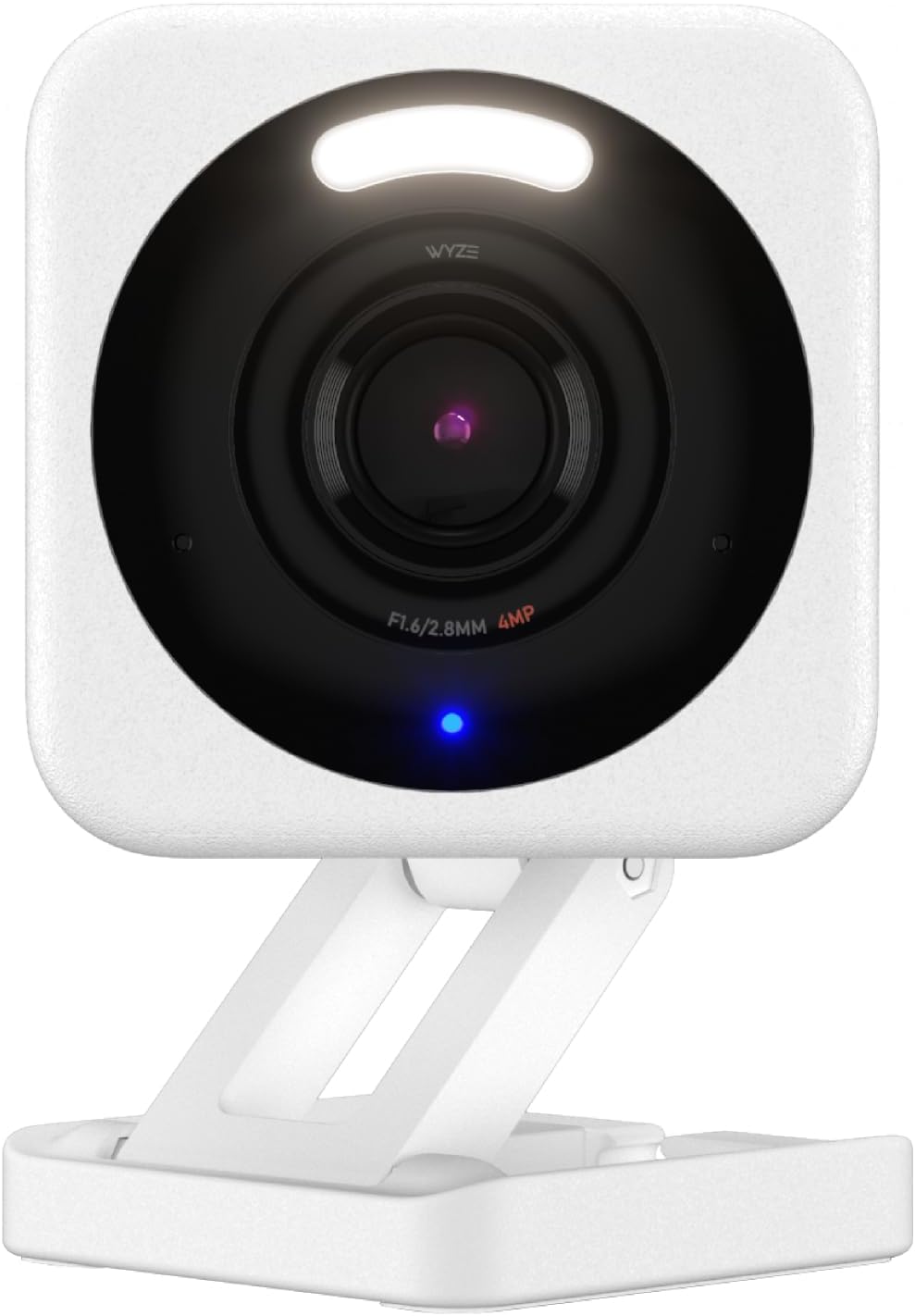
Key specs: Wyze’s mainstream camera: 2.5K QHD with color night vision, an integrated spotlight and siren, IP65 weather resistance and microSD recording
If you are buying one Wyze camera, buy this one. It is 2.5K QHD with color night vision, an integrated spotlight and siren, and IP65 weather resistance, which means it can go outside without the usual budget-camera gamble. Recording goes to a microSD card, so it works without a plan. The catch is the one that defines the brand: the advanced AI sits inside Cam Plus, along with full-length cloud recordings. Buy it knowing you will either pay monthly or live with simpler alerts.
✅ Pros
- 2.5K QHD, the sharpest of the four entry cameras here
- IP65 weather resistant — genuinely usable outdoors
- Spotlight and siren built in
- Color night vision rather than infrared only
- microSD recording works without a subscription
❌ Cons
- Advanced AI features require Cam Plus
- Full-length cloud recordings are plan-only
- Fixed view — no pan or tilt
TP-Link Tapo C560WS — Tapo’s outdoor flagship
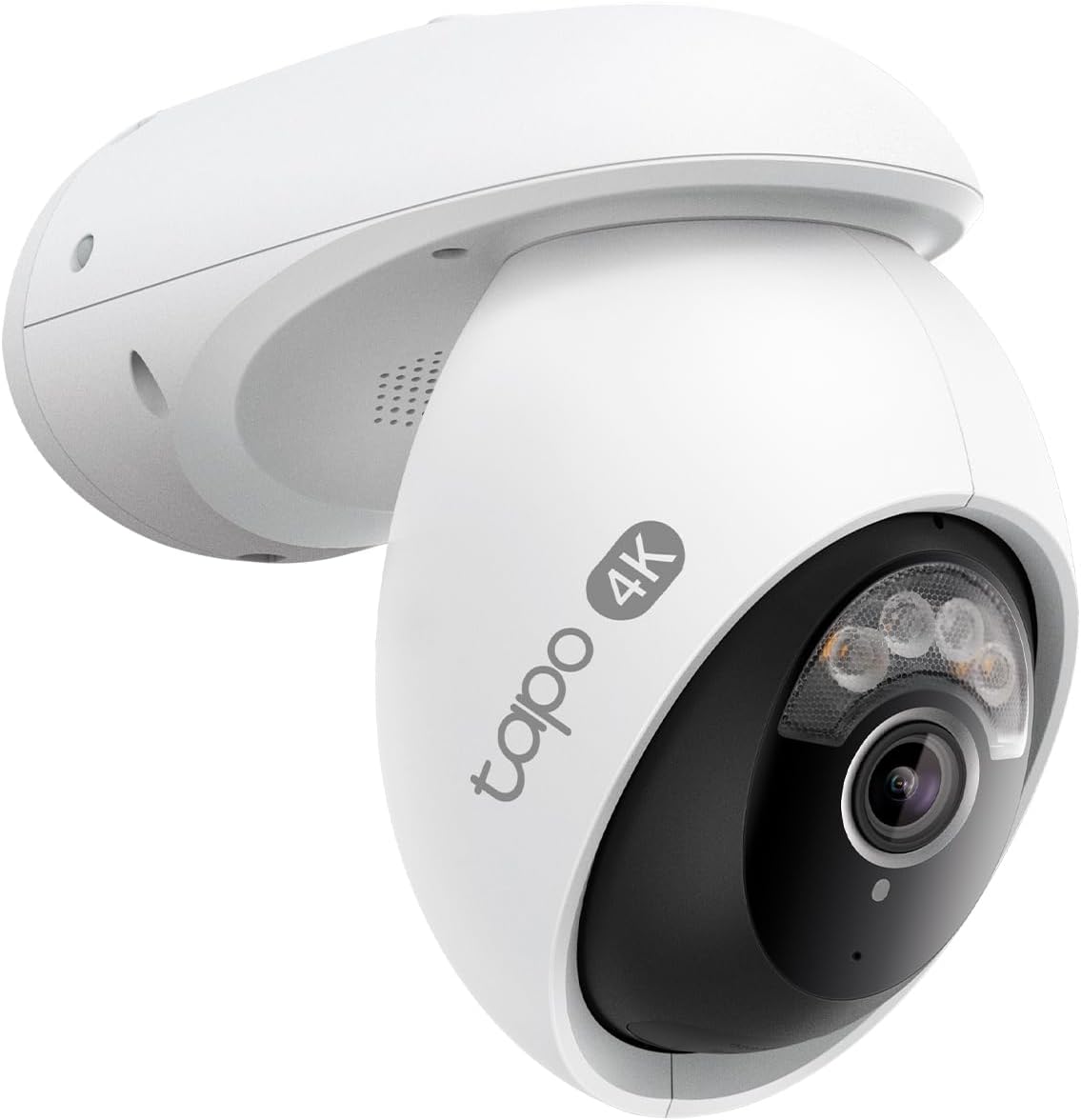
Key specs: Tapo’s outdoor flagship: 4K wired pan and tilt with 360-degree coverage, 18x digital zoom, free on-device person, vehicle and pet detection and a starlight sensor with spotlights
This is the camera that makes the Tapo argument concrete. It is 4K, wired, and pans through a full circle, with 18x digital zoom and an F1.6 aperture for reading detail out of playback. The important part is the detection: TP-Link states free person, vehicle and pet recognition running on the camera itself, with a starlight sensor and spotlights for color night video. That combination — flagship hardware and no subscription for the smart part — is what Wyze does not currently match. It needs mains power, which is the price of the specification.
✅ Pros
- 4K with a full 360-degree motorized pan
- Free on-device person, vehicle and pet detection
- Starlight sensor plus spotlights for color at night
- 18x digital zoom for playback detail
- microSD recording, cloud optional
❌ Cons
- Needs an outdoor power source
- Considerably more expensive than the entry models
- Moving parts on an outdoor camera
Wyze Cam OG — Wyze’s small all-rounder
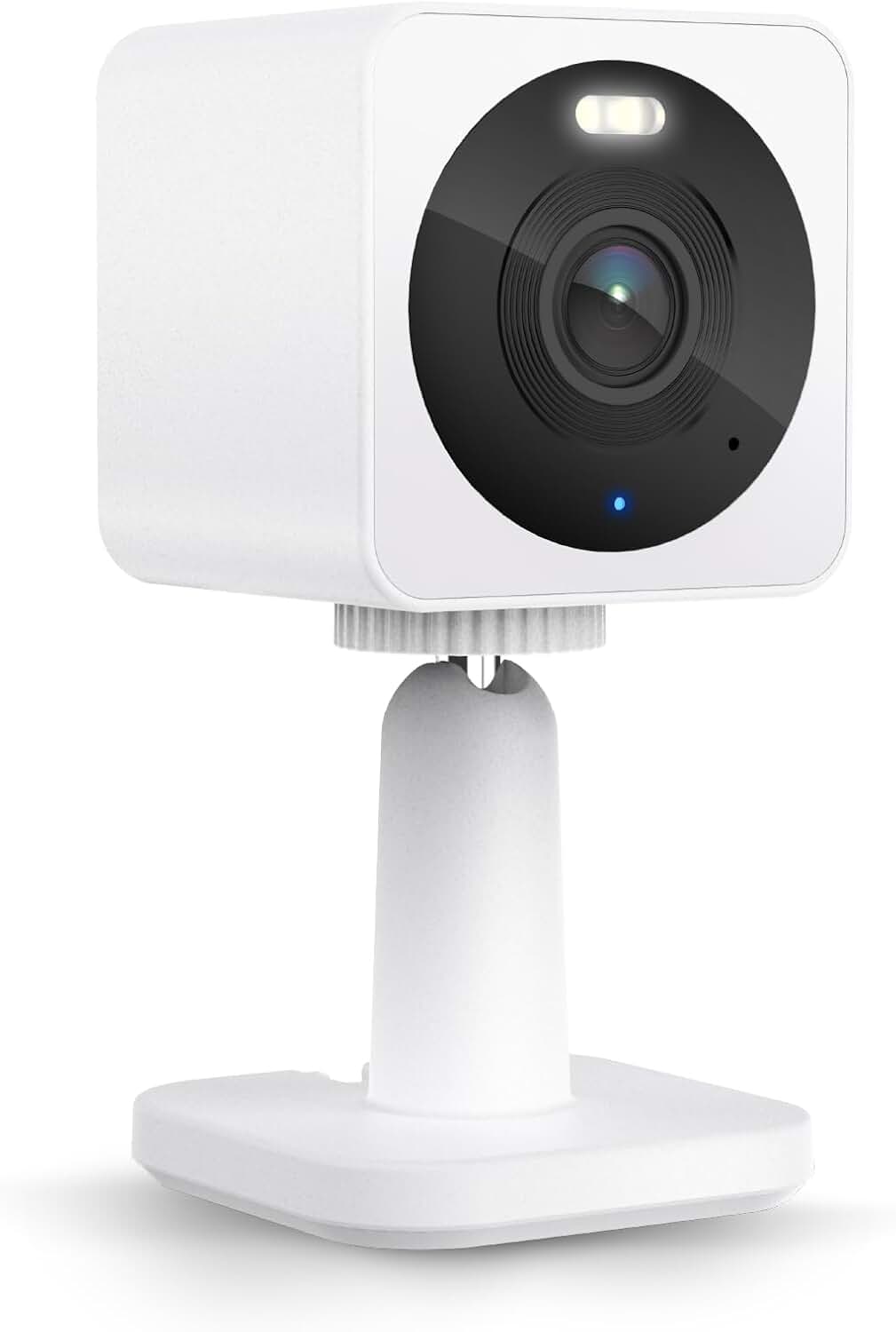
Key specs: Wyze’s small indoor and outdoor camera: 1080p with a built-in spotlight for color night vision and microSD recording, with a cloud plan optional
The Cam OG is the one to buy if you want a Wyze camera that disappears into the house. It is 1080p with a built-in spotlight for color night vision, rated for indoor and outdoor use, and it records to a card with the cloud plan optional. It is the cheapest way to test whether the Wyze app suits you before committing to more cameras. As with the rest of the range, the smarter alerts live in Cam Plus, and at 1080p it is a presence detector rather than a camera you will enlarge footage from.
✅ Pros
- Indoor and outdoor rated
- Built-in spotlight for color night vision
- microSD recording, plan optional
- Small enough to mount discreetly
- Cheapest entry to the Wyze ecosystem
❌ Cons
- 1080p limits how far you can zoom into playback
- Advanced detection needs Cam Plus
- Fixed view
Tapo and Wyze Side by Side
| Camera | Brand | Resolution | Outdoor rated | Smart detection without a plan |
|---|
| Tapo C201 | Tapo | 1080p | No | Basic motion |
| Wyze Cam v4 | Wyze | 2.5K | Yes, IP65 | Basic motion; advanced AI needs Cam Plus |
| Tapo C560WS | Tapo | 4K | Yes | Person, vehicle and pet, on the camera |
| Wyze Cam OG | Wyze | 1080p | Yes | Basic motion; advanced AI needs Cam Plus |
The Cost of Choosing Wrong
Picking the wrong ecosystem is not catastrophic here, which is worth saying plainly. Neither brand locks footage away from you: both record to a card in the camera, so switching means new hardware rather than lost history. What you actually lose is the cost of the cameras you already bought and the time spent learning a second app.
Three Questions That Settle It
1
Will you pay monthly?
If the honest answer is no, weight the decision toward Tapo, whose current outdoor models keep detection on the device.
2
Is the first camera going outside?
If yes, Wyze’s IP65-rated Cam v4 is the safer cheap outdoor camera than an indoor-only Tapo.
3
How many cameras eventually?
One or two, either is fine. Four or more, pick the brand whose free tier you can live with, because subscription costs multiply per camera.
That third point catches people out. A plan that looks trivial on one camera is a different proposition across four, and it is the reason a cheap camera can end up costing more than a mid-range one with free detection. Our budget camera roundup goes further into where the money actually goes at this end of the market, and the 4K guide covers what changes if you step up in resolution.
Final Recommendation
Buy into Tapo if you expect to end up with several cameras and you do not want a monthly bill. The reason is specific rather than general: TP-Link states free person, vehicle and pet detection running on the camera on its current outdoor models, so the feature that makes alerts useful is not metered. Start with the Tapo C201 indoors, or go straight to the C560WS if the first camera is watching a driveway.
Buy into Wyze in two situations. The first camera is going outside and you want to spend as little as possible: the Cam v4 is IP65 rated and 2.5K, which is a better cheap outdoor camera than anything at Tapo’s entry level. Or you value a simple app and a brand that also makes locks and lighting, and you accept that the advanced AI lives in Cam Plus. What should stop you choosing either is needing genuinely long footage history or professional monitoring — both brands are camera companies rather than alarm companies, and our DIY alarm system guide covers that requirement properly.
SafeBode does not yet run an in-house product testing program. This guide is built from manufacturer specifications, official support documentation, current retail listings and verified buyer feedback rather than hands-on testing, and we say so plainly rather than implying testing we have not done.
Frequently Asked Questions
Is Tapo or Wyze better for a first camera?
For an indoor room, Tapo’s motorized entry camera covers more of it for the money. For a first camera going outside, Wyze’s IP65-rated model is the safer buy. Neither brand is meaningfully worse than the other at the same price.
Do I need a subscription with either brand?
No, both record to a microSD card without one. The difference is what you give up: Wyze keeps full-length cloud recordings and its advanced AI in Cam Plus, while Tapo runs person, vehicle and pet detection on the camera itself on its current outdoor models.
Can I mix Tapo and Wyze cameras?
You can own both, but they live in separate apps with separate settings and separate notifications. For two or three cameras that is merely mildly annoying; across a whole house it is the main reason to commit to one brand.
Which brand has better outdoor cameras?
Tapo has the deeper outdoor range, including a 4K wired pan-and-tilt model with free on-device detection. Wyze counters at the cheap end with weather-resistant models that cost far less than Tapo’s flagship.
Do either work with Alexa or Google Home?
Both support viewing a live feed on a smart display by voice. The full feature set stays in each brand’s own app, which is another reason a mixed setup gets tedious.
What happens to my footage if I cancel a plan?
Cloud recordings tied to the plan stop being available, but anything recorded to the microSD card in the camera is unaffected because it never depended on the subscription. That is the practical argument for always fitting a card.
Which is better in the dark?
Both offer color night vision on their current models, using a spotlight rather than infrared alone. Wyze’s Cam v4 and Tapo’s outdoor models both do this; the older and cheaper cameras in either range fall back to plain infrared.
Are these cameras good enough for real security?
For seeing what happened at a door, in a hallway or on a driveway, yes. What neither brand provides is a monitored alarm or a guaranteed response, so treat them as evidence and awareness rather than as a security system on their own.
Sources
Show sources (6)


