Best 4K Security Cameras 2026: What the Extra Resolution Costs You
Affiliate Disclosure: This article contains affiliate links. If you buy through these links, we may earn a commission at no extra cost to you. Our editorial opinions are our own and are not influenced by affiliate relationships. Read our full disclosure policy →
Contents
Quick Answer
4K is not simply a sharper picture — it is roughly four times as many pixels as 1080p, and every one of them has to travel over your Wi-Fi and land somewhere. Pick the camera by how it answers that, not by the number on the box. For most homes the TP-Link Tapo C560WS is the right first 4K camera: mains powered so bandwidth is the only constraint, on-device detection included rather than sold as a plan, and a card slot in the camera. Choose the eufy SoloCam E42 if there is no power at the spot, the Reolink RLC-810A if you want continuous rather than event recording, and the Tapo C660 KIT if you would rather the footage sat in a hub indoors than in the camera on the wall.
What 4K Actually Buys You
The honest answer is digital zoom headroom. A 4K sensor does not make a face at the end of a driveway magically recognizable in the live view — on a normal phone screen the live view looks much like a good 2K feed. What changes is what happens after the fact, when you stop the clip and enlarge the part that matters. TP-Link builds its whole C560WS pitch around exactly that: 18x digital zoom paired with an F1.6 aperture, framed as reading license plates and faces rather than as a prettier picture. Reolink makes the same argument in the opposite direction, describing 4K as four times the clarity of 1080p at the moment you need detail out of playback.
That distinction decides whether 4K is worth it for you. If the camera watches a doorstep six feet away, the extra pixels are landing on a face that was already legible. If it watches a driveway, a yard gate or a parking pad, they are landing on the one frame you will eventually hand to an insurer or a police officer, and the difference is real.
Where the Extra Pixels Go
4x
pixels vs. 1080p at the same frame
18x
digital zoom on the Tapo C560WS
33 ft
detail range eufy states for the E42
100 ft
infrared night range on the RLC-810A
Manufacturer figures, taken from each product’s own specification page.
The Three Costs Nobody Puts on the Box
Resolution is the headline number and the least interesting one. Three other things change the moment you go to 4K, and all three are why a 4K camera can feel worse than the 2K one it replaced if you install it in the wrong place.
| What changes | Why it happens | What it looks like in practice |
|---|
| Upload bandwidth | A 4K stream is far heavier than 1080p, and a camera uploads constantly while you watch it live | Live view stutters or drops to a lower quality on a weak signal, most often on an upstairs camera furthest from the router |
| Storage burn | The same recording length occupies several times the space | A card that held weeks of 1080p clips now holds days, and older footage rolls off before you think to look for it |
| Night performance | Smaller photosites on a denser sensor gather less light each | Manufacturers compensate with spotlights and starlight sensors; the C560WS pairs a starlight sensor with spotlights for color night video rather than relying on resolution alone |
The bandwidth point is the one that actually sends cameras back. It is worth testing the signal at the exact spot the camera will be mounted before you buy anything 4K, because the router’s own room tells you nothing useful about the corner of the garage. Resolution also tells you little about night footage, which our guide to security camera night vision explains.
Every 4K Camera Answers the Storage Question Differently
There are only four places 4K footage can live, and each of these cameras picks a different one. That, rather than any spec sheet difference, is the real choice in front of you.
Four Places 4K Footage Can Live
1
In the camera
A microSD card in the housing. Cheapest and simplest — and gone if the camera is taken.
2
In a hub indoors
The camera streams to a base station on a shelf. Losing the camera does not lose the footage.
3
On an NVR
A wired recorder with a hard drive, which is what makes continuous rather than event-only recording practical.
4
In the cloud
Off-site and safe from theft, but it is the option that turns into a recurring bill and it consumes the most upload bandwidth.
The cameras below are ordered by that answer, not by price. If you want the wider argument about local storage against subscriptions before you commit to a brand, our guide to subscription-free systems covers it across whole systems rather than single cameras.
TP-Link Tapo C560WS — best overall 4K camera
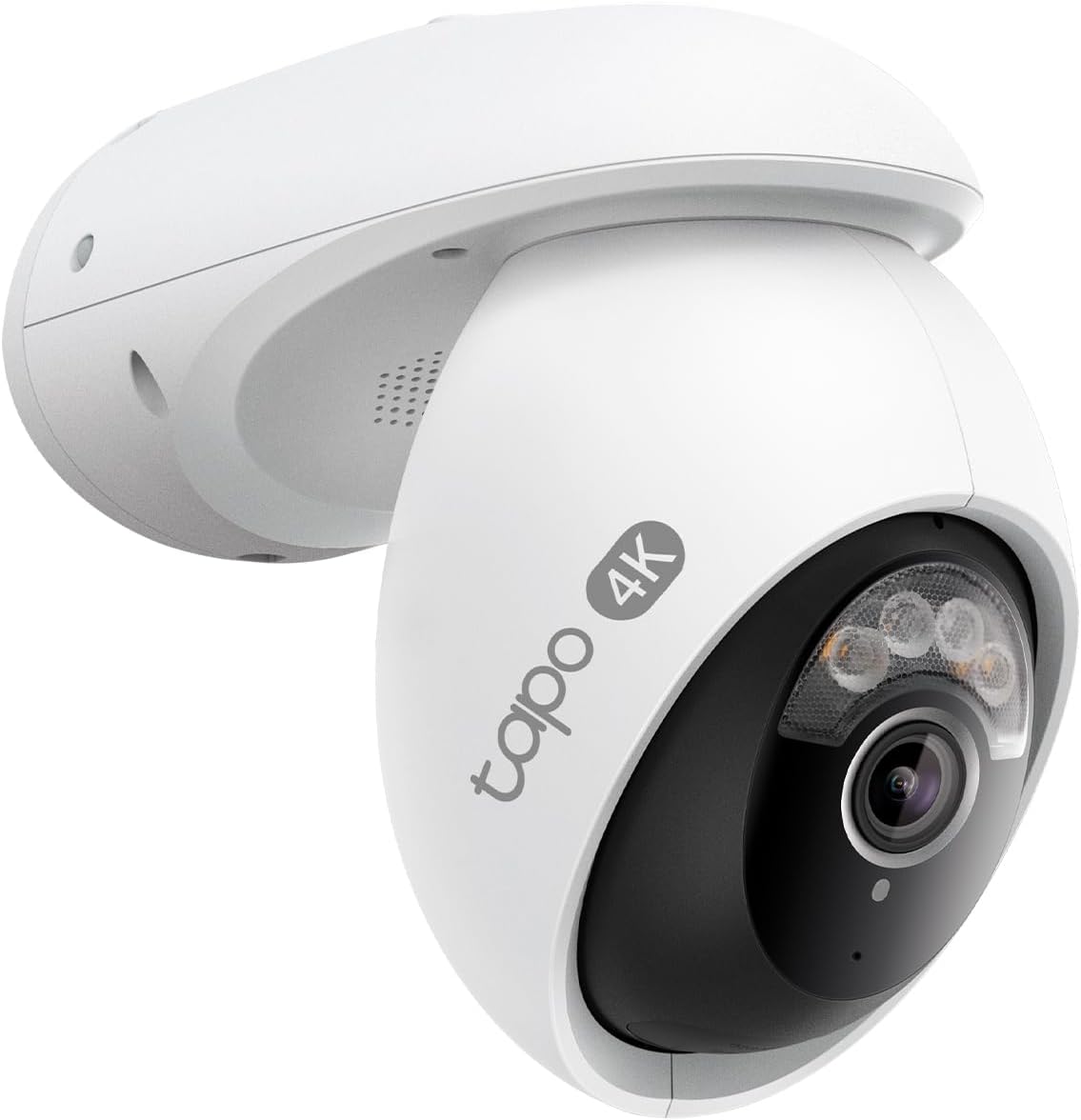
Key specs: 4K wired outdoor pan and tilt camera with 360-degree coverage, 18x digital zoom and an F1.6 aperture; free on-device person, vehicle and pet detection; starlight sensor with spotlights for color night video; records to microSD or optional cloud
This is the one to buy if you are buying a first 4K camera and do not already own a brand’s hub. It is mains powered, which removes the battery-versus-resolution argument entirely, and it pans and tilts through a full circle so one camera covers a driveway and a side gate instead of two. The detection that other brands meter out through a plan is included and runs on the camera itself, and footage goes to a card in the housing with cloud kept optional. The trade-off is the obvious one: everything the camera has is inside the camera, so a thief who takes it takes the evidence with it.
✅ Pros
- Mains powered, so 4K never competes with battery life
- Free on-device person, vehicle and pet detection
- Full 360-degree pan with 18x digital zoom for playback
- Starlight sensor plus spotlights for color at night
- Records to microSD with cloud optional, not required
❌ Cons
- Needs an outdoor outlet or a cable run
- Card in the camera is the weak point if the camera is stolen
- Pan and tilt means moving parts on an outdoor device
eufy SoloCam E42 — best 4K without wiring
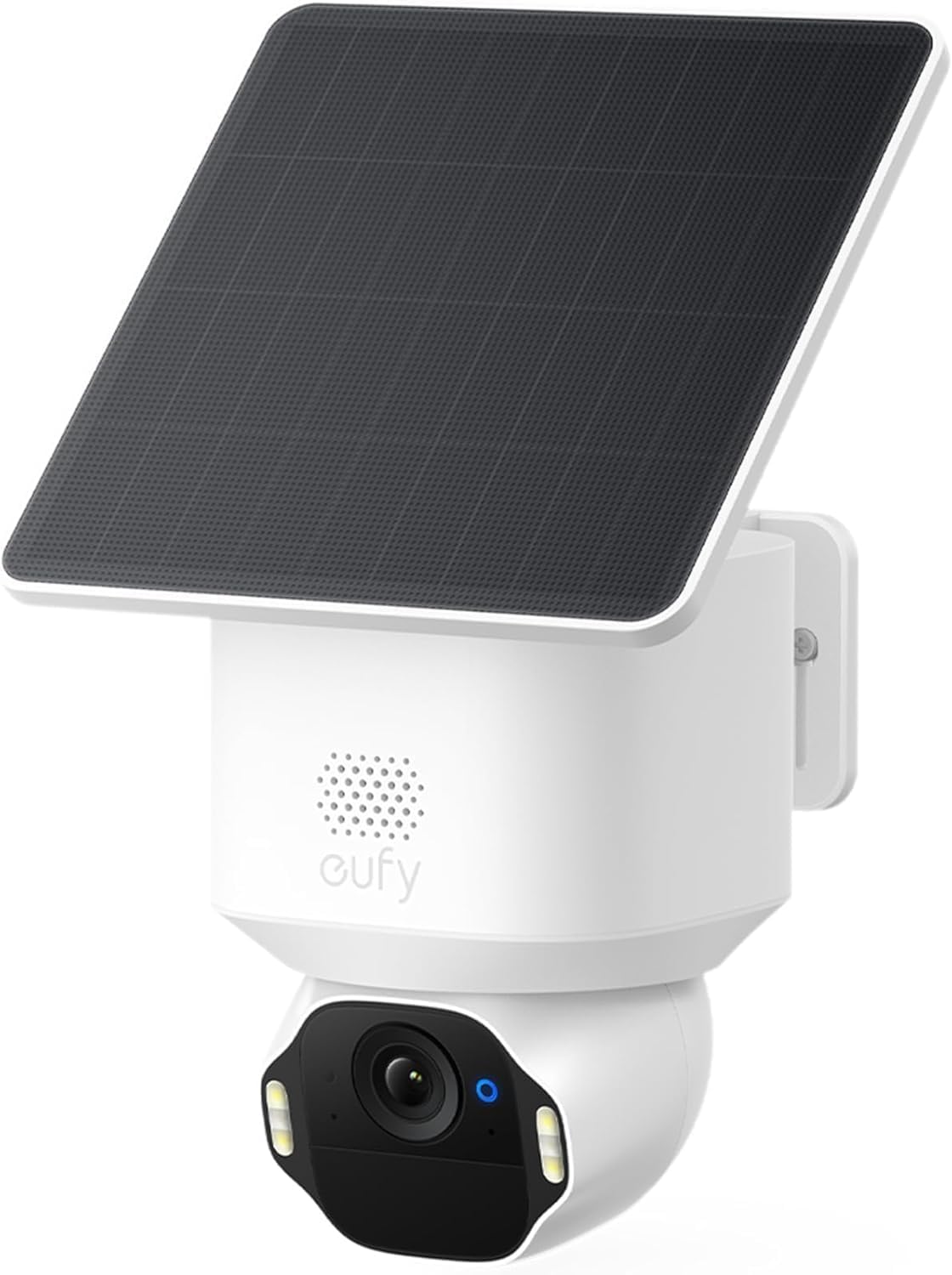
Key specs: 4K solar pan and tilt camera with AI tracking and 360-degree coverage; SolarPlus 2.0 charging rated on two hours of direct sun a day; microSD up to 128GB or HomeBase storage; spotlight with red and blue strobe
The E42 is the answer when the right position has no power and never will. eufy rates its SolarPlus 2.0 charging on two hours of direct sun a day, which is the honest way to read a solar spec — it is a sunlight requirement, not a promise, and a north-facing wall under a tree will not meet it. It records 4K locally to a card up to 128GB with no monthly fee, or to a HomeBase if you already own one. eufy states detail up to 33 feet, which is a more useful number than a raw resolution figure and worth measuring against your actual driveway before you buy.
✅ Pros
- No wiring at all when the position gets real sun
- Local recording with no subscription required
- AI tracking with 360-degree coverage
- Spotlight with a red and blue strobe for deterrence
- Works alongside a HomeBase if you already have one
❌ Cons
- Solar rating assumes two hours of direct sun daily
- Card capacity tops out well below what a wired camera can use
- Battery cameras record events rather than continuously
Reolink RLC-810A — best for recording 4K around the clock
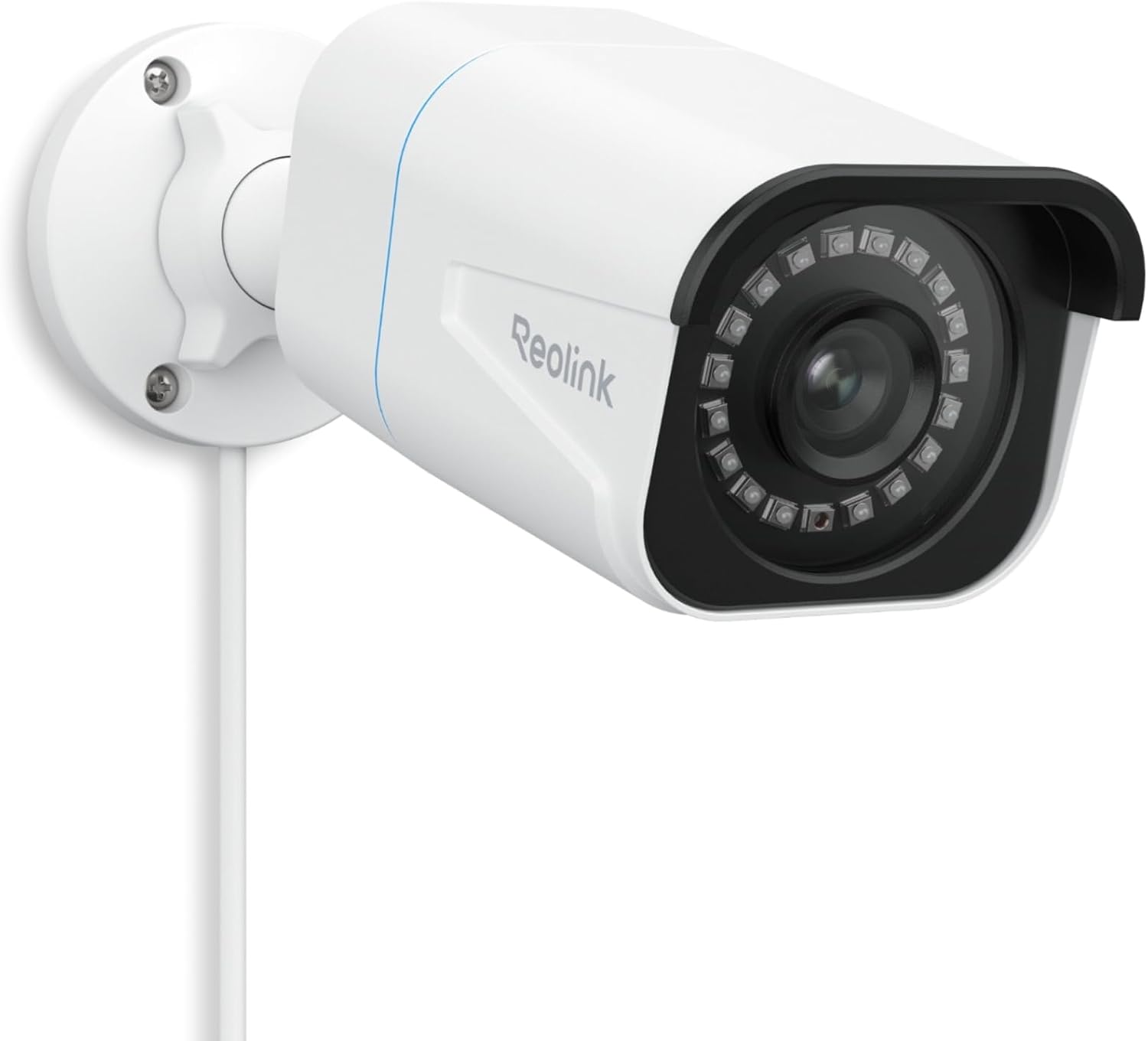
Key specs: 4K PoE outdoor camera powered and networked over one Ethernet cable; IP67 rated; 18 infrared LEDs for up to 100 ft of night vision; person, vehicle and animal detection; continuous, scheduled or motion recording to microSD, a Reolink NVR or FTP
If what you want is not alerts but a continuous record you can scrub back through, this is the category that does it and PoE is why. One Ethernet cable carries both power and data, so there is no Wi-Fi contention and no battery to manage, and Reolink supports continuous, scheduled and motion recording to a card, an NVR or FTP. It is IP67 rated with 18 infrared LEDs quoted at up to 100 feet of night vision. This is the pick that assumes you are willing to run a cable; if you are not, it is the wrong camera and no amount of specification makes up for it.
✅ Pros
- One cable for power and data, no Wi-Fi congestion
- Genuine 24/7 continuous recording, not event-only
- IP67 rated for weather
- Up to 100 ft infrared night vision
- Records to microSD, NVR or FTP — your choice of destination
❌ Cons
- Requires running Ethernet, which is real installation work
- Fixed camera — no pan or tilt
- Continuous 4K recording needs meaningful drive space
TP-Link Tapo C660 KIT — best 4K kit with its own hub
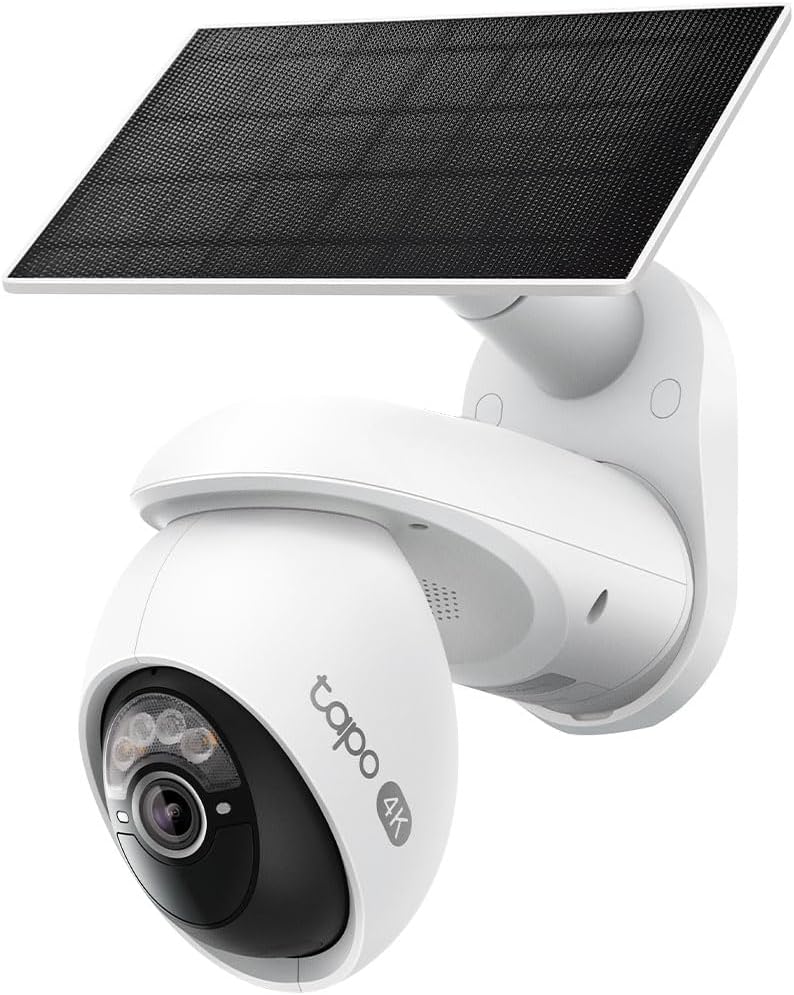
Key specs: 4K battery pan and tilt camera bundled with its own hub and built-in solar panel; captures periodic snapshots between motion events as well as full clips; subscription-free local storage in the hub, with optional cloud
The C660 KIT exists to solve the flaw in every card-in-the-camera design: it ships with its own hub, so the recording is indoors and the camera on the wall is just a sensor. It is battery powered with a built-in solar panel, and unusually for a battery camera it captures periodic snapshots between motion events as well as full clips when something happens, so the timeline has fewer holes in it. Buy this one if the thing that worries you is losing footage along with the camera, or if you want one purchase rather than a camera plus a storage decision.
✅ Pros
- Hub included, so footage is not stored on the wall
- Built-in solar panel rather than a separate accessory
- Snapshots between events reduce timeline gaps
- Subscription-free local storage with cloud optional
- Pan and tilt on a battery camera
❌ Cons
- Costs more than a bare camera because the hub is included
- Still a battery camera — not a continuous recorder
- Hub needs a spot indoors with power
The Four Side by Side
| Camera | Power | Where footage lands | Continuous recording | Best for |
|---|
| Tapo C560WS | Mains | microSD in camera | No — event based | A first 4K camera on a wall with power |
| eufy SoloCam E42 | Battery + solar | microSD or HomeBase | No — event based | A spot that will never have a cable |
| Reolink RLC-810A | PoE | microSD, NVR or FTP | Yes | A record you can scrub, not just alerts |
| Tapo C660 KIT | Battery + solar | Hub indoors | No — snapshots plus events | Keeping footage safe from camera theft |
Who Should Skip 4K Entirely
Be Honest About Which Column You Are In
4K earns its place when
- The camera watches a driveway, gate or parking pad rather than a doorstep
- You expect to enlarge playback rather than just watch alerts
- The position has power or a cable run, or genuinely good sun
- You are willing to buy storage to match
Stick with 2K when
- The camera watches a door from a few feet away
- Wi-Fi at that spot is already marginal
- You want weeks of history on a small card rather than days
- The camera is indoors, where framing matters far more than resolution
Indoors in particular, resolution is almost never the limiting factor — position is. Our room-by-room placement walkthrough will do more for what you actually capture than doubling the pixel count, and it costs nothing. If wiring is the obstacle rather than resolution, the battery camera guide compares the trade-offs across brands, and the solar camera roundup covers the panel-and-sunlight question in more depth than any single product page will.
Final Recommendation
Start with the TP-Link Tapo C560WS. It is the pick that makes the fewest demands on you: plug it in, put a card in it, and the detection that other brands sell as a plan is already running on the device. For the overwhelming majority of homes adding a first 4K camera to a driveway or side gate, that is the whole decision.
Three things would change that answer, and each points somewhere specific. There is no power at the position and there never will be: buy the eufy SoloCam E42, and measure the sun at that wall honestly against eufy’s two-hours-a-day figure before you commit. You want a continuous record rather than a folder of clips: buy the Reolink RLC-810A and accept that you are running Ethernet, because that is what makes 24/7 recording practical. The risk that actually worries you is somebody walking off with the camera: buy the Tapo C660 KIT, because the hub keeps the footage indoors where the thief is not. If none of those three describes you, buying more resolution than the C560WS will not improve what you capture — moving the camera will. Readers weighing a whole hub-based setup rather than individual cameras should start from our wireless camera system guide instead.
SafeBode does not yet run an in-house product testing program. This guide is built from manufacturer specifications, official support documentation, current retail listings and verified buyer feedback rather than hands-on testing, and we say so plainly rather than implying testing we have not done.
Frequently Asked Questions
Is a 4K security camera actually better than 2K?
For anything you will need to enlarge afterwards, yes. For a live view on a phone, the difference is much smaller than the marketing suggests. The gain shows up in playback, when you zoom into a plate or a face, which is why it matters most on driveways and least on doorsteps.
Will a 4K camera slow down my home internet?
It uses noticeably more upload bandwidth than a 1080p camera, and upload is the direction most home connections have least of. One camera is rarely a problem. Four cameras all streaming live at once, on a connection already carrying video calls, is where people notice.
How much storage does 4K video need?
Several times what the same recording length needs at 1080p, so a card that held weeks of history will hold days. If you want a long history rather than recent clips, either size the card up deliberately or choose a camera that records to a hub or NVR with a real hard drive in it.
Do 4K cameras see worse at night?
They can, because packing more photosites onto the same sensor leaves each one less light to work with. Manufacturers compensate with larger apertures, starlight sensors and spotlights rather than with resolution, which is why the night-vision specification matters more than the pixel count once the sun goes down.
Can I record 4K continuously instead of only on motion?
Only on a camera designed for it, which in practice means a wired one writing to an NVR or a hard drive. Battery cameras record events by design, because continuous 4K recording would flatten a battery in a fraction of a day.
Do these cameras need a subscription?
None of the four require one. Each records locally, whether that is a card in the camera, a card in a hub or a drive on a recorder. Cloud plans are offered as an extra, and the main thing they buy you is an off-site copy that survives the camera being stolen.
Is 4K worth it for an indoor camera?
Rarely. Indoor cameras are usually close to whatever they are watching, so the detail is already there at lower resolutions. Framing, placement and low-light performance change what you capture far more than resolution does.
What internet speed do I need for a 4K camera?
There is no single number, because it depends on how many cameras stream at once and how often you open the live view. The practical test is signal strength at the mounting position rather than the speed your provider quotes, since a camera at the far end of the house can be the bottleneck on an otherwise fast connection.
Sources
Show sources (4)
- [1] TP-Link — “Tapo C560WS” product page, tp-link.com/us/home-networking/cloud-camera/tapo-c560ws
- [2] eufy — “SoloCam E42” product page, eufy.com/products/t8173121
- [3] Reolink — “RLC-810A 4K PoE IP Camera” product page, reolink.com/us/product/rlc-810a
- [4] TP-Link — “Tapo C660 KIT” product page, tp-link.com/us/home-networking/cloud-camera/tapo-c660-kit


