Best Budget Security Cameras 2026: What You Give Up at the Entry Price
Affiliate Disclosure: This article contains affiliate links. If you buy through these links, we may earn a commission at no extra cost to you. Our editorial opinions are our own and are not influenced by affiliate relationships. Read our full disclosure policy →
Contents
Quick Answer
Budget cameras stopped being bad several years ago. What they still are is narrower — the compromises have moved from picture quality to weatherproofing, storage and how much the app does for free. For most people the TP-Link Tapo C201 is the right first cheap camera: a motorized pan and tilt head means one camera covers a whole room, and it records to a card you own. Buy the Wyze Cam OG instead if the camera has to go outside, the Reolink E1 Pro if you want more resolution and real tracking indoors, and the Tapo C101 4-Pack if the honest problem is that you need four rooms covered rather than one done well.
What You Actually Give Up at the Entry Price
It is worth being specific, because the gaps are not where buyers expect. Nobody at this price is shipping a genuinely bad sensor any more. What gets cut is everything around it.
| What gets cut | How it shows up | Does it matter? |
|---|
| Weather sealing | Most budget cameras are indoor-only, or indoor and outdoor with a modest rating rather than a sealed one | Yes, if the camera goes outside. This is the single most common budget mistake |
| Storage headroom | Card-only recording with modest capacity limits, and no hub or drive option | Only if you want weeks of history rather than recent events |
| Free smart detection | Basic motion alerts are free; person, pet and package sorting often is not | Yes, and it is the cost people forget — a cheap camera on a plan is not cheap |
| Battery and wire-free options | Almost everything at this price is plug-in | Yes, if there is no outlet where the camera needs to be |
| Build and mounting hardware | Lighter housings, simpler mounts, shorter cables | Rarely, indoors. Outdoors it decides how long the camera survives |
The pattern is consistent: budget cameras are optimized for a plug socket and a roof over their head. Push them outside that envelope and the savings evaporate, usually by way of a replacement.
What You Do Not Give Up Any More
Three things that used to separate cheap cameras from good ones are now standard at this price, and it is worth knowing so you do not pay to avoid problems that no longer exist.
Standard at the Entry Price in 2026
1080p+
the floor, not the ceiling — 3K appears here too
Local storage
microSD recording on every pick in this guide
Two-way audio
included across the category
Night vision
with spotlights and color modes appearing at this price
Drawn from the manufacturers’ own specification pages for the four cameras below.
Resolution in particular is a solved problem down here. If you want the argument for spending more on pixels, our 4K camera guide makes the case honestly — and it comes down to zooming into playback, not to how the live view looks. The budget doorbell equivalent is covered in our Tapo video doorbell guide.
TP-Link Tapo C201 — best overall budget camera
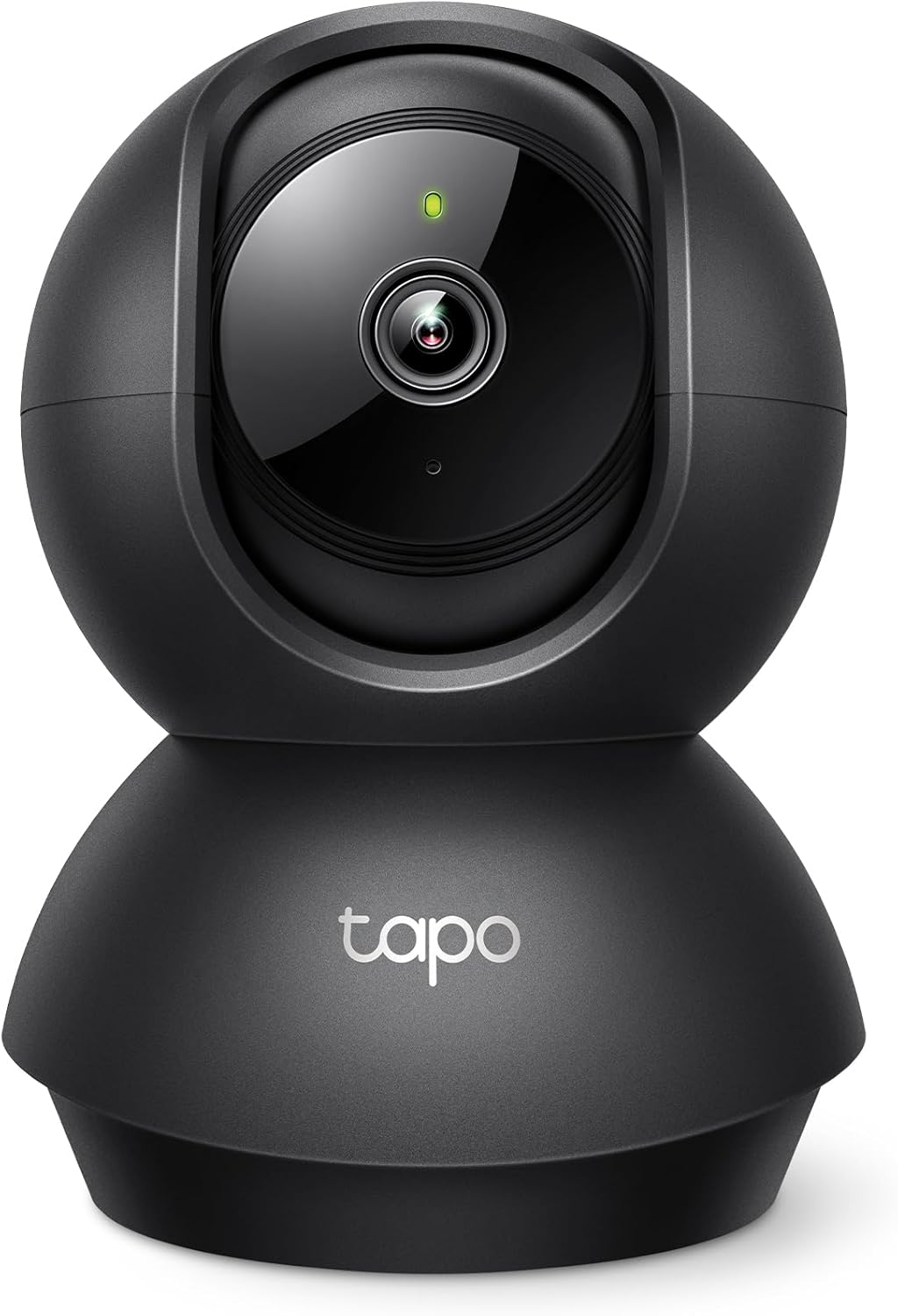
Key specs: 1080p indoor pan and tilt camera with motion detection, two-way audio and night vision; records to a microSD card; one of the most reviewed budget cameras on Amazon
The reason to start here is the motor. A fixed camera watches one slice of a room; a pan-and-tilt head means one cheap camera covers the doorway, the window and the hallway arch, which is a genuinely different product rather than a cheaper one. TP-Link’s own page covers the essentials for the job — motion detection, two-way audio, night vision and microSD recording. It is indoor-only and it is 1080p rather than 2K, and for a camera watching a room from twelve feet away neither of those is the limiting factor. What is limiting is that a motorized head can be pointed at a wall by a curious child or a knocked shelf, so mount it high. If watching a pet is the main job, our pet camera vs security camera guide covers whether a camera like this already does enough.
✅ Pros
- Motorized pan and tilt covers a whole room
- Records to a microSD card you own
- Two-way audio and night vision included
- One of the largest review bases in the budget category
- Simple setup that does not require a hub
❌ Cons
- Indoor only — no weather rating
- 1080p rather than 2K
- Moving parts are the first thing to fail on a cheap camera
Wyze Cam OG — best budget indoor and outdoor
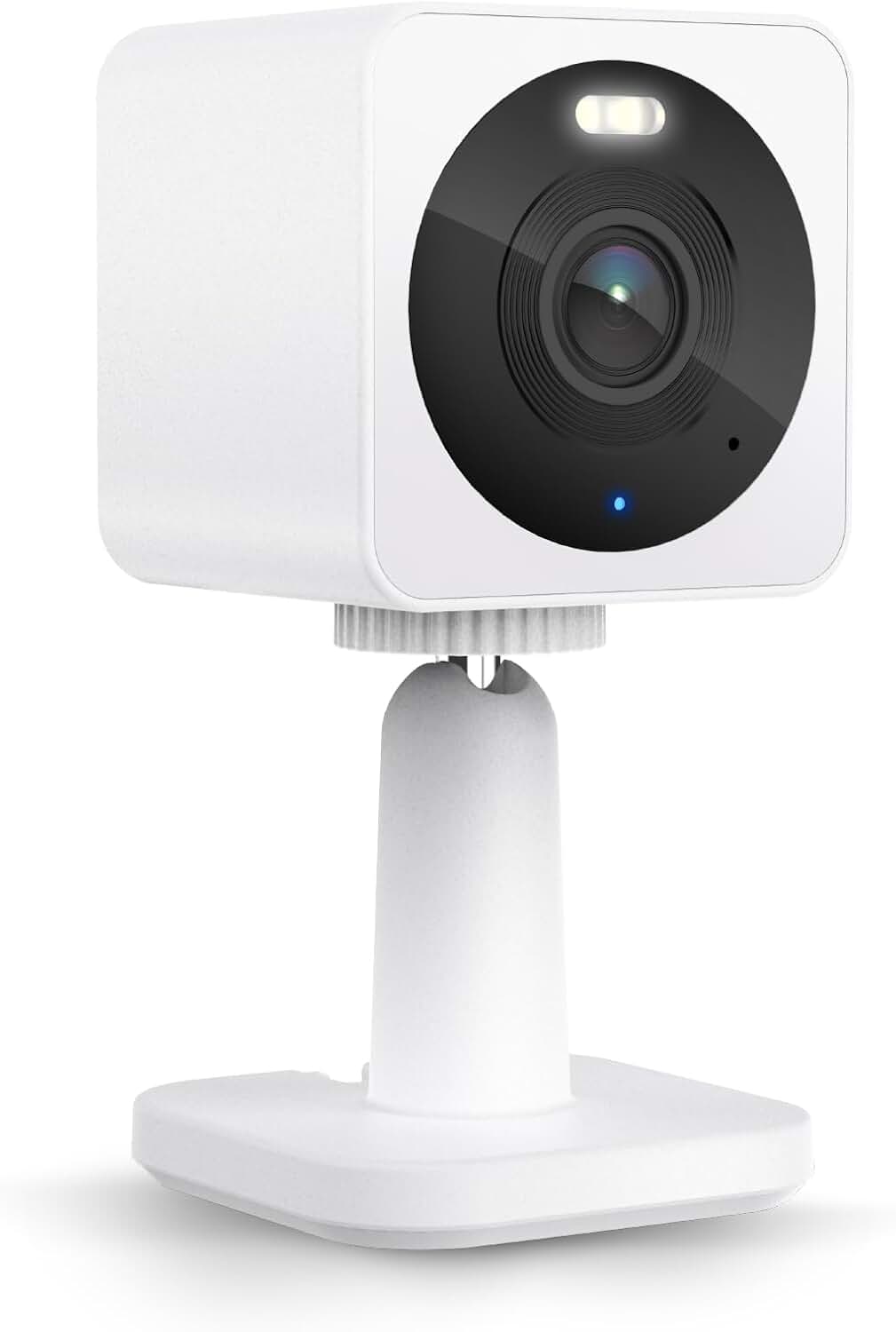
Key specs: 1080p indoor and outdoor camera with a built-in spotlight and color night vision; microSD recording with a cloud plan optional rather than required
The Cam OG is the pick when the camera has to live outside, which is where most budget roundups quietly fail their readers. Wyze specifies it for indoor and outdoor use and builds in a spotlight for color night vision, so it is not relying on infrared alone at the side of a house. Recording goes to a microSD card, with a cloud plan positioned as optional. The honest limits: it is fixed rather than motorized, so aim matters far more than it does on the Tapo, and it is 1080p, which on a driveway rather than a doorstep is where you will feel the difference.
✅ Pros
- Rated for outdoor as well as indoor use
- Built-in spotlight for color at night
- microSD recording with the plan optional
- Small enough to mount discreetly
- A genuinely simple app, which matters more than feature counts
❌ Cons
- Fixed view — no pan or tilt
- 1080p limits how far you can enlarge playback
- Needs a power run to wherever it is mounted
Reolink E1 Pro — best budget detail and tracking
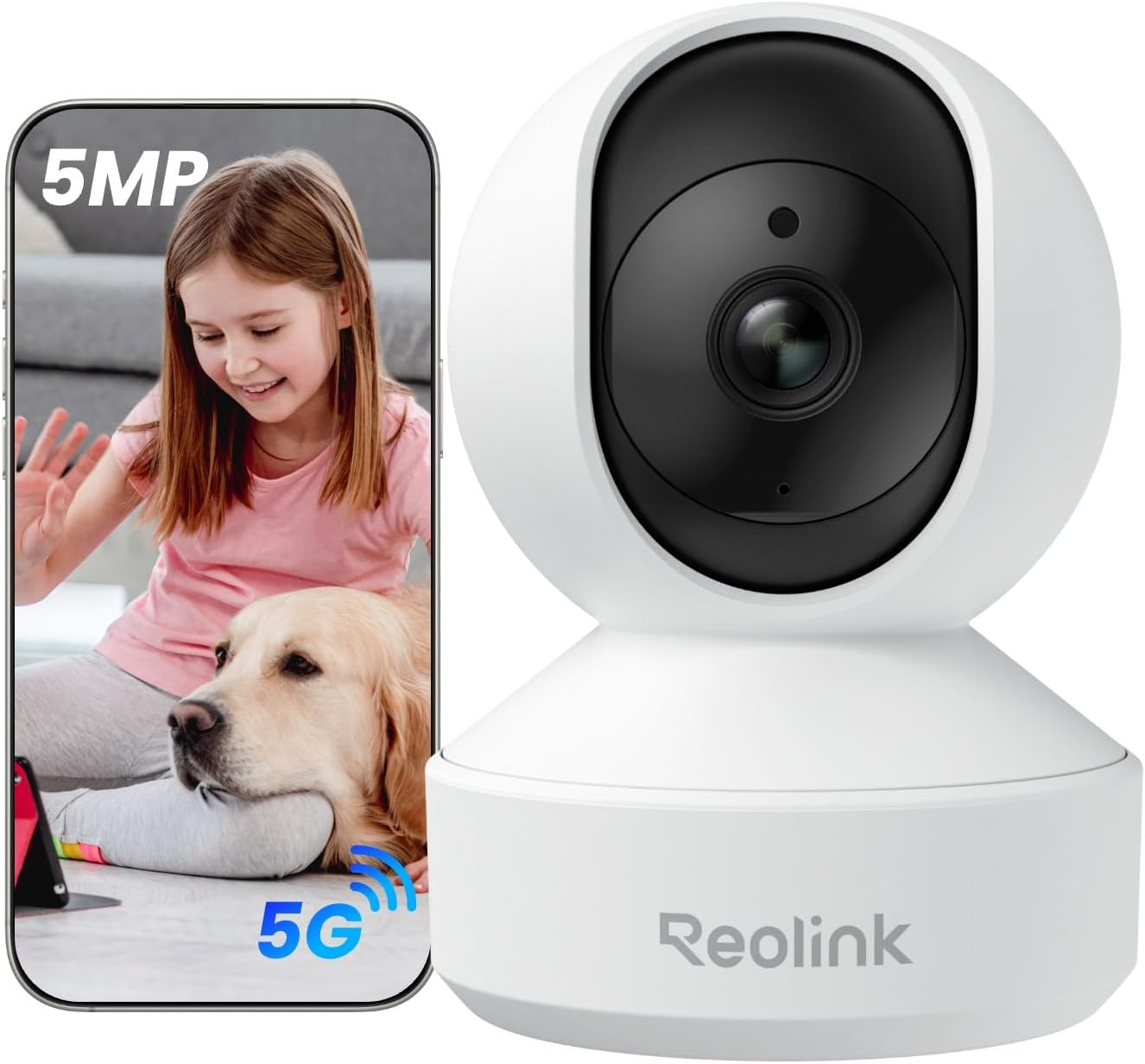
Key specs: 3K 5MP indoor pan and tilt camera on a dual-motor mount for full 360-degree room coverage; person, pet and baby-cry detection with auto tracking; dual-band Wi-Fi
This is the one to buy when the room actually needs watching rather than merely covering. Reolink specifies a dual-motor pan-tilt design for full-room coverage, 5MP resolution, and detection that separates people and pets — including crying detection aimed at baby monitoring — with auto tracking that follows movement rather than just alerting on it. Dual-band Wi-Fi is the quiet advantage here: budget cameras are usually 2.4 GHz only, which is the busiest band in dense housing. It is indoor-only, and auto tracking on a cheap motor is more audible than the marketing suggests.
✅ Pros
- 5MP, noticeably more detail than 1080p rivals
- Dual-motor pan and tilt for full 360-degree coverage
- Person, pet and cry detection with auto tracking
- Dual-band Wi-Fi rather than 2.4 GHz only
- Works as a nursery camera without buying a dedicated one
❌ Cons
- Indoor only
- Tracking motors are audible in a quiet room
- More features than a simple household will use
TP-Link Tapo C101 4-Pack — best budget whole-home coverage
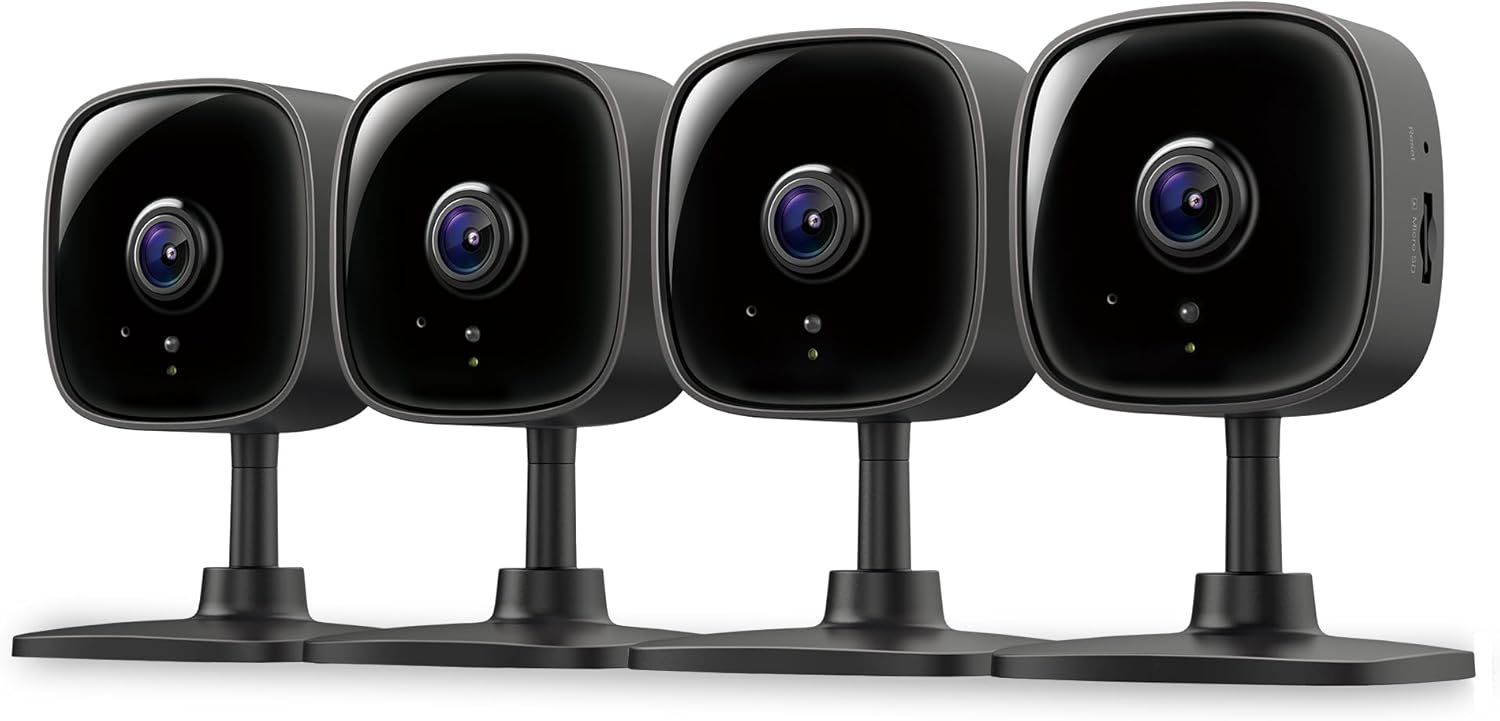
Key specs: Four 1080p indoor cameras in one box, each with motion detection, two-way audio and microSD recording, covering four rooms for roughly what a single flagship camera costs
Four cameras in one box is not a lesser version of a flagship — it is a different strategy, and for most homes it is the better one. Coverage beats specification: four 1080p cameras watching the front hall, the back door, the stairs and the garage tell you far more than one excellent camera watching a single room. Each unit does the standard budget job of motion detection, two-way audio and card recording. The catch is practical rather than technical: four cameras means four power outlets, four cards and four positions you have to think about, and that is where people abandon the plan halfway.
✅ Pros
- Four rooms covered for roughly one flagship camera
- Same core feature set on every unit
- Card recording per camera, no hub required
- Easy to add rooms later from the same app
- The most useful budget purchase for a whole house
❌ Cons
- Four outlets and four cards to organize
- Indoor only
- Managing four feeds is more app work than one camera
The Four Side by Side
| Camera | Resolution | Indoor / outdoor | Moves | Best for |
|---|
| Tapo C201 | 1080p | Indoor | Pan and tilt | One camera covering a whole room |
| Wyze Cam OG | 1080p | Indoor and outdoor | Fixed | A cheap camera that has to go outside |
| Reolink E1 Pro | 3K, 5MP | Indoor | Pan, tilt and auto track | Detail and tracking on a budget |
| Tapo C101 4-Pack | 1080p | Indoor | Fixed | Covering four rooms at once |
Three Ways a Cheap Camera Becomes Expensive
The Costs That Arrive After the Purchase
1
The subscription creep
Basic motion alerts are free; sorting people from passing cars often is not. Two cheap cameras on plans cost more per year than one better camera with free local detection.
2
The card you did not buy
Nearly every budget camera records to microSD and nearly none include one. Buy a card rated for continuous video writing, because cameras write constantly and wear ordinary cards out.
3
The camera you put outside anyway
An indoor camera in a porch survives a season and then fogs, corrodes or dies. Replacing it costs more than buying the outdoor-rated model would have.
The subscription point deserves the most attention, because it inverts the whole calculation. If you are buying cheap specifically to avoid recurring costs, check what the free tier actually does before you commit — our guide to subscription-free systems covers which brands mean it. And if a cheap camera is going outside regardless, read the placement walkthrough first: position does more for what you capture than any specification at this price.
Final Recommendation
Start with the TP-Link Tapo C201. At this price the thing that most improves what you actually capture is coverage, and a motorized head buys more of it than any specification bump would. For a first cheap camera watching a hallway, a nursery or a back room, that is the whole decision.
Three situations point elsewhere, clearly. The camera is going outside: buy the Wyze Cam OG, because an indoor camera in a porch is a purchase you will make twice. You want to read faces rather than see shapes: buy the Reolink E1 Pro for the extra resolution and the dual-band radio. You have four rooms and one budget: buy the Tapo C101 4-Pack, because four adequate cameras beat one good one at telling you what happened. What should push you out of the budget tier entirely is needing a camera that runs on battery where there is no power — that requirement is not really served down here, and the battery camera guide covers it properly. If you are covering a whole property rather than a few rooms, start from the wireless system guide instead of buying cameras one at a time.
SafeBode does not yet run an in-house product testing program. This guide is built from manufacturer specifications, official support documentation, current retail listings and verified buyer feedback rather than hands-on testing, and we say so plainly rather than implying testing we have not done.
Frequently Asked Questions
Are cheap security cameras any good in 2026?
For indoor use, genuinely yes. The picture, the app and local recording are all fine at this price. What you give up is weather sealing, storage headroom and free smart detection, which is a very different list from the one budget cameras had five years ago.
Do budget cameras need a subscription?
Not to work. Every camera in this guide records to a microSD card without a plan. Subscriptions buy cloud copies and smarter alerts, and that is exactly where a cheap camera can quietly stop being cheap.
Can I put an indoor camera outside if it is under cover?
It is the most common budget mistake and we would not do it. A porch still swings through humidity and temperature ranges an indoor housing is not sealed against, and the failure is usually a fogged lens or corroded contacts a season later rather than an obvious break.
What memory card should I buy?
One rated for continuous video writing rather than an ordinary photo card. Security cameras write constantly and rewrite over old footage, which wears out cards designed for occasional use. Match the capacity to how much history you want rather than buying the largest available.
Is 1080p enough for a security camera?
Indoors, almost always. The camera is close to what it is watching, so the detail is already there. Outdoors on a driveway it is the point at which you notice, because that is where you end up enlarging the footage afterwards.
Do these cameras work with Alexa or Google Home?
Most budget cameras support viewing a live feed on a smart display by voice, and these brands are no exception. The full feature set still lives in each brand’s own app, so a mixed-brand setup means several apps rather than one.
Is it better to buy one good camera or several cheap ones?
For most homes, several cheap ones. Coverage tells you what happened; resolution tells you the detail of the part you happened to be pointing at. The exception is a single high-value view, like a driveway where you want plates readable.
What happens to my footage if the internet goes down?
The camera keeps recording to its card, because recording happens on the device. You lose live viewing and notifications until the connection returns, and the footage from the outage is still there when you look.
Sources
Show sources (4)


