Best Wyze Cameras 2026: Which Model Fits Your Home
Affiliate Disclosure: This article contains affiliate links. If you buy through these links, we may earn a commission at no extra cost to you. Our editorial opinions are our own and are not influenced by affiliate relationships. Read our full disclosure policy →
Contents
Quick Answer
Buy the Wyze Cam v4 — 2.5K resolution, works indoors or out, and takes a microSD card for free 24/7 recording. Choose the Cam Pan v3 if one camera has to watch a whole room, the Cam OG if you want the cheapest way to add a camera, and the Bulb Cam where there is a light socket but no power outlet. A subscription is optional — but it buys something quite different from what most people assume.
What Cam Plus Actually Buys You
The single most misunderstood thing about Wyze is what the subscription is for. People assume Cam Plus buys storage, and that without it the camera barely functions. That is not what the split is.
Every Wyze camera with a microSD slot supports 24/7 local recording with no subscription required. You choose between continuous recording and events-only recording, and Wyze states plainly that local storage is free to use. Storage is limited only by the size of the card.
The catch is indexing. Recording to a microSD card only stores the footage — to find a specific event you have to scrub through it manually. What Cam Plus adds is motion-triggered event recordings of unlimited length, cloud storage, and AI detection that tells the difference between a person, a package, a pet and a vehicle.
microSD Card vs. Cam Plus — What You’re Really Choosing
✅ microSD card (free)
- 24/7 continuous or events-only recording
- Keeps recording even when the camera is offline
- Storage limited only by card size
- Time-lapse creation
✅ Cam Plus (paid)
- Motion-triggered events of unlimited length
- Cloud storage — survives the camera being stolen
- Person, package, pet and vehicle detection
- Events are searchable instead of scrubbed for manually
Put plainly: the card is storage, the subscription is search and intelligence. If you want a record you can go back to after an incident, a card alone is enough. If you want the camera to tell you a person is at the door right now — rather than that something moved — that is the paid tier. There is also a real security argument for cloud: a thief who takes the camera takes the card with it. The same line runs through Wyze’s doorbells, and our Wyze video doorbell guide shows which models record to a card and which depend on Cam Plus.
The Wyze Storage Decision, At a Glance
Free
24/7 local recording with a microSD card
Manual
finding events on a card means scrubbing footage
Paid
AI person, package, pet and vehicle detection
Offline
the card keeps recording without internet
Sources: Wyze. Buy the subscription for searchability and AI, not for basic recording.
The Four Cameras Compared
| Camera | Best for | Resolution | Coverage | Placement |
|---|
| Wyze Cam v4 | Most situations | 2.5K | Fixed, wide | Indoor or outdoor |
| Wyze Cam Pan v3 | Whole-room coverage | 1080p | 360° pan and tilt | Indoor or outdoor, IP65 |
| Wyze Cam OG | Adding cameras cheaply | 1080p | Fixed | Indoor or outdoor |
| Wyze Bulb Cam | No power outlet | 2K | 160° fixed | Any E26 light socket |
Wyze Cam v4 — Best Overall
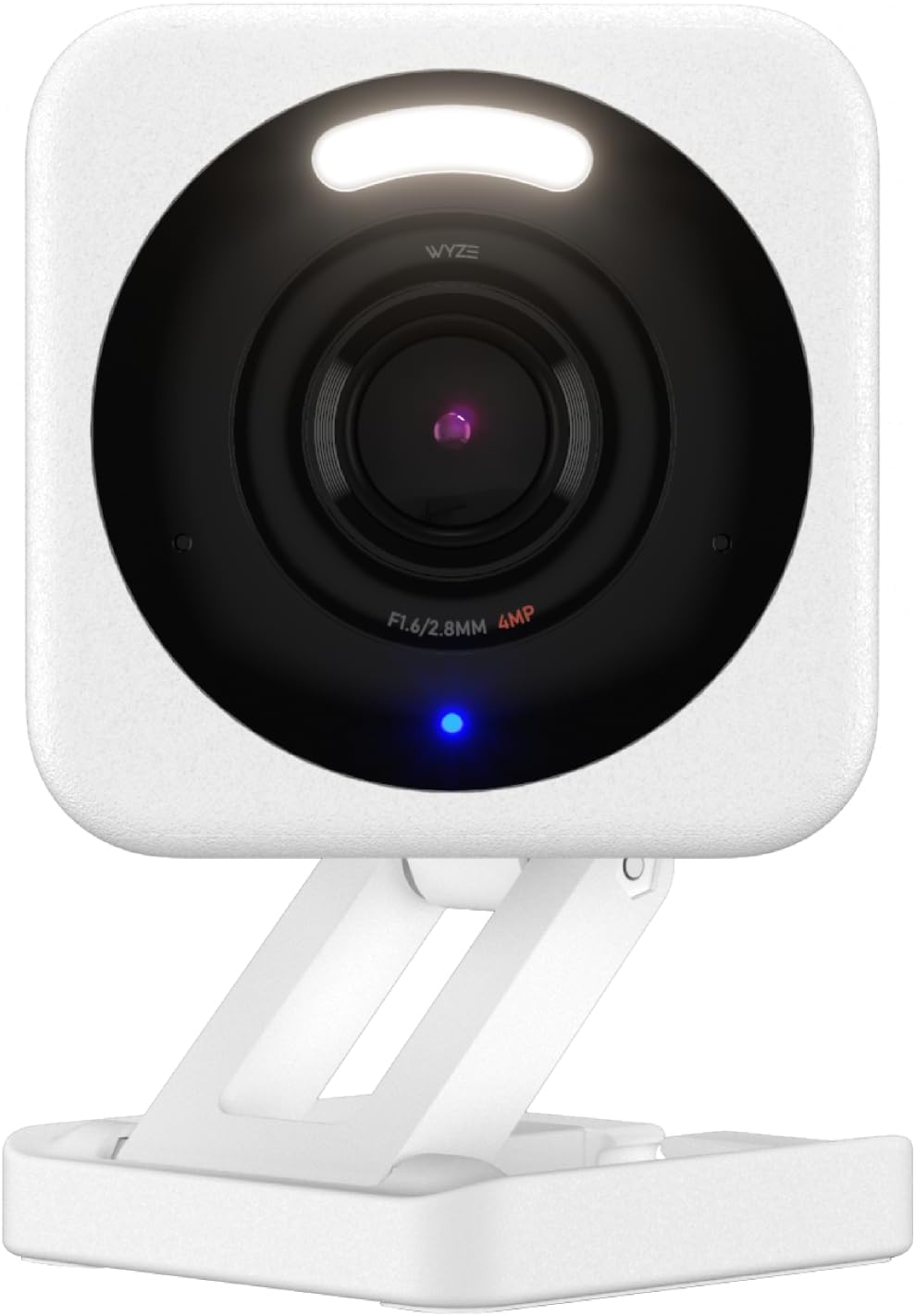
Key specs: 2.5K resolution · indoor or outdoor · color night vision · microSD slot · spotlight
The v4 is the camera to buy unless you have a specific reason not to. The jump to 2.5K is meaningful — it is the difference between seeing that someone approached the door and being able to describe them — and it keeps the things that made Wyze popular in the first place: a microSD slot for free recording, color night vision rather than gray infrared, and a spotlight. It works indoors or outdoors, which means one model covers most of a house rather than buying two different products. It is also one of the most-reviewed cameras in Wyze’s range, so you are not betting on new hardware.
✅ Pros
- 2.5K resolution is a genuine step up from the 1080p range
- Color night vision rather than monochrome infrared
- microSD slot enables free 24/7 recording
- Rated for indoor or outdoor use, so one model covers most needs
❌ Cons
- Needs mains power — it is not a battery camera
- AI detection features require Cam Plus
- Fixed field of view, no pan or tilt
- Higher resolution fills a microSD card faster
Wyze Cam Pan v3 — Best Coverage From One Camera
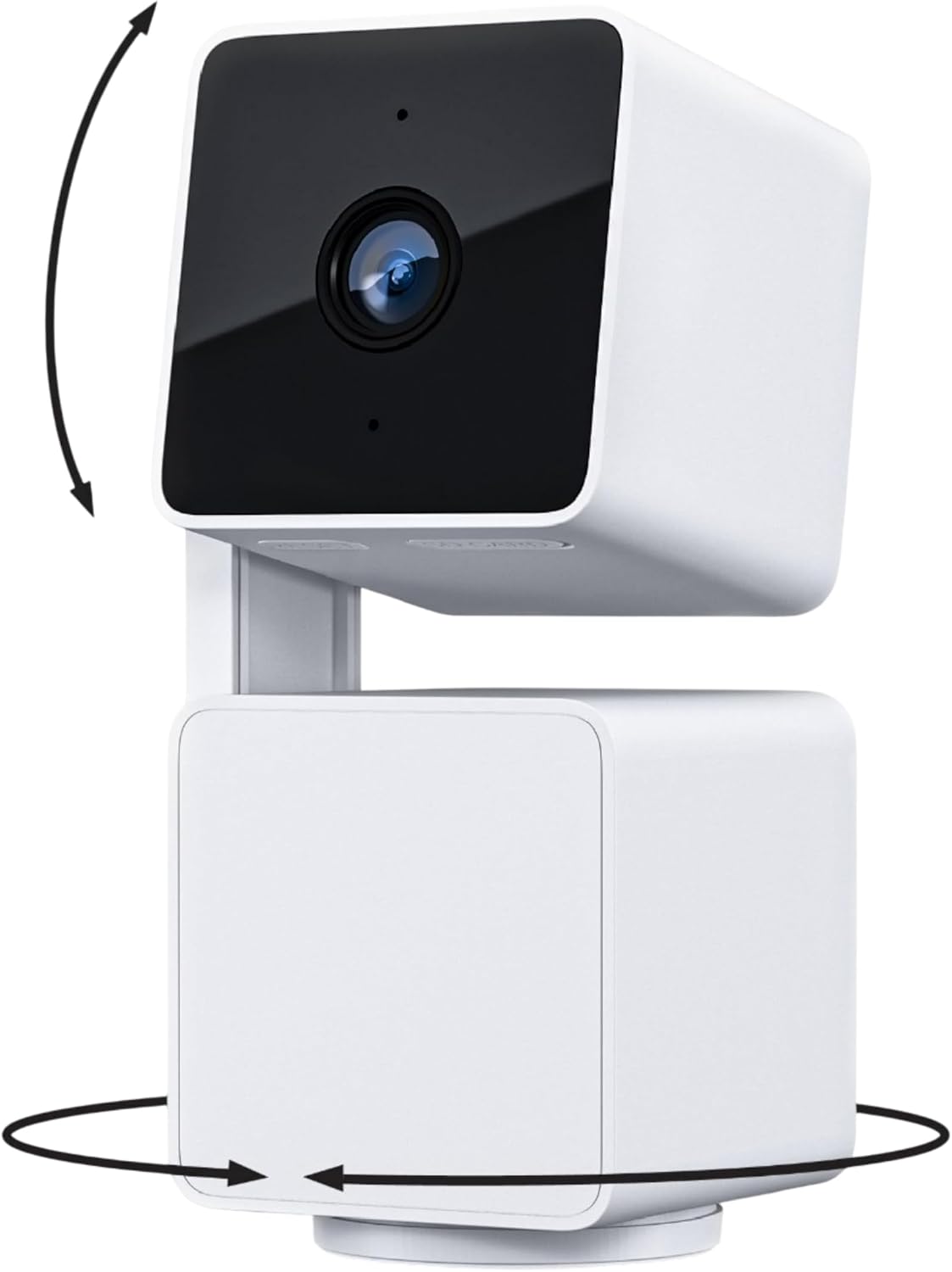
Key specs: 1080p · 360° pan and tilt · motion tracking · IP65 weather rated · microSD slot
The Pan v3 solves a different problem: covering a whole room, or a whole driveway, without buying three cameras. The 360-degree pan with motion tracking means it physically follows movement rather than watching one fixed rectangle — genuinely useful in an open-plan living space, a nursery or a garage. It is also IP65 weather rated, so it is a legitimate outdoor camera rather than an indoor one you hope survives. It is the best-selling camera in Wyze’s line by review volume, which is a strong reliability signal.
✅ Pros
- 360° pan and tilt covers a whole room from one position
- Motion tracking physically follows movement
- IP65 rated for genuine outdoor use
- The largest review base in the Wyze range
❌ Cons
- 1080p rather than the v4’s 2.5K
- Moving parts are a long-term wear point a fixed camera doesn’t have
- Tracking can be fooled by pets or moving foliage
- While it pans one way it is not watching the other
Wyze Cam OG — Best Budget Pick
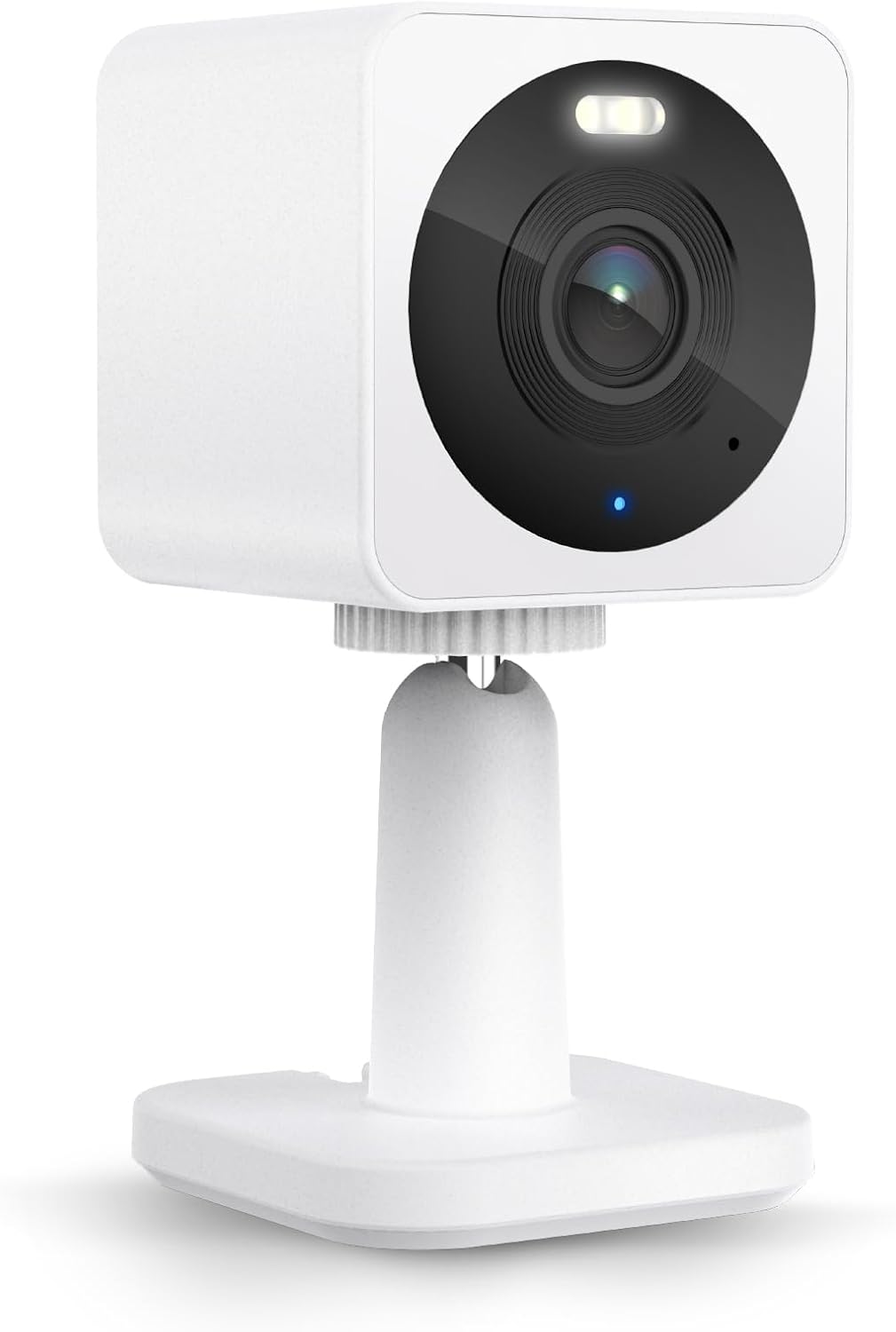
Key specs: 1080p · built-in spotlight · indoor or outdoor · two-way audio · microSD slot
The OG exists to make adding a fourth or fifth camera painless. It is the cheapest way into the Wyze ecosystem, it still includes a built-in spotlight and two-way audio, and it still takes a microSD card — so the free-recording argument applies here exactly as it does to the flagship. For a hallway, a garage interior, a shed or a second-floor landing, 1080p from a camera you barely thought about the cost of is often the right call. It has a large review base for a budget model.
✅ Pros
- Cheapest route into the Wyze ecosystem
- Still includes a spotlight and two-way audio
- microSD slot means free recording like the rest of the range
- Small enough to sit almost anywhere
❌ Cons
- 1080p only
- No pan or tilt
- Narrower feature set than the v4
- Still needs mains power
Wyze Bulb Cam — Best Where There Is No Outlet
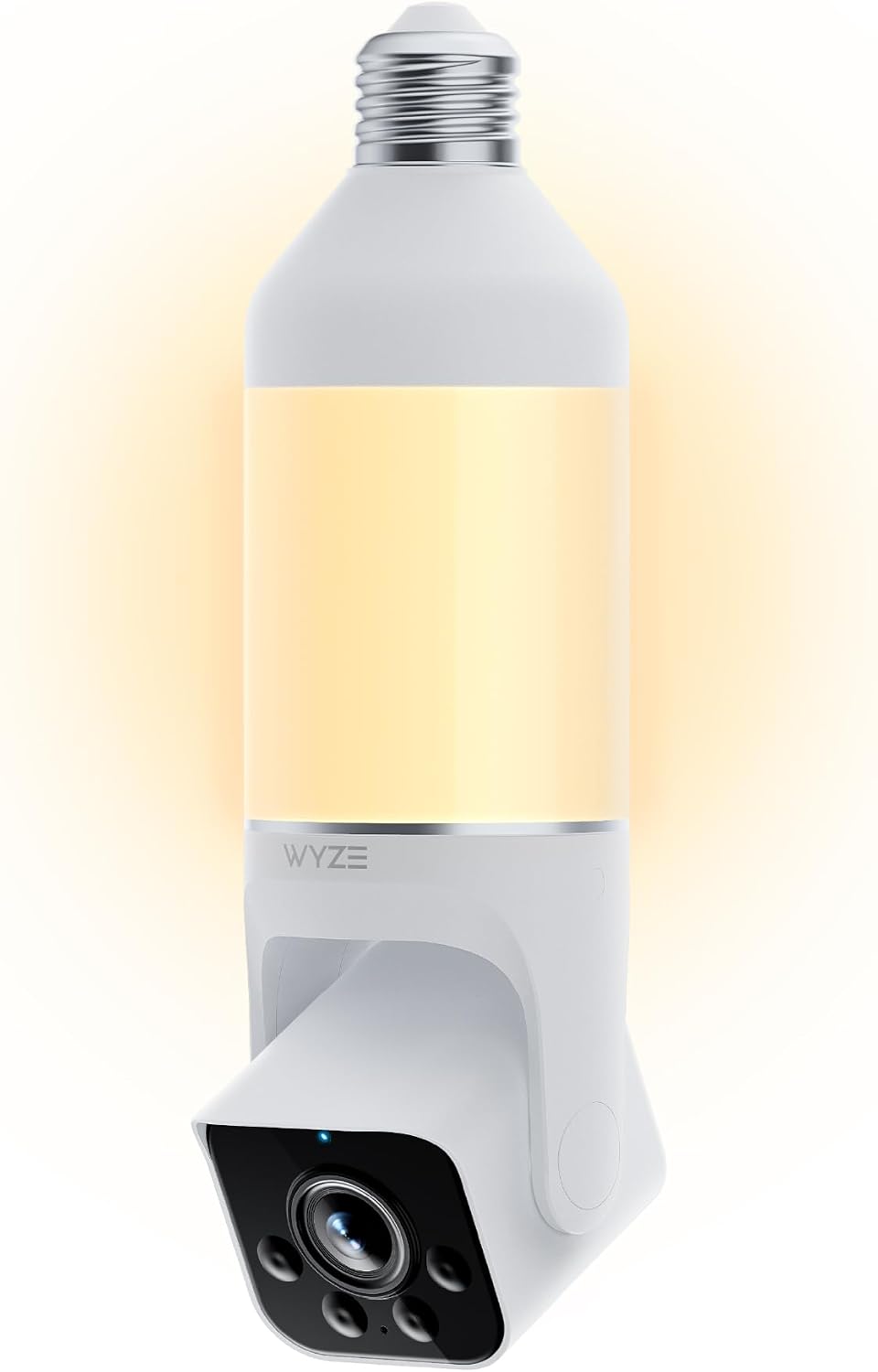
Key specs: 2K camera in an E26 light bulb socket · 800-lumen dimmable LED · 160° view · siren
This is the most genuinely different product in the range and it solves a real, common problem: the place you want a camera has a light fitting but no power socket. The Bulb Cam screws into a standard E26 socket and draws power from it, giving you a 2K camera, an 800-lumen dimmable light and a siren in one fitting. Porches, garages, sheds, stairwells and side passages are all candidates. The trade-off is obvious once you say it out loud: the camera is only powered when the light circuit is live, and it points wherever the fitting points.
✅ Pros
- No wiring or outlet needed — uses an existing light socket
- 2K camera plus an 800-lumen dimmable light
- Built-in siren for active deterrence
- Solves porches, garages and sheds in one fitting
❌ Cons
- Only powered when the light circuit has power
- Positioning is dictated by where the socket already is
- 160° fixed view, no pan or tilt
- A bulb-shaped camera is conspicuous in some fittings
The Indoor/Outdoor Question
Wyze blurs the indoor and outdoor line more than most brands, and that is mostly to your benefit — the v4, Pan v3 and OG are all rated for either. But two practical points get missed. First, a mains-powered camera outdoors still needs a route for the cable, which is the real constraint, not the weather rating. Second, pointing an indoor camera through a window does not work: the glass reflects the infrared night vision straight back and you get a white wash after dark.
If you are placing cameras across a whole property rather than fixing one blind spot, our room-by-room placement guide covers the priority order — which positions actually matter and which are wasted. And if your concern is specifically indoor coverage for pets, children or a rental, our indoor camera comparison compares Wyze against the other main options directly. Whether a dedicated pet camera adds anything beyond that is covered in our pet camera vs security camera comparison.
Who Wyze Is and Isn’t For
An Honest Fit Check
✅ Wyze works well if
- You want the option of zero monthly cost
- You are happy with mains-powered cameras
- You want to cover several rooms without a large outlay
- You want 24/7 continuous recording rather than clips only
❌ Look elsewhere if
- You need battery or solar cameras with no cabling
- You want a full alarm system with entry sensors and monitoring
- You want professional monitoring and police dispatch
- You need the highest-end resolution and processing available
The battery point is the most important exclusion. Wyze’s core range is mains powered, so if the position you care about has no power at all, a solar or battery camera is a fundamentally better fit — our solar security camera guide covers that case properly. And if what you actually want is an alarm rather than cameras, cameras alone will not dispatch anyone; our guide to monitored alarms and police response explains what monitoring does and does not guarantee.
Wyze puts a microSD slot in the camera itself, which is the opposite of how Arlo works. If you are weighing the two, our Arlo camera guide covers that difference and what it costs.
Final Recommendation
Buy the Wyze Cam v4 and a microSD card. That combination gives you 2.5K footage and 24/7 local recording with no recurring cost, and it is the configuration that makes Wyze genuinely good value rather than merely cheap. Add the Cam Pan v3 for any room where one fixed view is not enough, and fill in secondary spaces with the Cam OG.
Where there is a light fitting and no socket — a porch, a garage, a shed — the Bulb Cam is the pick that actually solves it rather than requiring an electrician. Only add Cam Plus once you have lived with the cameras for a few weeks and know whether manually scrubbing card footage annoys you enough to pay to avoid it. Most people find the answer is different from what they assumed before buying.
Frequently Asked Questions
Do Wyze cameras work without a subscription?
Yes. Every Wyze camera with a microSD slot supports 24/7 local recording — continuous or events-only — with no subscription required. The subscription adds cloud storage, unlimited-length motion events, and AI person, package, pet and vehicle detection.
What does Cam Plus actually add over a microSD card?
Searchability and intelligence rather than raw storage. A card records everything but leaves you to scrub through footage manually to find an event. Cam Plus gives motion-triggered event recordings, cloud backup and AI detection that identifies what triggered the alert.
Does a Wyze camera keep recording if the internet goes down?
Local recording writes to the card in the camera rather than to the cloud, so it does not depend on the cloud service being reachable. Live view and push notifications do need your connection, so those stop during an outage. Behavior varies by model and firmware — check your specific camera’s settings if offline recording is the reason you are buying.
Is the Wyze Cam v4 worth it over the cheaper Cam OG?
For a main entrance or any view where you might need to identify someone, yes — 2.5K versus 1080p is a real difference at distance. For a hallway, garage interior or secondary room where you only need to know something happened, the OG does the job for less.
Can Wyze cameras be used outdoors?
The v4, Cam Pan v3 and Cam OG are all rated for indoor or outdoor use, and the Pan v3 carries an IP65 rating. The practical constraint outdoors is not weather but power — these are mains cameras, so you need a route for the cable.
Will a Wyze camera work pointed through a window?
Not at night. The infrared night vision reflects off the glass and washes the image out. If you need to watch outside, mount the camera outside — this is true of essentially every camera with infrared night vision, not just Wyze.
How big a microSD card should I use for continuous recording?
Larger cards simply hold more days before overwriting the oldest footage. Higher-resolution cameras fill cards faster, so a 2.5K v4 recording continuously will cycle through a given card considerably quicker than a 1080p model. Check the maximum card size your specific model supports.
Does the Wyze Bulb Cam work when the light is switched off?
No. It draws power from the light socket, so if the wall switch cuts the circuit the camera loses power too. In practice that means using it in fittings controlled by a switch you leave on, or accepting that the camera is only live when the light circuit is.
Sources
Show sources (3)
SafeBode does not yet run an in-house product testing program. This guide is built from manufacturer specifications, official support documentation, current retail listings and verified buyer feedback rather than hands-on testing, and we say so plainly rather than implying testing we have not done.


