Best Tapo Security Cameras 2026: Which TP-Link Model Fits Which Spot
Affiliate Disclosure: This article contains affiliate links. If you buy through these links, we may earn a commission at no extra cost to you. Our editorial opinions are our own and are not influenced by affiliate relationships. Read our full disclosure policy →
Contents
Quick Answer
Tapo’s argument is simple and it holds up: the smart detection that other brands charge for is included. TP-Link states free person, pet and vehicle detection on the models here, with recording to a microSD card up to 512GB and cloud storage kept as an optional extra. For most homes the Tapo C520WS is the right first camera — 2K, motorized pan and tilt covering a full circle, spotlights and a siren. Buy the C425 instead if you cannot run power, and the C720 floodlight if the point is to light up a driveway rather than quietly watch it. One catch applies across the range: these cameras run on 2.4 GHz Wi-Fi.
What Tapo Actually Gives You Without a Subscription
The reason Tapo keeps appearing in these comparisons is not image quality. It is where the brand draws the line between the product and the subscription, and that line sits in an unusual place.
On the cameras in this guide, TP-Link lists AI person, pet and vehicle detection as included at no extra cost, alongside line-crossing and tamper detection on the pan-tilt models. That matters because on several competing brands, telling a person from a passing car is precisely the feature held behind a monthly plan — and a camera that alerts on every headlight is a camera you eventually mute. Recording is local: TP-Link specifies microSD support up to 512GB across these models, with Tapo Care cloud storage offered as a subscription rather than a requirement.
What the subscription buys is off-site video. Tapo Care’s own material centers on recorded video being saved to the cloud regardless of the camera’s status, plus sorting tools for that footage. That is a genuine benefit in one specific scenario — somebody takes the camera — and close to irrelevant otherwise. Treat it as insurance, not as the thing that makes the camera work. The same card-first approach carries over to the front door, which our Tapo video doorbell guide compares across all three models.
Included With the Camera vs Behind Tapo Care
✅ Included, no subscription
- AI person, pet and vehicle detection
- Recording to microSD, up to 512GB
- Live view, two-way audio, siren and spotlight where fitted
- Alerts to your phone
💳 What the plan adds
- Cloud copies of recorded video, held off-site
- Footage that survives the camera being stolen or damaged
- Sorting and review tools for saved clips
- Nothing you need for the camera to record and alert
Pick by Spot, Not by Model Number
Tapo’s naming is dense — C120, C425, C520WS, C720 — and it hides a simple structure. Each camera is really defined by how it gets power and how much of a scene it can cover. Answer those two questions about the position you are trying to cover and the model chooses itself.
| Position | Power | Model that fits | Why |
|---|
| Front of house, wide approach | Wired to an outlet | C520WS | Motorized pan and tilt covers a full circle from one mount |
| Somewhere with no power at all | Battery, optional solar | C425 MagCam | Magnetic base, and TP-Link lists solar panel support |
| Indoors, or a sheltered outdoor corner | Wired to an outlet | C120 | Small, weatherproof enough for outside, cheap enough to buy several |
| Driveway or back yard you want lit | Hardwired to mains | C720 | 2,800 lumens of floodlight, which is deterrence rather than observation |
Two of those rows hide real work. The C720 is hardwired only, at 110 to 240 volts — that is an electrical job, not a plug-in. The C425 needs no wiring at all but does need recharging unless you add the solar panel. Before committing to any of them, it is worth testing the Wi-Fi where the camera will actually hang, because every Tapo camera here depends on it, and our placement walkthrough covers which positions genuinely earn a camera.
TP-Link Tapo C520WS — best overall
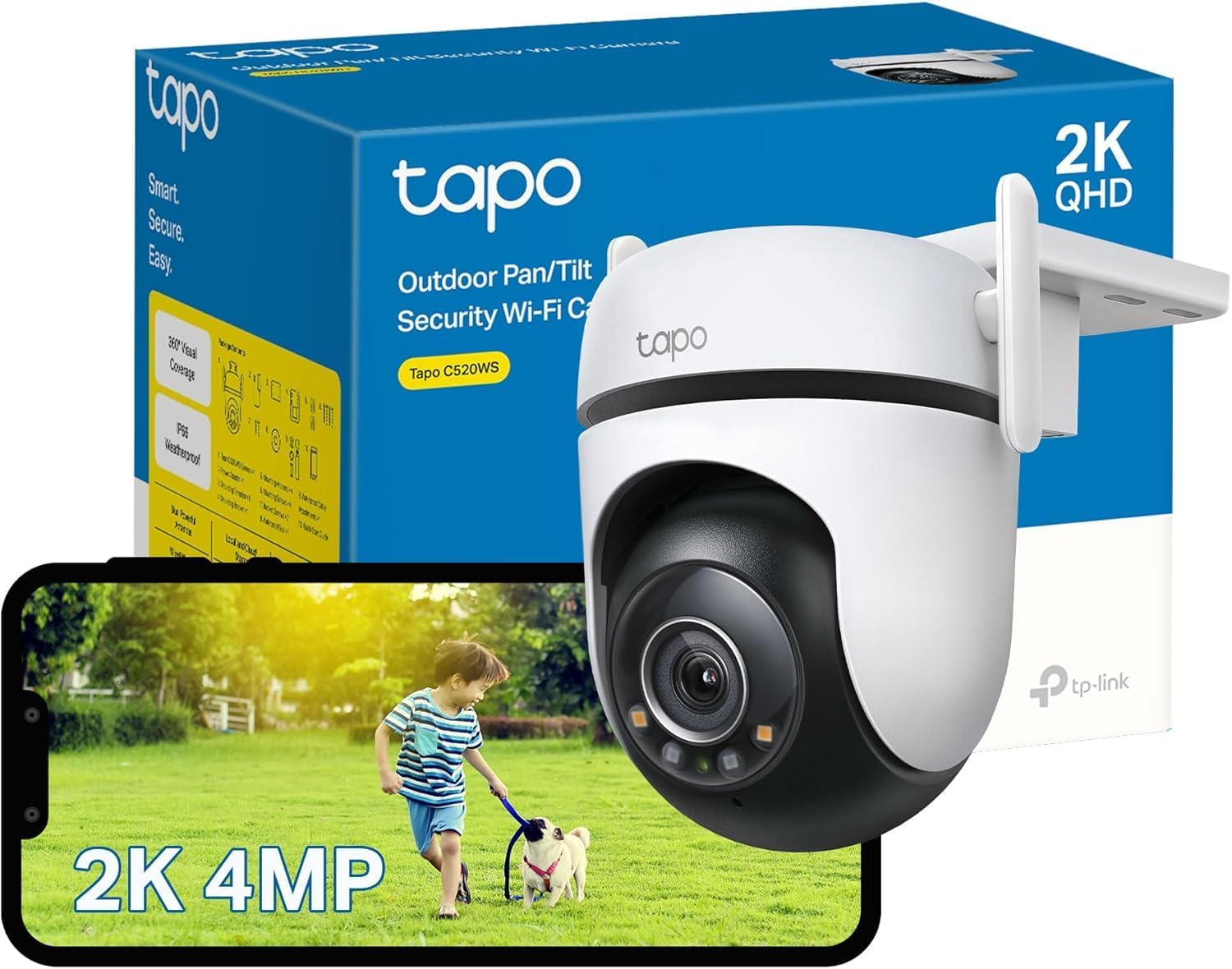
Key specs: 2K QHD outdoor pan and tilt camera with 360-degree pan coverage; free person, pet and vehicle detection; spotlights and a 93 dB siren; microSD up to 512GB; IP66
This is the Tapo to buy if you are only buying one. TP-Link specifies 2K QHD at 2560 by 1440, 340 degrees of horizontal movement giving full 360-degree pan coverage, and 90 degrees of tilt. That combination means one camera can watch a driveway, a path and a door instead of staring at a single fixed rectangle. Detection covers motion, person, pet, vehicle, line-crossing and tamper, all built in. It carries two spotlights and a 93 dB siren, so it can respond to an event rather than merely record it, and it is IP66 rated for weather. Storage is microSD up to 512GB or Tapo Care. One quiet advantage over the rest of the range: TP-Link lists an Ethernet port option alongside 2.4 GHz Wi-Fi, which is the fix if your signal at that corner of the house is marginal.
✅ Pros
- Full 360-degree pan coverage plus 90 degrees of tilt from one mount
- Person, pet, vehicle, line-crossing and tamper detection with no subscription
- Spotlights and a 93 dB siren for active deterrence
- Ethernet option as well as Wi-Fi, unusual at this price
❌ Cons
- Wi-Fi side is 2.4 GHz only — the Ethernet port is the workaround, not a 5 GHz radio
- Motorized pan and tilt adds moving parts to an outdoor device
- Needs an outlet, so placement is limited by power rather than by view
- A camera that can look anywhere can also be pointed away from what matters
TP-Link Tapo C425 MagCam — best wire-free
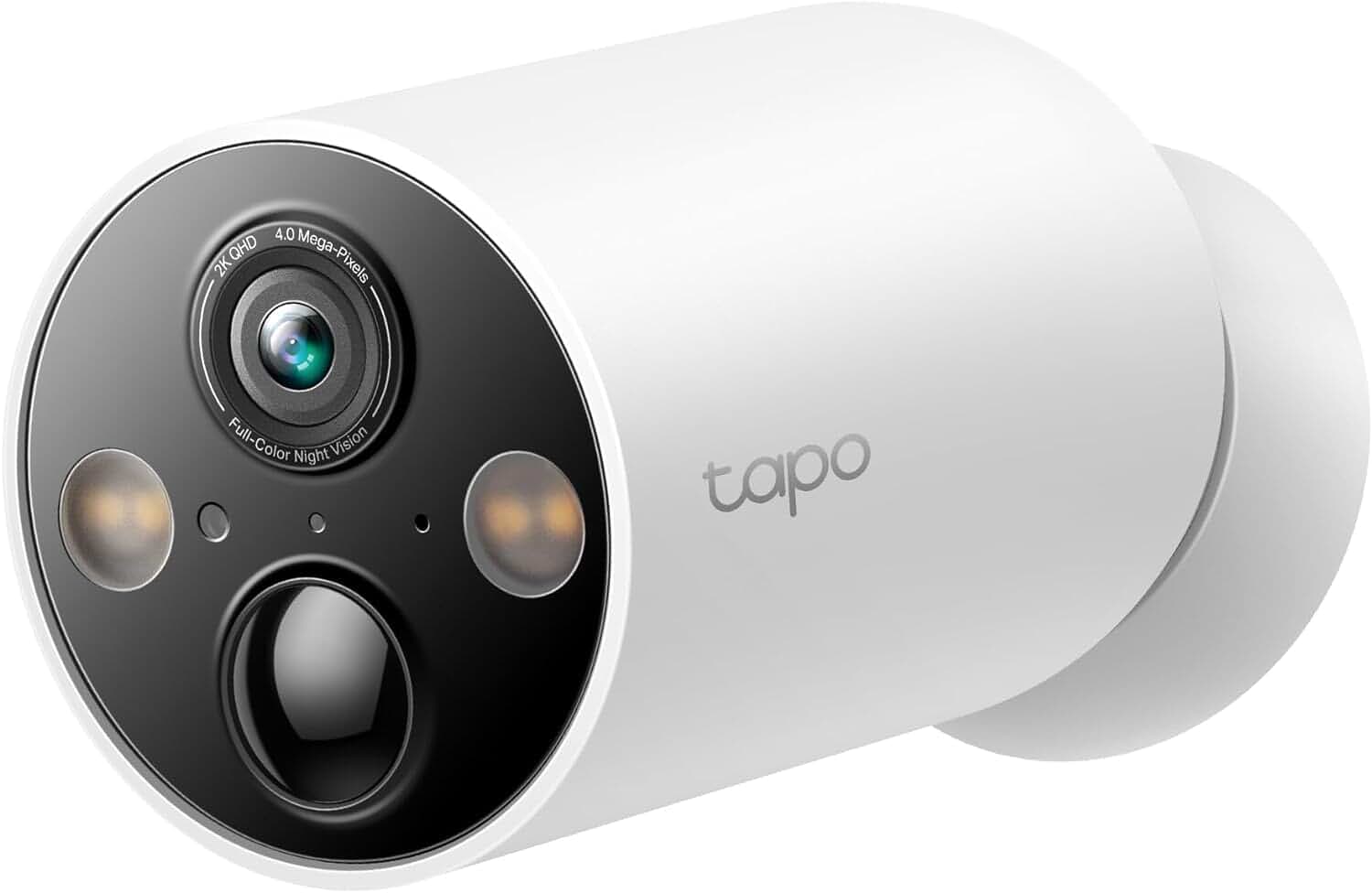
Key specs: 2K QHD battery camera with a magnetic base; IP66 rated; free person, pet and vehicle detection; microSD up to 512GB; works with the Tapo A200 solar panel
The MagCam is the one for positions with no power. TP-Link rates it at 2K QHD, IP66, with free person, pet and vehicle detection and microSD support up to 512GB. Its battery claim is specific in a way most are not: up to 300 days on a charge based on 230 seconds of daily use, falling to about 180 days at 360 seconds of daily use. That is an honest way to publish a number, because it tells you the assumption — a camera in a busy position simply will not see either figure. The magnetic base sticks to any steel surface and repositions in seconds, with conventional wall and ceiling mounting hardware included. If you would rather never recharge it, TP-Link lists compatibility with its A200 solar panel, sold separately — the same approach covered in our solar camera guide.
✅ Pros
- No wiring at all, and it repositions in seconds on the magnetic base
- Battery claim published with the usage assumption behind it
- Solar panel support removes the recharging problem entirely
- Same free detection and local storage as the wired models
❌ Cons
- A magnetic mount is as quick for a thief to remove as it is for you
- 2.4 GHz Wi-Fi only
- Battery life collapses in a busy position, whatever the headline figure says
- The solar panel is an extra purchase, not included
TP-Link Tapo C120 — best small and flexible
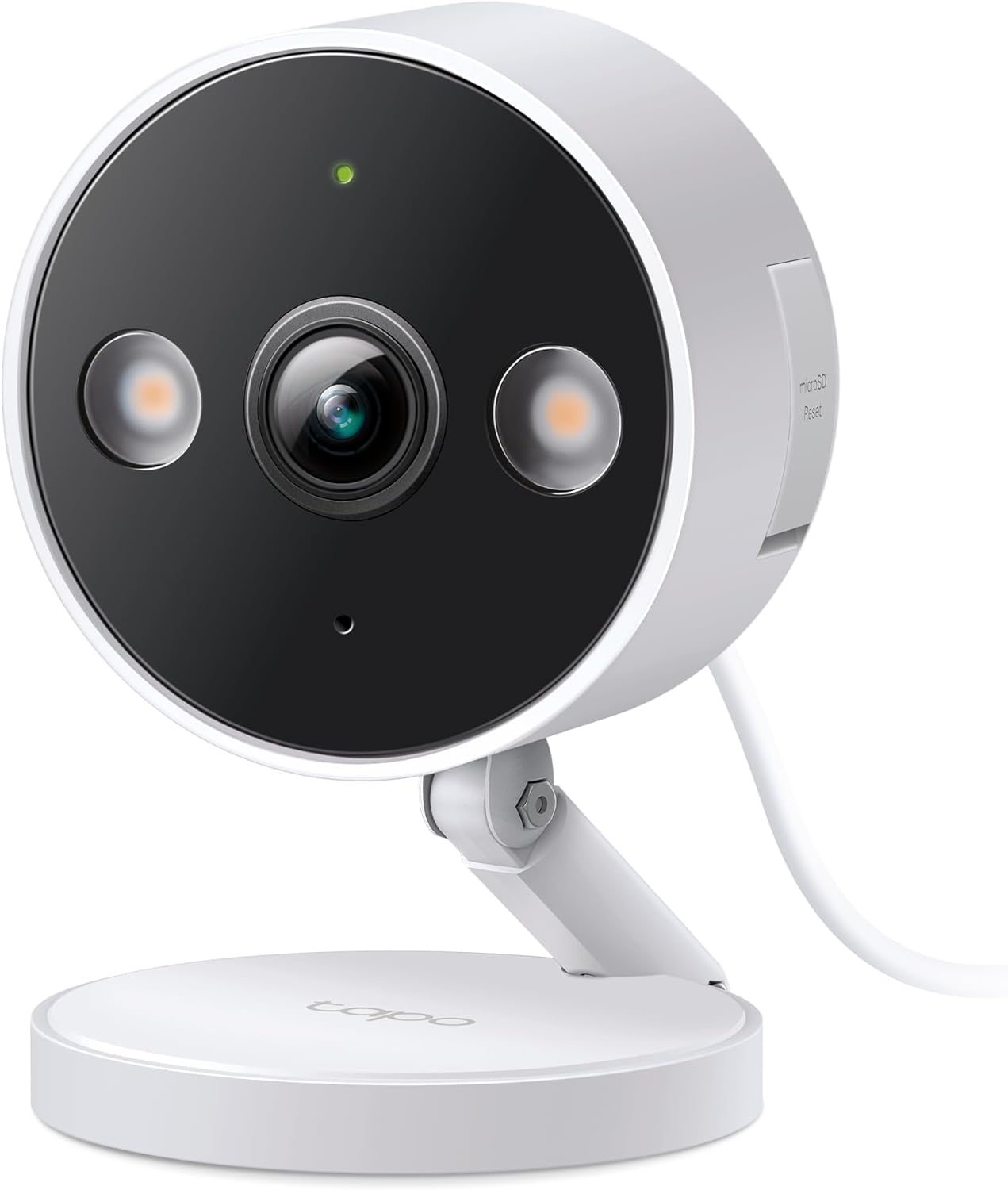
Key specs: 2K+ indoor and outdoor wired camera; person, pet and vehicle detection; color night vision; subscription-free local storage or optional cloud
The C120 is the one to buy several of. It is a compact wired camera rated for indoor and outdoor use, with person, pet and vehicle detection, color night vision, and the same subscription-free local recording as the rest of the range. It has no pan and tilt and no floodlight, which is exactly why it costs what it costs — and for a huge number of real positions, a fixed camera pointed at one thing is the correct answer. A garage side door does not need to sweep 360 degrees. It also earned a PCMag Editors’ Choice, which is worth roughly what any award is worth but does indicate it is not a corner-cut model. If you are covering indoor spaces specifically, our indoor camera guide compares it against the alternatives across brands.
✅ Pros
- Cheap enough to cover several positions rather than one
- Indoor and outdoor rated, so one model does both jobs
- Same free detection and microSD recording as the flagship models
- No moving parts, which is one less thing to fail outdoors
❌ Cons
- Fixed view — no pan, tilt or tracking
- No floodlight and a smaller feature set than the C520WS
- Needs an outlet at every position you mount one
- 2.4 GHz Wi-Fi, like the rest of the range
TP-Link Tapo C720 Floodlight Camera — best for deterrence
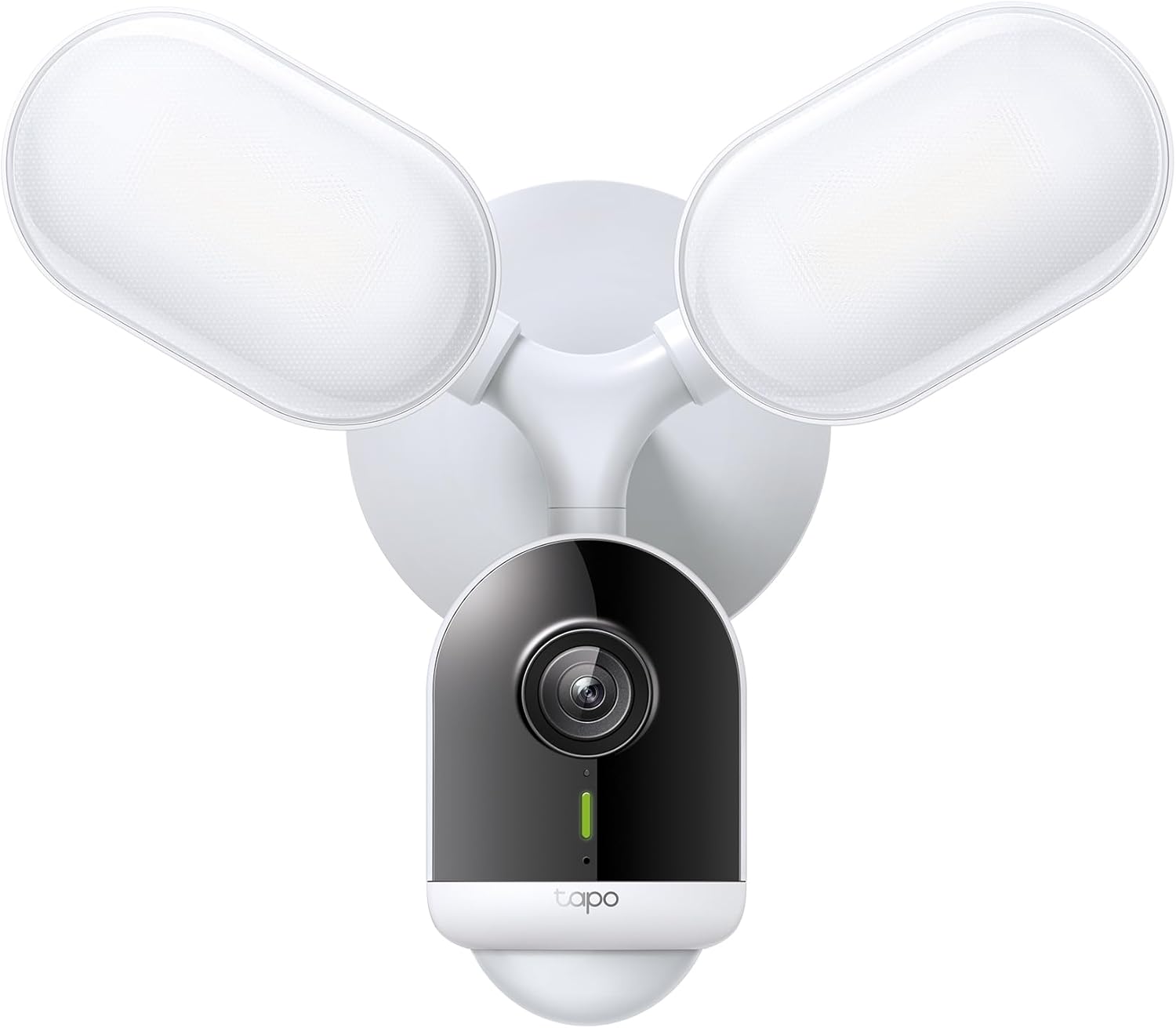
Key specs: 2K QHD floodlight camera rated at 2,800 lumens; 153-degree diagonal view; free AI detection; hardwired at 110-240V; microSD up to 512GB; IP65
A floodlight camera is a different tool from a security camera, and it is the right tool for a driveway. TP-Link rates the C720 at 2,800 lumens with adjustable heads and full-color night vision to about 30 feet, 2K QHD at 2560 by 1440, and a 153-degree diagonal field of view. Detection covers motion, person, pet, vehicle, line-crossing and tamper, free of subscription, with microSD up to 512GB and optional Tapo Care. The important line in the specification is the power one: hardwired only, at 110 to 240 volts. That means a junction box and, for most people, an electrician — this is not a camera you put up on a Saturday with a screwdriver. It is IP65 rather than the IP66 of the pan-tilt models, which is still plenty for an eave but worth noticing. For the lighting side of the decision, our outdoor motion light guide covers the non-camera options.
✅ Pros
- 2,800 lumens turns a dark driveway into a lit one — the deterrent people actually notice
- Full-color night vision to roughly 30 feet rather than gray infrared
- Same free AI detection and local storage as the rest of the range
- Mains power means no batteries and no recharge cycle
❌ Cons
- Hardwired only at 110-240V — budget for an electrician
- IP65 rather than IP66, a slightly lower weather rating than the pan-tilt models
- Fixed head — it lights and watches one area, it does not sweep
- Bright floodlights annoy neighbors if aimed carelessly
Three Tapo Limitations Worth Knowing First
None of these are dealbreakers. All three catch people out after the box is open, which is the wrong time to find out.
The Wi-Fi is 2.4 GHz. TP-Link lists 2.4 GHz operation on both the C520WS and the C425. In practice 2.4 GHz reaches further through walls than 5 GHz, which suits cameras — but it is also the crowded band in an apartment building, and it caps throughput. The C520WS’s Ethernet option is the real fix where signal is poor.
Local storage means local risk. Everything records to a card in the camera. That is what makes the no-subscription argument work, and it also means the footage and the camera can be taken together. If the position you are covering is reachable — a ground-floor wall, a gate post — that is the specific case Tapo Care exists to cover.
Power dictates placement more than features do. Two of these four cameras need an outlet, one needs hardwiring at mains voltage, and only the C425 is genuinely free to go anywhere. Work out where power is before you fall in love with a specification.
The Numbers That Decide Which Tapo You Need
512GB
Maximum microSD size across these models
2,800 lm
C720 floodlight output, the deterrence pick
300 days
C425 battery claim at 230 seconds of daily use
2.4 GHz
The Wi-Fi band these cameras use
Every one of these figures comes from TP-Link’s own published specifications rather than a retail listing.
Final Recommendation
Start with the TP-Link Tapo C520WS. It is the model where Tapo’s whole argument lands at once: a genuinely useful camera — 2K, full 360-degree pan coverage, spotlights, siren, weather-sealed — with the smart detection included rather than rented, recording to a card you own. If the Wi-Fi at that corner of the house is weak, use the Ethernet port rather than buying an extender.
Three reasons to choose otherwise, in order of how often they apply. No power at the position: buy the C425 and add the A200 solar panel if you would rather never think about it again. You want the space lit rather than merely watched: buy the C720, and price in an electrician, because it is hardwired only. You have four positions rather than one: buy several C120s instead of one flagship, because coverage beats specification almost every time.
Skip Tapo Care unless off-site copies genuinely matter to you — a camera at a reachable height, a rental, a business. Everything that makes these cameras good works without it. If you are weighing Tapo against a hub-based system rather than individual cameras, our wireless camera system guide covers that comparison directly.
SafeBode does not yet run an in-house product testing program. This guide is built from manufacturer specifications, official support documentation, current retail listings and verified buyer feedback rather than hands-on testing, and we say so plainly rather than implying testing we have not done.
Frequently Asked Questions
Do Tapo cameras need a subscription?
No. Person, pet and vehicle detection are included on these models, and recording goes to a microSD card in the camera. Tapo Care is an optional plan that adds cloud copies of your footage, which matters mainly if the camera itself could be stolen.
What size memory card do Tapo cameras take?
Up to 512GB on the models in this guide. Buy a card rated for continuous video writing rather than a cheap one intended for occasional photo storage — cameras write constantly and wear cards out.
Do Tapo cameras work on 5 GHz WiFi?
The models here are specified for 2.4 GHz. That band travels further through walls, which suits outdoor cameras, but it is also the busier band in dense housing. The C520WS has an Ethernet port, which is the reliable answer where signal is poor.
Can the C425 run without recharging?
With the matching solar panel, in a position that gets real sun, effectively yes. On battery alone, TP-Link’s figures assume a few minutes of activity a day; a camera watching a busy street will need charging far sooner than the headline number suggests.
Is the C720 floodlight hard to install?
It is hardwired at mains voltage, so it needs a junction box and, for most people, an electrician. That is the main practical difference between it and the plug-in cameras in the range, and it is worth factoring into the cost.
Do these cameras record continuously or only on motion?
It depends on the model and how you configure it. The wired cameras can record on a schedule as well as on events; the battery model is event-driven by design, because continuous recording would empty the battery in short order.
Will Tapo cameras work with Alexa or Google Home?
Yes, these models list compatibility with both, which covers viewing a live feed on a smart display by voice. The full feature set still lives in the Tapo app.
What happens if the internet goes down?
The camera keeps recording to its card, because recording happens on the device. You lose remote viewing and notifications until the connection returns, then the footage is still there when you look.
Sources
Show sources (4)
- [1] TP-Link — “Tapo C520WS” product specifications, tapo.com/us/product/smart-camera/tapo-c520ws
- [2] TP-Link — “Tapo C425” product specifications, tapo.com/us/product/smart-camera/tapo-c425
- [3] TP-Link — “Tapo C720” product specifications, tapo.com/us/product/smart-camera/tapo-c720
- [4] TP-Link — “Tapo Care” subscription overview, tapo.com/us/tapocare


