Best Smart Garage Door Openers 2026: Controllers, Keypads, and What Works With Your Opener
Affiliate Disclosure: This article contains affiliate links. If you buy through these links, we may earn a commission at no extra cost to you. Our editorial opinions are our own and are not influenced by affiliate relationships. Read our full disclosure policy →
Contents
Quick Answer
Almost nobody shopping this category needs a new opener. What they need is a controller for the opener already bolted to the ceiling, and the decision comes down to compatibility rather than features. If your opener is a Chamberlain, LiftMaster or Craftsman on Security+ 1.0 or 2.0, the meross MSG150HK needs no adapter and no extra sensor. Any other brand made after 1993 whose photo-eye sensors stay powered, the Chamberlain Smart Garage Control covers the widest range. Keypad entry is a separate device, not a substitute.
Why “Best Smart Garage Door Opener” Is the Wrong Search
The phrase people type is “smart garage door opener,” and it returns two completely different kinds of product: motor units that replace the machine hanging from your ceiling, and small controllers that bolt onto the machine you already own. The second group is what almost everyone actually wants. The motor, rail, springs and safety sensors do not get better because an app exists. What you are buying is a radio and a status sensor.
That reframing changes what can go wrong. A new opener is designed as one system, so compatibility is a question you never have to ask. A controller is nothing but a compatibility question, and the manufacturers know it: every product here leads its own listing with a compatibility warning rather than a feature list. Buy the wrong one and it does not work at all.
It is worth being clear about what this buys you in security terms too. A controller does not harden the door. It tells you the door is open and lets you close it, which matters given how often an attached garage is the soft way into a house — Security.org’s garage guide puts it plainly, that breaking into a garage is usually easier than forcing the main house. If the physical door and its side entrance are what worry you, our guide to the garage as a home’s weakest entry point deals with locks, emergency-release cords and covered windows, which is a different job from anything here.
The Four Checks That Decide This For You
Do these before you open a product page. Each takes under a minute, and together they eliminate every controller that cannot work on your door.
Four Checks, In This Order
1
Read the motor unit
Get the brand and model off the label on the powerhead. Chamberlain, LiftMaster and Craftsman are one family for compatibility purposes; everything else is treated as “other brands” by these products.
2
Find the learn button and note its color
Usually under the light lens. LiftMaster’s own Security+ 2.0 remote states it works only with openers carrying a yellow programming button, and meross rules out Security+ 3.0 openers, which it identifies by a green or white learn button.
3
Watch the photo-eye sensors after the door closes
Lights near the floor stay lit, good. If they go dark, Chamberlain’s hub does not support that opener. Openers with no photo eyes should get no remote-close device at all.
4
Look at how the door itself moves
Federal rule 16 CFR 1211.14 bars unattended closing on one-piece and swinging doors outright — only sectional and horizontally sliding doors qualify.
Brand, learn-button color, sensor behavior, door type. Nothing in a feature list rescues a wrong answer to any of the four.
The photo-eye check catches the most people. Chamberlain’s hub is documented as working with most brands of opener manufactured after 1993 that use photoelectric sensors which do not shut off, and is specifically not intended for openers whose sensors change power mode — the giveaway being sensor lights that turn off once the door is closed. That is how the hub knows the door’s real position. If your sensor lights are already behaving oddly for unrelated reasons, sort that out first; our walkthrough on garage door sensor repair covers alignment and wiring faults that will otherwise look like a controller problem.
Which Controller Fits Which Opener
The whole article compressed into one grid, built from each manufacturer’s own published compatibility statement rather than our assumption.
| If your opener is… | Chamberlain Smart Garage Control | meross MSG150HK | eKyro universal controller |
|---|
| Chamberlain, LiftMaster or Craftsman, yellow learn button, 2010–2021 | Not intended for it | Built for it, no adapter | Likely, adapter may be needed |
| Chamberlain, LiftMaster or Craftsman, Security+ 3.0 (green or white learn button) | Depends on the sensor rule below | Explicitly not supported | Likely, adapter may be needed |
| Another brand, made after 1993, sensor lights stay on | Yes, its widest case | Not supported — use the MSG100HK instead | Yes, its intended case |
| Sensor lights switch off once the door closes | Not intended for it | Not stated | Not stated |
| A Linear-brand opener | Excluded by name | Not supported | Not stated |
| A RYOBI opener | Not stated | Not supported | Excluded by name |
| Made before 1993, or has no photo-eye sensors | No | No | No — do not add remote closing to it |
| A one-piece or swinging door, any brand | Remote closing not permitted | Remote closing not permitted | Remote closing not permitted |
Two rows deserve a second look. The first is the one most readers find surprising: Chamberlain’s own hub is not the answer for a large slice of Chamberlain’s own openers, because its listing excludes any Chamberlain Group opener with a yellow learn button made between 2010 and 2021, plus any Linear opener. Do not assume the first-party product is automatically the safe choice — confirm the upgrade path for your exact model.
The second is the meross split. The MSG150HK is deliberately narrow: Chamberlain, LiftMaster and Craftsman only, Security+ 1.0 and 2.0 only, and meross says outright it does not work with other brands or Security+ 3.0 openers. A separate universal model, the MSG100HK, covers everything else, and that listing notes the newer MSG150HK is what removes the need for an extra adapter on those three brands.
What Chamberlain Locked Down, and Why It Changes the Math
One piece of history is worth knowing before buying into the myQ ecosystem, because it is why a lot of otherwise sensible buyers avoid it. In late 2023, Chamberlain Group cut off third-party access to myQ. Home Assistant, the open-source home automation platform, documented the end publicly: its myQ integration had been in constant repair as Chamberlain blocked it, and it was removed in the December 6, 2023 release. Chamberlain’s chief technology officer described the move as preventing unauthorized use of the myQ ecosystem through third-party apps. Home Assistant also noted that companies in Chamberlain’s partner program pay for that access, which is why an open-source project could not join.
The practical translation: inside myQ you get a polished app, Amazon Key In-Garage Delivery and the partners Chamberlain has signed — Security.org’s garage roundup points to Ring as one, with myQ integration surfacing garage control inside the Ring app. Outside those partners, nothing. If you already run a Ring Alarm system, that partnership is a genuine argument for staying inside myQ. If you run anything else, it is an argument against.
Two Different Bets on Who Controls Your Garage
🔒 Staying inside myQ
- One polished app, built for the openers Chamberlain designed it around
- Amazon Key In-Garage Delivery, which no third-party controller here offers
- Signed partners such as Ring surface garage control in their own apps
- Third-party and open-source access was cut off in 2023 and has not returned
- The video keypad’s recorded history and AI detection sit behind a subscription
🔓 Going third-party
- Apple Home, Alexa, Google Home and SmartThings, with no partner agreement
- No subscription for any core function on either meross or eKyro
- meross keeps local control on your own network when the internet drops
- Compatibility is narrower and model-specific — check before ordering
- No Amazon Key delivery, and no national brand’s support desk behind it
The honest summary is that the lockdown only bites if you were planning something Chamberlain has not sanctioned. If you care whether a device speaks a local protocol rather than phoning a cloud, our explainer on Z-Wave versus Zigbee covers why that distinction keeps mattering across the whole smart-home category.
Chamberlain Smart Garage Control (myQ-G0401-ES) — the widest opener compatibility
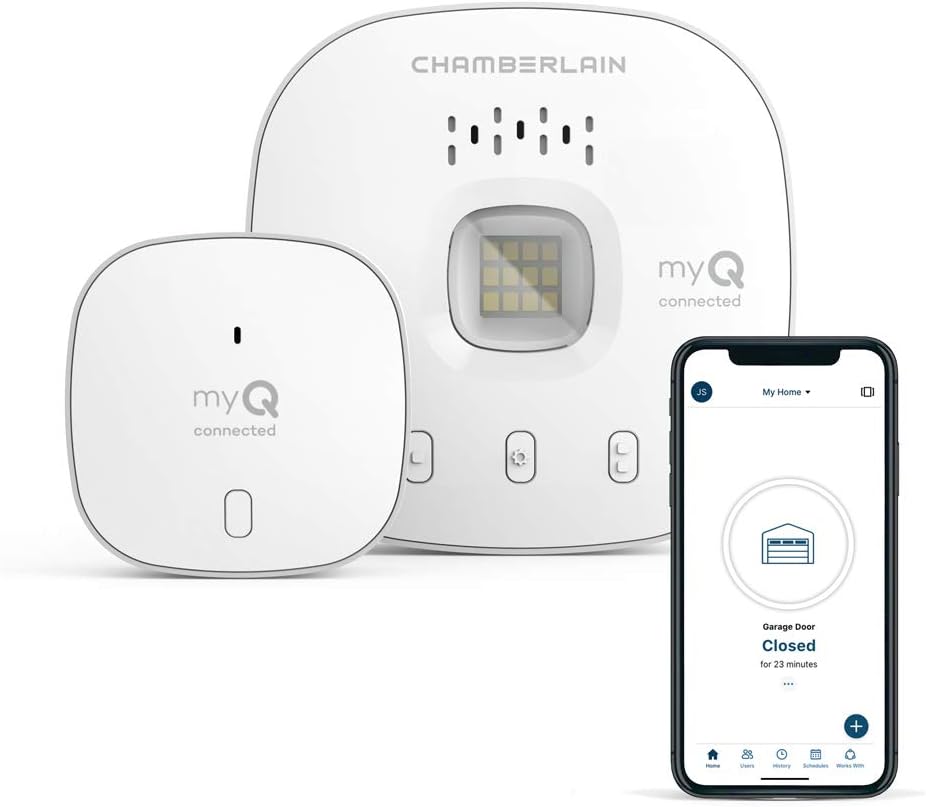
Key specs: Wi-Fi and Bluetooth hub plus a wired door sensor; open, close and monitor the door from the myQ app; works with most opener brands made after 1993 whose photoelectric safety sensors stay powered; supports Amazon Key In-Garage Delivery; model MYQ-G0401-ES; ships as hub plus door sensor
This is the default pick when your opener is not a Chamberlain, LiftMaster or Craftsman — the situation the narrower third-party controllers do not cover. Chamberlain documents it as working with most brands of opener made after 1993 that use photoelectric sensors which do not shut off, and it ships as a hub plus a wired door sensor so the app knows the door’s actual position rather than guessing. It is also the only product here that enables Amazon Key In-Garage Delivery. The trade is ecosystem freedom: this is the product at the center of the 2023 third-party lockdown.
✅ Pros
- The broadest documented brand coverage of anything here
- Ships with a real door sensor rather than inferring the door’s state
- Enables Amazon Key In-Garage Delivery, which nothing else here does
- Partners such as Ring can surface garage control in their own apps
❌ Cons
- Not intended for Chamberlain Group openers with a yellow learn button made between 2010 and 2021, or for any Linear opener
- Ruled out if your photo-eye sensor lights switch off once the door closes
- Third-party and open-source integrations were cut off in 2023
- The wired door sensor is one more thing to mount and keep aligned
meross Smart Garage Door Opener MSG150HK — the Apple Home answer
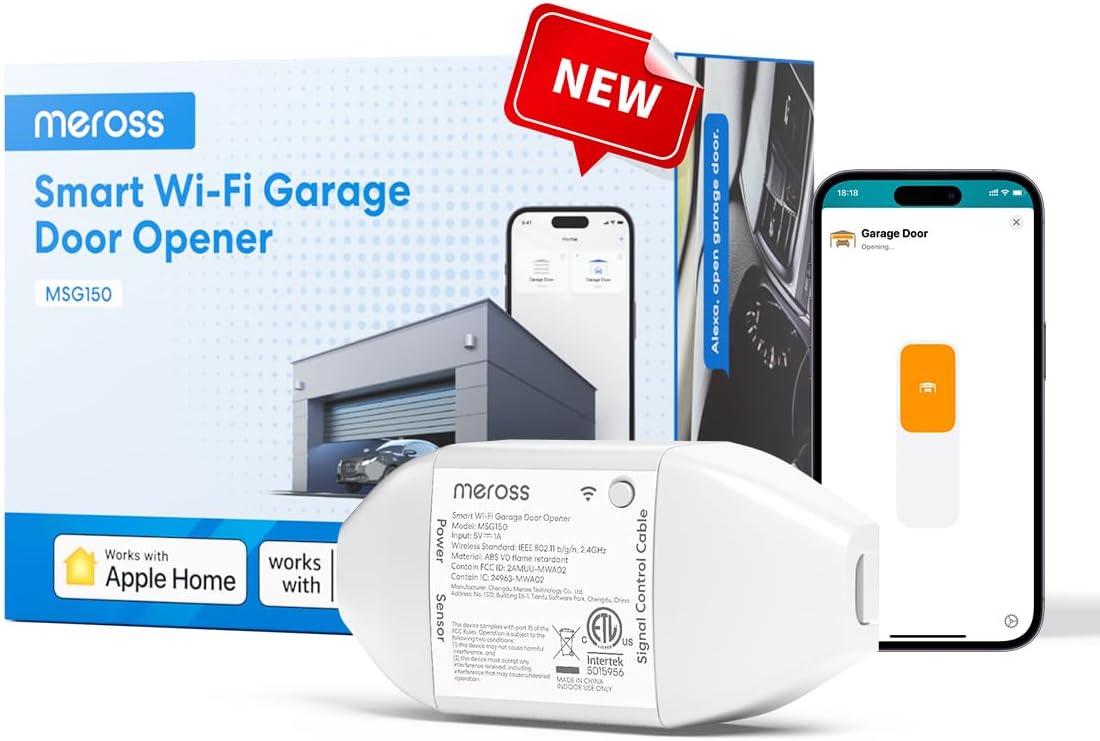
Key specs: Wi-Fi controller built for Chamberlain, LiftMaster and Craftsman openers running Security+ 1.0 or Security+ 2.0; Apple Home, Alexa, Google Home, SmartThings and Siri support; no separate wired door sensor to mount; 2.4 GHz Wi-Fi only; auto-close timer; no subscription
If your opener is a Chamberlain, LiftMaster or Craftsman running Security+ 1.0 or 2.0, this is the cleanest install in the guide, and the pick for Apple households in particular — it appears natively in the Home app alongside Alexa, Google Home, SmartThings and Siri. meross states it needs no additional wired sensors or compatibility accessories, and that your existing wall button and handheld remotes keep working after it is fitted. That is the practical difference from the universal designs: it speaks the opener’s own radio language rather than shorting a pair of terminals. One caveat we will not bury — this is a new model with a far thinner base of buyer feedback than meross’s long-established universal version, so you are buying on the compatibility statement more than on reviews.
✅ Pros
- No extra wired sensor to mount, and no adapter for the three supported brands
- Native Apple Home support, plus Alexa, Google Home, SmartThings and Siri
- No subscription for any function, including voice control and auto-close
- Existing wall buttons and handheld remotes continue to work
❌ Cons
- Chamberlain, LiftMaster and Craftsman only — the company states plainly that it does not work with other brands
- Not compatible with Security+ 3.0 openers, identified by a green or white learn button
- 2.4 GHz Wi-Fi only, which is a real problem in a detached garage
- A recent release with a much smaller review base than the older MSG100HK
Take the 2.4 GHz point seriously rather than skimming it. A garage is usually the furthest room from the router, often behind masonry, and meross’s own guidance is that setup fails without strong signal coverage at the device. Check first, using the approach in our guide to testing Wi-Fi before buying a wireless camera — measure where the controller will actually live.
eKyro Universal Smart Garage Door Controller — the no-ecosystem option
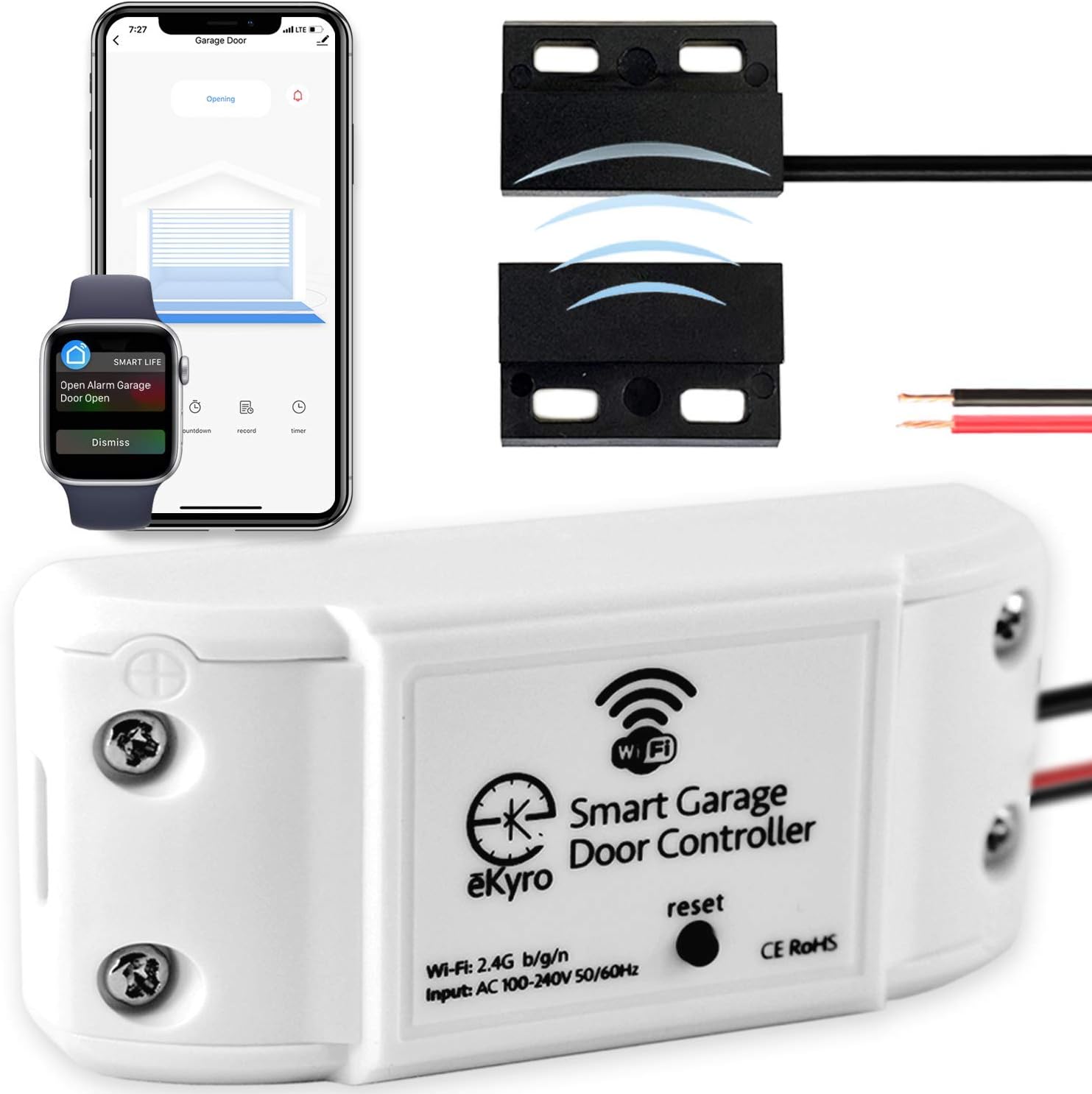
Key specs: Universal controller that wires into an existing opener’s terminals; Alexa, Google Home, Siri, iPhone and Android control; door-left-open alerts and scheduled auto-close; no monthly fees for any feature; one controller needed per door; an adapter is required for some openers
This is the pick when you want app and voice control without joining anyone’s ecosystem and your opener is not one of the three brands the meross MSG150HK covers. It is a universal adapter that wires into an existing opener and adds Alexa, Google Home, Siri, iPhone and Android control, plus door-left-open alerts and scheduled automatic closing, with none of those features carrying a monthly fee. Two honest notes from its own listing: it does not work with RYOBI openers, and some openers need an adapter to make it fit, which is a support conversation before it is a purchase. Two doors means two controllers — they pair in one app, but each door needs its own unit.
✅ Pros
- Broad opener coverage without committing to a manufacturer’s ecosystem
- Alexa, Google Home, Siri, iPhone and Android, with no monthly fee
- Door-left-open alerts and scheduled auto-close, the two features people actually use
- Multiple units pair together for households with more than one door
❌ Cons
- RYOBI openers are excluded by name
- Some openers need an adapter the manufacturer supplies on request, so confirm before ordering
- Wiring into the opener’s terminals is a real install, not a plug-in
- A smaller brand than Chamberlain, with no national service network behind it
myQ Smart Garage Door Video Keypad — access without a phone
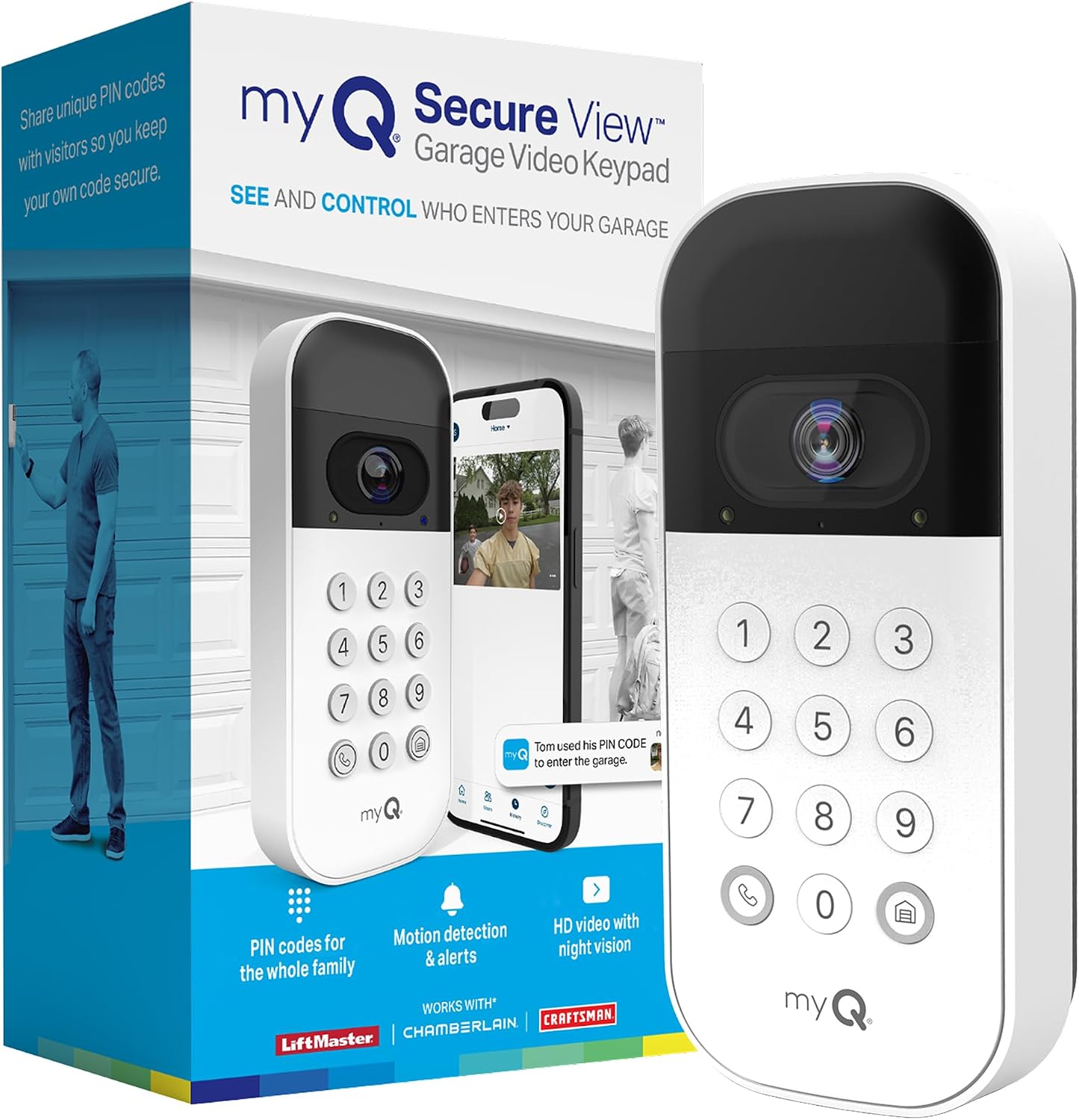
Key specs: Exterior keypad with a wide-angle camera, night vision, two-way audio, motion detection and shareable PIN codes including time-limited guest passes; weather-resistant; works with Chamberlain, LiftMaster and Craftsman openers; recorded video history and AI person, vehicle and package detection need a myQ subscription
A keypad is not a cheaper controller, it is a different job, and confusing the two is the most common mistake in this category. A controller answers “is it closed, and can I close it from the office.” A keypad answers “how does a dog walker get in without my phone.” This one does both: shareable PIN codes including time-limited guest passes, plus a wide-angle camera with night vision, two-way audio and motion detection covering the driveway approach, on Chamberlain, LiftMaster and Craftsman openers. Be clear-eyed about two things: recorded video history and AI person, vehicle and package detection are subscription features rather than included ones, and of the four picks here this is the one with the most mixed buyer reception on Amazon.
✅ Pros
- Solves guest and delivery access without handing over your phone or a spare remote
- Time-limited PIN codes are genuinely useful for contractors and dog walkers
- Camera covers the driveway approach, with night vision and two-way audio
- Weather-resistant design intended for exterior mounting
❌ Cons
- Video history and AI detection require a myQ subscription
- Chamberlain, LiftMaster and Craftsman openers only
- The most mixed buyer reception of the four products in this guide
- It is an access device, not a security camera — do not let it replace one
If you want real coverage of the driveway and the vehicles on it, buy a camera built for that job — our driveway camera guide covers the field-of-view and storage questions a keypad camera is not built to answer. The logic behind keyless entry door locks applies here too: codes you can issue and revoke beat keys you cannot track.
Why It Beeps and Flashes for Five Seconds Before It Closes
The first time you close the garage from your phone and the opener beeps and flashes at an empty garage before anything moves, it feels like a quirk of the app. It is federal law, and the best reason to buy a controller properly built for this rather than the cheapest thing that shorts two terminals. Closing a door from a phone is what the standard calls unattended operation. The requirements sit in 16 CFR § 1211.14 and apply to add-on control accessories in their own right, not only to the opener. The Genie Company, which makes openers, says the same in plain language: meeting them is mandatory under UL 325 and established in federal law.
What Federal Rule 16 CFR 1211.14 Actually Requires
5 sec
Minimum audible and visual alarm before any unattended closing movement
700–3400 Hz
The frequency band the audible alarm has to fall within
360 lumens
Minimum brightness of the visual alarm, or a 40 watt incandescent equivalent
2 tries
Attempts allowed after a safety reversal before unattended closing locks out
Source: 16 CFR § 1211.14, unattended operation requirements, including the control-accessory provisions in paragraph (f).
Three further provisions explain behavior people mistake for bugs. Pressing your wall button or handheld remote during the warning period cancels the pending close, so anyone standing in the garage can stop a door being closed remotely. If an obstruction reverses the door, the system gets one more unattended attempt, then suspends unattended operation entirely until somebody uses a local control at the door. And unattended closing is not permitted on one-piece or swinging doors at all.
Genie’s warning about add-on devices is worth repeating in a guide to add-on devices: external controllers carry the greatest potential for misuse precisely because they may not include all the necessary safety features, they should be labeled and listed to UL 325, and they should not be installed on older openers lacking photo-eye entrapment protection.
When You Genuinely Do Need a New Opener
This guide argues most people should buy a controller, so it owes you the cases where that is wrong. There are three, and none is close.
Your opener predates photo-eye sensors. With no safety beams near the floor, no controller here belongs on it — Genie is explicit that add-on unattended-operation devices should not be installed on openers without entrapment protection, and Chamberlain’s hub is documented for openers made after 1993 with working photoelectric sensors. Replace the opener. That is a safety decision, not a convenience one.
Your photo-eye sensors power down when the door closes. Chamberlain’s listing rules this configuration out, and neither meross nor eKyro documents support for it. Forums will offer workarounds; we are not going to, because that sensor behavior is exactly what these devices rely on to know the door’s real state.
Your opener is already dying. If the unit strains, reverses at random or has needed repeated repairs, adding a radio to it is money spent on the wrong layer. Many current openers ship with Wi-Fi built into the powerhead and the safety warnings integrated rather than bolted on, which solves both problems in one purchase.
One last case that is not about the opener at all: if you want the garage folded into an alarm system rather than a phone app, check what your system supports first. Security.org’s testing notes that SimpliSafe does not currently work with smart garage door controllers, and that while you can install a third-party controller alongside it, you cannot build automations triggered by the security system. Our SimpliSafe review goes through what that system does and does not integrate with, and our walkthrough on installing a home alarm system covers where a garage sensor fits into the overall layout.
Final Recommendation
Start by reading the label on your powerhead, not by reading product pages. If it says Chamberlain, LiftMaster or Craftsman and the learn button is yellow, buy the meross Smart Garage Door Opener MSG150HK — it is built for exactly that case, needs no adapter and no extra sensor, and it is the only pick here that lands natively in Apple Home. That is the most common situation among readers of this guide.
Choose differently in three situations. If the label says anything else — Genie, Overhead Door, Wayne Dalton, Marantec — and the sensor lights stay on after the door closes, the Chamberlain Smart Garage Control (myQ-G0401-ES) has the widest documented coverage. If you want that breadth without Chamberlain’s ecosystem deciding what your garage may talk to, the eKyro Universal Smart Garage Door Controller does the same job on its own terms. And if the real problem is letting people in rather than checking the door, add the myQ Smart Garage Door Video Keypad on top of a controller rather than instead of one.
Buy nothing at all if your opener has no photo-eye sensors, if those sensors power down when the door closes, or if your door is one-piece or swinging. In the first two cases the right purchase is a new opener; in the third, remote closing is off the table whatever you buy, and the app is good for status alerts only.
SafeBode does not yet run an in-house product testing program. This guide is built from manufacturer specifications, official support documentation, current retail listings and verified buyer feedback rather than hands-on testing, and we say so plainly rather than implying testing we have not done.
Frequently Asked Questions
Do I have to replace my garage door opener to make it smart?
Almost certainly not. If your opener was made after 1993, has working photo-eye sensors near the floor and drives a sectional door, a controller adds app control, status alerts and scheduled closing without touching the motor. Replacing the opener is the right answer only when the mechanism is failing or predates safety sensors.
How do I find out which controller works with my opener?
Four things decide it: the brand on the powerhead, the color of the learn button under the light lens, whether the photo-eye lights stay on after the door closes, and whether the door is sectional or one-piece. Every product in this category publishes compatibility against those four answers.
Will a smart controller stop my existing remotes and wall button from working?
No. These devices sit alongside your existing controls, and meross states directly that the wall button and handheld remotes keep working after installation. Keeping a working local control is also a safety requirement, since pressing one has to be able to stop a remote close.
Do smart garage controllers need a subscription?
The controllers themselves do not. meross and eKyro both state that their core features, including voice control and auto-close, carry no monthly fee. Subscriptions appear once a camera is involved: the myQ video keypad puts recorded video history and AI detection behind a paid plan.
Can one controller run two garage doors?
No. Each door needs its own controller. eKyro’s units pair together so both doors appear in one app, but you buy one per door — the most commonly missed cost in this category.
Why does my garage door beep and flash before closing from the app?
Federal rule 16 CFR 1211.14 requires an audible and visual alarm for at least five seconds before any unattended closing movement, with defined frequency and brightness minimums. It is a safety requirement, not an app setting, and it cannot be switched off on a compliant device.
Can I still close my garage door if my internet goes down?
Your wall button and handheld remotes always work, since they never depended on the network. App control usually stops, because most of these devices route commands through the manufacturer’s cloud. meross is the exception among our picks, keeping local control on your own network while the internet is out.
Is it safe to add a smart controller to an older opener?
Only if that opener has working photo-eye entrapment protection. Genie’s guidance is that add-on unattended-operation devices should not be installed on older operators without safety beams, and that external devices carry the greatest risk of misuse because they may lack built-in safety features.
Does a keypad replace the controller, or do I need both?
They do different jobs. A keypad lets someone open the door at the door without a phone. A controller lets you see and change the door’s state from anywhere. If remote status and remote closing matter to you, the controller is the purchase that delivers them.
Sources
Show sources (10)
- [1] U.S. Electronic Code of Federal Regulations — 16 CFR § 1211.14, “Unattended operation requirements,” ecfr.gov
- [2] The Genie Company — “Safety Tips You Should Know When Upgrading to a Smart Garage Door Opener,” store.geniecompany.com
- [3] Home Assistant — “Removal of MyQ integration,” November 6, 2023, home-assistant.io/blog
- [4] Amazon product listing — Chamberlain Smart Garage Control, model MYQ-G0401-ES (ASIN B08GD3D9YJ), manufacturer compatibility statement
- [5] Amazon product listing — meross Smart Garage Door Opener MSG150HK (ASIN B0FMXX1W7D), manufacturer compatibility statement
- [6] Amazon product listing — meross Smart Garage Door Opener MSG100HK (ASIN B084Z5QZR2), manufacturer product description
- [7] Amazon product listing — eKyro Smart Garage Door Opener universal controller (ASIN B07TZJYSR7), manufacturer product description
- [8] Amazon product listing — myQ Smart Garage Door Video Keypad (ASIN B0C386N52S), manufacturer product description
- [9] Security.org — “Best Garage Security Systems in 2026,” security.org
- [10] Amazon product listing — LiftMaster 892LT Security+ 2.0 remote control (ASIN B009L8QDMQ), manufacturer compatibility statement


