Best Lockly Smart Locks 2026: PIN Genie, Fingerprints, and the Facial-Recognition Model
Affiliate Disclosure: This article contains affiliate links. If you buy through these links, we may earn a commission at no extra cost to you. Our editorial opinions are our own and are not influenced by affiliate relationships. Read our full disclosure policy →
Contents
Quick Answer
Lockly is the smart-lock brand whose headline feature is not an app: the PIN Genie keypad reshuffles the digit positions after every use, so watching someone type a code — or reading the smudges they leave — tells you nothing. Pick the model by how it talks to your phone, because that choice sets your battery life. For most front doors, the Lockly Secure Pro Deadbolt with Wi-Fi Hub is the sweet spot: remote access through the included hub while the lock itself stays on Bluetooth and keeps its 10-month battery rating. Skip the hub entirely and the newer built-in-Wi-Fi models drop to a 5-month rating.
What PIN Genie Actually Defeats
Most smart-lock keypads are a fixed grid. The 4 sits where the 4 always sits, so anyone behind you can read your code off your hand movement, and anyone who reaches the lock afterward can see which four spots on the glass are worn. NIST lists the first of those among the ways a memorized secret gets compromised: an attacker may simply observe the entry of a PIN.
Lockly’s answer is a touchscreen whose digits move. The company describes PIN Genie as patented technology that randomly shuffles the PIN numbers, and its Zeno-series page states plainly that the keypad shuffles the digit locations after each use. Testing the Secure Plus hands-on, Tom’s Guide confirmed both halves: the glass does show fingerprints, which on an ordinary keypad would point a stranger at your code, but because the digits appear in a different order each time the screen wakes, you never press the same four spots.
What a Shuffling Keypad Does and Does Not Fix
✅ It genuinely defeats
- Someone watching your hand from a car or the sidewalk
- Smudge and wear patterns on the glass giving your digits away
- A camera pointed at the door recording your finger positions
❌ It does nothing about
- Someone close enough to read the digits themselves off the screen
- A code you shared with a contractor and never revoked
- A frame or strike plate weak enough that nobody needs the code
That second column matters. A shuffling keypad defends against observation, not force, and it is no reason to leave a hollow strike plate in a soft jamb. If the keypad is the feature that sold you, our guide to keypad door locks covers the fixed-grid alternatives and the keyless entry overview explains where codes sit next to fobs, cards and phones.
Choose the Connection Before You Choose the Lock
Lockly sells what looks like a wall of near-identical locks. What separates them is not the sensor or the finish; it is how the lock reaches the internet, and there are three answers.
Bluetooth only. The Secure Plus talks to your phone at the door and to nothing else; the Secure Link Wi-Fi Hub is sold separately and is what adds remote control, remote status and voice assistants. Bluetooth plus a hub in the box. The Secure Pro is the same architecture with that hub and a wired door sensor included, which is why Lockly lists remote control, real-time monitoring and voice control as standard on it. Wi-Fi inside the lock. The Latest Version models put a 2.4 GHz radio in the lock body, so there is no hub at all. Lockly’s own specification tables are the fastest way to see what each choice costs.
| Lockly Secure Plus Latch | Lockly Secure Pro Deadbolt with Wi-Fi Hub | Lockly Secure Pro Deadbolt Latest Version | Lockly Visage Zeno Series |
|---|
| How it reaches the internet | Only with the add-on hub | Secure Link hub, included | Wi-Fi inside the lock, 2.4 GHz | Wi-Fi inside the lock |
| Form factor | Latch with lever handle | Deadbolt | Deadbolt | Deadbolt |
| Fingerprint, as rated | 0.3 sec | 0.3 sec | 0.2 sec | 0.2 sec |
| Face unlock | No | No | No | Yes, about 1 sec on approach |
| Apple Home Key | No | No | No | Yes |
| Batteries | 4 x AA | 4 x AA | 4 x AA | 2 rechargeable packs |
| Battery life, as rated | Up to 10 months | Up to 10 months | Up to 5 months | Up to 8 months per charge |
| Emergency power | 9V contacts | 9V contacts | USB-C | USB-C |
| Grade Lockly states | Built to meet Grade 3, latch | Built to meet Grade 2, deadbolt | Built to meet Grade 2 | Built to meet Grade 2 |
Read the battery row again. Putting the Wi-Fi radio inside the lock halves the rated runtime, from up to 10 months to up to 5, and nothing else here moves that far. All four talk to Alexa and Google Assistant once online, so the ecosystem question our Google Home smart lock guide deals with is settled by the connection choice, not by a different lock.
Lockly Secure Plus Latch — the no-network starting point
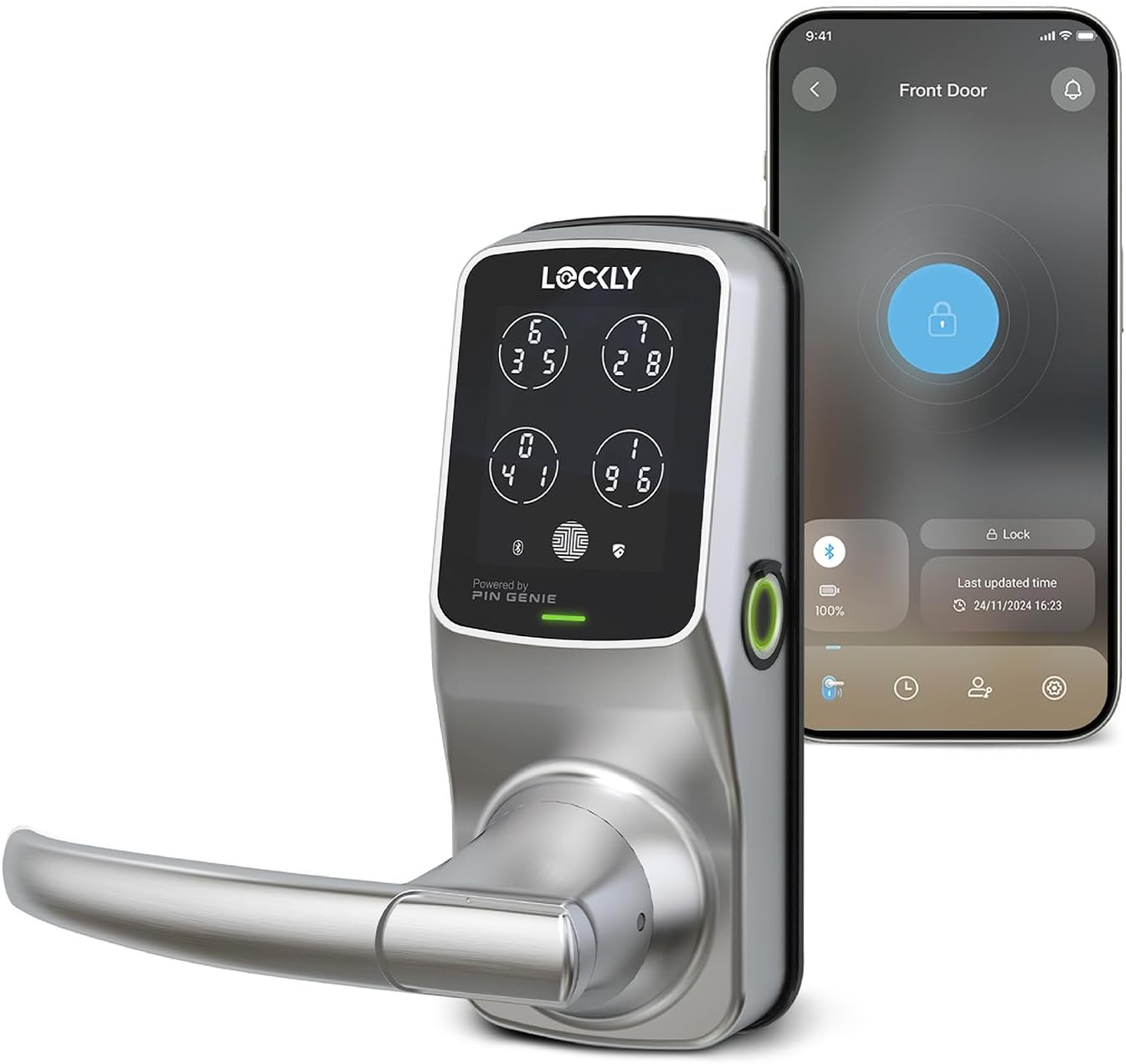
Key specs: Bluetooth lever-handle lock, 3D fingerprint sensor rated at 0.3 seconds and 99 stored prints, 6 to 8 digit PIN Genie codes, four AA batteries rated for up to 10 months, 9V backup contacts, latch edition built to meet ANSI Grade 3
Buy this one if you want fingerprint and code entry and would rather your front door were not on your Wi-Fi network at all. It is a latch set with a lever handle rather than a deadbolt, so it suits a door where the handle is the lock: a side door, a garage entry, an office. Lockly rates the 3D sensor at 0.3-second recognition, storage for up to 99 prints and codes of 6 to 8 digits. It also has the longest track record here and the deepest pool of buyer feedback of any Lockly on Amazon, which counts in a category where the newest models have barely been reviewed. Tom’s Guide found the fingerprint reader reliable and flagged the honest downside: the lock is physically larger and more obvious than a plain deadbolt. For remote access later, the Secure Link Wi-Fi Hub is sold on its own and is the sanctioned upgrade path.
✅ Pros
- Nothing about it touches your network until you decide otherwise
- Longest rated battery life here, up to 10 months on four AA cells
- Lever-handle form factor, which the deadbolt models cannot cover
- 9V contacts outside make a dead battery a two-minute problem, not a lockout
❌ Cons
- No remote access, alerts or voice control until you add the hub
- Latch edition is built only to meet Grade 3, the lowest of the three
- Bulkier and more conspicuous than a plain deadbolt
- Older 0.3-second sensor rather than the newer 0.2-second one
- Matter and Apple Home need a serial carrying an “FN” marker
Lockly Secure Pro Deadbolt with Wi-Fi Hub — the best-balanced front door pick
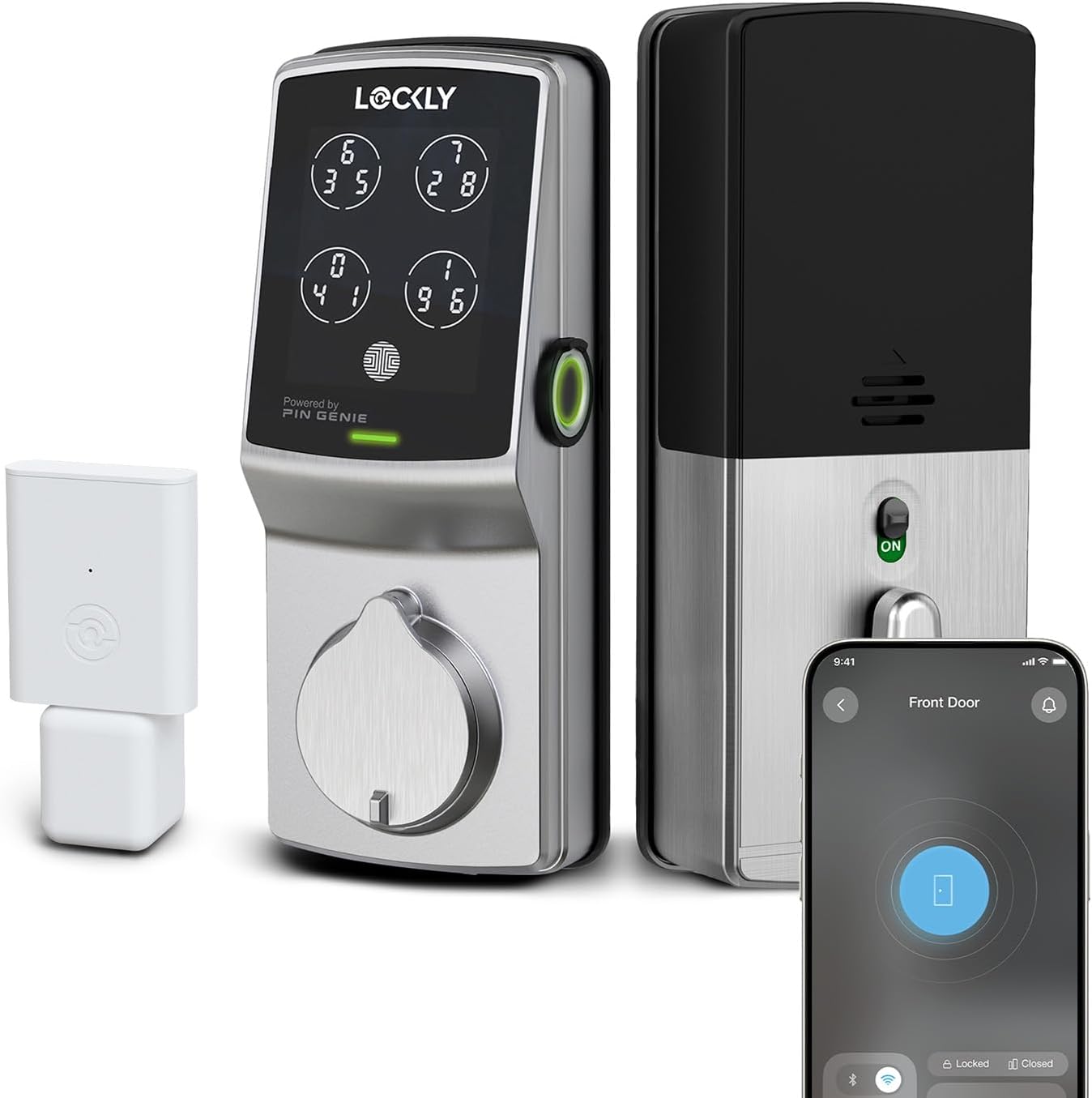
Key specs: Deadbolt shipped with the Secure Link Wi-Fi Hub and a wired door sensor, so the lock itself stays on Bluetooth; 0.3-second fingerprint sensor, up to 33 access codes, four AA batteries rated for up to 10 months, 9V backup contacts, built to meet ANSI Grade 2
The Secure Pro is the Secure Plus architecture with the Secure Link Wi-Fi Hub and a wired door sensor in the box, and that packaging decision is the whole reason it is the pick for a typical front door. Because the radio lives in a plug-in hub rather than in the lock, Lockly still rates it at up to 10 months on four AA batteries while giving you remote lock and unlock, real-time door status and voice control — the only configuration here that does not trade runtime for remote access. It is a deadbolt, the edition Lockly states is built to meet ANSI Grade 2 rather than Grade 3. Two honest caveats: the hub needs an outlet in range of both router and lock, so a detached garage or a door at the far end of a long house may not suit it, and Matter support is version-dependent — Lockly tells owners to check the activation card for a serial number containing an “N”.
✅ Pros
- Remote access without the battery penalty the built-in-Wi-Fi models pay
- Deadbolt edition, so the Grade 2 build rather than the Grade 3 latch
- Wired door sensor included, so the app tells open from merely unlocked
- Same proven sensor and PIN Genie keypad as the long-running Secure Plus
❌ Cons
- The hub is another plug-in box needing an outlet in the right place
- If the hub loses power or network, you are back to a Bluetooth-only lock
- Matter and Apple Home only on units whose serial carries an “N”
- Stores up to 33 access codes, against 49 on the newer models
- Some listings claim Grade 1; Lockly’s spec page says built to meet Grade 2
Lockly Secure Pro Deadbolt Latest Version — hubless, at a battery cost
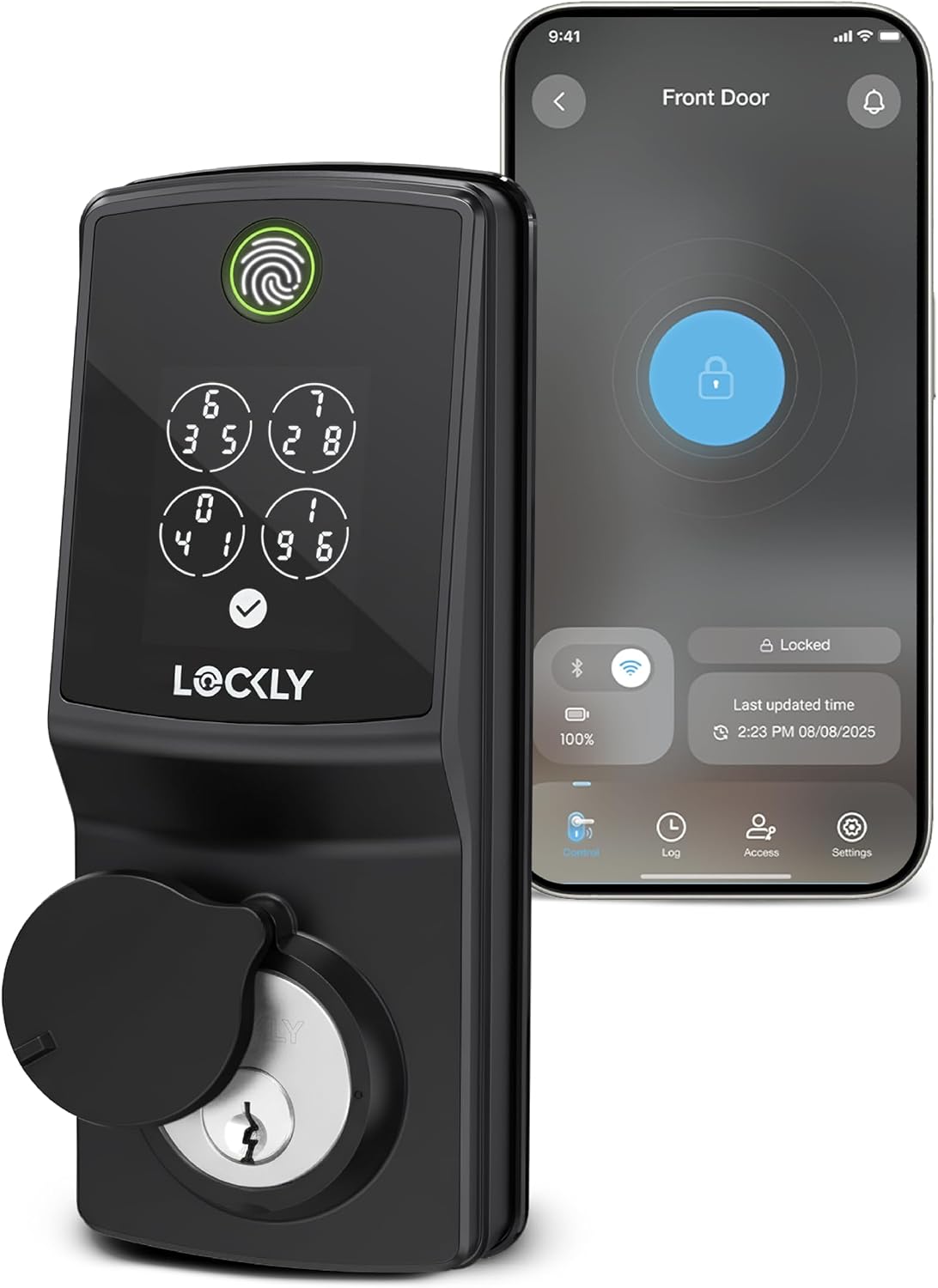
Key specs: Deadbolt with 2.4 GHz Wi-Fi built in, so no hub is needed; fingerprint sensor rated at 0.2 seconds, up to 49 access codes, interior 25 percent smaller than the previous generation, four AA batteries rated for up to 5 months, USB-C emergency power, IP65, built to meet ANSI Grade 2
This is the newer Secure Pro, and the difference is not cosmetic: the Wi-Fi radio has moved into the lock, so it joins a 2.4 GHz network directly with no hub. It also gets the new-generation sensor Lockly rates at 0.2 seconds, up to 49 access codes instead of 33, an interior 25 percent smaller than before, IP65 and USB-C emergency power. The cost sits on the same specification page: rated battery life falls to up to 5 months, against 10 for the hub-based Secure Pro. You are trading roughly half your runtime to delete one plug-in box. For a renter, or a door with nowhere sensible to put a hub, that can be the right call. For a homeowner with a hallway outlet, it usually is not.
✅ Pros
- No hub, no extra outlet, nothing else to configure
- Faster new-generation sensor, rated at 0.2 seconds
- Up to 49 access codes, half again as many as the older generation
- IP65 and a slimmer interior than the previous version
- USB-C emergency power, so any cable and power bank gets you in
❌ Cons
- Rated battery life is halved: up to 5 months against up to 10
- Wi-Fi is 2.4 GHz only, so check a router pushed hard toward 5 GHz
- Much thinner buyer-feedback history than the Secure Plus generation
- No face unlock or Apple Home Key at this tier
Lockly Visage Zeno Series — the facial-recognition one
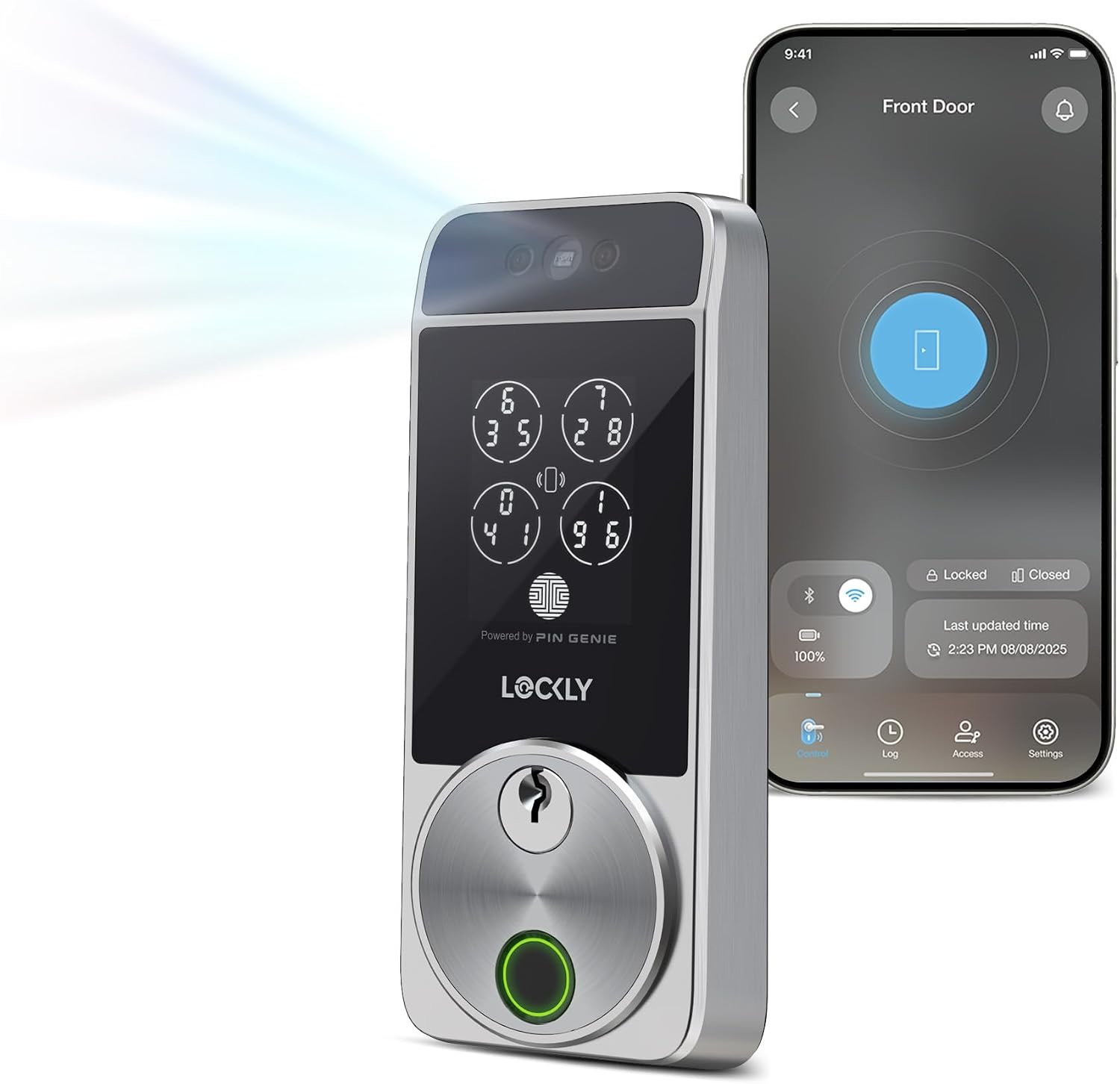
Key specs: Facial-recognition deadbolt with built-in Wi-Fi and Apple Home Key; radar wakes the lock as you approach, face recognition rated at about one second with the data encrypted on the lock rather than a server, 0.2-second fingerprint sensor, up to 49 access codes, two 10,000 mAh rechargeable packs rated for up to 8 months per charge, USB-C, IP65, built to meet ANSI Grade 2
The Visage is the reason Lockly gets written about. Radar wakes the lock as you walk up, Lockly rates recognition of your face at about one second, and the deadbolt opens without you touching anything. It is also the only Lockly here with Apple Home Key, so an iPhone or Apple Watch held near the lock works as a credential. On the question everyone asks first — where does the face data go — Lockly is unusually clear: the data is encrypted and stored on the Visage itself, never leaving the device or reaching any server. Power works differently too: instead of AA cells it ships with two 10,000 mAh rechargeable packs rated at up to 8 months per charge, so you swap in the charged one rather than buying batteries. Weigh two things honestly — this is a far newer product than the Secure Plus and its review history is thin, and hands-free unlocking carries a real conceptual downside covered further down.
✅ Pros
- Genuinely hands-free entry, which nothing else here offers
- Face data encrypted and kept on the lock rather than on a server
- Apple Home Key, plus Alexa and Google Home support
- Two rechargeable packs included, so there is always a charged spare
- PIN Genie keypad and a 0.2-second sensor as fallbacks when a face fails
❌ Cons
- Newest and least-reviewed lock here by a wide margin
- Up to 8 months per charge, short of the 10 the AA models claim
- Auto-unlock on approach does not itself prove you meant to open the door
- Built-in Wi-Fi, so it inherits the network-dependency caveat above
Lever or Deadbolt? The Grade Changes With the Shape
Lockly sells most of its range in two editions and the door usually makes the choice for you: a latch edition with a lever handle replaces the handle set, a deadbolt edition sits above it. What buyers miss is that the two are not rated the same. Lockly states the deadbolt edition is built to meet ANSI Grade 2 standards and the latch edition Grade 3.
That is not a marketing distinction, but it matters which scale those numbers come from. The Builders Hardware Manufacturers Association defines grades 1, 2 and 3 by progressive levels of performance benchmarks, with Grade 1 the highest — and that numbered scale is not the one residential hardware is certified on. BHMA runs only two residential standards, A156.39 for locksets and latches and A156.40 for deadbolts, and a lock carrying its Certified Secure Home label is scored separately for security, durability and finish, C for Good, B for Better, A for Best. So Lockly’s own numbers still tell you the deadbolt is built to a higher bar than the latch, but chasing “Grade 1” on a house door is chasing the commercial scale. Two further points: “built to meet” is a manufacturer statement, not the same thing as appearing in BHMA’s Certified Products Directory, where a grade claim becomes independently verifiable; and some Amazon listings for the hub-based Secure Pro say “ANSI Grade 1” in the title, which does not match what Lockly states. Treat the spec sheet as authority and the listing title as marketing.
If the grade line is what you care most about, read how ANSI and BHMA lock grades actually work before buying any smart lock, because no biometric feature compensates for a weak bolt. If the strongest mechanical hardware matters more to you than a keypad, there are better options in our high-security deadbolt guide.
The Battery Math Nobody Prints on the Box
Every Lockly product page carries a battery-life figure, and the four of them together tell you more about which lock to buy than any feature list does.
Rated Battery Life Across the Lockly Range
10 mo
Secure Plus and hub-based Secure Pro, four AA cells
5 mo
Both Latest Version models, Wi-Fi inside the lock
8 mo
Visage, per charge, with a second pack included
99
Fingerprints the sensor stores, on every model here
Lockly’s own figures, from each model’s specification table. All are “regular use” ratings, and Lockly notes actual performance varies with usage and conditions.
The pattern is not subtle. Keeping the radio in a plug-in hub buys roughly twice the runtime of putting it in the lock, because the hub is on mains power and the lock is not. The Visage sidesteps the argument by making the batteries rechargeable and shipping two, which is arguably the most sensible answer here even though its headline number sits in the middle.
One practical note: the fingerprint sensor is not what drains these locks. The radio and the motor are, because reading a print takes a fraction of a second while a Wi-Fi radio holding an association works continuously. Cold weather and a bolt fighting a misaligned strike both pull the rated figure down hard, and the second is a fixable installation problem rather than a lock problem. If yours starts warning early, our walkthrough on telling a dying smart lock battery from a jammed bolt is the place to start before you order replacements.
What Lockly Keeps Behind a Subscription
Lockly is close to a no-subscription brand, and it is worth being precise about where the line sits. The lock works without a paid plan: fingerprints, codes, the app, remote access on the Wi-Fi models, voice assistants and the access log are all included.
Two things are metered. Lockly states the free app tier manages locks for up to three properties, with LocklyOS covering more. And Offline Access Codes — single-use codes you can issue remotely even when the lock is offline — are capped at three free per month. For a household neither cap will bind. For someone running short-term rentals, the second will, quickly.
That is a better deal than the camera-adjacent locks that put basic alerts behind a plan, and it is why Lockly belongs in our no-subscription smart lock roundup. Just do not read “no subscription” as “nothing is metered.”
Where the Biometrics Are Weaker Than the Marketing
Fingerprint and face unlocking are why most people shortlist a Lockly, so it is worth saying clearly what they are not. NIST is blunt on the underlying point: biometric characteristics do not constitute secrets. They can be obtained online or by photographing someone, in the case of facial images, or lifted from objects someone touches, in the case of latent prints. That is true of the category, not of Lockly.
A second point in the same document lands on the Visage’s headline feature. NIST notes that presenting a fingerprint normally establishes authentication intent, while observing someone’s face with a camera normally does not by itself. A lock that opens because you walked toward it is, by that definition, opening without a clear signal you meant to open it. Mostly that is a convenience feature working as designed, and Lockly’s framing — approach the door and it unlocks — is what buyers want. But it is why we would not call automatic face unlock a security upgrade over typing a code. Keep the code and the fingerprint current rather than relying on the face alone.
Fit and Install: What to Measure Before You Order
Lockly publishes near-identical door dimensions across the range, so the pre-purchase check is quick: an adjustable backset fitting 2 3/8 in or 2 3/4 in, a 2 1/8 in bore hole and a 1 in cross or edge bore, with door thickness of 1 3/8 in to 2 in on the Secure Plus and Secure Pro and a thicker allowance on the Visage. If your door already carries a standard deadbolt, it will almost certainly match.
Four Checks Before the Box Arrives
1
Measure the backset
Door edge to the center of the bore: 2 3/8 in and 2 3/4 in are both supported.
2
Decide latch or deadbolt
The deadbolt edition is the Grade 2 build; the latch is Grade 3.
3
Find the hub an outlet
Only for the hub-based Secure Pro. It needs mains power in range of the lock.
4
Check your Wi-Fi band
Built-in-Wi-Fi models join 2.4 GHz networks, so confirm yours broadcasts one.
Ten minutes with a tape measure prevents the most common return here.
One install detail from Tom’s Guide’s hands-on is not obvious from the box: the Secure Plus mechanism is heavy enough that Lockly offers a second, smaller hole drilled above the main bore to hold it steady, and although sticky pads are supplied instead, the manufacturer recommends the extra hole. Decide whether you will drill it before you order, not halfway through the job. Our deadbolt installation walkthrough covers the bore and strike work.
One note on what is not here: Lockly also sells the Vision line, which builds a video doorbell and camera into the deadbolt itself. That is a different product class, so if you are weighing a combined unit against buying two, start with our doorbell-versus-smart-lock comparison instead.
Final Recommendation
Start with the Lockly Secure Pro Deadbolt with Wi-Fi Hub. It is the only configuration here that gives you remote access, real-time door status and voice control without halving the battery life, because the radio sits in the included hub rather than the lock. It is a deadbolt, so the Grade 2 build rather than the Grade 3 latch, running the keypad and sensor that earned the Secure Plus generation its track record.
Choose differently in four cases. If you want the door off your network entirely, or it takes a lever rather than a deadbolt, buy the Lockly Secure Plus Latch and add the hub later if you change your mind. If there is no outlet where a hub would have to live, take the Lockly Secure Pro Deadbolt Latest Version and accept the shorter runtime as the cost of deleting the box. If hands-free entry is the whole reason you are shopping, or you want Apple Home Key, the Lockly Visage Zeno Series is the only lock here that does it, newest and least-proven of the four though it is. And if independent certification is non-negotiable, no Lockly here claims a BHMA Certified Secure Home rating on its own spec sheet.
If the shuffling keypad turns out not to be the feature you needed, the obvious cross-shops are our Yale smart lock guide and our eufy smart lock guide, which take a different position on where the sensor and the radio belong.
SafeBode does not yet run an in-house product testing program. This guide is built from manufacturer specifications, official support documentation, current retail listings and verified buyer feedback rather than hands-on testing, and we say so plainly rather than implying testing we have not done.
Frequently Asked Questions
Does the PIN Genie keypad make my code impossible to steal?
It makes the code very hard to steal by watching or by reading smudges, because the digit positions change every time the screen wakes. It does nothing about a code you gave someone and never revoked, or about somebody close enough to read the digits off the screen.
Do I need the Secure Link Wi-Fi Hub?
Only if you want the lock to do anything when you are not standing next to it. The Secure Plus is Bluetooth-only without it. The Secure Pro includes the hub; the Latest Version models replace it with Wi-Fi built into the lock.
Why does the newer Lockly have worse battery life than the older one?
Because the Wi-Fi radio moved from a plug-in hub into the lock. The hub runs on mains power; the lock runs on four AA cells. Lockly’s specification tables rate the hub-based models at up to ten months and the built-in-Wi-Fi models at up to five.
What happens when the batteries die completely?
The Secure Plus and hub-based Secure Pro have 9V contacts outside, so touching a 9V battery to them powers the lock long enough to open it. The newer models and the Visage use a USB-C port for the same job, and every model keeps a physical key override.
Is my face or fingerprint sent to Lockly’s servers?
Lockly states that facial recognition data on the Visage is encrypted and stored on the lock itself, never leaving the device. Fingerprint templates are likewise held on the lock, which is consistent with Lockly also saying fingerprint profiles cannot be transferred between locks.
Is a Lockly latch as secure as a Lockly deadbolt?
No, and Lockly does not claim it is. Its specification pages state the deadbolt edition is built to meet ANSI Grade 2 standards and the latch edition Grade 3, where Grade 1 is highest. Buy the latch because the door needs a lever, not because you expect the same mechanical performance.
Does Lockly need a subscription?
Not for normal use. Fingerprints, codes, the app, remote access on Wi-Fi models and voice control are all included. The metered items are managing more than three properties in the app and issuing more than three Offline Access Codes a month, both of which sit behind the LocklyOS plan.
Will the Visage unlock for a photograph of me?
We have not tested that and will not claim a result we did not produce. What we can point to is the general principle in NIST’s identity guidance: a face is not a secret and can be captured from a photograph, which is why we treat automatic face unlock as a convenience feature rather than a security upgrade over a code.
Do these locks work on an apartment door?
Mechanically, usually yes, if the door takes a standard deadbolt with a 2 3/8 in or 2 3/4 in backset. The real constraint is your lease: replacing a lock generally needs the landlord’s written agreement, and the exterior plate here is noticeably larger than a plain deadbolt.
Sources
Show sources (10)
- [1] Lockly – “Lockly Secure Plus” specification page, lockly.com/products/lockly-secure-plus
- [2] Lockly – “Lockly Secure Pro” specification page, lockly.com/products/lockly-secure-pro
- [3] Lockly – “Secure Pro Deadbolt Latest Version” specification page, lockly.com/products/lockly-secure-pro-deadbolt-latest-version
- [4] Lockly – “Secure Pro Latch Latest Version” specification page, lockly.com/products/lockly-secure-pro-latch-latest-version
- [5] Lockly – “Visage Zeno Series” specification page, lockly.com/products/lockly-visage-zeno-series
- [6] Lockly – “PIN Genie Pro Zeno Series” product page, lockly.com/products/pin-genie-pro-zeno-series
- [7] NIST Special Publication 800-63B, “Digital Identity Guidelines: Authentication and Lifecycle Management,” pages.nist.gov/800-63-3/sp800-63b.html
- [8] Builders Hardware Manufacturers Association – “Product Grade Levels,” buildershardware.com/ANSI-BHMA-Standards/Product-Grade-Levels
- [9] Tom’s Guide – Richard Baguley, “Lockly Secure Plus Review,” tomsguide.com
- [10] Builders Hardware Manufacturers Association – “Frequently Asked Questions for Homeowners” (PDF), buildershardware.com


