Best Keypad Door Locks 2026: Code-Only Picks That Do Not Need an App
Affiliate Disclosure: This article contains affiliate links. If you buy through these links, we may earn a commission at no extra cost to you. Our editorial opinions are our own and are not influenced by affiliate relationships. Read our full disclosure policy →
Contents
Quick Answer
A keypad lock is not a smart lock. It has a code pad, a battery and no radio – no wifi, no app, no account, nothing to hack over the internet. For most households that is the right trade. Start with the Schlage BE365 Camelot: it is the longest-standing design here, runs on a single 9V battery, and its maker states a Grade 2 / AAA rating covering residential and light commercial use. Pick the TEEHO TE001 instead if self-deleting guest codes matter more to you than pedigree.
Keypad Lock vs Smart Lock: Not the Same Product
Search results blur these two together, and the distinction is the whole reason this category still exists. A smart lock talks to something: your phone, a hub, a wifi network, a manufacturer’s cloud. A keypad lock talks to nobody. You press digits, the bolt throws, and that is the entire system.
That buys you three things a connected lock cannot offer. There is no account to compromise and no remote attack surface at all. There is no app to be deprecated, which matters more than it sounds – connected hardware regularly outlives the software that controls it. And battery life is measured in months or years rather than weeks, because nothing is holding a radio open waiting for a command.
What you give up is real and worth naming plainly. You cannot unlock the door from work to let a courier in. You get no log of who came and went. You cannot hand a code to a guest remotely, or revoke it from a beach. If any of those are the actual reason you are shopping, buy a connected lock instead – our guide to smart locks without a subscription covers that category, and keyless entry door locks walks through when the app genuinely earns its place.
Which one are you actually shopping for?
Buy a keypad lock when
- You want to stop carrying a key, and that is the whole goal
- You would rather have no network attack surface at all
- You want years of battery life, not weeks
- Nobody in the household needs remote access
- You do not want another account, app or firmware update
Buy a smart lock instead when
- You need to unlock the door while you are somewhere else
- You want an access log of who entered and when
- You are issuing and revoking codes for cleaners or renters regularly
- The lock needs to trigger routines in a smart-home system
- Auto-unlock as you walk up is the feature you are paying for
What Actually Separates a Good Keypad Lock From a Bad One
Once you have set aside connectivity, four things do almost all the work in this category, and only one of them appears on the front of the box.
The four that matter
1
Bolt hardware
Everything electronic sits on top of an ordinary deadbolt. A weak bolt with a nice keypad is still a weak lock.
2
Code management
How many codes, whether guest codes expire on their own, and how hard it is to delete one without a manual.
3
Failed-attempt handling
A lock that lets someone stand there trying codes indefinitely is a different product from one that locks out after ten.
4
Power and failure mode
Battery type, warning behavior, and whether there is a physical key when the batteries die anyway.
The keypad itself is rarely the differentiator. What sits behind it is.
The third one deserves emphasis because it is where cheap locks quietly fail. Three of the four picks below advertise an anti-peeping entry mode, where you can pad your real code with random digits so a watcher cannot read it off your fingers. Only one states a hard lockout after repeated failures – the Veise KS01B shuts down for three minutes after ten wrong attempts. That is a meaningful difference if your door faces a street.
What the Grade on the Box Actually Means
Lock packaging throws two different rating systems at you and they are not interchangeable. ANSI/BHMA product grades run 1, 2 and 3, with grade 1 the highest, and are defined by progressive performance benchmarks in the applicable standard. That is the number most people have heard of.
Residential hardware also carries a separate scheme. BHMA is explicit that requirements for residential products differ from commercial ones and need separate standards, so it runs a certification program exclusively for residential hardware under the BHMA Certified Secure Home label, which rates a lock in three areas: Security, Durability and Finish. When you see a lock described as AAA, those are the three letters – not a single overall grade.
The underlying residential deadbolt standard is ANSI/BHMA A156.40, which sets durability, security and finish requirements. The testing behind it is not trivial: BHMA describes seventeen aggressive security tests, one of which loads the door against the deadbolt with 1,350 lb of force, and notes that a Grade A residential dead latch must survive 400,000 open-close cycles. We unpack the whole system in our guide to ANSI and BHMA lock grades.
One honest caveat about the picks below. Schlage states a Grade 2 / AAA rating for the BE365 covering residential and light commercial use, which is a specific and checkable claim. The three other locks here describe construction and IP ratings rather than a BHMA certification, and the absence of a stated certification is not the same as failing one. If third-party certification is your deciding factor, that narrows this list to one.
The Four Picks Side by Side
| Lock | Form factor | User codes | Power | Standout |
|---|
| Schlage BE365 Camelot | Deadbolt only | Up to 19 | One 9V | Stated Grade 2 / AAA rating and a key backup |
| TEEHO TE001 | Deadbolt only | 20 plus one-time codes | 4 AA | Guest code that deletes itself after one use |
| Veise KS01B | Deadbolt plus two lever handles | 20 plus one-time codes | AA | Three-minute lockout after 10 failed attempts |
| Veise KS02A | Deadbolt only | 20 codes plus 20 fingerprints | AA | Fingerprint entry, no code to type or leak |
Schlage BE365 Camelot Keypad Deadbolt — best overall
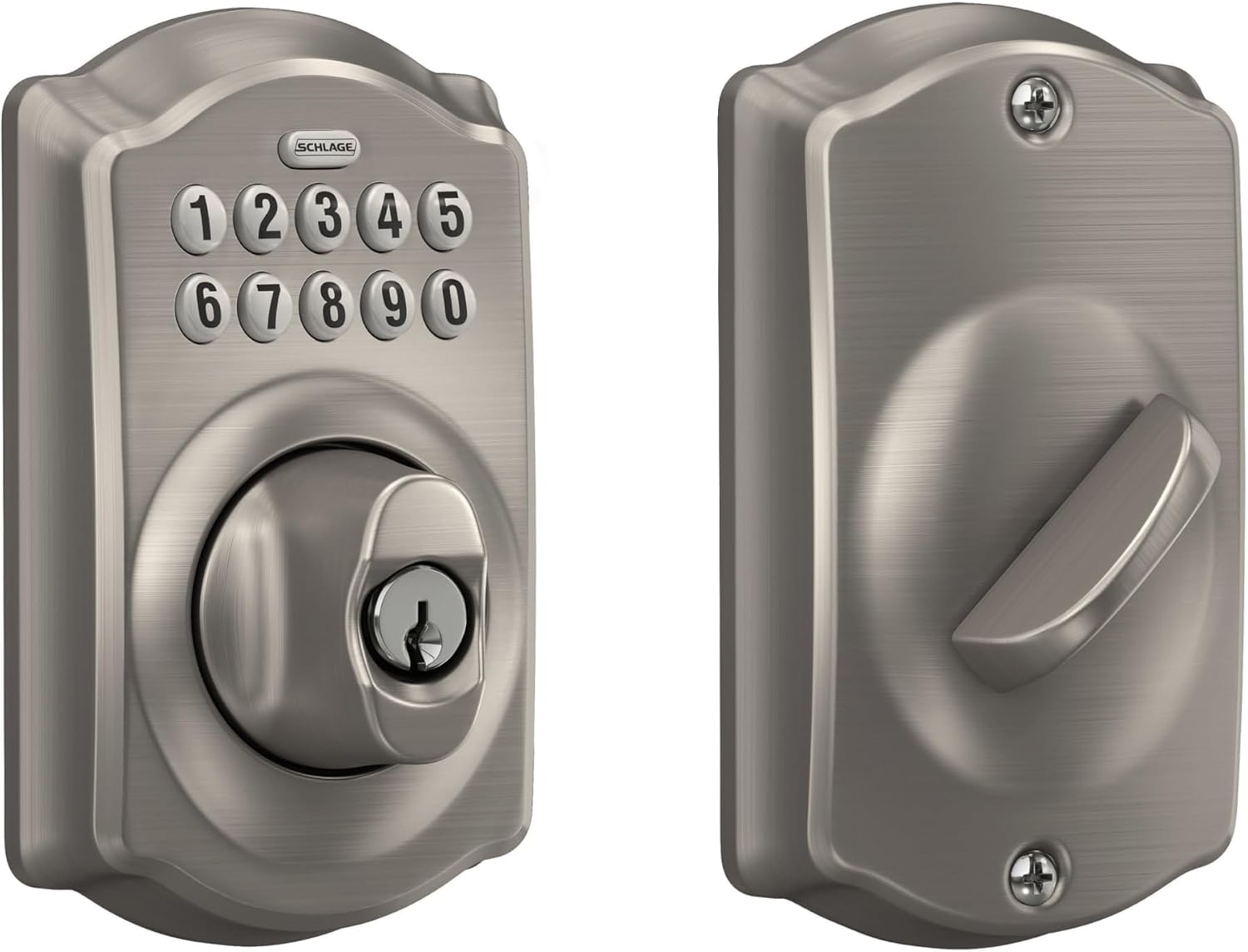
Key specs: Push-button electronic keypad deadbolt; ships with 2 pre-programmed codes and holds up to 19; manufacturer states a Grade 2 / AAA rating for residential and light commercial use; single 9V battery with a dedicated low-battery indicator; keypad numbers illuminate when pressed; physical key backup included
This is the lock to buy if you want the boring, proven answer. It is a push-button keypad on a conventional deadbolt, it ships with two codes already programmed so it works out of the box, and it holds up to nineteen. Schlage states a Grade 2 / AAA rating covering residential and light commercial applications, which is the only third-party performance claim among these four – and given how the residential scheme works, the AAA is a Security / Durability / Finish combination rather than an overall score. A single 9V battery runs it, with a dedicated low-battery indicator and a stated life of roughly two years in typical use. The keypad illuminates when you press it, which sounds like a small thing until you are entering a code at night with an armful of groceries.
✅ Pros
- Only pick here with a stated BHMA-style rating
- Two codes pre-programmed, so setup is genuinely optional
- Single 9V battery with a real low-battery indicator
- Physical key backup included
- Illuminated keypad
❌ Cons
- No one-time or self-expiring guest codes
- Nineteen codes is the fewest of the four
- Push-button pad shows wear patterns over years of use
- Deadbolt only – the handle is a separate purchase
TEEHO TE001 Keyless Entry Deadbolt — best for guest codes
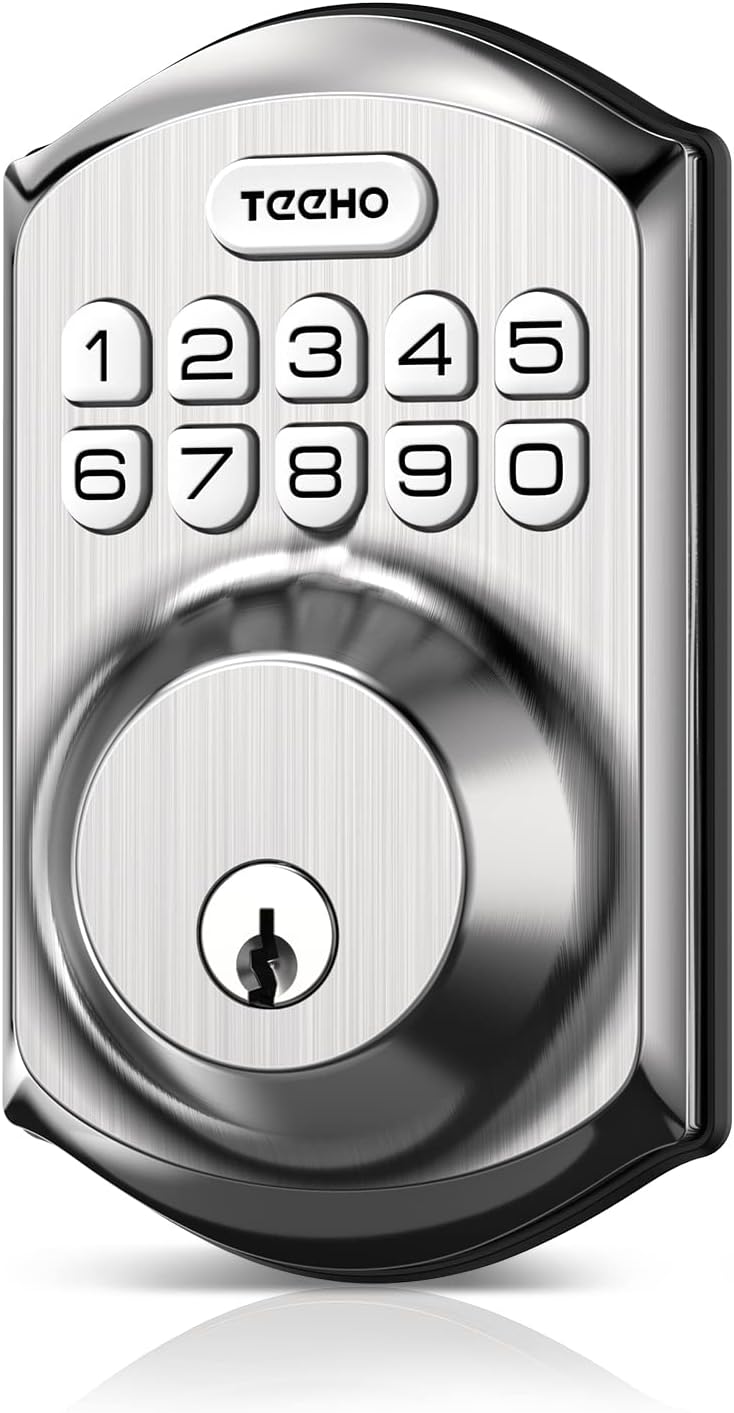
Key specs: Electronic keypad deadbolt; 20 user codes plus a self-deleting one-time guest code; auto-lock configurable from 10 to 99 seconds and one-touch locking by holding any key for 2 seconds; 4 AA batteries with a low-battery warning at 15%; IP54 weather rating; anti-peeping code entry
The TE001 is the pick if people who are not you need to get in. It carries twenty user codes and, more usefully, a one-time PIN that deletes itself automatically after a single entry – the right shape for a cleaner, a contractor or a neighbor feeding the cat once. Auto-lock is configurable anywhere from ten to ninety-nine seconds, and holding any key for two seconds locks the door on your way out without reaching for anything. It runs on four AA batteries with a stated life of up to a year and a warning light below fifteen percent, and it is IP54 rated for weather. Anti-peeping entry lets you bury the real code inside random digits.
✅ Pros
- Self-deleting one-time codes for guests
- 20 user codes, more than the Schlage
- Auto-lock timer and one-touch locking
- IP54 weather rating stated
- Anti-peeping code entry
❌ Cons
- No stated BHMA certification
- Four AA batteries, not included
- Newer brand with a shorter track record than Schlage
- No lockout behavior stated for repeated failed attempts
Veise KS01B Keypad Lock and Lever Handle Set — best full door set
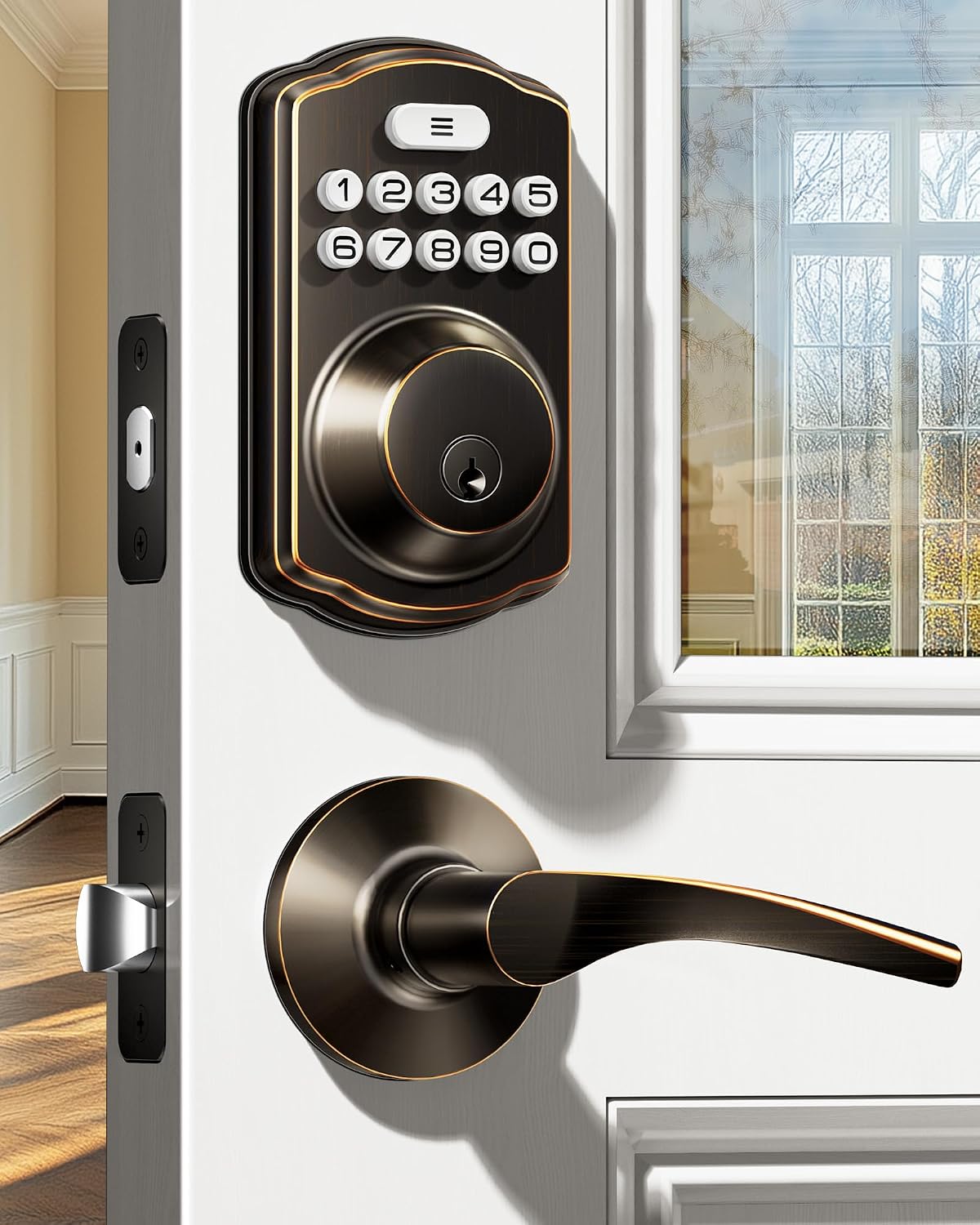
Key specs: Deadbolt plus two matching lever handles as one keyed set; 20 permanent codes, one-time guest codes and 2 physical keys; auto-lock from 10 to 99 seconds; dummy-digit anti-peeping entry; locks out for 3 minutes after 10 failed attempts; IP54 rated
Most keypad locks replace only the deadbolt, leaving you with a mismatched handle below it. The KS01B ships as a set: the keypad deadbolt plus two matching lever handles, keyed together. If you are redoing a front door rather than patching one, that solves a cosmetic problem the other three leave open. Functionally it matches the TEEHO closely – twenty permanent codes, one-time guest codes, auto-lock from ten to ninety-nine seconds, anti-peeping entry, IP54 – and adds the one security behavior nobody else states outright: after ten failed attempts the lock shuts down for three minutes. That is the difference between a lock somebody can stand and guess at and one they cannot.
✅ Pros
- Deadbolt and two lever handles as one keyed set
- Three-minute lockout after 10 failed attempts
- 20 codes plus self-expiring one-time passwords
- Anti-peeping dummy-digit entry
- IP54 rated
❌ Cons
- Lever handles will not suit every door style
- No stated BHMA certification
- More hardware to install than a deadbolt swap
- Oil rubbed bronze finish limits what it matches
Veise KS02A Fingerprint and Keypad Deadbolt — best if you hate typing
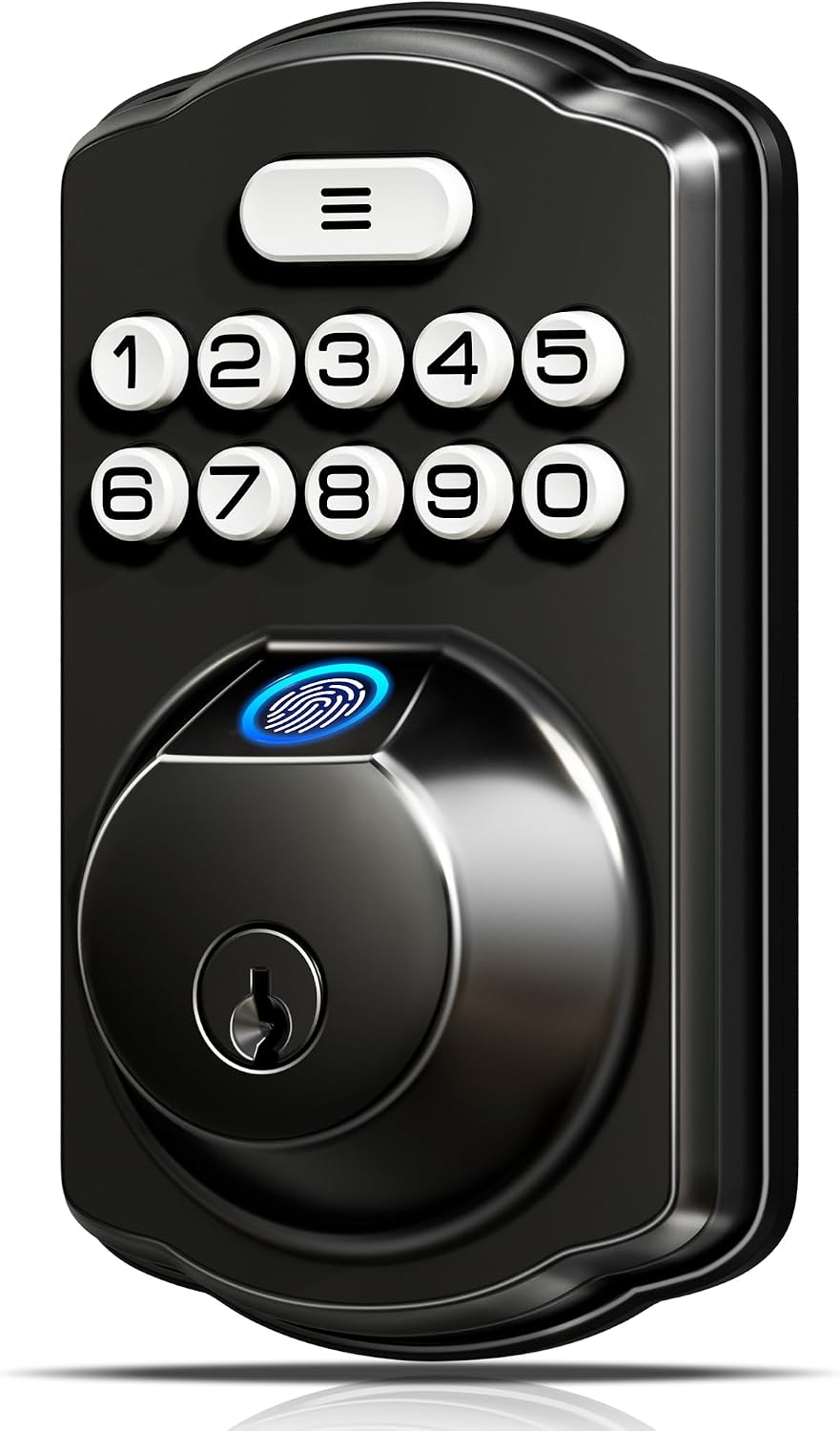
Key specs: Fingerprint reader plus keypad deadbolt; stores up to 20 fingerprints and 20 passwords; manufacturer claims recognition in 0.2 seconds; separate master, user and self-deleting one-time password types; two mechanical keys included; anti-peeping code entry
The KS02A adds a fingerprint reader to the same keypad platform, storing up to twenty prints alongside twenty passwords, with the manufacturer claiming recognition inside 0.2 seconds. The honest case for it is not speed, it is that a fingerprint cannot be shoulder-surfed, written on a note, or shared by a teenager with a friend. It keeps the keypad as a fallback and includes two mechanical keys, so a failed reader is an inconvenience rather than a lockout. Worth knowing: the accuracy figure is the manufacturer’s own, we have not tested it, and fingerprint readers in general struggle with wet, cold or heavily worn fingertips – which is exactly the weather you will be standing in when it matters.
✅ Pros
- Fingerprint entry with a keypad fallback
- Up to 20 prints and 20 passwords
- Separate master, user and one-time password types
- Two mechanical keys included
- Nothing to type where someone can watch
❌ Cons
- Accuracy claim is the manufacturer’s, not independently tested
- Fingerprint readers degrade with wet or cold fingers
- No stated BHMA certification
- More electronics on the outside face than a plain keypad
How to Pick a Code That Is Not Guessable
Every lock here ships with a factory code and every one of them will happily let you keep it. Do not. The federal guidance on memorized secrets is blunt about the failure mode: NIST tells verifiers to compare prospective secrets against a blocklist of commonly-used, expected and compromised values, and to reject them – because the values people choose unprompted cluster hard.
NIST also recommends rate-limiting to throttle repeated failed attempts, which on a door lock is the lockout behavior discussed above. Where the lock will not do it for you, your code has to carry the weight instead.
What to avoid in a door code
Repeats
1111, 2222 and every other single-digit run
Runs
1234 and 4321, still the most-tried pattern
Dates
A house number, a birth year, an anniversary
Wear
Any code whose digits are the only worn keys
The last one is specific to physical keypads: after a few years, four shiny buttons narrow the guess space enormously. Rotate codes occasionally even if nothing has happened.
The Battery Question Nobody Asks Until It Is Too Late
A keypad lock without power is a lump of metal, and the way each one fails is different. The Schlage runs a single 9V with a dedicated low-battery indicator; the other three run AA cells. Neither approach is wrong, but the number of cells changes how gracefully the lock degrades – a single 9V tends to go from fine to dead faster than four AAs, which sag gradually and give you more warning.
Every lock on this list includes a physical key backup, which is the detail that makes the whole category safe to recommend. Keep that key somewhere that is not inside the locked house. Cold weather is the other half of this problem: battery capacity drops sharply in the cold, so an exterior lock that lasts a year in a mild climate will not in a harsh one. We covered how to tell a genuinely dying battery from a false warning in our guide to testing a smart lock battery.
Who Should Not Buy a Keypad Lock
Anyone who needs remote access. None of these can be operated from your phone. If letting a delivery driver in from the office is the point, this is the wrong category entirely.
Landlords managing turnover at a distance. One-time codes help, but issuing and revoking them still requires standing at the door. A connected lock earns its subscription here.
Anyone whose door is the actual weak point. A deadbolt is only as good as the frame it throws into, and a hollow jamb with short screws defeats any grade. If the door is glazed or the frame is soft, fix that first – our sliding glass door guide and our deadbolt installation walkthrough both cover the failure modes that no lock upgrade addresses.
Final Recommendation
Buy the Schlage BE365 Camelot. Among these four it is the only one carrying a stated third-party performance rating, it works out of the box with codes already programmed, and it does the one job this category exists for without adding a network, an account or a firmware dependency. Two years on a single 9V and a real low-battery indicator is the right failure profile for a lock you will otherwise ignore.
Choose differently in three specific cases. If people who are not household members need access regularly, the TEEHO TE001‘s self-deleting one-time code is worth more than the Schlage’s pedigree. If you are replacing the whole door hardware set rather than swapping a deadbolt, the Veise KS01B saves you a second purchase and is the only pick that states a lockout after repeated failed attempts. And if the person using the door struggles with remembering or typing a code at all, the Veise KS02A‘s fingerprint reader is the accessibility answer – with the caveat that we are taking its accuracy claim on the manufacturer’s word.
What would change all of this: if you find yourself wishing you could check whether the door is locked from somewhere else, you do not want a keypad lock. Stop here and read our smart lock comparison instead, because that wish does not go away.
SafeBode does not yet run an in-house product testing program. This guide is built from manufacturer specifications, official support documentation, current retail listings and verified buyer feedback rather than hands-on testing, and we say so plainly rather than implying testing we have not done.
Frequently Asked Questions
Can a keypad lock be hacked?
Not over the internet, because there is no internet connection to reach it through. The realistic attacks are physical: watching you enter a code, guessing an obvious one, or reading wear patterns on the buttons. Anti-peeping entry, a non-obvious code and occasional rotation address all three.
What happens when the batteries die?
Every lock in this guide includes a physical key backup, so a dead battery is an inconvenience rather than a lockout. All four also warn you before it happens. Keep the backup key somewhere outside the house, since inside is exactly where you cannot reach.
How many codes do I actually need?
Most households use two or three: one for adults, one for a child, one for whoever comes regularly. The nineteen-to-twenty range on these locks is generous. What matters more is whether guest codes expire on their own, because the ones nobody deletes are the ones that stay valid for years.
Are these hard to install?
If you are replacing an existing deadbolt, no. The bore holes are standardized and the job is usually a screwdriver and twenty minutes. Measure your door’s backset, cross bore and thickness before ordering, because a mismatch there is the one thing that turns a simple swap into a return.
Is a keypad lock as strong as a regular deadbolt?
The bolt hardware is what determines that, not the keypad. A keypad lock built on a certified deadbolt is exactly as strong as the same deadbolt with a key cylinder. The electronics change how you authenticate, not how the door resists force.
Can I use one on an exterior door in a cold climate?
Yes, but expect shorter battery life. Cold reduces usable battery capacity substantially, so a lock rated for a year of use in mild weather will need attention sooner. Two of the picks here state an IP54 weather rating, which covers dust and splashing water rather than immersion.
Do fingerprint locks work for everyone in the house?
Not reliably. Fingerprint readers struggle with very young children, worn fingertips, and wet or cold hands. That is why the fingerprint pick here keeps a full keypad and two mechanical keys – treat the reader as the fast path, not the only one.
Should I buy a keypad lock or add a smart lock later?
Decide now, because they are not upgrade paths for each other. Retrofitting means buying a second lock. If there is any realistic chance you will want remote access or an access log within a couple of years, buy connected hardware from the start.
Sources
Show sources (4)


