Pet Camera vs Security Camera: Do You Need Both?
Affiliate Disclosure: This article contains affiliate links. If you buy through these links, we may earn a commission at no extra cost to you. Our editorial opinions are our own and are not influenced by affiliate relationships. Read our full disclosure policy →
Contents
Quick Answer
Most households do not need both. A dedicated pet camera earns its keep for exactly one thing a general security camera cannot do out of the box: physically toss a treat on command. Everything else — live view, two-way audio, night vision, motion alerts — a general indoor security camera you already own or were already planning to buy does just as well, and often better, because it is not limited to one room. Buy a dedicated pet camera if treat-tossing specifically is the feature you want. Otherwise, point the camera you already have at the dog and save the money.
Two Different Products, One Confusing Search Result
Most people start shopping for either category for the same reason: a pet left alone starts showing signs of distress — pacing, barking, chewing — often within minutes of the door closing, and a camera is the obvious way to find out whether that is actually happening. That shared motivation is exactly why the two product categories get shopped for interchangeably, even though the hardware inside them is not interchangeable at all.
Search “pet camera” and you get a mix of two genuinely different product categories wearing similar marketing photos: purpose-built pet cameras like the Furbo line, and general indoor security cameras — Ring, Wyze, Nest — being marketed for pet use because a camera pointed at a living room is a camera pointed at a living room regardless of who wanders through it. With 95 million U.S. households now owning a pet, both categories have every reason to chase the same search term, and the listings blur together on purpose.
The distinction that actually matters is not the marketing photo. It is hardware. A dedicated pet camera adds a mechanical treat-tossing mechanism, and it tunes its audio detection toward barking and meowing specifically rather than generic motion or sound. A general security camera adds neither of those. What it adds instead is everything else a household already wants from a camera — wider brand selection, outdoor-rated options, integration with an existing security setup, and a single app that already watches your front door. Our indoor security camera guide covers that side of the comparison in depth, including models several readers already use specifically to keep an eye on a pet.
What a Dedicated Pet Camera Actually Adds
Strip away the marketing and a dedicated pet camera earns its price tag on two real, hardware-level differences, plus one software one.
Treat tossing is real hardware, not a software feature. A pet camera like the Furbo line has a mechanical launcher inside the housing that physically fires a treat when you tap a button in the app. No general security camera has this, and none can be retrofitted to have it — it is the one feature on this list that is not reproducible with a device you already own.
Sound detection tuned to your pet, not to “any motion.” Security.org’s own testing notes that some pet cameras “recognize the sound of smoke alarms” and bark detection specifically, layered on top of the standard motion trigger. SafeWise’s pet-camera roundup describes the Furbo’s detection the same way — “sound detection that senses barking” as a dedicated alert category, separate from and in addition to a generic motion ping. A general security camera’s motion detector does not know the difference between your cat and a curtain moving in a draft; a pet camera’s bark/meow detector is built to filter for one specific sound.
Two-way audio aimed at calming, not deterring. Every camera in this comparison has a speaker and a microphone. The difference is intent: a security camera’s two-way audio is built around “who’s there” at a door, while a pet camera’s is built around a familiar voice reaching a dog that is pacing by the front window. The hardware is functionally the same; the use case it is designed and marketed around is not.
What Your Existing Security Camera Already Does
This is the section most pet-camera buying guides skip, because it does not sell anything. If you already own, or were already planning to buy, an indoor security camera for the ordinary reason — watching the front room, checking in while you are at work — that camera is already doing most of what a pet camera does, at zero additional cost.
Live view, two-way audio, night vision and motion-triggered alerts are not pet-camera exclusives. A Ring Indoor Cam or a camera from our Wyze roundup does every one of those, and SafeWise’s own pet-camera comparison includes the Wyze Cam Pan v3 on the list specifically because, even though it “wasn’t designed for pet monitoring” and “lacks the pet-focused features,” its core motion tracking and two-way audio “serve pet monitoring adequately” anyway. That is a pet-camera review site conceding a general security camera is good enough for most of the job.
Where a general camera can genuinely pull ahead: placement flexibility and storage. A security camera is far more likely to be weatherproof, battery-flexible, or already positioned to cover more than one room — our camera placement guide covers getting one spot to do double duty for both security and pet-watching. Storage is the other real edge: most security cameras give you a local microSD or a home hub storage option outright, where a dedicated pet camera’s video history is frequently gated behind its own subscription (more on that below). If you are deciding between local and cloud storage for either category, our footage-retention guide explains what each option actually gets you.
Pet Camera vs. Security Camera, Side by Side
The table below is built from what the manufacturers and independent reviewers publish for each category, not from any one specific model.
| Dedicated pet camera (e.g. Furbo) | General security camera (e.g. Ring, Wyze) |
|---|
| Physical treat toss | Yes, on treat-dispenser models | No, and not retrofittable |
| Bark/meow-tuned sound alerts | Yes, a dedicated detection category | No, only generic motion/sound |
| Live view + two-way audio | Yes | Yes |
| Night vision | Yes | Yes |
| Local (no-subscription) video storage | Rare — most gate history behind a plan | Common — microSD or hub storage on many models |
| Weatherproof / outdoor-rated options | Uncommon — built for one indoor room | Common across most major brands |
| Works as part of a broader security setup | No, single-purpose device | Yes, integrates with doorbells, alarms, hubs |
| Best single differentiator | The physical treat launcher | Flexibility and storage options |
Do You Actually Need a Dedicated Pet Camera?
Four Checks Before You Buy a Second Camera
1
Check what you actually want to do
If the honest answer is “toss my dog a treat from my phone,” nothing but a treat-dispenser camera does that.
2
Check whether you already own an indoor camera
If you do, point it at the pet’s usual spot first. It already covers live view, audio and alerts.
3
Check your existing camera’s alert accuracy
If motion alerts already fire constantly because of the pet, a bark-tuned detector solves a real annoyance a generic one does not.
4
Only then add a second device
A pet camera is additive, not a replacement — most buyers keep both once they own one.
Working through these in order is what separates a genuinely useful purchase from a second gadget doing the first one’s job.
One more honest note before the picks: a pet camera is rarely a household’s first camera. It is almost always a second one, bought after the first indoor camera is already in place for ordinary security reasons. If you have not settled on that first camera yet, solve that decision before adding a pet-specific one on top of it.
Furbo 360° Dog Camera (No Monthly Fee) — the treat-toss original
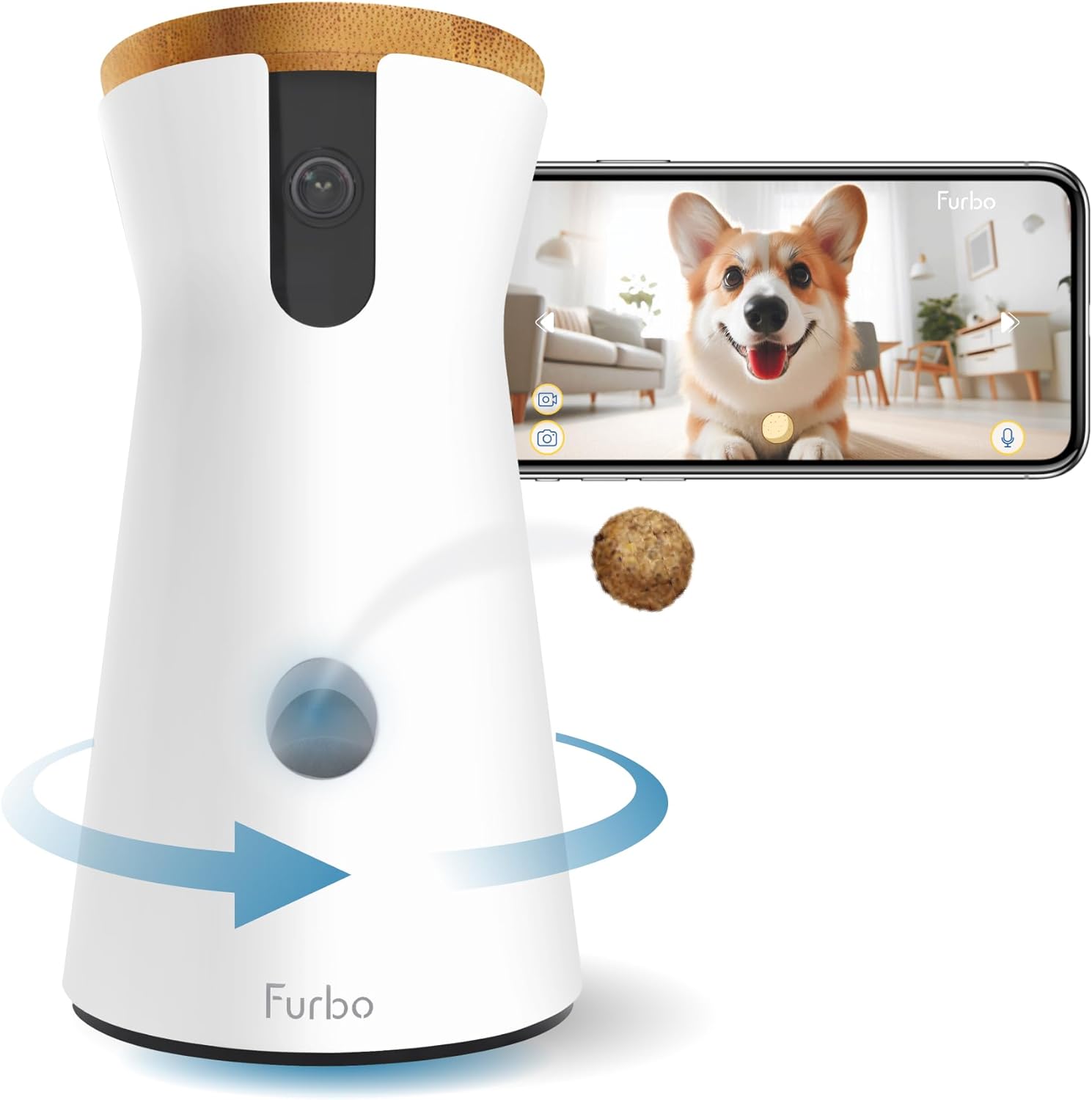
Key specs: 360-degree rotating live view; manual treat toss via the app; barking-alert detection; two-way audio; night vision; works fully without a monthly subscription; current Amazon’s Choice for this search
This is the pick if treat-tossing specifically is the feature you are buying for. Its Amazon listing states plainly that live view, treat toss, and barking alerts all work without a monthly subscription — the same listing also labels itself “No AI Alerts,” which is the honest tell that the smarter, AI-driven alert tier (vomiting, crying, unusual activity detection) sits behind Furbo’s separate paid plan rather than being included. Buy this one expecting a fully functional camera-plus-treat-launcher out of the box, and expect to be asked to subscribe if you want the smarter alert layer on top.
✅ Pros
- The only device in this comparison with a real, physical treat launcher
- Live view, treat toss and barking alerts work with no subscription required
- Currently Amazon’s Choice for this exact search
- 360-degree rotation covers more of a room than a fixed-angle camera
❌ Cons
- The smarter AI alert tier is a separate paid plan on top of the hardware
- Single-purpose — it does nothing for general home security
- Higher price than either a general indoor camera or the budget picks below
- One unit covers one room; multi-pet or multi-room households may want more than one
Furbo Mini 360° Pet Camera (No Monthly Fee) — the budget Furbo
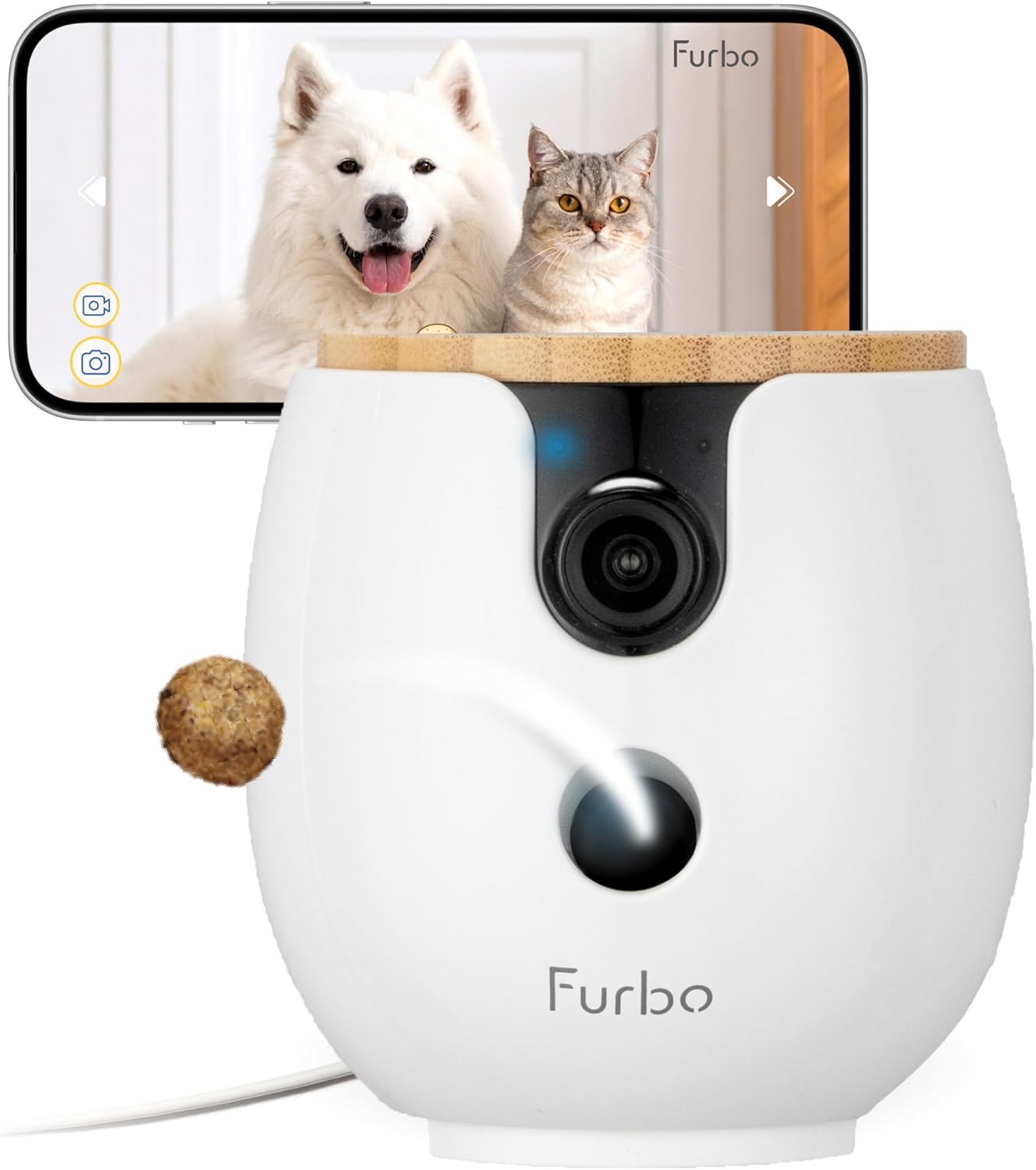
Key specs: 2K QHD video; 360-degree rotating view; barking and meowing sound alerts; two-way audio; color night vision; compact form factor; works fully without a monthly subscription
The Mini is the cheaper way into the same brand and the same no-subscription live view/audio/alerts baseline, in a smaller housing. Here is the limitation we are not going to smooth over: unlike the flagship’s listing, this exact listing’s stated feature set does not include treat tossing — it covers 2K video, 360-degree rotation, barking and meowing alerts, and two-way audio, but a treat launcher is not among the features Amazon’s own listing states for this specific model. If a physical treat toss is the reason you are buying a pet camera at all, confirm that feature is listed before ordering this one rather than assuming the Furbo name guarantees it.
✅ Pros
- Same no-subscription baseline as the flagship — live view, audio and alerts work out of the box
- Meowing alerts are called out specifically, not just barking — a real plus for cat owners
- Compact housing fits smaller rooms or shelves better than the full-size unit
- Lower price than the flagship for buyers who do not need the treat mechanism
❌ Cons
- Treat tossing is not listed among this model’s stated features — verify before assuming it’s included
- Smaller review base than the flagship, so less field feedback exists on long-term reliability
- Same AI-alert-tier subscription gate applies as the flagship
- Still single-purpose, with no general home-security function
TKENPRO 2K Pet Camera Treat Dispenser — the cheapest treat dispenser
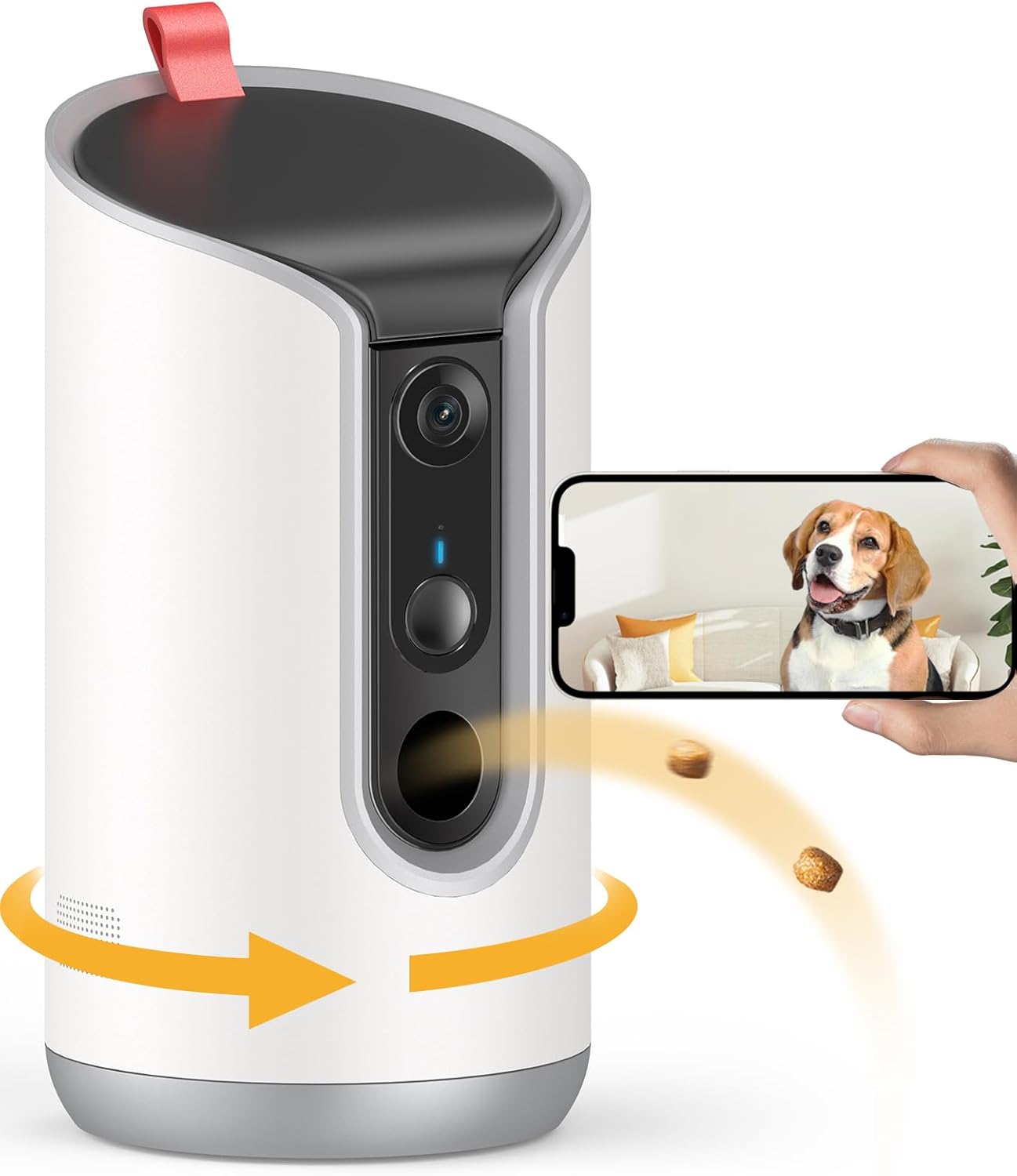
Key specs: 2K video with 360-degree pan; remote treat toss via the phone app; dual-band 5GHz and 2.4GHz wifi; two-way talk; motion alerts; automatic pet tracking
If the flagship Furbo’s price is the sticking point but you specifically want a treat-tossing mechanism, this is the budget route to that exact feature rather than a compromise on it. It pairs a 2K camera with 360-degree pan, remote treat dispensing, and dual-band wifi — the same core promise as the Furbo, from a smaller brand with a shorter track record. Treat it as the value option for a reader who has already decided the treat mechanism is worth having and is optimizing for price, not as a straight upgrade over the more established Furbo line.
✅ Pros
- Physical treat dispensing at a meaningfully lower price than the flagship Furbo
- Dual-band 5GHz/2.4GHz wifi, which matters in a crowded home network
- Automatic pet tracking is a feature the two Furbo listings above do not state
- 2K resolution matches the flagship tier despite the lower price
❌ Cons
- Smaller, less-established brand than Furbo — less independent long-term reliability data exists
- No independent editorial review of this specific model was found during research for this article
- Support documentation and warranty terms are less thoroughly published than Furbo’s
- Still a single-purpose device with no general security function
The Subscription Question, on Both Sides
What’s Actually Free vs. Paid, on Each Side
📷 Dedicated pet camera (Furbo)
- Live view, treat toss and barking alerts: free, no subscription
- AI-driven alerts (vomiting, crying, unusual activity): gated behind Furbo Nanny
- Extended cloud video history: a paid-plan feature, with longer history on a higher tier
- Multiple cameras on one account: paid-plan feature
🏠 General security camera
- Live view and motion alerts: usually free on most current models
- Local storage (microSD/hub): often free, one-time hardware cost only
- Cloud video history: frequently a paid tier, same pattern as the pet camera side
- Smart/person detection: sometimes gated, sometimes included — varies by brand
The pattern is nearly identical on both sides: the base hardware works without a monthly fee, and the smarter, AI-driven features are what the subscription actually buys. Neither category is more honest than the other about this — both gate the same tier of feature behind a plan. What differs is what you are gating: on a pet camera, it is smarter behavioral alerts; on most security cameras, it is usually cloud video history specifically. Our guide to footage retention breaks down that side of the trade-off in more detail.
Why Your Security Camera Keeps Notifying You About the Dog
If you already own a security camera and are considering a pet camera because your existing one won’t stop pinging you every time the dog crosses the room, that is a real, well-documented limitation — and it is worth understanding before you spend money solving it with a second device.
Ring’s own support documentation is direct about this. Its motion-sensitivity guidance recommends the lowest setting for locations where multiple pets, or a single larger pet up to about 50 lbs, will be left inside while the system is armed, and states plainly that a high setting is “not recommended if you have pets” at all. Even at the most forgiving setting, Ring’s own guidance admits the limits of the fix: “the slider only adjusts general sensitivity, and you might find that there is no setting where your pet does not set off the alarm”. That is not a criticism unique to one brand — it is a structural limitation of motion detection built for people, being asked to also ignore something the size of a person.
This is the closest thing to a genuine, hardware-level reason to add a pet-specific camera rather than fight your existing one’s settings: bark/meow-tuned detection sidesteps the motion-sensitivity problem entirely by listening for a sound instead of watching for movement. Pets are far from the only source of nuisance motion alerts, either — our piece on cameras triggering over birds covers the same underlying problem from a different angle. If false alerts are your actual complaint and not the treat toss specifically, tightening your existing camera’s motion zones and sensitivity, per Ring’s own guidance, is worth trying first — it costs nothing and may solve the annoyance without a second purchase at all.
Final Recommendation
Start with the camera you already have, or were already buying for ordinary security reasons. Point it at the room your pet spends the most time in and see whether live view, audio and alerts cover what you actually wanted. For most households, that is the end of the decision, and our indoor camera guide is the place to start if you have not picked one yet.
If, after that, the one thing you are missing is a physical treat toss, that is the one feature no general camera reproduces, and it is the entire justification for buying a second, dedicated device. The Furbo 360° Dog Camera (No Monthly Fee) is the default pick for that specific case — it is the most established option, its own listing confirms the core features work without a subscription, and its 360-degree view covers more of a room than a fixed camera. Choose the TKENPRO instead if price is the deciding factor and you are comfortable with a less established brand; skip the Mini if treat-tossing is the reason you’re buying at all, since that feature is not listed on this specific model.
What would change this recommendation: a multi-pet or multi-room household, where one camera in one room was never going to be the whole answer regardless of brand. In that case, treat the pet camera as an addition to a broader camera setup rather than a replacement for one, and use our placement walkthrough to decide where each unit actually earns its spot.
SafeBode does not yet run an in-house product testing program. This guide is built from manufacturer specifications, official support documentation, current retail listings and verified buyer feedback rather than hands-on testing, and we say so plainly rather than implying testing we have not done.
Frequently Asked Questions
Can I just use my existing security camera to watch my pet?
In most cases, yes. Live view, two-way audio, night vision and motion alerts are not exclusive to pet cameras. What you will not get is a physical treat toss or bark/meow-tuned sound detection, since those require dedicated hardware.
Do dedicated pet cameras require a subscription?
The core features on the models covered here — live view, treat toss, and basic barking or meowing alerts — work without one. Smarter, AI-driven alerts and extended cloud video history are typically gated behind an optional paid plan.
What is the single biggest difference between a pet camera and a security camera?
The physical treat-tossing mechanism. It is real hardware inside pet cameras like the Furbo line, and it is the one feature that cannot be added to a general security camera after the fact.
Will a security camera’s motion alerts ignore my pet automatically?
Not reliably. Even at the lowest sensitivity setting, manufacturer guidance acknowledges there may be no setting where a given pet stops triggering alerts, since motion detection is built to react to size and movement, not to recognize a specific animal.
Do I need both a security camera and a pet camera?
Most households do not. A pet camera is worth adding on top of an existing setup mainly when the treat-tossing feature specifically is what you want; otherwise one general indoor camera typically covers both jobs.
Are pet cameras only for dogs?
No. Several models, including the Furbo Mini covered here, specifically call out meowing detection alongside barking, and treat-toss models work for any pet that will take a tossed treat.
Can a pet camera replace a home security system?
No. It is a single-purpose device built for one room and one pet. It has no role in arming a system, monitoring entry points, or covering the rest of a home.
What should I check before buying any pet camera, dedicated or not?
Confirm exactly which features work without a subscription versus which ones require an ongoing plan, and check the specific listing’s stated feature set rather than assuming every model in a product line has identical hardware.
Does a pet camera help with separation anxiety?
It can help an owner monitor and respond to a dog’s distress, but it does not treat the underlying anxiety. Veterinary guidance on separation anxiety centers on gradual departure training, not surveillance.
Sources
Show sources (7)
- [1] American Pet Products Association — “Pet Industry Market Size, Trends & Pet Industry Statistics,” americanpetproducts.org/industry-trends-and-stats
- [2] ASPCA — “Separation Anxiety,” aspca.org/pet-care/dog-care/common-dog-behavior-issues/separation-anxiety
- [3] Security.org — “The Best Pet Camera of 2026,” security.org/security-cameras/best/pet/
- [4] SafeWise — “8 Pet Cameras Every Pet Owner Should Know About,” safewise.com/blog/8-pet-cameras-every-pet-owner-should-know-about/
- [5] Ring Support — “How to Use Ring Alarm Motion Detectors With Pets,” ring.com/support/articles/laz9w/How-to-Use-Ring-Alarm-Motion-Detectors-With-Pets
- [6] Amazon product listing — “Furbo 360° Dog Camera [No Monthly Fee]” (ASIN B09GDQZLD1), amazon.com/dp/B09GDQZLD1
- [7] Furbo — “Furbo Nanny” subscription page, furbo.com/pages/furbo-nanny


