Reolink Home Hub vs Home Hub Pro: What a Local Storage Hub Changes
Affiliate Disclosure: This article contains affiliate links. If you buy through these links, we may earn a commission at no extra cost to you. Our editorial opinions are our own and are not influenced by affiliate relationships. Read our full disclosure policy →
Contents
Quick Answer
A hub moves your footage off the cameras and into one box indoors, which changes two things that matter: a stolen camera no longer takes its own evidence with it, and you stop paying for cloud storage. The Reolink Home Hub handles up to 8 cameras at up to 16MP with encrypted local storage on two microSD cards of up to 1TB each. The Home Hub Pro scales to 24 cameras and ships with a 2TB hard drive, expandable to 16TB. Before buying either, check the compatibility line Reolink publishes on both pages: the Home Hub series works with all Reolink PoE cameras, plug-in Wi-Fi cameras and most recently released battery Wi-Fi cameras, but not with 2MP battery cameras or 4G cameras.
What a Hub Actually Changes
Cameras that record to a card in their own housing have one structural weakness, and it is not technical: whoever takes the camera takes the recording. A hub separates the two. The camera becomes a sensor on the wall and the footage lives on a box on a shelf indoors, which is a different security model rather than a bigger version of the same one.
The second change is financial. Reolink frames both hubs around local storage without recurring fees, which is the alternative to a subscription rather than a supplement to it. The third is management: instead of opening each camera in turn, you are looking at one interface across multiple channels.
What Each Hub Holds
8 cameras
supported by the Home Hub
24 cameras
supported by the Home Hub Pro
1TB x 2
microSD capacity on the Home Hub
16TB
maximum hard drive on the Home Hub Pro
Capacity figures published by Reolink on each hub’s own product page.
The Compatibility Caveat to Check Before You Buy
Reolink prints this on both hub pages and it is the single most important line for anyone who already owns cameras: the Home Hub series is currently compatible with all Reolink PoE cameras, plug-in Wi-Fi cameras and most recently released battery Wi-Fi cameras — except 2MP battery cameras and 4G cameras.
Read Your Own Shelf Before Ordering
Works with the hub
- Reolink PoE cameras
- Plug-in Wi-Fi cameras
- Most recently released battery Wi-Fi cameras
- Wi-Fi 6 cameras, on the Home Hub
Does not
- 2MP battery cameras
- 4G cellular cameras
- Any non-Reolink camera
- Older battery models outside the recent releases
That exclusion of 4G cameras is worth dwelling on, because it is not arbitrary — a cellular camera is designed to work where there is no local network for a hub to sit on. If that is your situation, a hub is the wrong product rather than an incompatible one, and our guide to cameras that work without Wi-Fi covers the alternative properly. Reolink’s doorbells pair with the hub too, and our Reolink video doorbell guide covers the chime caveat that catches PoE and Wi-Fi buyers.
Reolink Home Hub — for a normal house
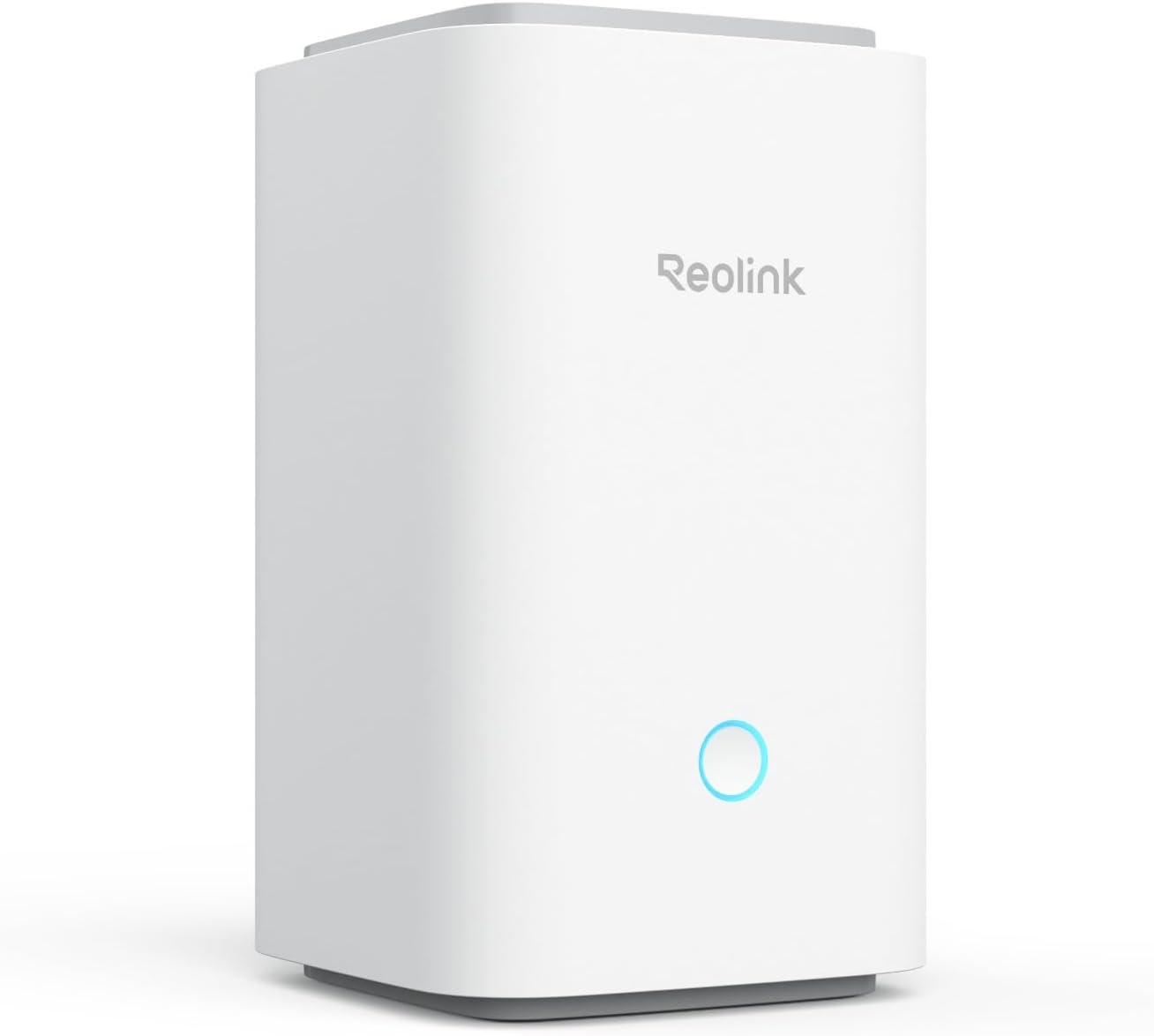
Key specs: Centralized control for up to 8 Reolink cameras at up to 16MP, with encrypted local storage on up to two microSD cards of 1TB each; dual-band and Wi-Fi 6 camera support; no monthly fees for storage
This is the one almost every household should buy. Eight cameras is more than most homes ever fit, it supports up to 16MP so it is not a bottleneck on resolution, and it takes two microSD cards of up to 1TB each for encrypted local storage with no monthly fee. It handles dual-band and Wi-Fi 6 cameras, which matters if your cameras are newer than your router. The trade-off against the Pro is storage architecture: cards are silent, solid-state and easy to swap, but they are smaller and they wear, which makes them better suited to event recording than to continuous capture across many channels.
✅ Pros
- Up to 8 Reolink cameras, more than most homes need
- Encrypted local storage, no recurring fees
- Two microSD cards up to 1TB each
- Supports up to 16MP cameras
- Dual-band and Wi-Fi 6 camera support
❌ Cons
- Card storage is smaller than a hard drive
- Cards wear out under continuous writing
- Not compatible with 2MP battery or 4G cameras
Reolink Home Hub Pro — for a big camera count
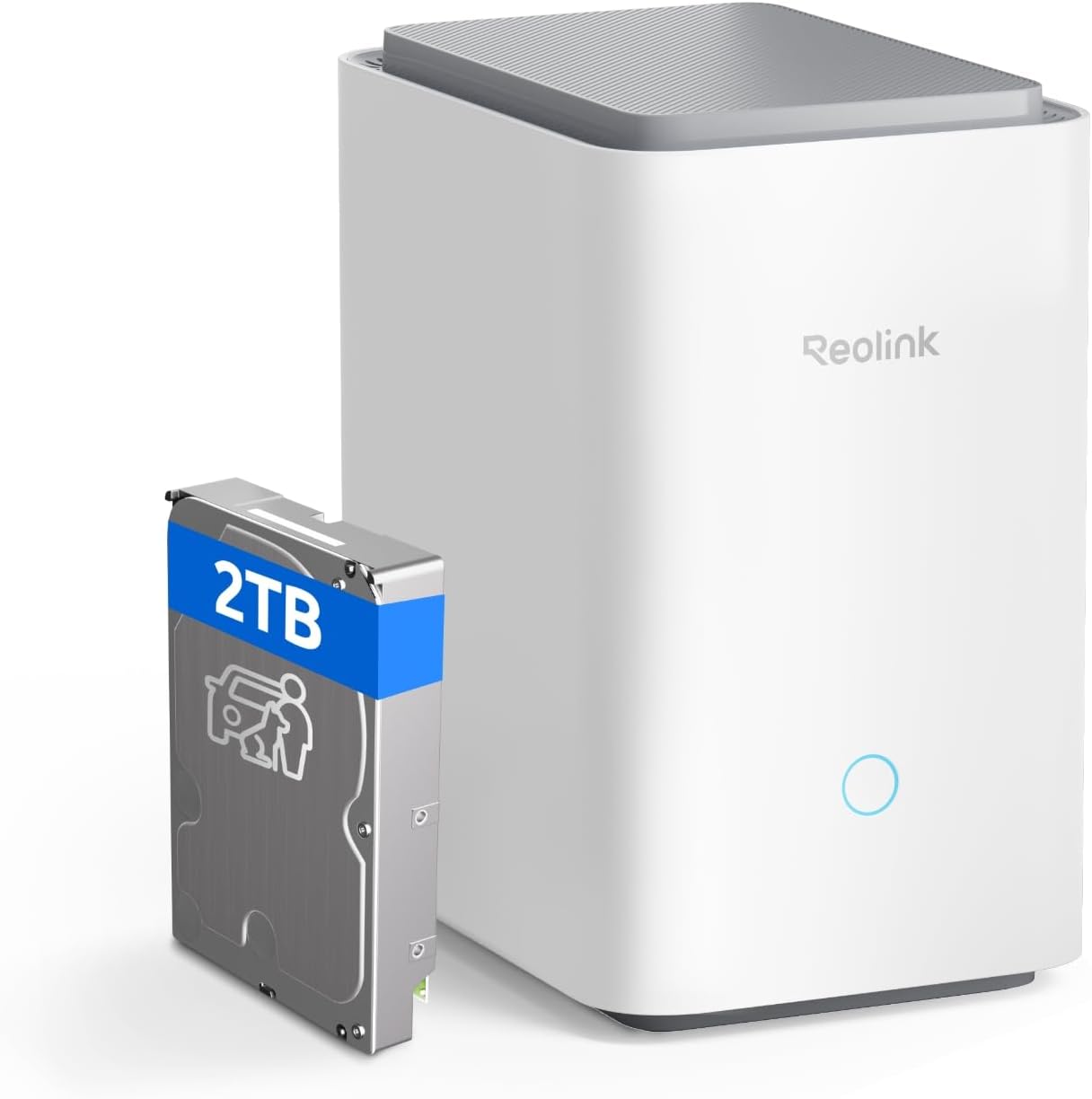
Key specs: Centralized control for up to 24 Reolink cameras with a built-in 2TB hard drive, expandable to a 16TB drive; encrypted local storage with no recurring fees; manages multiple channels from one interface
The Pro is a different scale of product rather than a faster version of the same one. It supports up to 24 Reolink cameras and ships with a built-in 2TB hard drive, expandable up to 16TB, which is what makes continuous recording across many channels realistic rather than theoretical. Reolink notes it is available with or without the 2TB drive, so check which variant you are buying. For a large house, a property with outbuildings or a small business, this is the correct starting point. For a three-camera home it is a lot of hardware doing very little.
✅ Pros
- Up to 24 Reolink cameras on one interface
- Built-in 2TB hard drive on the standard variant
- Expandable to a 16TB drive
- Encrypted local storage with no recurring costs
- Manages multiple channels from a single interface
❌ Cons
- Sold with and without the drive — check the variant
- A spinning drive is audible and has moving parts
- Overkill for a small camera count
The Two Side by Side
| Home Hub | Home Hub Pro |
|---|
| Cameras supported | Up to 8 | Up to 24 |
| Storage medium | Two microSD cards | Hard drive |
| Storage capacity | Up to 1TB per card, two cards | 2TB included, up to 16TB |
| Encryption | Encrypted local storage | Encrypted local storage |
| Best for | A normal house with a handful of cameras | A large property, outbuildings or a small business |
Cards or a Hard Drive: Not the Same Decision
The storage medium is the real difference between these two products, and it is worth understanding rather than treating as a capacity number. Cards are silent, have no moving parts and can be swapped in seconds, but flash wears under constant writing and capacity is bounded. A hard drive gives you far more room and handles continuous recording as a matter of design, at the cost of noise, heat and a mechanical part that will eventually fail.
Which matters depends entirely on how your cameras record. Event-driven battery cameras write in short bursts and are perfectly happy on cards. Wired cameras recording around the clock — which Reolink’s PoE models support explicitly, offering continuous, scheduled or motion recording — will fill anything you give them. Our guide to choosing a microSD card for a security camera covers the endurance question, and the PoE camera guide covers the cameras most likely to justify the Pro. Our guide to how long security cameras keep footage does the retention arithmetic for both.
Who Does Not Need a Hub at All
Two households, and it is worth being honest about both. If you own one or two cameras and they already record to cards in their own housings, a hub adds cost and a second device to maintain for a benefit — theft resilience — that you may reasonably judge small. And if your cameras are the excluded types, 2MP battery or 4G models, the hub simply will not work with them.
There is also a middle path people overlook: a PoE camera recording to a network recorder achieves much of the same separation without a Home Hub in the middle, since Reolink’s PoE cameras can write to a card, an NVR or an FTP server. If you are still assembling a system rather than adding to one, our wired camera system guide and the subscription-free systems guide both cover that route.
Final Recommendation
Buy the Reolink Home Hub if you have or plan to have up to eight Reolink cameras. It is the version sized for a house rather than a compound: encrypted local storage on two cards, up to 16MP camera support, no monthly fee, and one place where footage lives that is not on the wall outside.
Buy the Home Hub Pro only if the camera count is genuinely heading past eight, or if you want continuous recording across many channels — that is what the 2TB drive and the 16TB ceiling are for, and cards will not do it comfortably. Check which variant you are buying, because Reolink sells it with and without the drive. What should stop you buying either is owning 2MP battery cameras or 4G cameras, which the Home Hub series does not support — in that case the hub is not a cheaper alternative to a subscription, it is a box that will not talk to your cameras.
SafeBode does not yet run an in-house product testing program. This guide is built from manufacturer specifications, official support documentation, current retail listings and verified buyer feedback rather than hands-on testing, and we say so plainly rather than implying testing we have not done.
Frequently Asked Questions
What does a Reolink Home Hub actually do?
It centralizes control of multiple Reolink cameras and stores their footage locally and encrypted, so recordings live indoors rather than on a card inside each camera, and there is no monthly storage fee.
How many cameras can each hub handle?
The Home Hub supports up to 8 Reolink cameras and the Home Hub Pro up to 24. Those are hard ceilings rather than recommendations, so count the cameras you expect to own rather than the ones you have today.
Do I still need a subscription with a hub?
No. Both hubs are built around local storage without recurring fees. A cloud plan remains optional if you specifically want an off-site copy that survives a fire or a burglary of the hub itself.
Will the hub work with my existing Reolink cameras?
Usually, but check the exclusions. Reolink states the Home Hub series works with all its PoE cameras, plug-in Wi-Fi cameras and most recently released battery Wi-Fi cameras, but not with 2MP battery cameras or 4G cameras.
Does the Home Hub Pro come with a hard drive?
It is available in two options, with or without the 2TB drive. Check which variant a listing is selling before assuming storage is included, because the difference in what arrives is substantial.
Is card storage or a hard drive better?
Cards are silent and have no moving parts but are smaller and wear under constant writing. A hard drive suits continuous recording across many cameras. Match the medium to how your cameras actually record rather than to capacity alone.
Does a hub protect footage if a camera is stolen?
That is the main security argument for one. Footage recorded to the hub indoors is unaffected by the camera being taken, which is not true of a camera recording only to a card in its own housing.
Can I use a hub with cameras from another brand?
No. The Home Hub series is a Reolink product for Reolink cameras, so mixing brands means running separate systems rather than consolidating them into one interface.
Sources
Show sources (3)


