Reolink Video Doorbell 2026: PoE, Wi-Fi or Battery, and the Chime Nobody Warns You About
Affiliate Disclosure: This article contains affiliate links. If you buy through these links, we may earn a commission at no extra cost to you. Our editorial opinions are our own and are not influenced by affiliate relationships. Read our full disclosure policy →
Contents
Quick Answer
Reolink’s doorbells are the strongest no-subscription option on the market, and they carry one trap that catches nearly every buyer: Reolink states plainly that the Video Doorbell PoE and WiFi will not work with your existing mechanical chime, which has to be bypassed during installation. The included Reolink chime replaces it. If you want the most reliable version, buy the PoE model — one Ethernet cable carries power and data, and nothing depends on Wi-Fi reaching your front door. If your door has no wiring at all, the Battery 2nd Gen is the one to get, and it is also the only family that can drive a mechanical chime.
The Chime Problem, First
Most doorbell guides open with resolution. With Reolink, the thing that actually derails installations is the chime, and it is documented in Reolink’s own support material rather than buried in forum threads.
The statement is unambiguous: the Reolink Video Doorbell PoE and WiFi will not work with an existing mechanical chime, and the chime becomes non-functional after installation — you pair the doorbell with a Reolink chime instead. If the mechanical chime is not bypassed first, Reolink lists the symptoms you can expect: the doorbell may fail to power on, may reboot abnormally, may power on but run unstably, and the old chime may vibrate or sound abnormally. Reolink also advises care with the circuit wiring and suggests contacting a qualified electrician if you are unsure.
The battery models are the exception, and it is a real one. Reolink’s own model overview lists the Battery Video Doorbell 1st and 2nd Gen as supporting mechanical chimes via hardwiring, but the 2nd Gen wiring method matters in Wired Power Mode: the RLA-PK1 and a bypass jumper are not interchangeable ways to keep the chime ringing. A bypass jumper makes the mechanical chime stop ringing. So the household that insists on keeping the chime box in the hallway ringing has exactly one route through the Reolink range, and it is not the flagship.
Before You Buy: Which Chime Situation Are You In?
🔔 Happy to replace the chime
- The included Reolink chime plugs into any outlet and moves around the house
- The PoE and WiFi models are open to you
- You will bypass the mechanical chime during install
- The WiFi model can also announce through Alexa or Google speakers
🏠 The mechanical chime must keep working
- Only the battery models support a mechanical chime by hardwiring
- For the 2nd Gen in Wired Power Mode, follow Reolink’s exact diagram; a bypass jumper stops the mechanical chime ringing
- You are accepting battery maintenance to keep a chime box
- Check the transformer before ordering anything
None of this is a criticism of the hardware — a plug-in chime is arguably better than a box wired into one hallway. But it is the difference between a 20-minute install and an afternoon of confusion, and it is worth knowing before the doorbell arrives. If you are working out whether your existing wiring can carry a camera doorbell at all, our doorbell transformer voltage guide covers that measurement properly.
Three Ways Reolink Powers a Doorbell
Reolink publishes the power requirements for every doorbell in its range, and they differ enough that this is really the decision you are making. Everything else — resolution, detection, app — is broadly shared.
| Model | Power | Storage | Chime situation |
|---|
| Video Doorbell PoE | Power over Ethernet to the IEEE 802.3af standard, or 12-24V AC / 24V DC | SD card, NVR drive, Home Hub or FTP | Reolink chime only; existing mechanical chime must be bypassed |
| Video Doorbell WiFi | 12-24V AC / 24V DC from compatible existing wiring or a compatible power adapter; Wi-Fi carries the network connection | SD card, NVR drive, Home Hub, FTP or Reolink cloud | Reolink chime only; existing mechanical chime must be bypassed |
| Battery Video Doorbell 2nd Gen | Battery, or wired at 16-24V AC / 24V DC in wired mode | SD card, Home Hub or Reolink cloud | Can support a mechanical chime with the correct hardwiring; using a bypass jumper stops the chime ringing |
| Battery Video Doorbell 1st Gen | Battery, with trickle charge from 8-24V AC / 24V DC | SD card, Home Hub or Reolink cloud | Supports a mechanical chime by hardwiring |
Two practical notes sit underneath that table. Reolink says the PoE and WiFi doorbells are compatible with most mechanical doorbell power systems, giving 16V AC, 50/60 Hz, 30 VA as the typical example — which is the transformer most American homes already have. And if your door has power but no doorbell wiring, Reolink documents running the PoE and WiFi models from a 24V DC power adapter instead, with an explicit warning never to connect the doorbell directly to mains power because of the risk of fire or electric shock.
The Order to Do This In
1
Find the transformer
Usually in a basement, closet or beside the furnace. Its rating decides what you can install.
2
Kill the power
At the breaker, before touching the doorbell wiring. Reolink says call an electrician if unsure.
3
Bypass the mechanical chime
Required on the PoE and WiFi models, or the doorbell will misbehave in several documented ways.
4
Pair the Reolink chime
Plug it in wherever you actually need to hear it, then test from the app.
Doing step three before step four is what separates a clean install from a doorbell that reboots at random.
Reolink Video Doorbell PoE — best overall
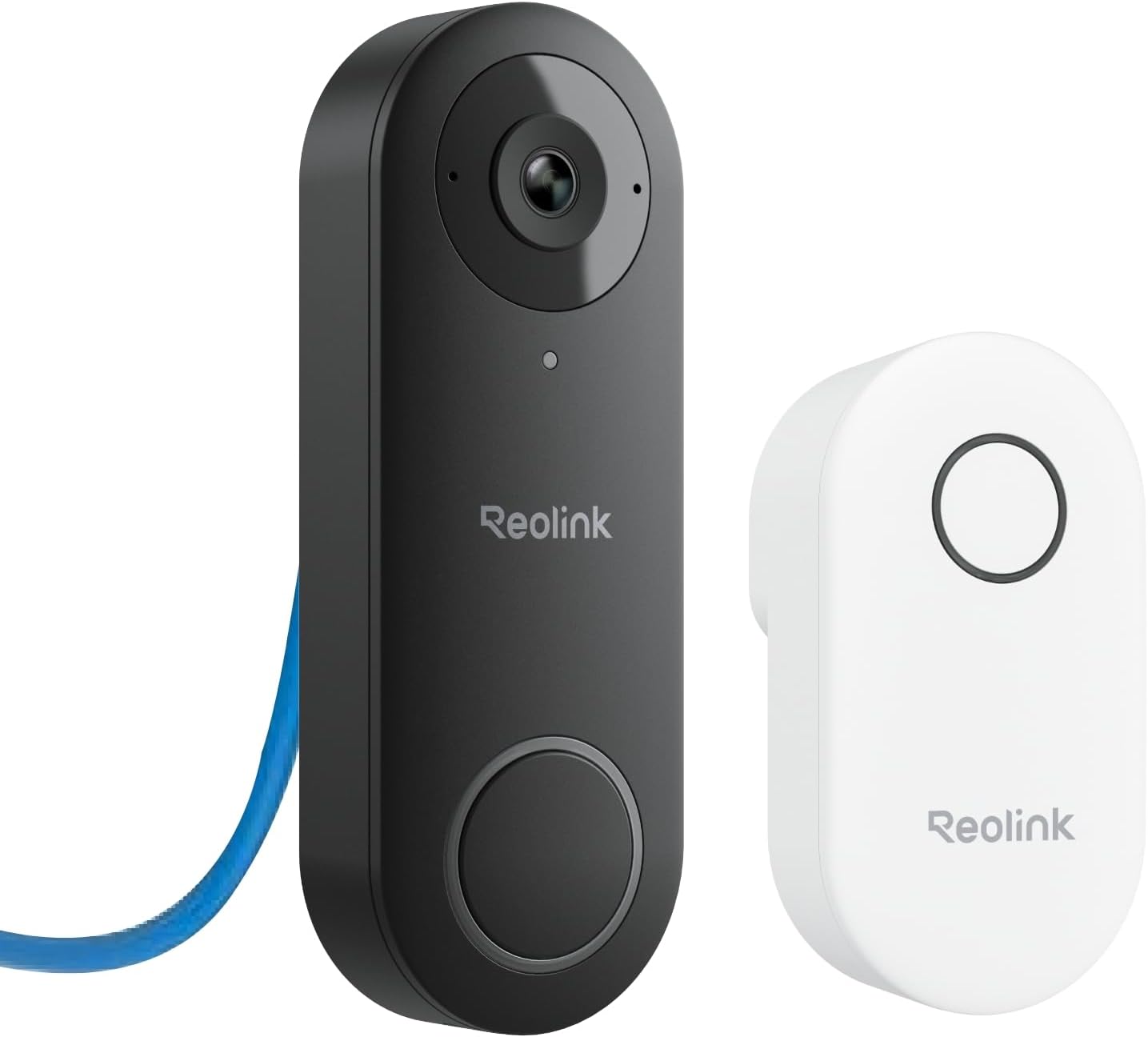
Key specs: 2K wired doorbell powered over Ethernet or 12-24V AC; Reolink Chime V2 included; 4:3 aspect ratio with a 180-degree diagonal view; local storage with no subscription; two-way talk and smart detection
This is the version to buy if you can get an Ethernet cable to the door. Power over Ethernet means a single cable delivers both power and network to the doorbell, so there is no transformer to worry about, no battery to charge, and no dependency on Wi-Fi reaching the least convenient corner of the house — which is exactly where front doors tend to be. Reolink specifies it for IEEE 802.3af PoE or 12-24V AC / 24V DC, and lists SD card, NVR drive, Home Hub and FTP as storage destinations. The Chime V2 is in the box. The one thing you give up compared with the battery model is the ability to keep an existing mechanical chime, which is the tradeoff this whole article is about.
✅ Pros
- One cable for power and data — the most reliable doorbell arrangement there is
- No batteries, no transformer sizing, no Wi-Fi dependency at the door
- Records to SD, an NVR, a Home Hub or FTP with no subscription attached
- Chime V2 included, so you are not buying an accessory to make it audible
❌ Cons
- Requires running Ethernet to the door, which is real work in an existing home
- Needs a PoE switch or injector on the other end of that cable
- Existing mechanical chime has to be bypassed and stops working
- Fixed position — no repositioning once the cable is in
Reolink Video Doorbell WiFi — best on existing wiring
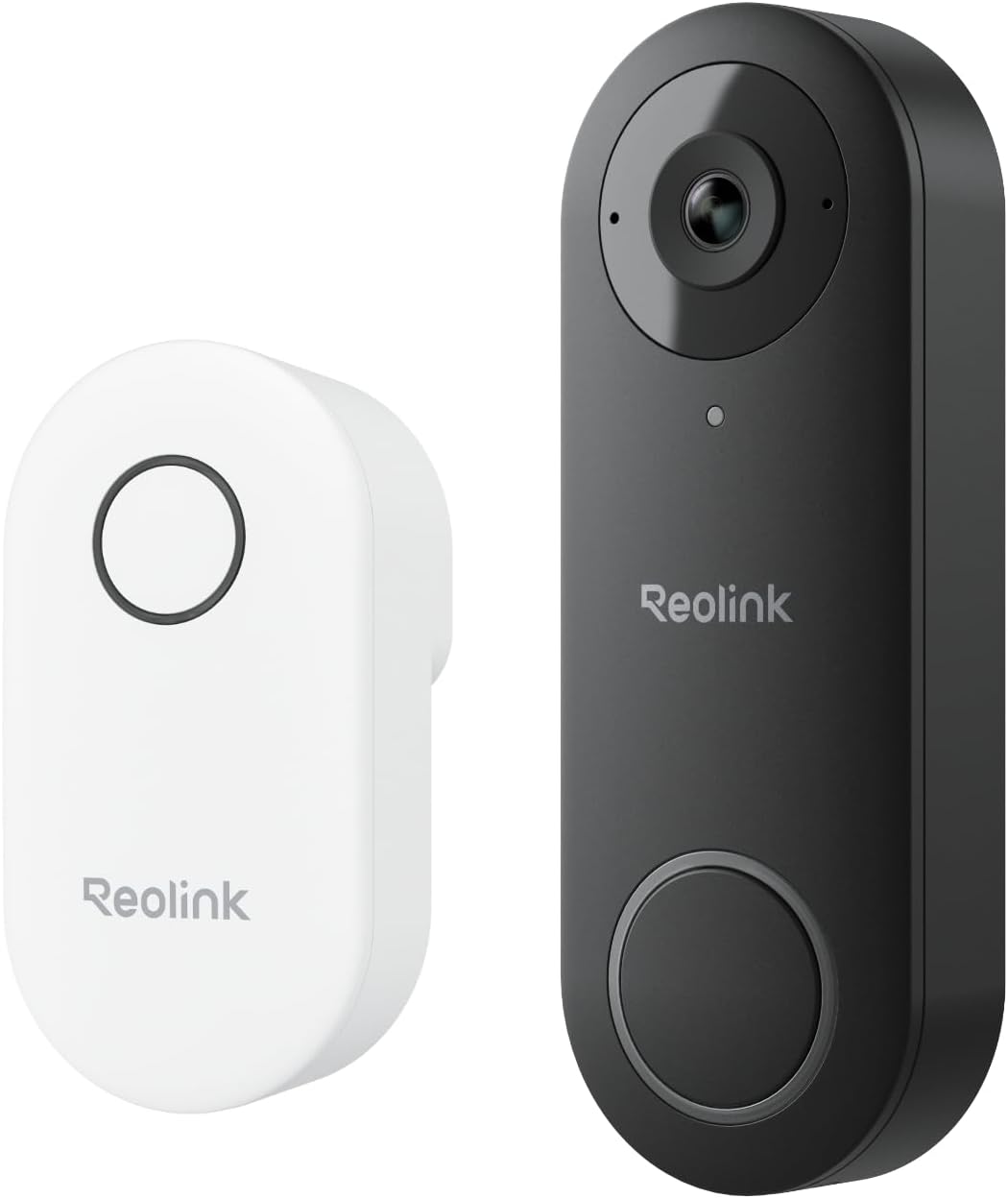
Key specs: 2K wired doorbell powered by compatible existing doorbell wiring or a compatible adapter; dual-band 5GHz and 2.4GHz Wi-Fi; 4:3 wide view; AI detection; two-way talk; Reolink Chime included
If your door already has doorbell wiring and running Ethernet is not happening, this is the sensible pick. It draws 12-24V AC or 24V DC from the existing wiring, which Reolink says most mechanical doorbell systems already supply, using 16V AC, 50/60 Hz, 30 VA as the reference case. Being wired means no battery cycle, and being on dual-band Wi-Fi means the 5GHz band is available if your router reaches the door well. Everything else matches the PoE model: 2K, 4:3 view, local storage with the option of Reolink cloud. It is also the model that can use an Alexa or Google speaker as the chime, which is worth knowing if you already have one in the hall. This is the model our wireless video doorbell roundup features when comparing Reolink against Ring, eufy and Wyze.
✅ Pros
- Uses the doorbell wiring you already have — no new cable to run
- Wired power means no recharging, ever
- Dual-band Wi-Fi, so it can use 5GHz where the signal supports it
- Local storage plus optional cloud, unlike the PoE model’s local-only options
❌ Cons
- Wi-Fi at the front door is the weak link, and front doors are usually far from the router
- Still cannot use your existing mechanical chime
- Needs a transformer within the stated voltage range — check before ordering
- Video quality drops with signal strength in a way a wired model’s never does
Reolink Battery Video Doorbell 2nd Gen — best without wiring
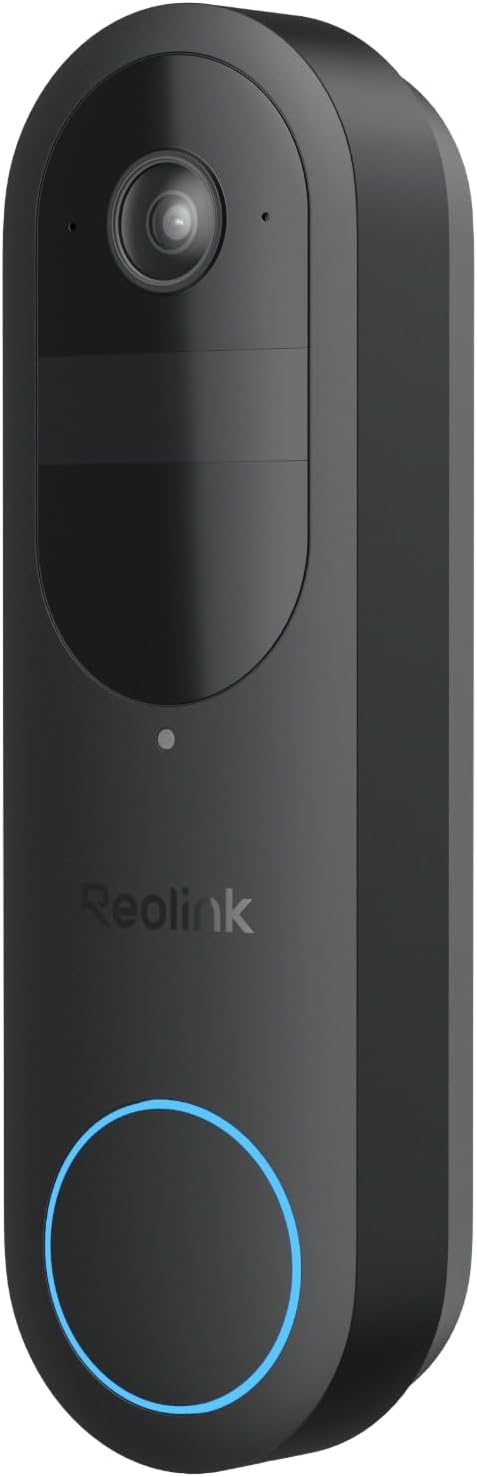
Key specs: 2K 4MP battery doorbell; 150 by 150 degree head-to-toe view; dual-band Wi-Fi; live view with two-way talk; smart detection; local storage with no subscription
No wiring, no transformer, no electrician. The Battery 2nd Gen mounts anywhere and gives a 150 by 150 degree head-to-toe view, which is the shape that matters at a door — you want to see a package on the step, not just a face. It records locally with no subscription and runs on dual-band Wi-Fi. Two things make it more interesting than a typical battery doorbell. First, the battery family can support a mechanical chime with the correct hardwiring. In Wired Power Mode, check Reolink’s exact diagram: the RLA-PK1 and a bypass jumper are not interchangeable, because the jumper bypasses the chime and stops it ringing. Second, it can be run permanently on 16-24V AC or 24V DC wired power if you later add wiring, so it is not a dead end. In Battery Mode it records events. Reolink also documents standalone continuous recording in Wired Power Mode with suitable local storage; recording to an NVR or Home Hub remains event-based for this model.
✅ Pros
- Installs anywhere with no wiring, transformer or electrician
- 150 by 150 degree head-to-toe view catches packages on the step
- The only Reolink doorbell family that can ring a mechanical chime
- Can be converted to permanent wired power later
❌ Cons
- Battery means recharging, and a busy doorstep shortens the interval sharply
- Battery Mode records events; continuous recording requires Wired Power Mode and standalone use
- Keeping the mechanical chime working requires the correct wiring; a bypass jumper stops it ringing
- Wi-Fi dependent, like every battery doorbell
Reolink Duo 3 PoE with Video Doorbell — best for whole-entrance coverage
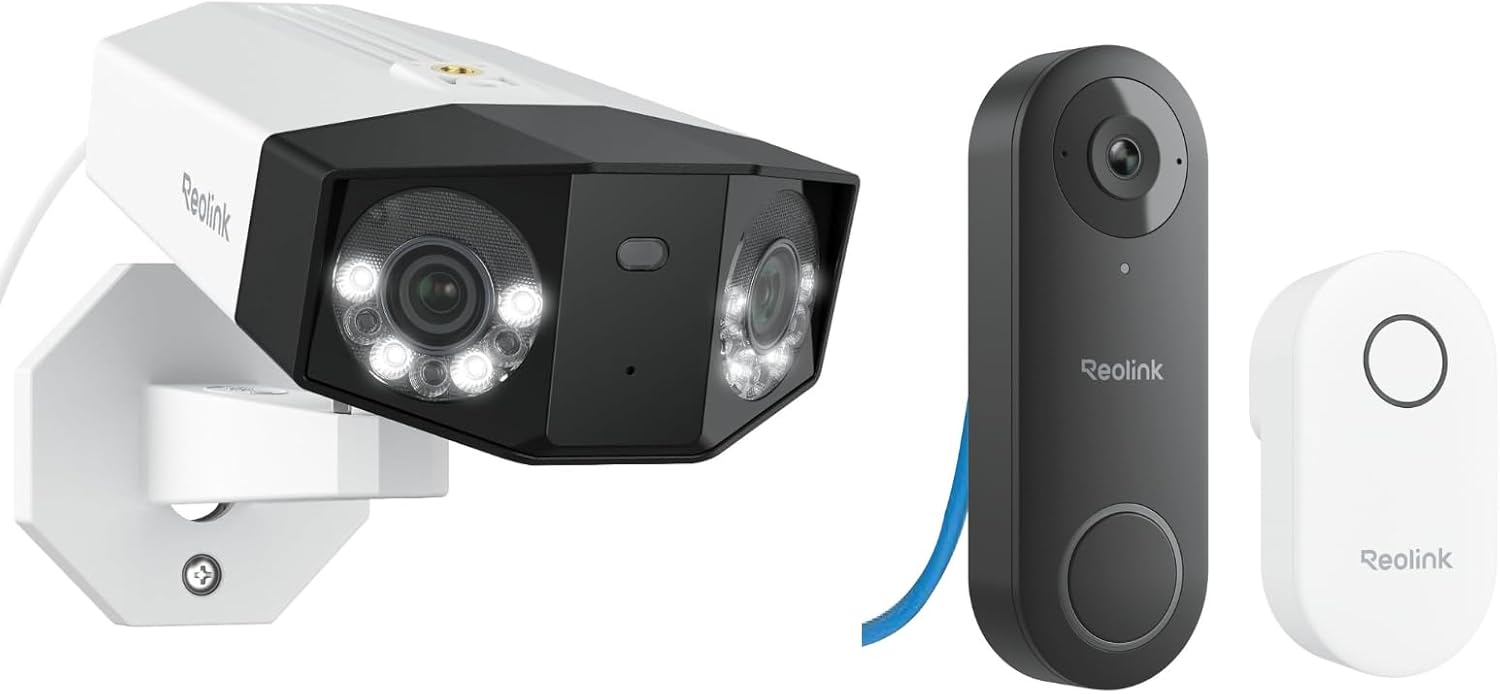
Key specs: Bundle pairing a dual-lens PoE camera with a 180-degree panoramic view and the wired PoE video doorbell with Chime V2; both run over Ethernet with local storage
A doorbell sees the doorstep. It does not see the driveway, the porch corner where a parcel gets tucked, or somebody approaching along the side of the house. This bundle pairs the PoE doorbell with a dual-lens PoE camera giving a 180-degree panoramic view, both on Ethernet, both recording locally. That combination answers the complaint that produces most disappointed doorbell reviews — people expect a doorbell to be a security camera, and it is not one. Buying them together also means one storage destination and one app rather than two systems. It is the most expensive option here by a distance, and it only makes sense if you were already going to add a camera; if you were not, buy the doorbell alone. Our camera placement guide covers where that second camera should actually point.
✅ Pros
- Covers the doorstep and the wider approach, which a doorbell alone cannot
- Both devices on PoE — one cable each, no batteries anywhere
- Single app and single storage destination for both
- Dual-lens 180-degree panorama rather than two separate camera positions
❌ Cons
- Most expensive route into a Reolink doorbell by a wide margin
- Two Ethernet runs to plan, not one
- Overkill if you only ever wanted to see who is at the door
- Same mechanical chime limitation as the standalone PoE model
What “No Subscription” Actually Covers Here
Reolink leans on no-monthly-fee marketing harder than almost anyone, and in this case the claim holds up better than most. It is still worth knowing exactly where the line sits.
A supported local-storage setup can avoid a recording subscription. Reolink lists SD card, NVR hard drive, Home Hub and FTP server as storage destinations across the doorbell range, with the WiFi and battery models additionally supporting Reolink cloud. Reolink offers local recording without a monthly recording fee; that does not remove the costs of storage, power or network equipment. Cloud storage is offered as an optional extra rather than a requirement, and Reolink keeps it separate from the data plans that its cellular cameras need.
Budget for the storage and power/network equipment your setup requires, electricity and possible replacements. The practical risk is the mirror image: footage lives at your house, so a stolen recorder or a burned-out card takes it with it. If that worries you, the cloud tier exists for exactly that reason and you can add it later. For the same reasoning applied to Reolink’s outdoor cameras, our Reolink Argus PT Solar deep dive works through what a truly no-fee camera setup looks like over several years.
Reolink Doorbell Running Costs, Honestly
Card
Choose supported storage and budget for electricity, equipment and possible replacements
Optional
Cloud storage is an add-on, not a requirement
Included
A Reolink chime ships with the PoE and WiFi models
Extra
A PoE switch or injector, if you do not already have one
Check storage, power and network requirements before buying; PoE may require a switch or injector as well as a cable run.
Final Recommendation
Buy the Reolink Video Doorbell PoE if you can get a network cable to the door. PoE avoids reliance on Wi-Fi at the door and battery recharging; it does not eliminate power outages or equipment faults. A supported local-storage setup avoids a recording subscription. Budget for a PoE injector if you do not already have a PoE switch.
Two clear alternatives. If the door already has doorbell wiring and pulling Ethernet is not realistic, the WiFi model gives you the same camera on the wiring you have. If there is no wiring at all — or if keeping the mechanical chime in the hallway is non-negotiable — the Battery 2nd Gen is the answer, and the battery family supports that chime with suitable hardwiring. For the 2nd Gen in Wired Power Mode, check the exact diagram; a bypass jumper stops the mechanical chime ringing.
Whichever you choose, plan the chime before you plan the mount. On the PoE and WiFi models the existing mechanical chime must be bypassed and will stop working — that is a one-line fact that decides whether your installation takes twenty minutes or ruins a Saturday. If you are still deciding whether a doorbell is even the right first purchase, our doorbell versus smart lock comparison and the Ring installation walkthrough cover the wider decision and the wiring steps that apply to any brand.
SafeBode does not yet run an in-house product testing program. This guide is built from manufacturer specifications, official support documentation, current retail listings and verified buyer feedback rather than hands-on testing, and we say so plainly rather than implying testing we have not done.
Frequently Asked Questions
Will a Reolink doorbell work with my existing chime?
Not on the PoE and WiFi models. Reolink states these will not work with an existing mechanical chime, which has to be bypassed during installation, and the included Reolink chime replaces it. The battery models are the exception and can ring a mechanical chime when hardwired.
Do Reolink doorbells need a subscription?
A supported local-storage setup does not require a recording subscription. Storage options vary by model, and storage, power/network equipment, electricity and replacements still cost money. Reolink cloud storage exists as an optional extra on the WiFi and battery models, not as a requirement.
What transformer do I need?
Reolink specifies 12-24V AC or 24V DC for the wired models and says they are compatible with most mechanical doorbell power systems, citing 16V AC, 50/60 Hz, 30 VA as the typical case. Check what is actually installed before ordering rather than assuming.
Can I power the doorbell without doorbell wiring?
Yes, on the PoE and WiFi models, using a 24V DC power adapter. Reolink warns explicitly never to connect the doorbell directly to mains power, and to keep the adapter’s plugs separated to avoid a short circuit.
Is PoE really better than WiFi for a doorbell?
PoE carries power and data over one cable, avoiding Wi-Fi at the door and battery recharging. It does not prevent power outages or equipment faults. The cost is the work of running that cable, which in an existing home is not trivial.
What is the difference between the battery doorbell generations?
Both record locally and can support a mechanical chime with suitable hardwiring. For the 2nd Gen in Wired Power Mode, follow the exact wiring diagram: a bypass jumper stops the mechanical chime ringing. The 2nd Gen also supports standalone continuous recording in Wired Power Mode; recording to an NVR or Home Hub remains event-based.
Where does the footage go if the internet drops?
To the local storage you configured — the card, NVR or Home Hub — because recording happens at the device rather than in the cloud. You lose remote viewing and notifications until the connection returns, not the recording.
Can I use a Reolink doorbell with my existing Reolink cameras?
Yes, that is the main argument for staying in the range. The doorbell appears alongside your cameras in the same app and can record to the same NVR or Home Hub, which is a genuine convenience over mixing brands.
Sources
Show sources (5)
- [1] Reolink Support — “Introduction to Reolink Video Doorbell Cameras,” support.reolink.com/articles/16929500357657
- [2] Reolink Support — “How to Install Reolink Video Doorbell Cameras to the Existing Doorbell Wiring,” support.reolink.com/articles/10313334138265
- [3] Reolink Support — “How to Power Video Doorbells Using Power Cables,” support.reolink.com/articles/10300451805465
- [4] Reolink — “Reolink Subscription Cost: Data & Cloud Plans,” reolink.com/blog/reolink-subscription-cost
- [5] Reolink Support — FAQs — Reolink Battery Video Doorbell (2nd Gen): Wired Power Mode, standalone recording and bypass-jumper chime behavior.


