Reolink Argus PT Solar: What You Get With a No-Subscription Outdoor Camera (2026)
Affiliate Disclosure: This article contains affiliate links. If you buy through these links, we may earn a commission at no extra cost to you. Our editorial opinions are our own and are not influenced by affiliate relationships. Read our full disclosure policy →
Table of Contents
One Camera, Not a Roundup — Here’s Why
Most “best outdoor camera without a subscription” roundups rank 4 or 5 similar products against each other on a scorecard. We’re doing something different here: a deep dive on the single pick we think most people searching that exact phrase actually want, the Reolink Argus PT + Solar Panel — what setting it up actually involves, what its features are really good for, where solar power genuinely falls short, and what it costs over years of ownership compared to a subscription camera. If you want a wider comparison across multiple outdoor systems instead, see our Best Nest Outdoor Security Cameras guide or our Best Wireless Security Camera Systems guide, both of which include subscription-based and local-storage options side by side.
Quick Answer
The Reolink Argus PT + Solar Panel is a 360°-coverage outdoor camera that runs entirely on sunlight and saves footage to a local microSD card — no monthly fee, ever, for either power or storage. It’s the most-reviewed no-subscription outdoor camera we found, with over 9,600 ratings. The honest tradeoff: solar charging genuinely struggles in extended cloudy, snowy, or very cold stretches, so it’s a better fit for most of the U.S. than for consistently overcast climates.
Who This Guide Is For
This guide is for you if:
- ✅ You want a single outdoor camera with zero recurring cost, ever
- ✅ You don’t want to run power cable to wherever the camera goes
- ✅ You get reasonably consistent sun where you’d mount it — not permanently shaded or snowed-in most of the year
- ✅ You’re comfortable managing a microSD card instead of a cloud app history
Setup: What Actually Happens Out of the Box
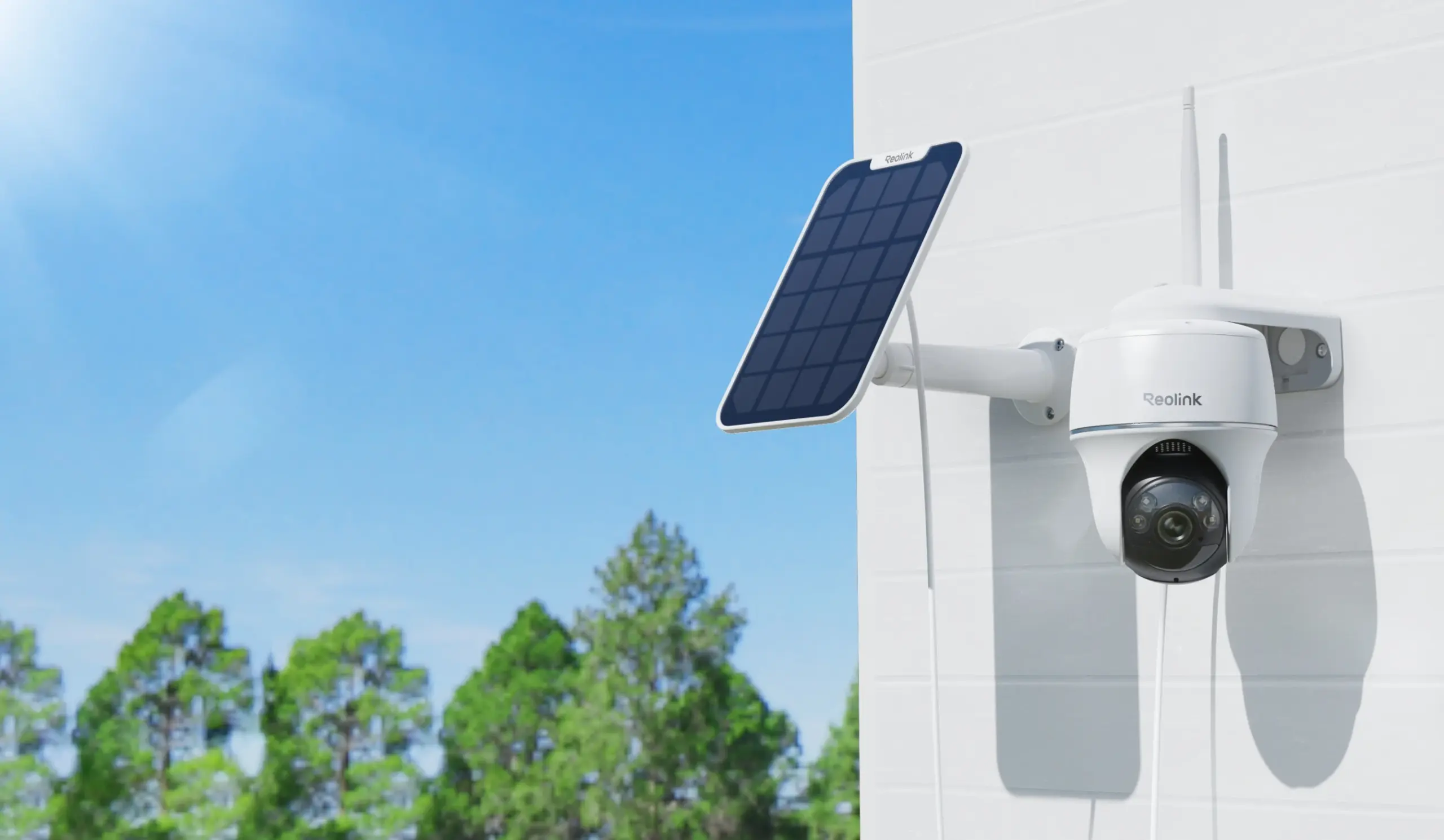
- Power: 100% solar, camera + dedicated solar panel included in the box
- Storage: Local microSD (up to 512GB), no subscription required
- Best for: a single outdoor spot needing 360° coverage with zero wiring
The box includes the camera, its dedicated solar panel, and a wall-mount bracket. Setup is app-based: scan a QR code with the free Reolink app, connect the camera to 2.4GHz or 5GHz WiFi (see our guide to testing your WiFi first if you’re unsure your connection can support it), then mount the camera and angle the solar panel toward the sun. There’s no hub or base station required — this camera works entirely standalone, though it can optionally join a Reolink Home Hub later if you decide to add more cameras. Because it’s screw-mounted rather than adhesive, this is a homeowner-friendly install rather than a renter-friendly one; check your lease before drilling into siding or a fence post. For the front door, our Reolink video doorbell guide covers the same no-subscription approach in doorbell form.
Features: What the Camera Actually Sees
The Argus PT captures 5MP video (1440p) with pan-tilt motion — 355° horizontal and 140° vertical — which is where the “360° coverage” marketing claim comes from: the camera physically turns to follow motion rather than relying on a single fixed wide-angle lens. Night vision uses color night mode up to 33 feet, noticeably more useful for identifying a person than traditional black-and-white infrared at the same range. Motion detection is a PIR sensor combined with on-device smart detection that distinguishes people and vehicles from irrelevant motion like blowing branches, which cuts down on the false-alert fatigue that makes people stop checking notifications altogether.
Auto-tracking (the camera automatically following a moving subject) is not included on this model — it detects and alerts, but doesn’t physically track motion on its own. If continuous auto-tracking matters to you, that’s a real limitation worth knowing before you buy, not something we’re glossing over.
Solar Power: The Honest Limitation
This is the section most product pages skip. Reolink’s own support documentation is direct about it: the solar panel may not be able to keep the camera fully charged on days that are snowy, cloudy, gloomy, or rainy, or during periods of heavy use like frequent motion triggers. Under good sun conditions, a depleted battery typically takes 3 to 4 days to fully recharge; extended gloomy or cold weather stretches that out significantly. Cold matters too — the camera’s minimum operating temperature is 14°F, and very low temperatures slow the battery’s charging chemistry regardless of how much sun the panel gets.
Where This Camera Makes the Most Sense
Solar-powered outdoor cameras are the strongest fit for climates with reasonably consistent sun across most of the year. If you’re mounting one somewhere that sees weeks of continuous overcast, heavy snow cover, or deep winter darkness, budget for the realistic chance of needing to bring the camera in to charge via USB occasionally — every solar security camera shares this limitation, not just this one.
The 5-Year Cost Story
This is the actual reason a “no subscription” camera is worth searching for in the first place. Local storage is a one-time expense with no monthly fee, while cloud storage plans are cheap-looking month to month but the cost adds up significantly over years of ownership. A subscription camera and this camera can have a similar or even identical price tag on day one; the difference only shows up starting in month two, and it compounds every month after that for as long as you own the camera and keep paying. If you’re the kind of buyer who cancels subscriptions you forget you’re paying for, a camera that structurally can’t bill you monthly removes that risk entirely.
The Shape of the Cost Curve, Not the Exact Numbers
This illustrates the pattern, not precise dollar figures: a one-time local-storage cost stays flat year after year, while a monthly cloud subscription keeps adding up for as long as you own the camera.
This Camera (Local Storage)
Yr 1
Yr 2
Yr 3
Yr 4
Yr 5
One purchase. Cost never increases.
Subscription Camera (Cloud Storage)
Yr 1
Yr 2
Yr 3
Yr 4
Yr 5
Cumulative spend grows every year you keep paying.
Why Local Storage Matters for Privacy
Cost isn’t the only reason to prefer local storage. In 2023, the FTC found that Ring employees had illegally accessed customers’ private video footage stored in the cloud, and separately failed to stop hackers from taking over customers’ camera accounts — a case that resulted in a $5.8 million settlement. Footage saved to a local microSD card in your own camera never passes through a company’s cloud servers at all, which structurally removes an entire category of risk that cloud-connected cameras carry by design, regardless of how good any individual company’s security practices are.
Full Spec Sheet
| Spec | Detail |
|---|
| Resolution | 5MP (1440p), color night vision to 33 ft |
| Coverage | 355° pan / 140° tilt, 110° field of view per shot |
| Power | Solar panel + internal rechargeable battery (included) |
| Storage | Local microSD up to 512GB, or Reolink Home Hub / FTP |
| Subscription | None required for recording or playback |
| Detection | PIR motion + on-device person/vehicle AI detection |
| Weatherproofing | IP65 |
| Connectivity | 2.4GHz / 5GHz dual-band WiFi |
| Mounting | Screw-in wall mount (not adhesive) |
| Buy | Check Price on Amazon |
Who This Isn’t Right For
Pros and Cons
Pros
- Zero recurring cost — no electricity bill, no cloud storage fee
- 512GB local microSD support
- 355°/140° pan-tilt coverage
- On-device person/vehicle detection
- Largest review base (9,600+) of any no-subscription outdoor camera we found
- IP65 weatherproofing
Cons
- Solar charging genuinely struggles through extended cloudy, snowy, or cold stretches
- No auto-tracking — detects and alerts but doesn’t physically follow a moving subject
- Screw-mount only, not renter-friendly
- 14°F minimum operating temperature
- Single camera, not an expandable system
Verdict
The Reolink Argus PT + Solar Panel delivers on the specific promise its search term implies: a genuinely subscription-free outdoor camera, with the largest review base of any no-subscription option we found. It’s not the right pick for every climate or every install location, and its solar charging limitation is real, not marketing fine print. But for a typical outdoor mounting spot with reasonably consistent sun, it removes both the monthly cost and the cloud-privacy tradeoff that come standard with most outdoor cameras — permanently, not just during a free trial period.
FAQ
Does the Reolink Argus PT really never need a subscription?
Correct — recording and playback work entirely through local microSD storage (or an optional Reolink Home Hub), with no monthly fee required for either. A cloud backup option exists if you want it, but it’s optional, not required for the camera to function.
Will the solar panel keep it charged through winter?
Not reliably in every climate. Reolink’s own documentation confirms charging performance drops significantly during extended cloudy, snowy, or very cold stretches. In a typically sunny climate it should stay charged; in a consistently overcast one, expect to occasionally bring it in for a USB charge.
Is a no-subscription camera actually cheaper long-term than a subscription one?
Yes, for anyone keeping the camera more than a year or two. The upfront price may look similar to a subscription camera, but cloud plans keep charging every month for as long as you own the camera, while local storage is a one-time cost.
Is local storage actually more private than cloud storage?
Structurally, yes. Footage on a local microSD card never leaves your own camera to sit on a company’s servers, which removes the exact category of risk behind incidents like the FTC’s 2023 action against Ring over employee access to customer footage.
Can this camera auto-track a moving person or car?
No — it detects and alerts on people and vehicles and can be panned/tilted manually or via preset positions, but continuous auto-tracking of a moving subject isn’t included on this model.
A note on our research approach: SafeBode has not purchased or installed this camera. This guide is built from the manufacturer’s own product documentation and support pages, cross-checked against independent coverage cited throughout. As our testing program develops, we’ll update this guide with genuine hands-on data and disclose that transition transparently.
Sources
Show sources (3)


