Best PoE Security Cameras 2026: One Cable, No Batteries, No Wi-Fi to Fight Over
Affiliate Disclosure: This article contains affiliate links. If you buy through these links, we may earn a commission at no extra cost to you. Our editorial opinions are our own and are not influenced by affiliate relationships. Read our full disclosure policy →
Contents
Quick Answer
PoE is the quiet answer to almost every complaint people have about home cameras. One Ethernet cable carries both power and data, so there is no battery to charge, no Wi-Fi congestion at the far corner of the house, and continuous recording becomes practical rather than theoretical. For most positions the Reolink RLC-810A is the right camera: 4K, IP67, infrared quoted to 100 feet, and recording continuously, on a schedule or on motion to a card, an NVR or FTP. Choose the RLC-820A where a bullet would look intrusive, and the RLC-840A where the camera is within reach of somebody who might object to it — it is the IK10 vandal-resistant one, with color night vision from warm spotlights.
What PoE Actually Solves
Power over Ethernet is not a picture-quality feature and it is not marketed well, which is why it is under-bought by exactly the people it would help most. What it does is remove three separate failure modes at once, and each of them is the reason somebody eventually gives up on a camera.
Three Problems One Cable Removes
0
batteries to charge or swap
0
Wi-Fi bandwidth consumed at the mount
24/7
continuous recording, not event-only
Reolink documents continuous, scheduled and motion recording to microSD, an NVR or FTP on the RLC-810A.
The Wi-Fi point deserves emphasis because it is the one people discover last. A wireless camera at the end of the garden is not just receiving a weak signal — it is transmitting hard to reach the router, competing with every other device in the house, and dropping video quality to cope. A PoE camera on a cable has none of that argument to have. If you are still deciding between wireless and wired, our guide to testing Wi-Fi at the mounting position is the test worth running before you spend anything.
What It Costs You in Exchange
Two things, and they are both real. First, installation: somebody has to run Ethernet from a switch or injector to each camera position, and in a finished house that is genuine work rather than an afternoon. Second, you need something at the other end — a PoE switch, a PoE injector, or an NVR with PoE ports built in. Neither is expensive, but neither is optional, and buying the camera first is how people end up with a box on a shelf.
PoE Suits You If
This describes your situation
- There is a basement, attic or crawlspace you can route cable through
- You want a continuous record you can scrub, not just clips
- The camera position has poor Wi-Fi and always will
- You are covering several positions and want one recorder
Stay wireless if
- You rent, or cannot drill through exterior walls
- You need the camera somewhere no cable will ever reach
- One or two cameras is the whole plan
- You would rather charge a battery twice a year than run cable once
If the second column is you, that is not a compromise — it is the right answer, and our wireless system guide covers it properly. This guide assumes you have decided to run cable.
Bullet, Dome or Turret: The Shape Is a Decision
All three cameras below run the same PoE platform and shoot 4K. What genuinely differs is the housing, and that decides more about the installation than the specification does.
| Shape | What it looks like | Where it belongs | Trade-off |
|---|
| Bullet | A cylinder on an arm, obviously pointed somewhere | Driveways, gates, boundaries — anywhere visible deterrence helps | Conspicuous, and the arm gives a hand something to grab |
| Dome | A low hemisphere against the wall or soffit | Porches, entryways, anywhere an obvious camera would feel hostile | Harder to aim precisely once mounted, and the cover can catch glare |
| Turret | A ball in a fixed cradle, no dome cover | Anywhere within reach, or where infrared glare off a dome is a problem | Less discreet than a dome, but far easier to aim |
Where you point any of them matters more than which you buy, and it is the part most people rush. Our placement walkthrough goes position by position, and it is worth reading before you decide how many cameras you actually need.
Reolink RLC-810A — best overall PoE camera
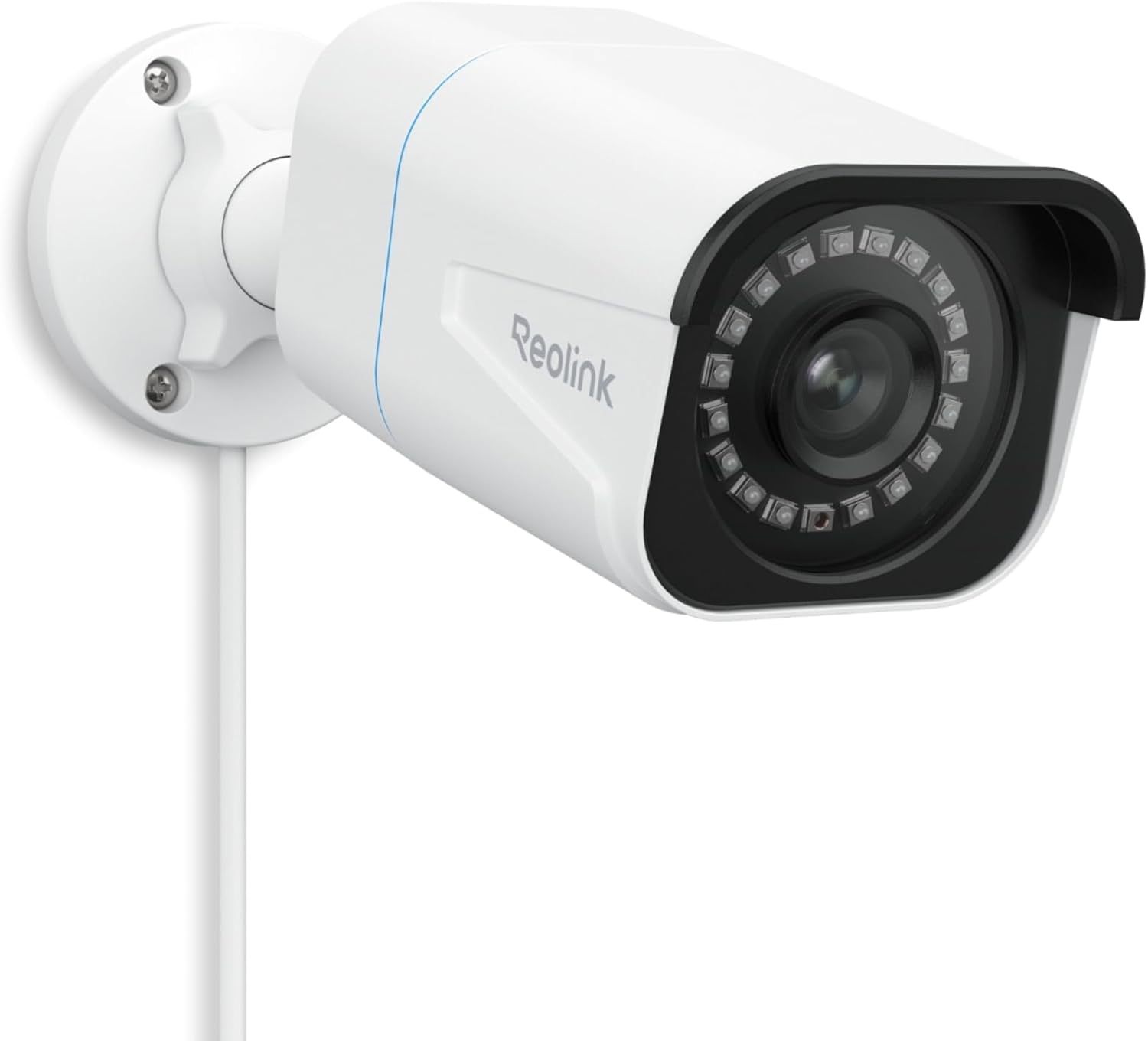
Key specs: 4K bullet camera powered and networked over a single Ethernet cable; IP67 rated; 18 infrared LEDs quoted at up to 100 ft of night vision; person, vehicle and animal detection; continuous, scheduled or motion recording to microSD, a Reolink NVR or FTP
This is the default. Reolink describes 4K as four times the clarity of 1080p, and pairs it with 18 infrared LEDs quoted at up to 100 feet of night vision — which matters more than the daylight resolution on a driveway, because that is when things happen. It is IP67 rated for weather. The feature that justifies the whole category is the recording flexibility: continuous, scheduled or motion-triggered, written to a microSD card, a Reolink NVR or an FTP server, so you are not locked into one storage decision at purchase. The trade-off is that a bullet is unmistakably a camera, which is either the point or a problem depending on the wall.
✅ Pros
- 4K over a single Ethernet cable
- IP67 weather rating
- Up to 100 ft infrared night vision from 18 LEDs
- Continuous, scheduled or motion recording
- Records to microSD, NVR or FTP — your choice
❌ Cons
- Conspicuous by design
- Fixed view — no pan or tilt
- The mounting arm is the obvious thing to grab or knock
Reolink RLC-820A — best for a discreet fixed view
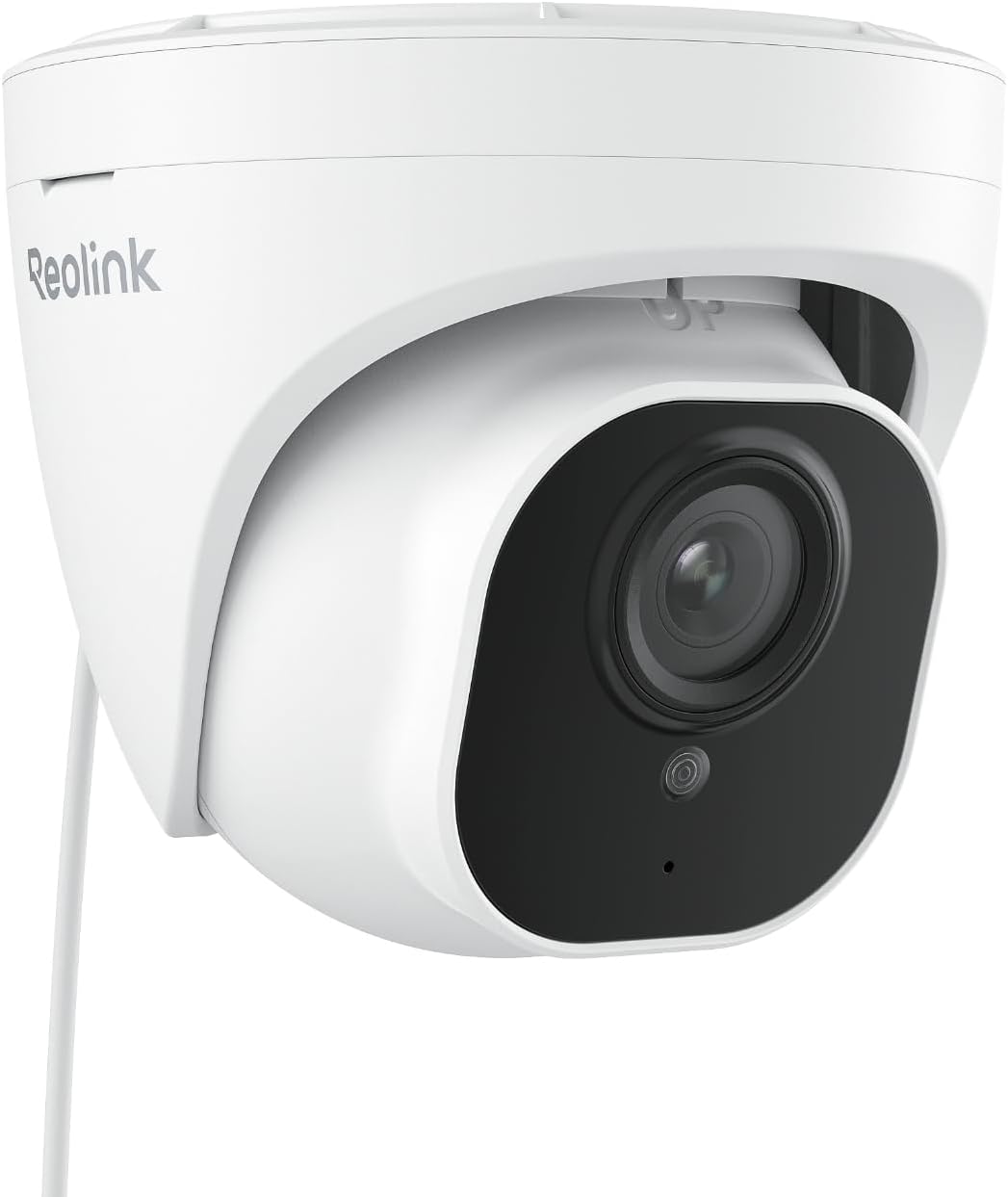
Key specs: 4K dome camera on the same PoE platform; 18 infrared LEDs rated up to 100 ft; smart person and vehicle detection; a fixed dome housing that is far less obvious on a wall than a bullet
Same 4K sensor, same PoE platform, same infrared reach quoted up to 100 feet — in a housing that sits close to the wall and reads as part of the building rather than as surveillance. That matters in two situations people underestimate: a front porch where a bullet camera makes visitors uncomfortable, and a shared or rented building where an obtrusive camera invites complaints. The honest downside of every dome is aiming. Once the cover is on you are committed to that angle, so spend the extra ten minutes getting it right with the app open before you screw it down.
✅ Pros
- Discreet housing that suits porches and entryways
- Same 4K and PoE platform as the bullet
- Infrared rated up to 100 ft
- Smart person and vehicle detection
- Sits close to the wall, less to knock
❌ Cons
- Fiddly to aim precisely once mounted
- Dome covers can pick up glare and need occasional cleaning
- Less visible deterrence than a bullet
Reolink RLC-840A — best where the camera can be reached
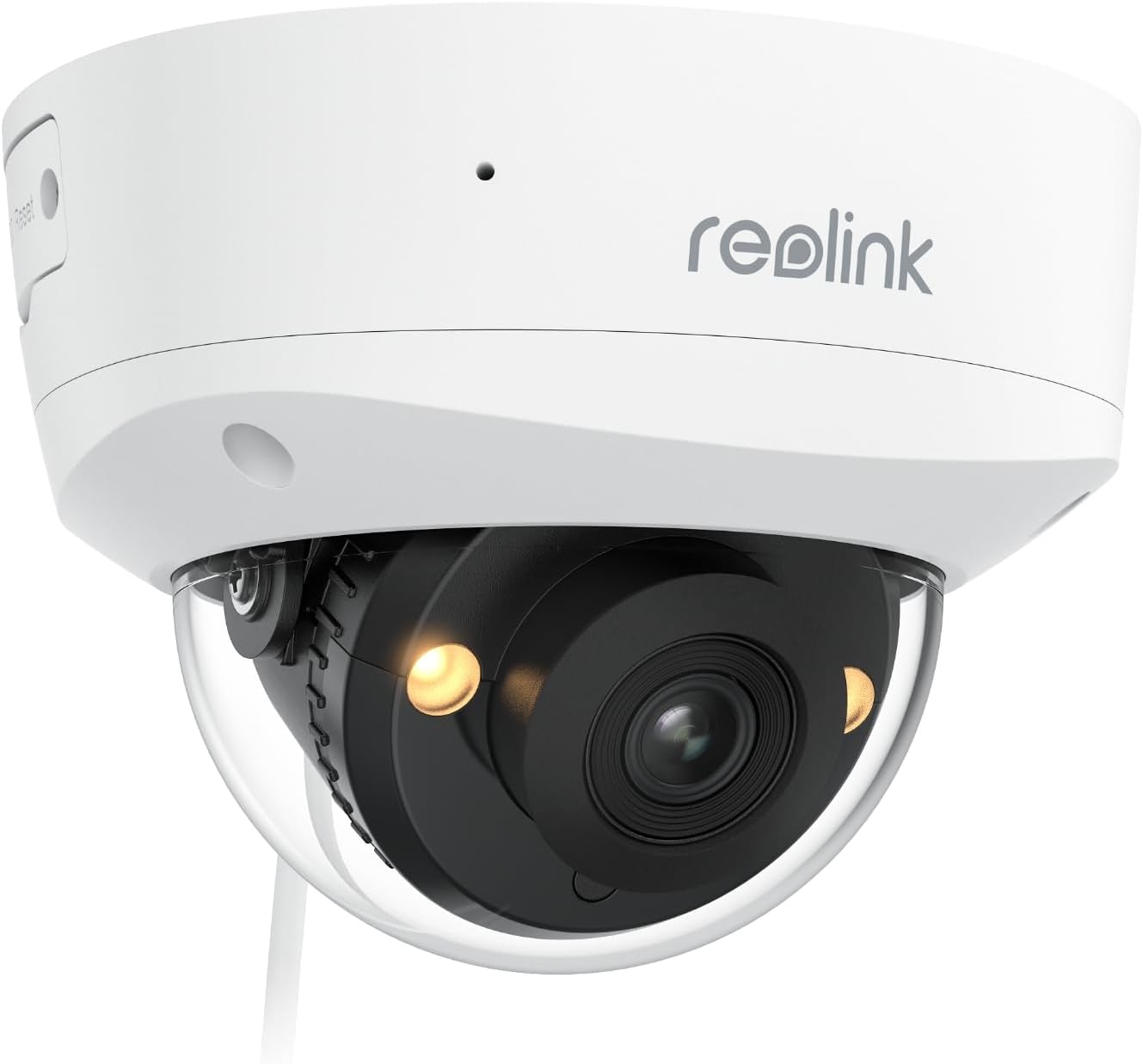
Key specs: 4K IK10 vandal-resistant turret with color night vision from 3000K warm spotlights, or invisible infrared mode for discreet monitoring; PoE powered and networked over one cable
The RLC-840A is the one to buy when the camera is somewhere a person could physically get at it — a side alley, a low wall, a shopfront. Reolink specifies it as IK10 vandal-resistant, which is a genuine impact standard rather than marketing language. It also handles night differently: 3000K warm spotlights give full-color night video, or you can switch to invisible infrared for monitoring that does not advertise itself. Those are opposite strategies — deter, or observe unnoticed — and having both in one camera is unusual at this level.
✅ Pros
- IK10 vandal-resistant housing
- Color night vision from 3000K warm spotlights
- Invisible infrared mode for discreet monitoring
- 4K on the same PoE platform
- Turret mount is much easier to aim than a dome
❌ Cons
- Spotlights draw attention when active
- Chunkier than a dome on a clean facade
- More camera than a sheltered, out-of-reach position needs
The Three Side by Side
| Camera | Housing | Night approach | Impact rating | Best for |
|---|
| RLC-810A | Bullet | Infrared to 100 ft | IP67 weather | The default first PoE camera |
| RLC-820A | Dome | Infrared to 100 ft | Weather rated | A camera you would rather not notice |
| RLC-840A | Turret | Color spotlights or invisible IR | IK10 vandal-resistant | Positions within reach |
Why All Three Picks Are the Same Brand
We would rather say this plainly than pad the list. Standalone consumer PoE cameras are a narrow market: most brands sell PoE only as part of a sealed kit with their own recorder, and several of the ones that do sell individual cameras do not publish specifications you can check against the product you are buying. Reolink does, per model, which is why all three picks here come from one catalogue.
That is a real limitation of this guide rather than a verdict on every competitor. If you want a complete package rather than cameras plus a recorder you assemble yourself, our wired camera system guide covers multi-brand kits, and the business camera systems guide covers the larger multi-camera installations where PoE is standard rather than unusual. If it is resolution rather than wiring you are chasing, the 4K camera guide compares wired and wireless 4K side by side.
Plan the Cable Before You Buy the Camera
Four Things to Settle First
1
Where does the cable start?
A PoE switch, a PoE injector or an NVR with PoE ports. Decide which, because it sets how many cameras you can add later.
2
What is the route?
Basement to soffit, attic to eave, or an external run in conduit. The route determines the cable length, and it is easier to plan than to redo.
3
How will you terminate it?
Pre-made cables save time but need a hole big enough for the connector. Terminating on site needs a crimp tool and patience.
4
Where does the footage land?
A card in the camera is the simplest. An NVR is what makes continuous recording across several cameras actually workable.
One practical note that saves an afternoon: drill the hole for the cable before mounting the camera bracket, not after. A connector that will not fit through a hole you have already sized to the bare cable is the single most common self-inflicted delay in a PoE install. For a warehouse or office rather than a house, our guide to sizing a business NVR covers channel counts and storage days.
Final Recommendation
Buy the Reolink RLC-810A for the first position and work outwards from there. It is 4K, IP67, sees to a quoted 100 feet in the dark, and — the part that actually matters — records continuously rather than only when something trips it, to whichever destination suits you. For a driveway, gate or boundary, that is the correct camera and the shape is a feature rather than a compromise.
Two positions change the answer. A front porch or an entryway where an obvious camera would feel hostile: buy the RLC-820A and accept that aiming a dome takes longer. A spot somebody could physically reach — a side alley, a low wall, a shop frontage: buy the RLC-840A for the IK10 housing, and use the warm spotlights or the invisible infrared depending on whether you want to deter or to observe. What should stop you buying any of them is not having a realistic cable route. PoE with no route is just a more expensive camera you cannot power, and in that case a battery or Wi-Fi model is the honest choice.
SafeBode does not yet run an in-house product testing program. This guide is built from manufacturer specifications, official support documentation, current retail listings and verified buyer feedback rather than hands-on testing, and we say so plainly rather than implying testing we have not done.
Frequently Asked Questions
What does PoE actually mean?
Power over Ethernet: one network cable carries both the data and the electricity the camera needs. There is no separate power adapter at the camera end, which is why a single run is all the installation requires.
Do I need a special switch for PoE cameras?
You need something that supplies power over the cable: a PoE switch, a PoE injector for a single camera, or an NVR with PoE ports built in. An ordinary network switch will carry the data but not the power.
Can PoE cameras record 24/7?
Yes, and it is the main reason to choose them. Reolink documents continuous, scheduled and motion-based recording on these models, written to a card in the camera, an NVR or an FTP server.
How far can the cable run?
Standard Ethernet is generally reliable to around 100 meters, roughly 328 feet, which covers almost any domestic run from a central point. Beyond that you need a switch or extender partway.
Are PoE cameras better than Wi-Fi cameras?
For a fixed position with a viable cable route, yes on nearly every measure: no battery, no wireless congestion, and continuous recording. For a position with no route, they are worse than useless, because they cannot be installed at all.
Do PoE cameras still work if the internet goes down?
Recording carries on, because it happens on the camera or on your recorder rather than in the cloud. You lose remote viewing until the connection returns, but nothing stops being captured in the meantime.
What is the difference between a dome and a turret camera?
A dome sits under a clear cover, which makes it discreet but fiddly to aim and prone to infrared glare off the cover. A turret is a bare ball in a cradle: easier to aim, no glare, slightly more visible.
Is IK10 the same as a weather rating?
No. IP ratings describe resistance to dust and water; IK ratings describe resistance to physical impact. A camera can be well sealed against rain and still easy to knock off a wall, which is why the vandal-resistant model exists.
Sources
Show sources (3)


