Best Security Cameras With a Built-In Monitor 2026: No Phone, No Subscription, No Router
Affiliate Disclosure: This article contains affiliate links. If you buy through these links, we may earn a commission at no extra cost to you. Our editorial opinions are our own and are not influenced by affiliate relationships. Read our full disclosure policy →
Contents
Quick Answer
These systems put the screen in the box. Cameras talk to a monitor sitting on your counter, footage records to a drive inside it, and there is no app, no account and no monthly fee – several do not need a router at all. Start with the CasaCam Pro: a 10.1 in touchscreen with two 2K cameras is the right balance of resolution and simplicity. Go to the Hiseeu 14 in kit if you want four cameras and a 3TB drive from the beginning. The tradeoff is real – you cannot check these from work.
Who a Built-In Monitor Is Genuinely For
This category exists because the dominant design – a camera that lives in an app and stores footage in somebody’s cloud – is a bad fit for a substantial number of households, and nobody writes for them.
A monitor kit is the right shape when
This is you
- You want to glance at a screen rather than open an app
- You will not pay a monthly fee for your own footage
- Internet at the property is poor, expensive or absent
- The person using it does not want a smartphone in the loop
- You are covering a barn, workshop or cabin with no broadband
Buy a cloud camera instead when
- Checking in from elsewhere is the point
- You want alerts on your phone while you are out
- You want footage to survive the hardware being stolen
- You want smart filtering of people, vehicles and packages
- Several people need access from their own devices
The second column matters as much as the first. If “see the driveway from the office” is on your list at all, none of these are right and you should be reading our wireless camera systems comparison instead. The whole value here is that the system is self-contained.
What You Trade Against a Cloud Camera
It is worth being concrete about both sides, because the marketing on each side of this divide pretends the other does not exist.
What you gain is ownership and independence. Footage sits on a drive you can hold. There is no retention policy – contrast that with cloud systems, where Ring’s US defaults are 60 days for 1080p and 2K cameras and 30 days for 4K, adjustable up to 180, and Google’s Nest cameras store 30 or 60 days of event history depending on subscription tier. Those are generous windows, but they are somebody else’s windows and they end when you stop paying.
You also sidestep a bandwidth requirement that catches people out. Google recommends at least 2 Mbps upload per camera for optimal 1080p and notes that DSL may not qualify. A four-camera cloud setup is asking for 8 Mbps of upload headroom. A monitor kit asks for none, because the video never leaves the property.
The retention comparison, in numbers
60 days
Ring’s US default for 1080p and 2K cloud storage
14 days
Cap on Ring’s 24/7 continuous recording footage
2 Mbps
Upload per camera Google recommends for 1080p
Your drive
Retention on a monitor kit – limited by disk size, not by a plan
Cloud retention is a policy. Local retention is arithmetic – and arithmetic you control.
What you lose is genuine and should not be minimized: remote access, phone alerts, and off-site copies. If a burglar takes the monitor, the footage goes with it. That is the single strongest argument for cloud storage and there is no local system that answers it – we go through the whole tradeoff in our piece on where security camera footage should live.
Monitor Kit or NVR Plus a TV?
There is a second way to get local recording with a screen, and it is worth knowing before you buy: a conventional NVR system that outputs to a monitor or TV you already own. Reolink’s RLK8-800D4, for example, is an 8-channel PoE system with a 2TB drive pre-installed and capacity up to 16TB, supporting simultaneous live feed and 24/7 recording of all cameras, with setup described as connecting the NVR to your router and a monitor or TV.
That approach generally buys higher resolution and far more storage for the money – the Reolink kit runs 4K cameras at 8MP with IP67 weatherproofing and infrared to around 100 feet – at the cost of needing a spare screen and a slightly more involved setup with Ethernet runs to each camera.
The monitor kits in this guide win on exactly one axis, and it is the one their buyers care about: everything arrives in a box, the screen is included, and there is nothing to configure. If you are comfortable running cable and already have a monitor, our PoE camera guide and wired system comparison cover the higher-capability route.
The Four Kits Side by Side
| Kit | Screen | Cameras included | Storage | Expandable to |
|---|
| CasaCam Pro | 10.1 in touchscreen | Two 2K, AC-powered | Local, no fees | Additional cameras |
| Hiseeu 14 in kit | 14 in LCD | Four 5MP pan-tilt | 3TB HDD included | 10 channels |
| 10-Channel Expandable | 10.1 in monitor | Four 5MP indoor and outdoor | Local | 10 cameras |
| CasaCam Air | 7 in monitor | Two 720p, AC-powered | Local, no fees | Additional cameras |
CasaCam Wireless Security Camera Pro — best overall
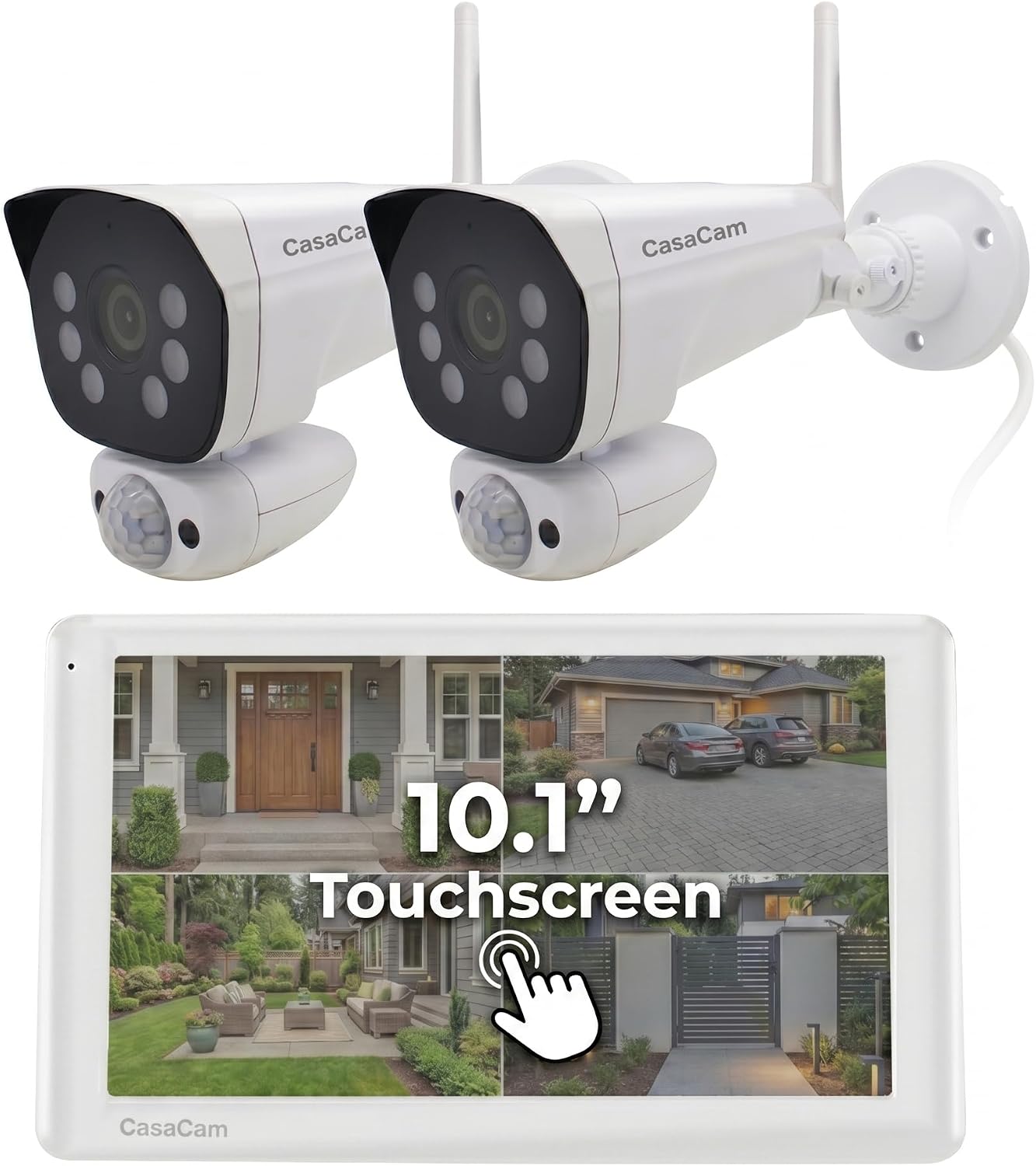
Key specs: 10.1 in touchscreen monitor with two 2K cameras; AC-powered cameras; local recording with no monthly fees; the monitor is the whole interface, so no phone or account is required to use it
This is the kit that gets the balance right for most people buying into this category. A 10.1 inch touchscreen is large enough to actually watch rather than squint at, the two cameras are 2K rather than the 720p or 1080p that is common here, and the cameras are AC-powered so there is no battery maintenance. Crucially the monitor is the entire interface – you are not being quietly funnelled toward an app to unlock features. Recording is local with no monthly fees, which is the reason people shop this category in the first place. Two cameras covers a front and back door; if you already know you want four, the Hiseeu below starts there instead.
✅ Pros
- 2K cameras – the best resolution in this group
- 10.1 in touchscreen is genuinely usable
- AC-powered cameras, no battery routine
- Local recording with no subscription
- Works without a phone or an account
❌ Cons
- Two cameras only in the base kit
- No remote access – that is the category’s tradeoff
- Smaller review base than long-standing kits
- Footage is lost if the monitor is stolen
Hiseeu 4-Camera Kit with 14 in LCD — biggest screen and most storage
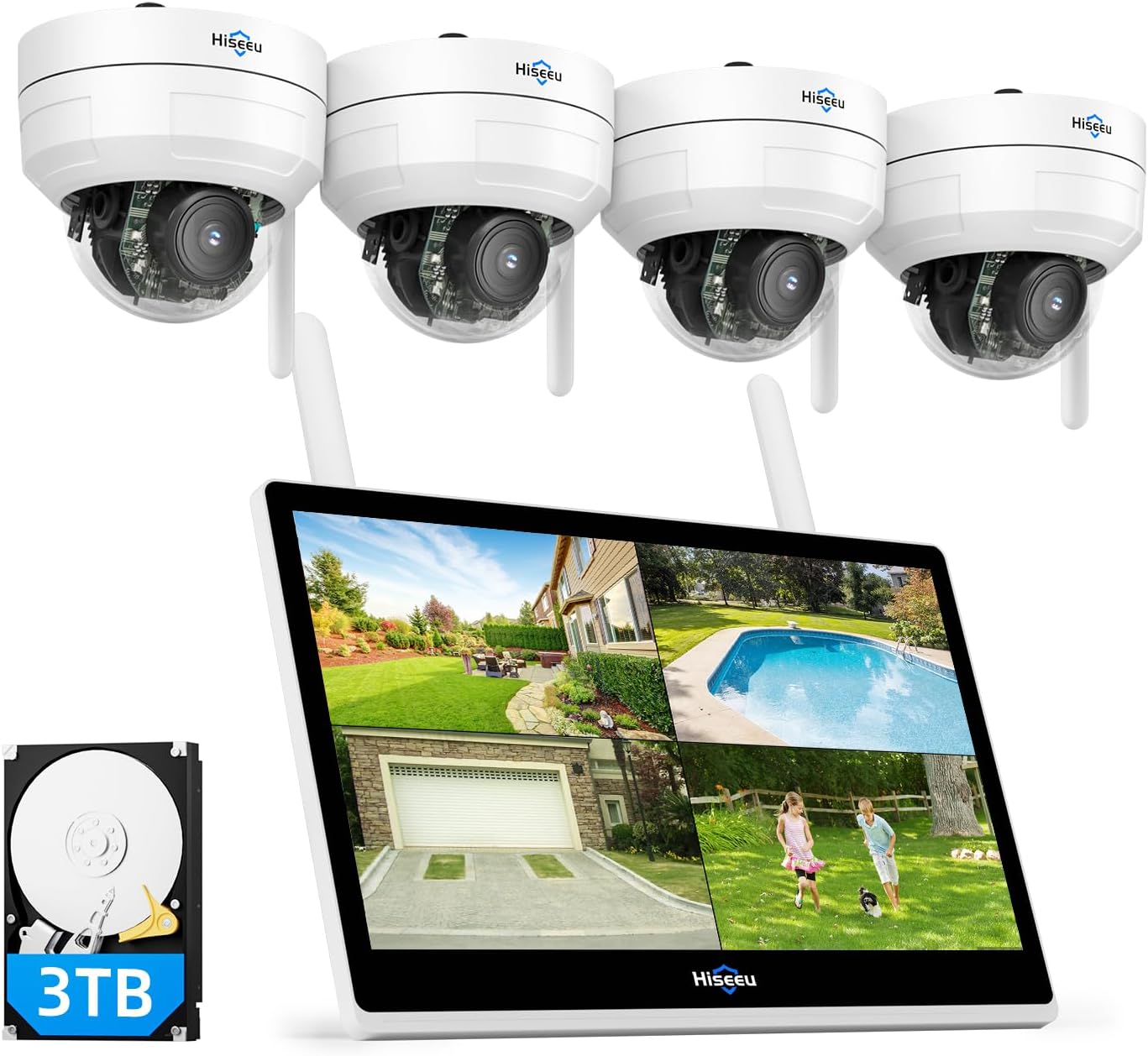
Key specs: 10-channel NVR with a 14 in LCD built in, four 5MP pan-tilt cameras and a 3TB hard drive included; the largest screen and the most storage in this group, and expandable beyond the four cameras supplied
If you want the whole system in one purchase, this is the most complete kit here: a 10-channel NVR with a 14 inch LCD built in, four 5MP pan-tilt cameras, and a 3TB hard drive already installed. The pan-tilt cameras are a real advantage over fixed units at this price – one camera can cover an entire yard rather than a slice of it. Ten channels means you can grow to ten cameras on the same screen. One honest caveat worth weighing: this is a newer listing with a small number of ratings behind it compared with the CasaCam kits, so there is less accumulated evidence about how it behaves after two years outdoors.
✅ Pros
- 14 in screen, the largest here
- 3TB drive included – weeks of footage rather than days
- Four pan-tilt cameras rather than fixed
- 10 channels for future expansion
- One purchase, nothing else needed
❌ Cons
- Small review base – limited long-term evidence
- Physically the largest unit to find space for
- No remote access, as with the whole category
- Pan-tilt cameras have moving parts that eventually wear
10-Channel Expandable System with 10.1 in Monitor — best if you will add cameras
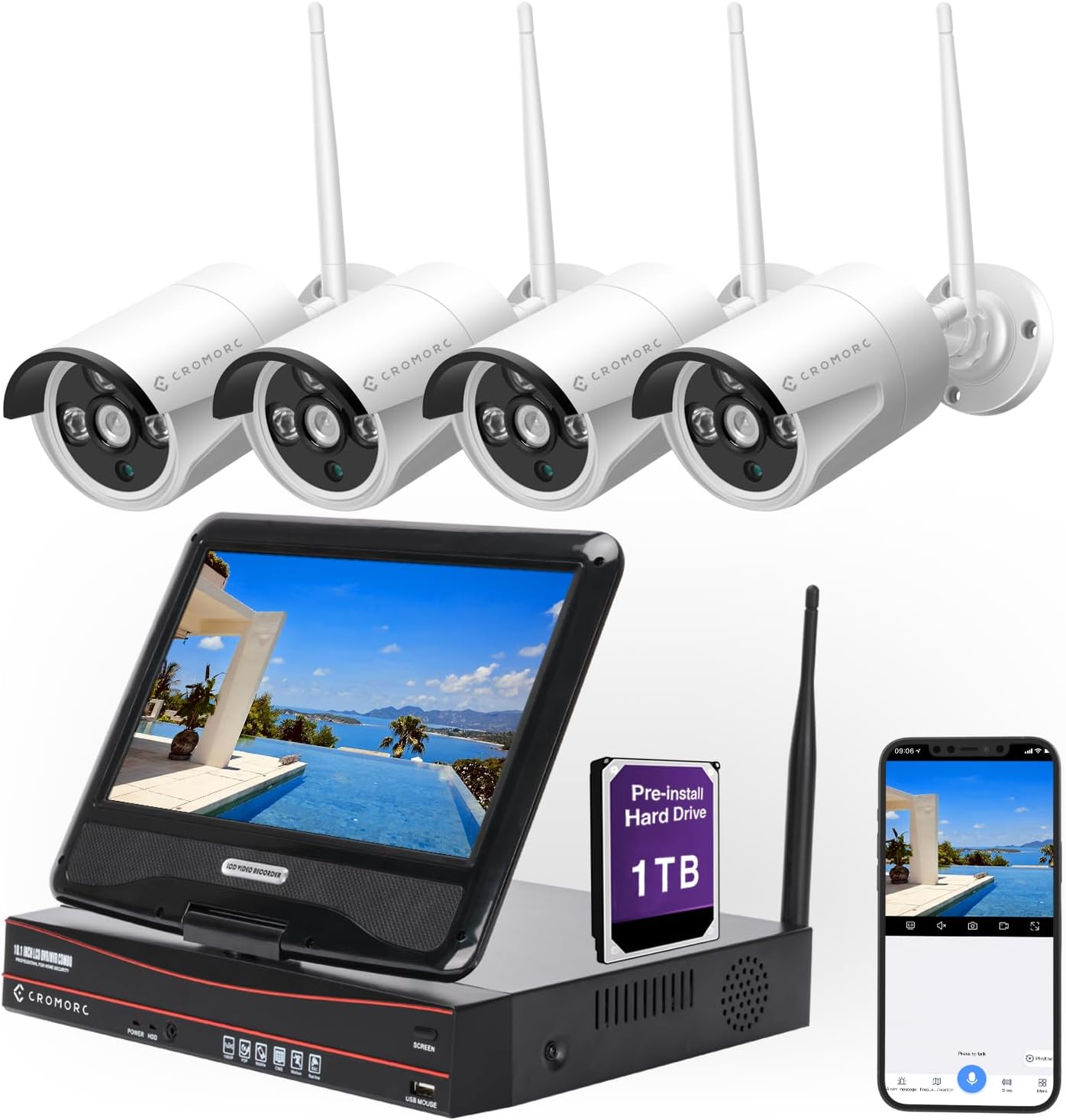
Key specs: 10-channel system with a 10.1 in monitor and four 5MP indoor and outdoor cameras; expandable to ten cameras on the same monitor, which is what separates it from the two-camera kits
The argument for this one is the growth path. Four 5MP indoor and outdoor cameras out of the box on a 10.1 inch monitor, and ten channels available, so you can start with the doors and add the shed, the side gate and the driveway over time without replacing the base system. That matters more than it sounds, because the most common regret in this category is buying a sealed two-camera kit and discovering the third position you need is not supported. It has a long enough track record to have accumulated meaningful review volume, which the newest kits have not.
✅ Pros
- Four cameras included, ten channels available
- Indoor and outdoor cameras in the same kit
- Established listing with substantial review history
- 10.1 in monitor is a workable size
- Local recording, no fees
❌ Cons
- 5MP is below the CasaCam Pro’s 2K cameras in practice
- Storage depends on the drive fitted rather than being generous by default
- No remote viewing
- More cameras means more mounting work up front
CasaCam Wireless Security Camera Air — simplest, and the resolution shows it
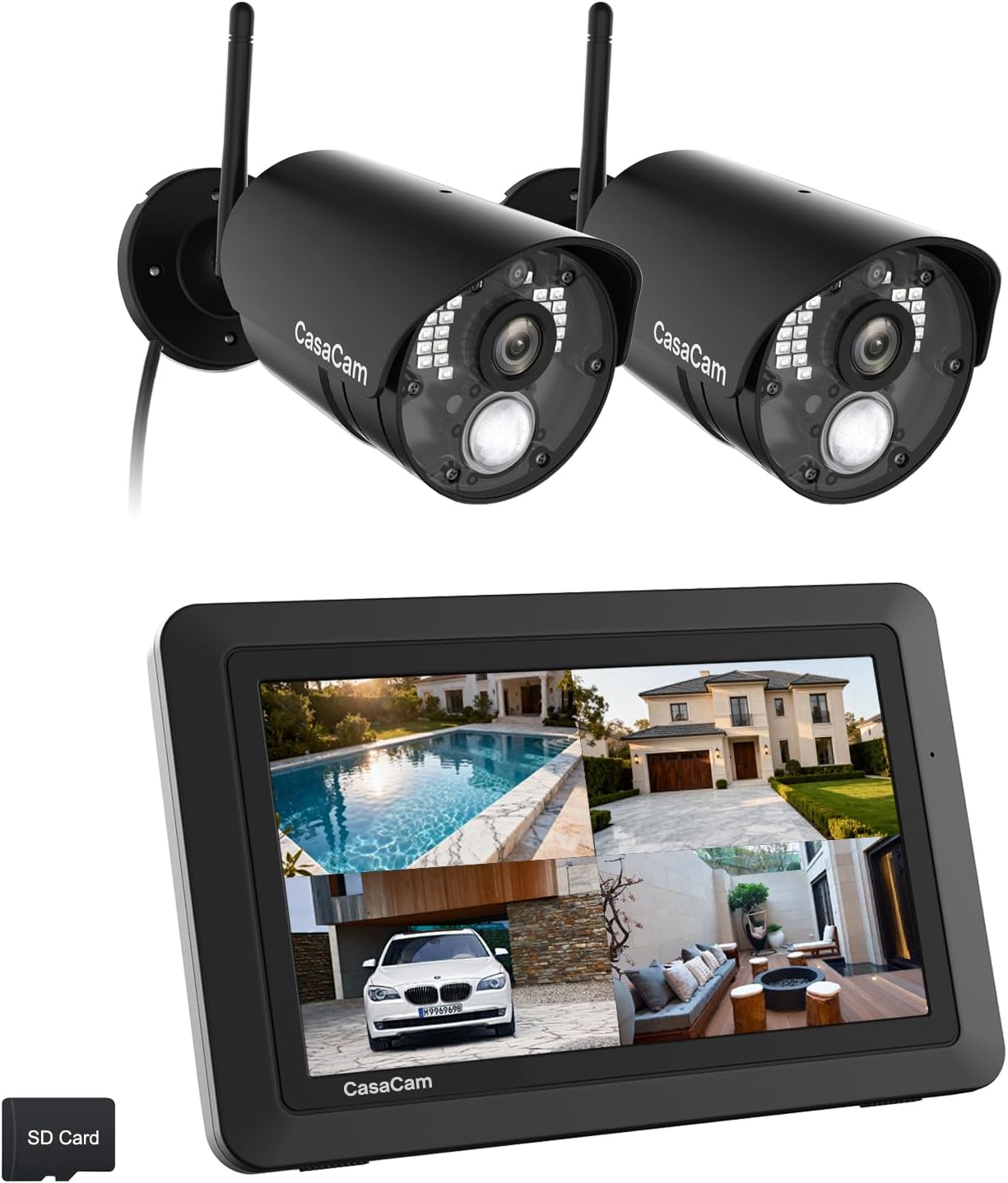
Key specs: 7 in monitor with two 720p cameras, AC-powered; explicitly described as needing no wifi; the simplest and lowest-resolution option here, and the one with the longest track record
The case for this kit is that it does the least and does it reliably – a 7 inch monitor, two AC-powered cameras, explicitly described as needing no wifi, with the longest track record of anything here. For a workshop, a cabin, or an elderly relative who wants to see the front path and nothing else, that simplicity is the feature. But be clear about the cost: 720p is genuinely low by 2026 standards, and it is the difference between seeing that somebody was at the door and being able to say who. If identification matters at all, spend up to the 2K kit instead.
✅ Pros
- No wifi needed at all
- Longest track record and largest review base here
- Simple enough for someone who wants no configuration
- AC-powered cameras
- Smallest and least obtrusive monitor
❌ Cons
- 720p cameras – low resolution by current standards
- 7 in screen is small for viewing detail
- Two cameras only
- Weakest choice if you may ever need to identify someone
How Long Local Recording Actually Lasts
This is the arithmetic worth doing before you buy, because it is the one number these listings are vaguest about. Recording duration on a local system depends on four things: drive size, camera count, resolution, and whether the system records continuously or only on motion.
What changes your retention
1
Drive size
The Hiseeu kit ships with 3TB. Reolink’s comparable NVR ships with 2TB and supports up to 16TB. More drive is the simplest lever.
2
Camera count
Four cameras fill a drive roughly four times as fast as one. Expanding to ten channels means revisiting the drive.
3
Resolution
5MP and 2K footage is substantially larger per hour than 720p. Higher resolution costs retention as well as money.
4
Continuous or motion-only
Motion-only recording can multiply retention several times over, at the risk of missing something that did not trigger detection.
Systems overwrite the oldest footage when the drive fills, so ‘how long’ really means ‘how far back can I go before it is gone’.
The comparison worth holding in mind: cloud systems fix your retention by policy – Ring’s 24/7 continuous recording is capped at 14 days regardless of anything you do – while a local system’s retention is a number you can change by fitting a bigger drive. That is the genuine long-term advantage of owning the storage, and it is why the kit with 3TB included is worth more than its screen size suggests.
The Honest Limitations
No remote access. This is the category’s defining trade and it applies to every kit here. You cannot check the cameras from work, and nobody will notify your phone. Some of these kits offer optional app connectivity, but the moment you rely on it you are back in the world of routers, accounts and uptime – and you would have been better served by a system designed for it.
Theft takes the footage with it. A monitor with an internal drive sitting on a counter is both the recorder and the evidence. Put it somewhere less obvious than the hallway, and if the property is genuinely high-risk, accept that this is the strongest argument for cloud storage rather than pretending otherwise.
No smart filtering. These do motion detection, not person-versus-vehicle classification, so expect more false triggers than a modern cloud camera. The fixes are physical rather than algorithmic – aim and placement – and our guide to cutting false alerts covers those, while our placement walkthrough is worth reading before you mount anything.
Final Recommendation
Buy the CasaCam Pro. A 10.1 inch touchscreen with two 2K cameras is the combination that makes this category work: enough resolution to identify someone, enough screen to see it on, AC-powered cameras with no battery routine, and genuinely no subscription or account anywhere in the setup. For a front and back door – which is what most people in this category actually need – it is the right size of system.
Choose the Hiseeu 14 in kit if you want four cameras and real storage from day one, and you can accept that its review history is short. Choose the 10-channel expandable system if you know you will keep adding cameras, because starting on a platform that grows to ten beats replacing a sealed kit in a year. Take the CasaCam Air only where simplicity genuinely outranks image quality, and go in knowing 720p will not identify a stranger.
What would change this entirely: if you have a spare monitor or TV and are willing to run Ethernet, a conventional NVR system gives you considerably more for the money – Reolink’s 8-channel kit ships with 4K cameras, a 2TB drive expandable to 16TB, and 24/7 recording across all channels. And if remote access is on your list at all, stop here: no kit in this guide does it well, and buying one hoping it will is the most common way people end up with two camera systems.
SafeBode does not yet run an in-house product testing program. This guide is built from manufacturer specifications, official support documentation, current retail listings and verified buyer feedback rather than hands-on testing, and we say so plainly rather than implying testing we have not done.
Frequently Asked Questions
Do these systems need internet?
Several do not – one kit here is explicitly described as needing no wifi. The cameras talk directly to the monitor and footage records locally, which is why they work in cabins, workshops and anywhere broadband is poor or absent.
Can I view these cameras on my phone?
Not as a core function, and that is the point of the category. Some kits offer optional app access, but if remote viewing matters to you, a system designed around it will do it far better than one where it is an afterthought.
How long do they record before overwriting?
It depends on drive size, camera count, resolution and whether recording is continuous or motion-triggered. A 3TB drive with four cameras gives substantially more history than a small drive with the same cameras – and unlike cloud plans, you can fit a bigger one.
Is a monitor kit better than an NVR and a TV?
Cheaper to get started and simpler to set up, but generally lower resolution and less storage for the money. A conventional NVR with 4K cameras and a large drive outperforms these on capability if you already have a screen and can run cable.
What happens if someone steals the monitor?
You lose the footage, because the recorder and the storage are the same box. It is the strongest single argument for cloud storage and there is no local system that answers it. Site the monitor somewhere less obvious than the hallway.
Are 720p cameras still worth buying?
Only where you need to see that something happened rather than who did it. At 720p a stranger at the door is a person-shaped blur. If identification matters, the 2K kit is worth the difference.
Can I add more cameras later?
Depends on the kit. Two-camera systems typically accept a few more; the 10-channel systems here grow to ten. Buying for the number of cameras you will eventually want, rather than the number you need today, avoids replacing the base unit.
Do these need a subscription?
No. Recording is local to a drive inside the monitor or NVR, so there is no plan, no account and no retention policy set by anyone but you. That is the main reason people choose this category over a cloud camera.
Sources
Show sources (4)


