Warehouse and Small Office Security Camera Systems: Sizing an NVR for Real Coverage
Affiliate Disclosure: This article contains affiliate links. If you buy through these links, we may earn a commission at no extra cost to you. Our editorial opinions are our own and are not influenced by affiliate relationships. Read our full disclosure policy →
Contents
Quick Answer
A residential 4-camera kit is not a smaller version of what a warehouse or small office needs – it is a different sizing problem. Walk your space first and count real coverage points: every entry and exit, every loading dock door from both sides, and any high-value storage area. Only then pick an NVR, and buy more channels than that count so a location you add next year does not force you to replace the whole recorder. A channel is not a camera you own – it is the most cameras the recorder can ever handle. Budget separately for two numbers most buyers never run: how many days of footage your hard drive actually holds once every populated channel is recording, and how much total wattage your PoE ports or switch can deliver before you simply run out of power.
Why the Residential Guides Stop Working Here
Most of what gets written about security cameras, including our own PoE security camera guide and our wired camera system guide, is built around a house: four to six cameras, one NVR or app, done. That framing breaks down the moment the property is a warehouse with a loading dock and a rack of inventory worth more than the building’s contents insurance deductible, or a small office with a server closet and a back door employees prop open for deliveries. Business camera systems for the small and medium end of that spectrum are still PoE and NVR-based, still bought as a kit off Amazon rather than through a commercial integrator – but the sizing question changes completely. It stops being “which four cameras” and becomes “how many channels, how many days of storage, and how many watts.”
If your business is squarely in NDAA-compliance or vendor-security-questionnaire territory, our business security camera systems guide covers that ground directly. This guide assumes you already know you need a wired, multi-camera NVR system and have not yet worked out how big a recorder, how much drive space, or how much PoE power that actually requires.
Count Your Real Coverage Before You Count Channels
Every camera-system purchase mistake we see in this size range starts the same way: someone picks a channel count first, based on budget or on whatever number a retail listing pushes, and only later realizes it does not match the building. Work the other direction. Walk the space and write down every point that genuinely needs a camera before you open a single product listing.
Five Steps to a Real Camera Count
1
Walk every exterior door
Include emergency-only doors and ones that get propped open during shift changes – those are frequently the actual point of entry, not the front door.
2
Count loading dock doors separately
Each dock door usually needs two angles, not one: an exterior view of the trailer and plates, and an interior view of what is actually being loaded or unloaded.
3
Mark every high-value storage area
An IT closet, a cage of electronics, a controlled-inventory room – whatever the equivalent is for your business, it earns its own camera even if it is inside an already-covered space.
4
Add one buffer point per zone
A corner or blind angle you are on the fence about is the one you will wish you had covered once something actually happens there.
5
Only now pick a channel count
Total the real number, then buy an NVR with several more channels than that. The gap is what lets you add a camera next year without replacing the recorder.
This order matters more than any spec sheet: a channel count decided before a walkthrough is a guess, not a plan.
Channels Are a Ceiling, Not a Camera Count
“Channels tell you how many cameras a DVR, NVR, or base station can handle. You need a channel for every camera you want to record or control” – that is the whole concept, stated plainly. A 16-channel NVR is not 16 cameras; it is a ceiling of 16, and plenty of kits in this category ship half-populated on purpose, with room to add cameras later without buying a new recorder. That distinction is the single most useful thing to understand before comparing kits, because two systems can share an identical channel count and be built for completely different buildings.
Residential and small-business camera shopping also diverge on wiring philosophy for a practical reason: a home rarely justifies running cable to six or eight fixed points, so battery and wifi-first cameras dominate that guide. A warehouse or office already has conduit runs, drop ceilings, and an electrician on call, so PoE stops being a chore and becomes the obvious choice – one cable per camera carries both power and data, and a business camera aimed at this size category is built around that assumption from the start.
| Space type | Points that typically need a camera | Loading dock or high-value storage? | Realistic starting camera count | Channel headroom worth buying |
|---|
| Single-suite small office | Front entrance, back or service door, reception, one storage or server closet | Rarely a dock; usually one storage or IT closet | 4-5 | 8 channels |
| Multi-suite office or office-plus-storage | All of the above, plus a shared hallway or a shipping/receiving closet | Sometimes one small storage room | 6-8 | 8-16 channels |
| Small distribution point or single-dock warehouse | Perimeter doors, one loading dock (inside and outside), aisle ends near high-value pallets, shipping desk | Yes, one dock | 8-12 | 16 channels |
| Multi-dock warehouse or yard | All of the above across multiple docks, the yard or lot, and an employee entrance kept separate from dock traffic | Yes, multiple docks | 12-16+ | 16 channels, or plan for a second NVR |
Four NVR Kits Sized for These Two Problems
All four picks below are real, currently listed PoE kits sourced directly from Amazon’s US catalog rather than assembled from a spec sheet. They are not four interchangeable options – each answers a different version of the sizing question above, from a half-populated growth kit to a recorder sold with zero cameras at all.
Reolink RLK16-800B8 16-Channel PoE Kit — the growth kit
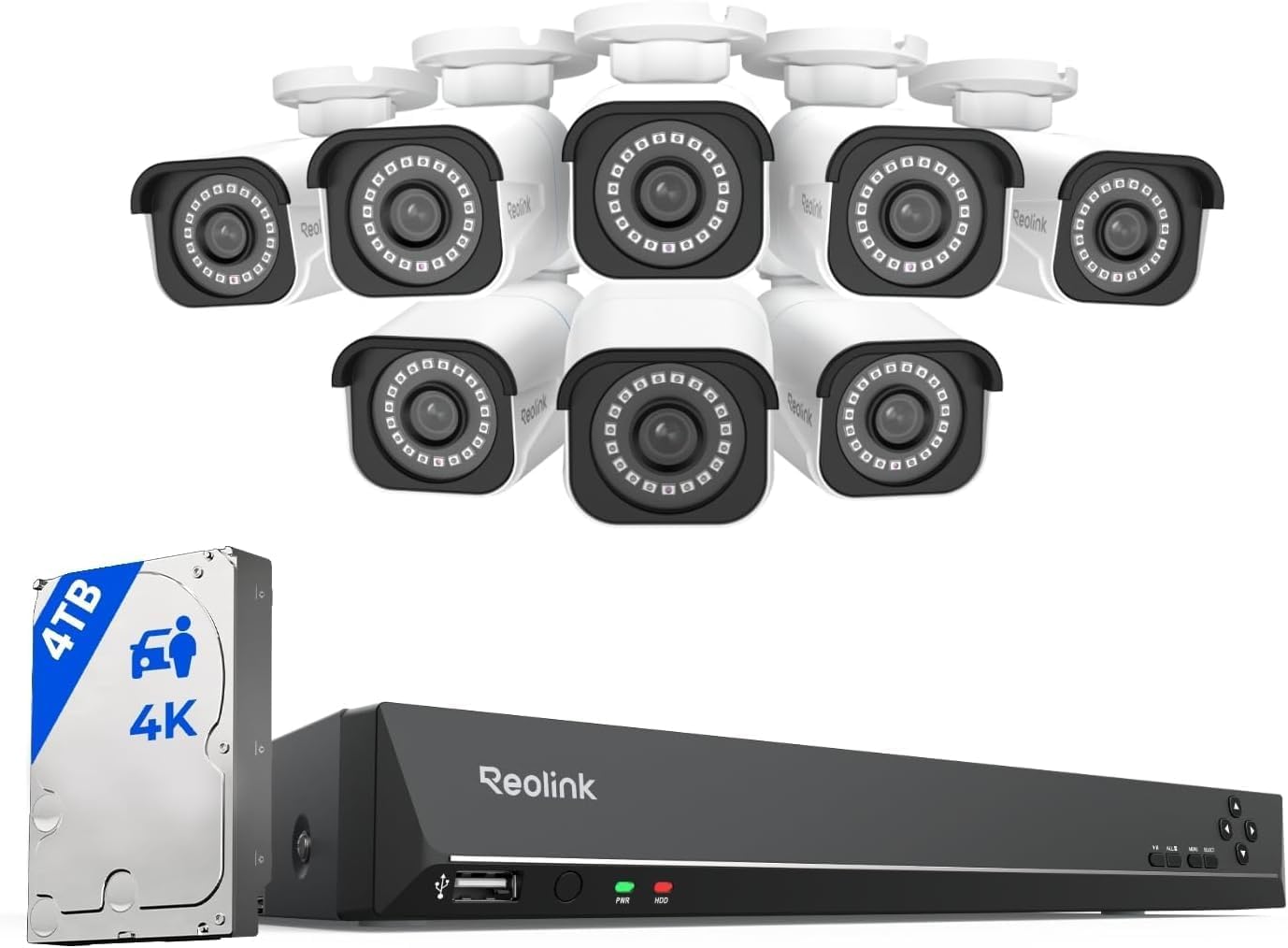
Key specs: 16-channel NVR (RLN16-410) with 4TB HDD pre-installed; ships with 8x 8MP (4K) H.265 PoE bullet cameras; 100ft night vision; person/vehicle detection; 87-degree viewing angle; fixed lens; 24/7, scheduled or motion recording
This is the clearest example of buying channel headroom on purpose. The kit ships with 8 bullet cameras already installed on a 16-channel recorder, which means a distribution point that starts with just the loading dock and the two exterior doors covered can double its coverage to the interior aisles and a second dock a year later without swapping the NVR. The 8MP resolution reads plates and package labels at a dock a fixed 4-camera residential kit was never built for.
✅ Pros
- Half-populated 16-channel recorder leaves real room to grow without a new NVR purchase
- 8MP resolution is sharp enough for plate and label detail at a dock entrance
- H.265 compression keeps the same footage smaller on disk than older H.264 kits
- Person and vehicle AI detection cuts down on false motion alerts from wind or wildlife
❌ Cons
- 4TB fills up fast once all 8 populated channels record continuously – see the storage math below
- Bullet housings are fixed-lens, so they are not the right choice for a spot needing digital zoom
- The bundled NVR is the same recorder sold on its own further down this guide, and it carries the same limitation: Reolink cameras only, not third-party ONVIF cameras
Reolink RLK8-1200V4 8-Channel PoE Kit — the small-office kit
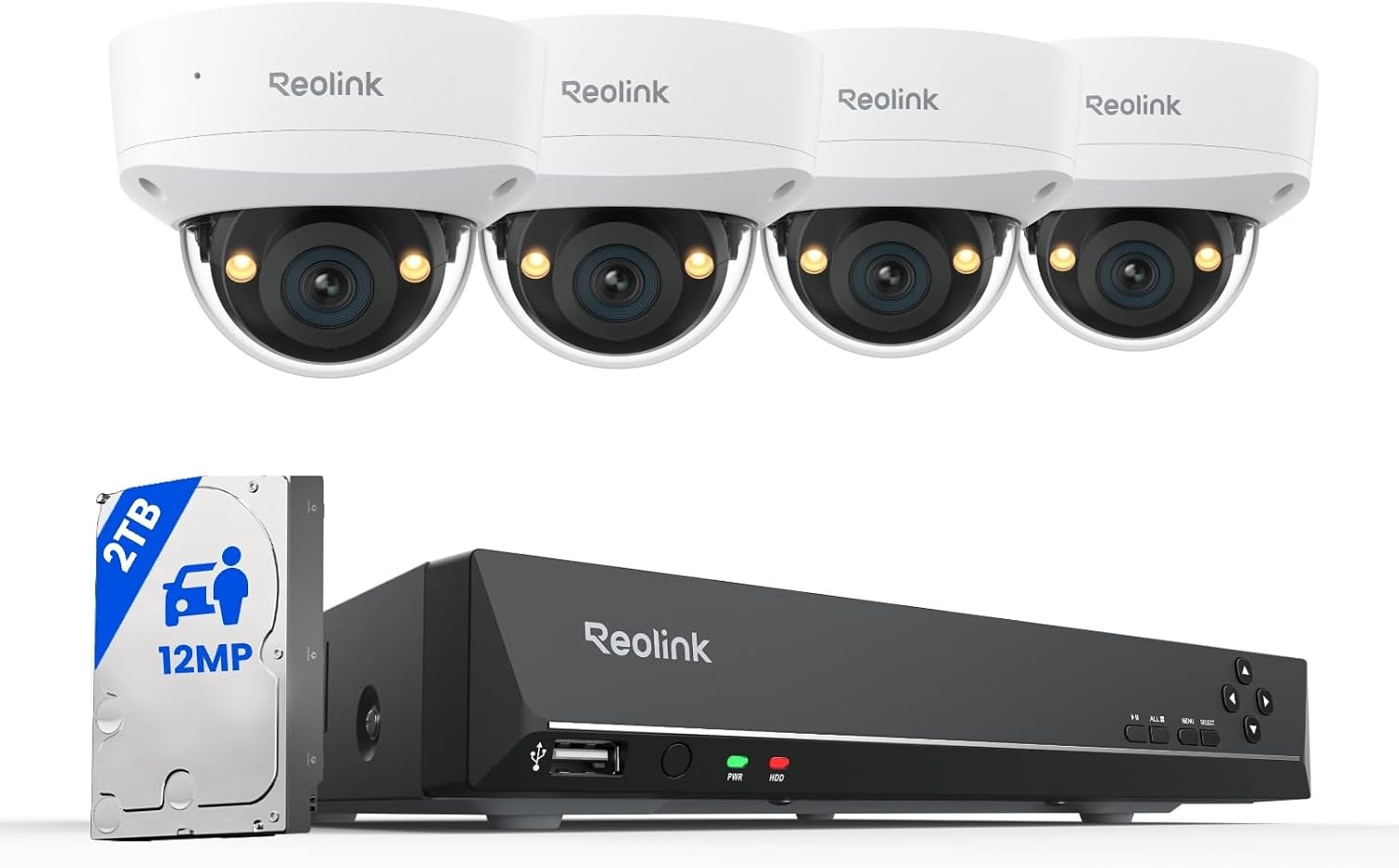
Key specs: 8-channel NVR (RLN8-410) with 2TB HDD pre-installed; ships with 4x 12MP PoE dome cameras; IP67-rated; 100ft night vision; 121-degree viewing angle; 20fps
Most single-suite offices do not have a loading dock or a perimeter to watch – they have a front door, a back door, a reception area, and one room with the server rack or the supply cage in it. This kit’s 4 dome cameras cover exactly that short list, and its 8-channel NVR is the same RLN8-410 recorder featured on its own later in this guide, so the 4 unused channels are real headroom if the office adds a second suite or a parking-lot camera down the line.
✅ Pros
- Wide 121-degree lens suits a smaller footprint without needing extra cameras to cover corners
- Dome housings read as less obtrusive in a reception area or hallway than bullet cameras
- 8-channel NVR leaves 4 channels open without paying for a bigger recorder up front
- Lower total camera count than the 16-channel kits means a 2TB drive holds footage longer per channel – see the storage section below
❌ Cons
- Only 4 cameras included, so a business with a dock or a large perimeter will outgrow this kit’s cameras well before it outgrows the recorder
- Same Reolink-only camera restriction as the RLN8-410 recorder it ships with
- Dome housings are fixed-lens like the bullet kit, with shorter effective throw distance for a wide exterior area
GW Security 16-Channel Dome PoE Kit — the full-perimeter kit
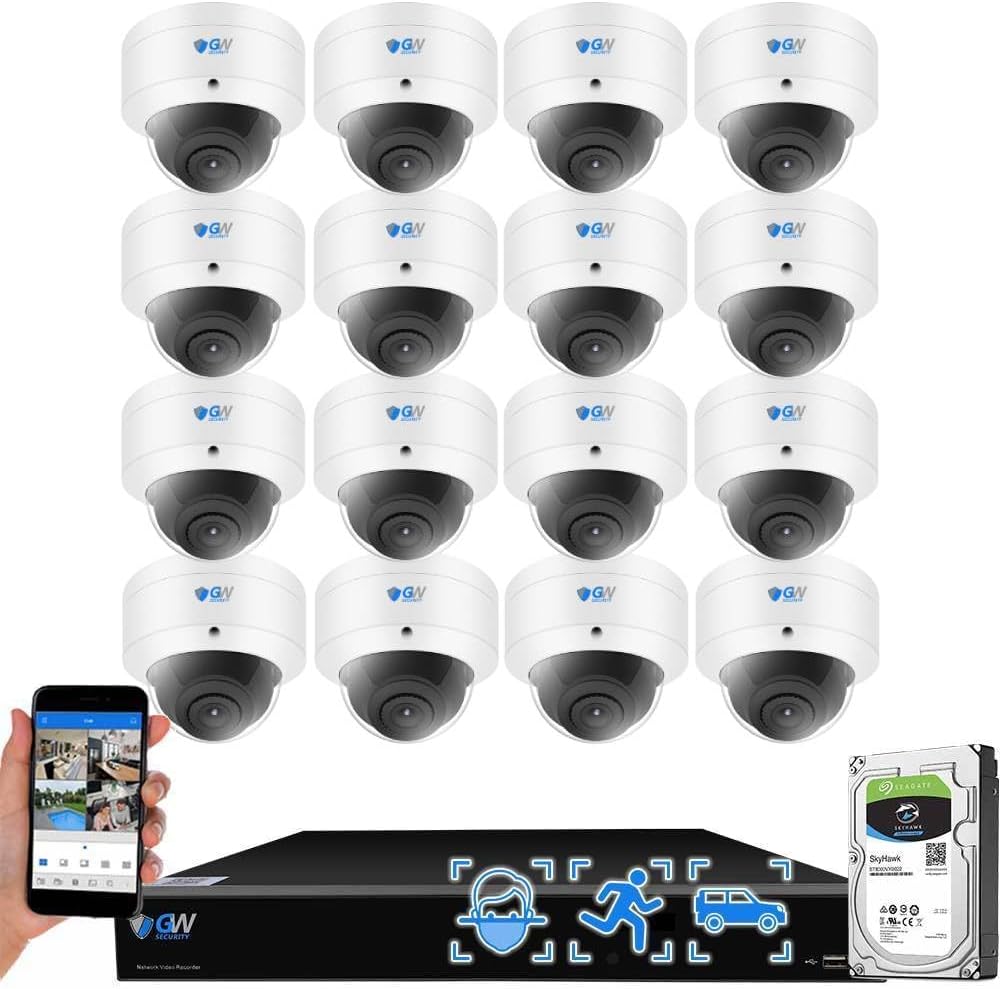
Key specs: 16-channel NVR with 4TB HDD (expandable to 24TB); ships with all 16 channels populated by 8MP dome PoE cameras; NDAA compliant; face recognition and human/vehicle AI detection; 135-degree wide-angle lens; built-in microphone per camera
Where the Reolink kits above sell headroom on purpose, this one sells the opposite: all 16 channels are populated on day one, aimed at a warehouse that already knows it needs full-perimeter plus dock plus interior coverage rather than staging it in over a year. It is NDAA compliant, which matters directly if your business sells to or contracts with government-adjacent customers – our business camera systems guide covers that compliance question in more depth. We are not going to smooth over its real weak point, though: the current listing shows a genuinely thin review base, and at least two of the visible buyer reviews describe real problems rather than a minor gripe.
✅ Pros
- All 16 channels populated from a single purchase – no second order needed for full coverage
- NDAA compliant, a real requirement for some government-adjacent contracts
- Face recognition plus human/vehicle AI detection across every camera, not just a subset
- Storage is expandable to 24TB across two drive bays if 30-plus days of full retention matters
❌ Cons
- Genuinely thin review base on the current listing compared with the Reolink kits above
- At least two visible buyer reviews report real issues: cameras that stopped working within a month, and a resolution setting that reverted on its own without an explanation from support
- All 16 channels populated means zero headroom if a 17th point needs covering later – you would be buying a second system, not adding a channel
- Fully populated up front costs more at purchase than a kit that lets you phase cameras in
Reolink RLN8-410 8-Channel PoE NVR — the exact-count option
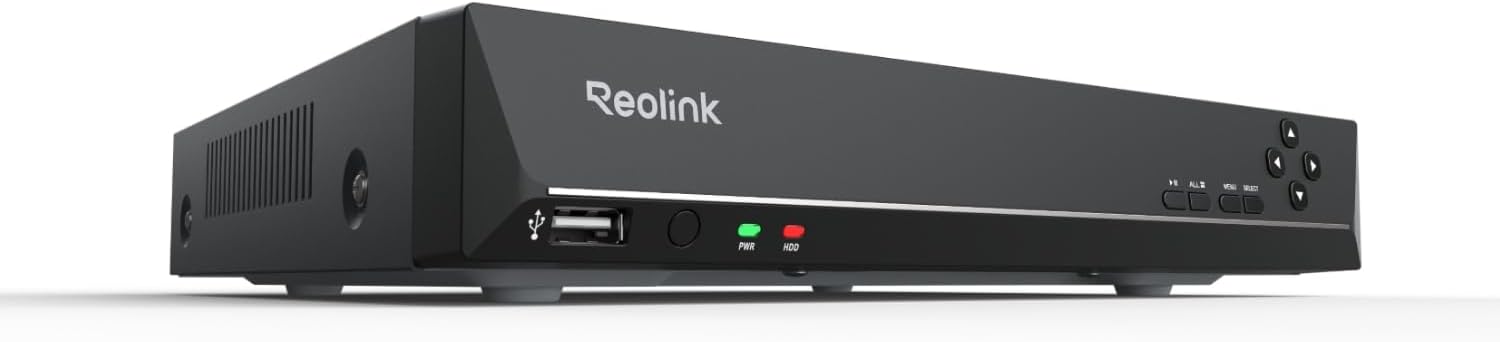
Key specs: 8-channel PoE NVR only, no cameras included; 2TB HDD pre-installed; works only with Reolink PoE cameras, not third-party ONVIF cameras; 25-watt rated draw
This is the recorder-only answer to everything argued above: instead of buying a bundled kit and hoping its camera count happens to match your walkthrough, buy this 8-channel NVR sized to the number you actually calculated, then add Reolink PoE cameras one at a time – a bullet at the dock, a dome in the lobby, whatever fits each specific point. It ships with no cameras at all, which makes it a genuinely different product from the three kits above rather than a smaller version of the same thing.
✅ Pros
- Buy exactly the channel count your walkthrough produced instead of whatever a bundle assumes
- Mix camera housings on one recorder – bullet, dome, or PTZ – as long as each is a Reolink PoE model
- Lower upfront cost than a fully populated kit if you are phasing cameras in over several months
- Same recorder used inside both Reolink kits above, so its specs and limitations are already proven at this point in the guide
❌ Cons
- Works only with Reolink PoE cameras, not third-party ONVIF cameras – confirmed directly on the product’s own specifications
- 2TB HDD is on the smaller side once several channels record continuously – run the math in the next section before assuming it is enough
- Total system cost is not a single line item the way a bundled kit’s price is, since cameras are priced and bought separately
Storage Days vs. Resolution: The Math Nobody Runs First
Every kit above lists a hard-drive size, and almost nobody checks what that size actually buys in days of footage once the real channel count is recording. Reolink publishes the formula its own NVRs use: recording duration is storage capacity divided by bitrate, so a higher resolution or bitrate directly shortens how long the same drive lasts, and a reference table built from that formula shows a single channel recording continuously at roughly 4,096 kbps holding about 48 days of footage on a 2TB drive – or roughly double that, about 96 days, on a 4TB drive. That number assumes one channel has the whole drive to itself.
Run that same math across a populated kit instead of a single channel. The RLK16-800B8’s 4TB drive is shared across all 8 of its installed 8MP channels once they are all recording continuously, not just one – so instead of roughly 96 days, the realistic per-channel share drops to somewhere near 12 days before the oldest footage starts getting overwritten. Motion-only recording instead of 24/7 continuous recording stretches that considerably, since it only writes to disk when something actually triggers it rather than filling the drive with hours of an empty loading dock, but 24/7 continuous is exactly what a dock door or a high-value storage area usually warrants.
What a Drive Actually Holds, Per Reolink’s Own Formula
48 days
2TB drive, one channel, continuous 24/7 recording at roughly 4,096 kbps
96 days
4TB drive, one channel, same bitrate and recording mode
~12 days
That same 4TB split across 8 continuously recording channels, not one
Longer
Any of the above, if switched to motion-triggered rather than 24/7 recording
Figures are illustrative, calculated from Reolink’s own published formula and reference examples, not a guarantee for any specific installation – actual results depend on scene activity, resolution setting and how much of the frame is moving.
The practical takeaway: decide retention needs by zone rather than buying one drive size for the whole system. A dock door or a high-value storage room is exactly where you want the full continuous-recording window, while a quiet interior hallway can usually run on motion-only recording and stretch the same drive considerably further. For a deeper look at where recorded footage should actually live and for how long, see our guides on how long security cameras keep footage and where that footage should be stored.
PoE Switch Power Budget: The Second Number That Runs Out
A PoE NVR’s built-in ports are not just data jacks – they are the power source for every camera plugged into them, drawn from one shared budget inside the recorder rather than an unlimited supply. Reolink’s own documentation on scaling past a recorder’s built-in ports describes exactly what happens next: to grow a system past what one recorder’s ports can handle, the fix is an external PoE switch handling its own share of cameras, not the original recorder somehow powering more devices than its ports were built for. Reolink’s guidance for a 36-camera system, for example, calls for multiple separate PoE switches feeding into the recorder rather than one recorder stretched past its own capacity.
That external switch has the exact same shared-budget problem the NVR does, and it is governed by two different numbers at once: the maximum a single port can deliver, and the total power the whole switch can hand out across every active port combined. “Total available power is also governed by the switch’s overall PoE budget, shared across all active ports, so it’s important to account for the combined draw of all connected devices when sizing your switch” – a switch rated for high per-port wattage can still run out of total budget well before every port is in use.
PoE Power Classes, At the Switch
15.4W
PoE / 802.3af – fixed bullet or dome cameras with no moving parts or heater
30W
PoE+ / 802.3at – cameras with a motorized zoom lens, drawing roughly 10-25W
51-60W
PoE++ Type 3 – PTZ cameras with a heater, wiper, or extended IR array
71-90W
PoE++ Type 4 – the highest-draw PTZ domes on the market today
Figures are the maximum the standard allows at the switch (PSE) side; the device itself typically receives a somewhat lower figure after cable loss, per the same source.
Sizing this correctly is arithmetic, not guesswork: total the realistic draw of every camera you plan to run, then pick a switch (or confirm an NVR’s own ports) whose rated PoE budget sits comfortably above that total rather than exactly at it. Fixed bullet and dome cameras like the ones in every kit above sit well inside the basic PoE class and rarely stress a recorder’s own ports; the budget only gets tight if a future add-on is a PTZ dome with a heater for an unheated loading dock in a cold climate, at which point a dedicated PoE+ or PoE++ switch stops being optional.
Small Office or Warehouse: Which Problem Do You Actually Have?
Two Different Sizing Problems, Not One
🏢 Small office – a sound problem’s cousin
- Few genuine entry points: front door, back door, maybe a service entrance
- High-value area is usually one room – a server closet, supply cage, or cash office
- 8 channels with 4-6 cameras installed is usually the right starting point
- Rarely needs PoE+ or PoE++ – fixed dome cameras cover it comfortably
🏭 Warehouse or distribution point – a coverage problem
- Multiple exterior doors, one or more loading docks, and often a yard or lot
- High-value storage may be an entire caged section, not a single room
- 16 channels is the realistic starting point, with a second NVR a real possibility at scale
- More likely to eventually need a PTZ dome or a dock light with a heater, pushing PoE budget planning from optional to necessary
If your answer spans both columns – a warehouse with an attached front office, for instance – plan the two zones as separate sizing problems even if they end up on one recorder. A single 16-channel NVR can serve both a dock and a reception desk; treating them as one undifferentiated camera count is exactly the mistake this whole guide is arguing against. And whichever zone you are sizing, our cost breakdown guide walks through what actually drives total spend on a system like this, beyond just the sticker price of one kit.
Final Recommendation
Do the walkthrough before you shop. If it produces 4-6 real coverage points and no loading dock, the Reolink RLK8-1200V4 8-Channel PoE Kit is sized correctly and leaves real headroom. If it produces 8 or more points including a dock or a large high-value area, start with the Reolink RLK16-800B8 16-Channel PoE Kit for a growth path, or the GW Security 16-Channel Dome PoE Kit if you already know you want full coverage in one purchase and can accept its thinner review history. If your walkthrough produces an odd number that does not match any bundled kit, or you already own some Reolink cameras, the Reolink RLN8-410 8-Channel PoE NVR lets you buy the recorder alone and add exactly the cameras you need.
Whichever kit you land on, size the hard drive and the PoE budget as deliberately as you sized the channel count – a recorder with the right number of ports still fails you if the footage from your dock door is gone in 12 days or a fifth camera trips the power budget on a switch that looked adequate on paper.
SafeBode does not yet run an in-house product testing program. This guide is built from manufacturer specifications, official support documentation, current retail listings and verified buyer feedback rather than hands-on testing, and we say so plainly rather than implying testing we have not done.
Frequently Asked Questions
How many cameras does a small warehouse actually need?
Most single-dock distribution points land around 8 to 12 real coverage points once you count every exterior door, the dock from both angles, and any high-value storage area separately. A 16-channel recorder is the realistic starting point for that range.
What is the difference between an NVR’s channel count and its camera count?
The channel count is the maximum number of cameras the recorder can ever handle. The camera count is how many are actually plugged in today. A kit can legitimately ship half-populated, with unused channels reserved for cameras you add later.
Can I add more cameras later without replacing the NVR?
Yes, as long as you have not already filled every channel. That is the entire argument for buying more channels than your current camera count – it turns a future purchase into adding a camera rather than replacing the whole recorder.
Do I need a separate PoE switch, or does the NVR power the cameras directly?
A PoE NVR powers cameras plugged directly into its own ports from a shared internal budget. You only need an external PoE switch once you are adding more cameras than the recorder’s own ports support, or running a camera that draws more power than the recorder’s ports are rated for.
How much storage do I need for 30 days of footage from 8 cameras?
Run the math per channel, not per drive. If a single 4K channel needs roughly 2TB for 48 days of continuous recording, 8 channels sharing one drive need roughly 8 times that for the same retention window – which is why many commercial installs split high-priority zones onto continuous recording and lower-priority zones onto motion-only recording instead of buying an enormous single drive.
What resolution do I actually need at a loading dock versus an interior aisle?
A dock door benefits the most from higher resolution, since you are trying to read plates and labels at a distance. An interior aisle with foot traffic at close range usually does not need the same resolution to be useful, which is one real way to manage the storage tradeoff without cutting retention everywhere equally.
Are these commercial-scale kits different from the residential kits SafeBode covers elsewhere?
Yes. Our residential guides assume 4 to 6 cameras and a mix of battery, wifi and PoE options built around a house. The kits in this guide are PoE-only, built around 8 or 16-channel recorders, and sized for a building with a loading dock, a perimeter, or a dedicated high-value storage area – a genuinely different planning problem, not just a bigger version of the same one.
Do any of these NVR kits require a monthly subscription?
No. All four are local recording systems – the NVR and its hard drive store the footage, and there is no cloud subscription required to record or review it.
Can I mix camera brands on one NVR?
Not on the recorders in this guide. Both the Reolink RLN8-410 and the recorder bundled in the RLK16-800B8 kit work only with Reolink’s own PoE cameras. Check any recorder’s own compatibility listing before assuming it accepts third-party ONVIF cameras.
What happens if I exceed my PoE switch’s power budget?
Ports typically fail to power up in the order they were added, or a switch may shut down an already-active port to protect the ones already drawing power, rather than partially powering every connected device. Sizing the switch’s total budget above your realistic draw avoids finding this out during a real installation.
Sources
Show sources (8)
- [1] SafeWise — “Best Multi-Camera Security Systems,” safewise.com/resources/best-multi-camera-security-systems
- [2] Security.org — “The Best Security Cameras for Business,” security.org/security-cameras/best/business
- [3] Reolink Support — “How to Connect PoE Switch, Router and Reolink NVRs,” support.reolink.com/articles/900000537406
- [4] Reolink Support — “How Long Can Reolink NVR Record for,” support.reolink.com/articles/360006073894
- [5] TP-Link — “PoE vs. PoE+ vs. PoE++: Power over Ethernet Standards,” tp-link.com/us/blog/2595/poe-vs-poe+-vs-poe++-power-over-ethernet-standards
- [6] TP-Link — “What Is a PoE Switch,” tp-link.com/us/solution/poe
- [7] Amazon product listing — REOLINK RLN8-410 8CH NVR, ASIN B01D2TQXJW, amazon.com/dp/B01D2TQXJW
- [8] Amazon product listing — GW Security 16 Channel 4K Face Recognition Dome PoE Security Camera System, ASIN B09V79GQB7, amazon.com/dp/B09V79GQB7


