Security Cameras That Work Without WiFi: Wired, Local & Cellular Options (2026)
Affiliate Disclosure: This article contains affiliate links. If you buy through these links, we may earn a commission at no extra cost to you. Our editorial opinions are our own and are not influenced by affiliate relationships. Read our full disclosure policy →
Contents
Quick Answer
No Wi-Fi does not automatically mean no internet. An Ethernet/PoE camera can avoid Wi-Fi, and compatible cameras or recorders can save video locally without internet. Some Wi-Fi models also keep recording to a card after setup when their connection drops. If a site has no broadband and you need phone alerts or away-from-home viewing, a cellular camera is one option: it uses mobile internet and needs supported coverage, a compatible SIM, and a data plan. Check recording, remote access, and power separately before choosing hardware.
No Wi-Fi, No Internet, or No Power? Choose the Right Setup
Wi-Fi connects a camera to a local network. Losing that connection is different from losing the router’s internet service: Reolink documents local viewing when Wi-Fi still works, but no app viewing when the camera has no network connection. Use the table to identify your requirement before comparing the cellular models below.
| Your situation | Setup to consider | What can work locally | Remote-access limit |
|---|
| No Wi-Fi at the camera; a cable route is available | Ethernet/PoE camera with compatible local storage | Local recording and viewing can work without internet. | Away-from-home access needs an internet route. |
| No fixed broadband; you need phone alerts or remote viewing | 4G LTE camera with suitable coverage, SIM and data plan | Check whether the exact model records locally when cellular service fails. | Mobile data provides the internet connection; no coverage means no remote connection. |
| The router works, but its internet connection is down | A supported camera on the same local network as your viewing device | Local live view, playback and card recording can remain available. | Cloud features and away-from-home access are unavailable during the outage. |
| No connection at the camera; you only need footage to collect later | A model documented to record to a card offline, or an isolated wired recorder | For example, Reolink Duo 4G can record motion to a card without a SIM; retrieve it with a card reader. | No remote viewing or phone alerts. Check setup and offline-recording requirements before buying. |
Power is a separate dependency. A wired camera or recorder needs a working power supply. Battery cameras can continue only while their batteries have charge; remote features also depend on the network remaining available. Backup planning must include any router, PoE power source, and recorder your chosen functions rely on.
Check These Before You Buy
For remote access without broadband
- Verify the camera’s supported carrier and signal at the mounting spot.
- Include the cellular data plan in your running costs.
- Confirm whether the model offers live video, requested clips, or only event uploads.
For local recording during an outage
- Check initial activation requirements; some cameras need internet during setup.
- Check storage, recording mode, and how you will retrieve footage.
- Keep power available to every device needed for recording.
The Tradeoff Nobody Prints on the Box: Data
Listings shout no WiFi needed and stay quiet about what replaces it. Cellular airtime is metered, and video is the most data-hungry thing a small device can do. This is the part worth understanding before you buy, because it determines both your running cost and how you will end up using the camera.
Reolink publishes real numbers, and they are sobering for anyone imagining an always-on live feed. Watching a live stream in its higher-quality mode consumes roughly 1.3 GB per hour, while the lower-bitrate sub-stream stretches to around three and a half hours per gigabyte. Across its 4G models, the company recommends monthly allowances in the range of one to five gigabytes depending on the model. Those two facts together tell you the whole story: a monthly allowance in that range buys you a few hours of live viewing, not continuous surveillance.
The saving grace is that recording and transmitting are separate activities. Reolink’s support documentation is explicit that recording video to a local SD card does not consume data traffic, because it does not require an internet connection. Local recording and remote transmission are separate; what gets captured still depends on the model and its recording settings. Alerts, thumbnails and short clips are cheap — Reolink puts text notifications at a few hundred bytes each, images at a few hundred kilobytes and uploaded videos at up to a couple of megabytes apiece.
| Activity | Data cost | What that means in practice |
|---|
| Recording to the SD card in the camera | None | Local recording uses no mobile data; event-only versus continuous recording depends on the model |
| Push notification of an event | A few hundred bytes | Effectively free — leave alerts on |
| Event thumbnail or photo | A few hundred kilobytes | Cheap enough for dozens of events a day |
| Uploaded event clip | Up to a couple of megabytes each | Fine for real events, expensive if motion detection is badly tuned |
| Live view, higher quality | Around 1.3 GB per hour | Budget this in hours per month, not hours per day |
| Live view, lower-bitrate sub-stream | Roughly 3.5 hours per GB | Use this mode for routine check-ins |
Two practical consequences follow. First, tune motion detection tightly — a camera pointed at a road that alerts on every passing car will burn an allowance on clips of nothing. Our camera placement guide covers aiming a camera so it sees what matters and not the street. Second, treat the plan as part of the purchase price, not an afterthought. Reolink separates the two subscriptions clearly: a data plan is what makes a cellular camera transmit at all, while cloud storage is a genuinely optional extra on top, with local storage options depending on the exact model.
Check the Cell Signal Before You Buy Anything
A cellular camera is only as good as the signal at the spot where it hangs — which is often a corner of a barn, the back of a shed, or a pole at the far edge of a field. Reolink’s own buying guidance says to make sure the site is within cell coverage, and suggests the obvious test: see whether you get a good signal there on your phone first.
The Five-Minute Test That Prevents a Return
1
Stand at the mounting spot
Not at the house, not at the gate. Signal falls off across surprisingly short distances.
2
Check bars, then check speed
Bars alone can lie. Run a speed test — uploading video needs real upstream throughput.
3
Try each carrier you can
Coverage differs by network. Some cellular cameras accept a SIM from more than one carrier.
4
Repeat at the worst time
Test in bad weather and in the evening, when the local cell site is busiest.
If the signal is marginal at the spot you want, mounting a few feet higher or moving to the other side of the building is usually cheaper than any accessory.
If it turns out you do have workable WiFi at the property after all, buy a WiFi camera instead. Reolink says as much itself — given the higher price of LTE cameras, it points buyers with a network toward conventional wireless cameras as the more cost-effective option. Our guide to testing WiFi at the camera’s actual location walks through that check, and the Reolink Argus PT Solar is the no-subscription WiFi equivalent of the cellular pick below.
Reolink 4K Solar 4G LTE Cellular Camera — best overall
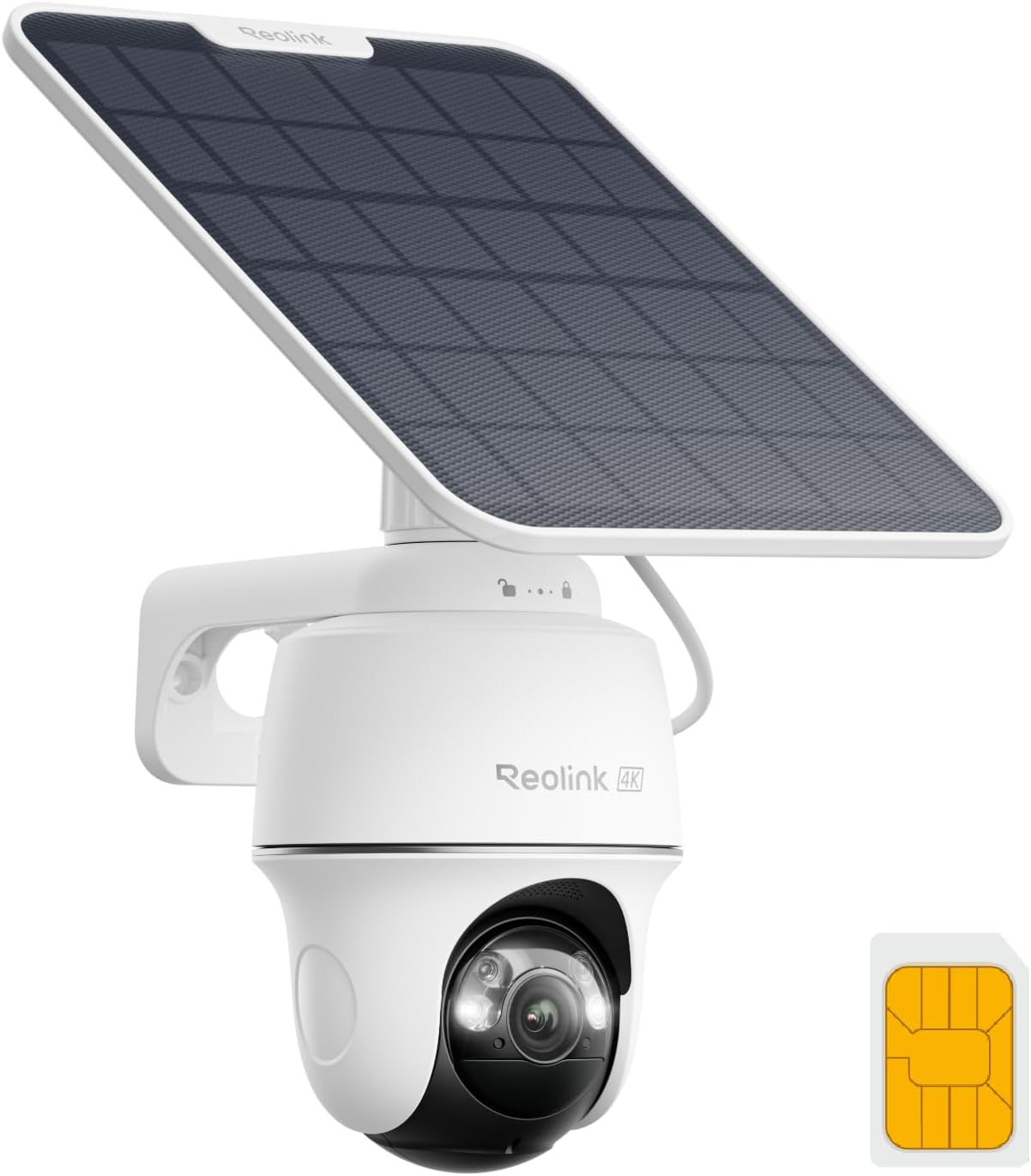
Key specs: 4K cellular camera with pan and tilt plus smart auto tracking; spotlight color night vision; solar powered; local storage with optional cloud; no home network required
This is the cellular camera to buy if you only read one section. It is 4K, it pans and tilts with auto tracking rather than staring at one fixed rectangle, it has a spotlight for color night vision, and it runs on solar — which matters more than it sounds, because the sites that lack internet usually lack a convenient outlet too. Storage is local with cloud as an option rather than a requirement, which is the right way round: footage on the card costs no data, and Reolink states that you can record, view and manage footage with no ongoing monthly fee beyond what cellular itself requires. Pair it with a tightly drawn detection zone and it will run on a modest allowance.
✅ Pros
- Pan, tilt and auto tracking — one camera covers what two fixed cameras would
- Solar power suits exactly the off-grid sites that have no internet
- Local storage first, cloud optional, so recording does not eat your data
- 4K sensor with a spotlight for color at night
❌ Cons
- Needs a data plan to transmit anything — that is the running cost
- Live viewing is metered; at higher quality it runs about 1.3 GB per hour
- Pan and tilt means moving parts, which are the parts that fail outdoors
- Solar performance drops through long overcast spells, same as any solar camera
eufy Security 4G LTE Cam S330 — best if you might get internet later
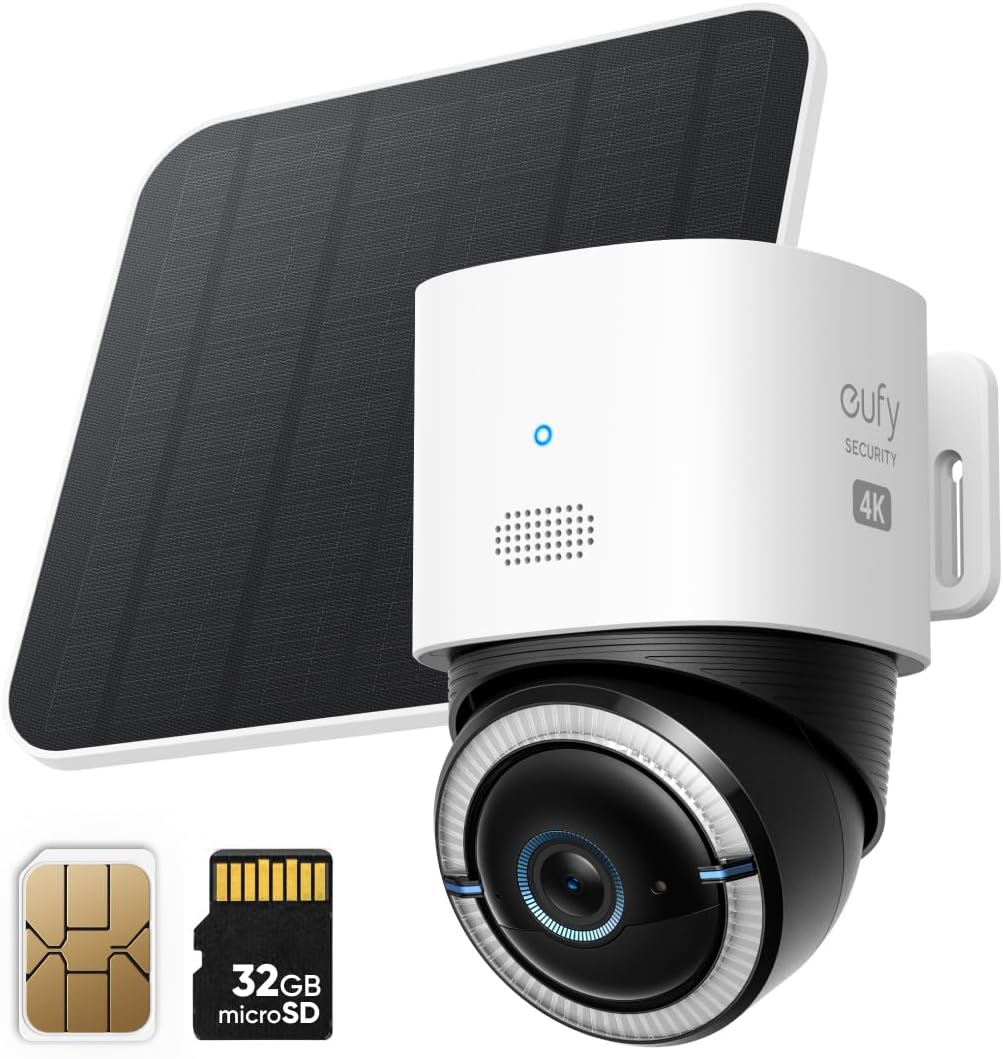
Key specs: 4K cellular and Wi-Fi duo-mode camera; pan and tilt with AI tracking; solar panel; SIM card and 32GB microSD card included in the box
The S330’s distinguishing feature is that it does not commit you. It runs 4G and WiFi in a duo-mode arrangement, so the same camera works on cellular at a property with no broadband today and moves onto WiFi the day service arrives — or falls back to cellular if the home network drops. That is a genuinely useful hedge for a new build, a renovation, or a property you are about to connect. It ships with both a SIM and a 32GB card, is 4K with pan, tilt and AI tracking, and is solar-charged. It also fits neatly beside eufy’s other hardware if you already run that ecosystem.
✅ Pros
- Works on cellular now and WiFi later — no second purchase when broadband arrives
- SIM and 32GB card both included, so it records out of the box
- 4K with pan, tilt and AI tracking, plus solar charging
- Sensible choice for a site that is mid-build or mid-move
❌ Cons
- You still need a data plan for the cellular half to do anything
- Dual-radio hardware is more to go wrong than a single-purpose camera
- Card capacity is the practical ceiling on how far back you can look
- If the property will never have internet, the duo-mode flexibility is money spent on nothing
Vosker VKX Solar Cellular Camera — best for remote land
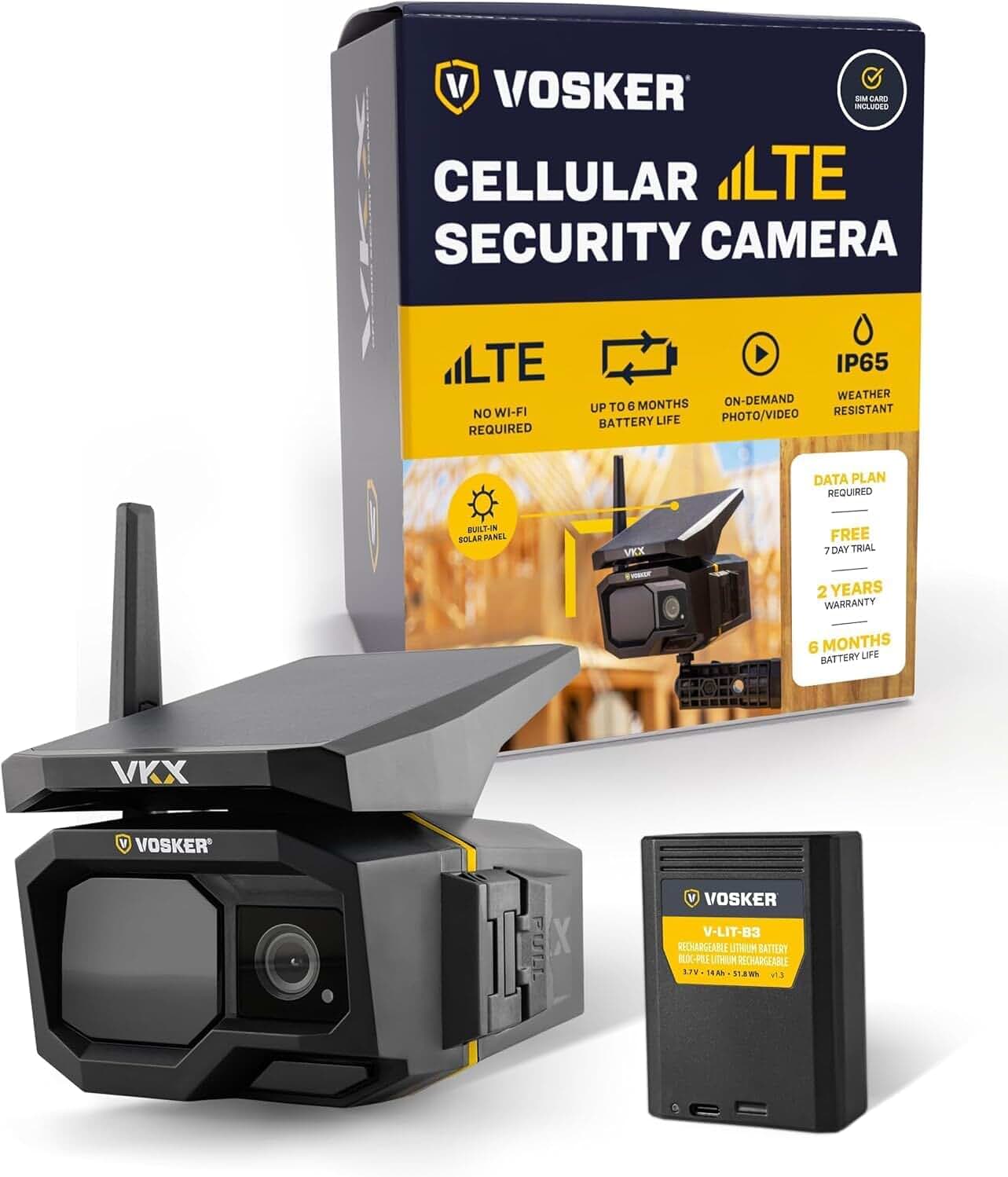
Key specs: Solar powered 4G-LTE outdoor camera; motion activated with night vision; SIM card included; on-demand mode returning 15-second video clips; IP65 weather resistant
Read this one carefully, because it is not the same kind of product as the other three and the difference is the reason to buy it. Vosker’s own specification for the VKX lists on-demand photo and video and motion-activated 15-second clips, with no live streaming capability described at all. You are not watching a feed; you are receiving evidence and requesting a short clip when you want one. That model is exactly right for land you visit occasionally — a woodlot, a gate, a stored trailer — because it sips data instead of gulping it. Vosker pairs a frameless solar panel with a removable 14,000 mAh battery pack and claims autonomy up to six months depending on use, includes a 32GB card holding around 54 hours of clips or 75,000 photos, and rates the housing IP65. A Vosker data plan is required, with a seven-day free trial. For a rural driveway you may also want a driveway alarm as the thing that actually wakes you up.
✅ Pros
- Built for minimal data use — photos and short clips rather than a live feed
- Solar plus a removable 14,000 mAh pack, with claimed autonomy up to six months
- Card holds roughly 54 hours of clips or 75,000 photos locally
- IP65 housing and a SIM in the box; free trial period on the plan
❌ Cons
- No live streaming — if you want to watch in real time, this is the wrong camera
- Tied to Vosker’s own data plan rather than a SIM of your choosing
- Clip-based coverage means gaps between events by design
- Costs more up front than the generic cellular cameras it sits beside
LIWAN Wired 4G LTE Cellular Camera — best where there is power but no internet
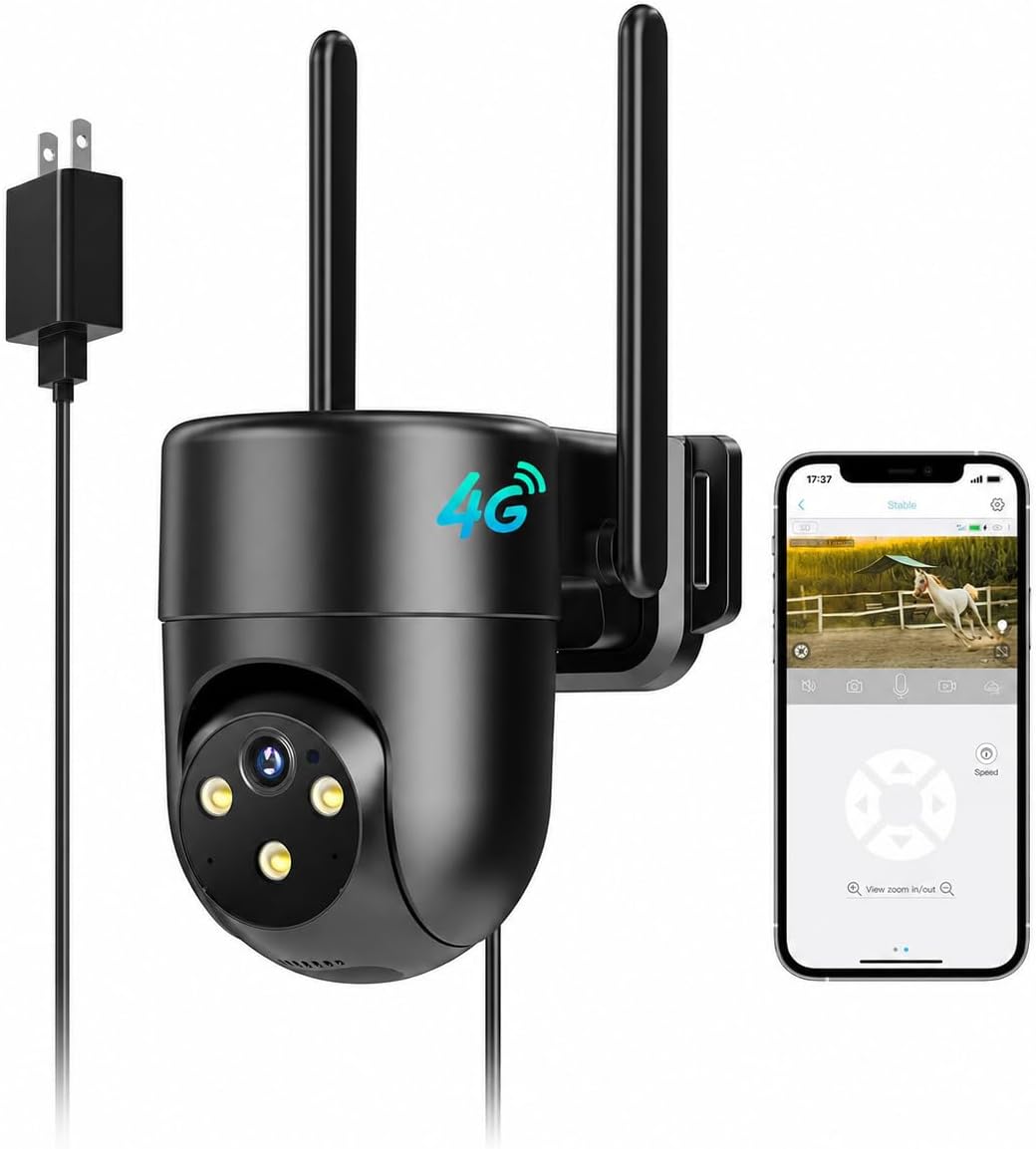
Key specs: Plug-in wired 4G LTE camera for continuous recording; 2K color night vision; built-in SIM card; indoor or outdoor use; aimed at farm and off-grid sites with power but no internet
The forgotten case: a building with a working outlet and no broadband. A barn, a workshop, a garage on a second property, a unit in a yard. Battery and solar cameras solve a power problem you do not have, and their event-only recording gives up the one thing mains power makes possible — continuous capture. This is a plug-in cellular camera built for that, recording around the clock at 2K with color night vision and a SIM already inside. Be straight about what it is: a lesser-known brand with a modest owner-feedback history rather than an established name, so buy it for the specification and the use case, not the badge. Continuous recording also makes the data discipline non-negotiable — keep the footage on the card, where it costs nothing to store, and pull clips only when something happens.
✅ Pros
- Mains powered, so it can record continuously instead of only on motion
- No batteries to recharge and no solar exposure to worry about
- Cellular connectivity with the SIM already installed
- Suits outbuildings that have power but will never get a broadband line
❌ Cons
- Smaller brand with a thin owner-feedback record — a specification-led buy
- Needs an outlet, which rules out the pole-in-a-field installs the solar models handle
- Continuous recording fills a card quickly; check what capacity it accepts
- Still needs a data plan for alerts and remote viewing
If You Want Recording Without an Internet Connection
An isolated recorder can fit a site where you only need to review footage locally. Reolink documents direct PoE-camera-to-NVR operation with live view and playback at the recorder, without an internet connection. An NVR still uses a local network between its devices; “offline” does not mean there is no network of any kind.
Our camera system guide compares storage approaches, and the business camera systems guide covers larger multi-camera recorders. Check the particular system’s local setup, storage, and viewing requirements before buying.
A recorder is not the only way to collect footage offline. Reolink’s Duo 4G FAQ describes motion recording to a microSD card without a SIM, with playback through a card reader. This is a model-specific example, not a promise that every cellular camera behaves the same way. Internet access and subscription requirements for initial activation must also be checked. The simplest no-network setup of all is a kit with its own screen, and our roundup of security cameras with a built-in monitor covers those.
Final Recommendation
First choose the connection your site needs. If a wired route and local recording meet your requirements, start with a compatible Ethernet/PoE setup. If you need remote access at a site without broadband, compare the Reolink 4K Solar 4G LTE Cellular Camera with the cellular options above. Its listed features include: 4K, solar, pan and tilt, local storage that costs no data, and cellular for the alerts. Set it to record to the card, keep live viewing on the lower-bitrate stream, and draw your detection zone tightly.
Three things change that pick. If broadband is coming to the property within a year or two, the eufy S330’s duo-mode means you will not buy twice. If the site is land rather than a building — checked monthly, not daily — the Vosker VKX’s photo-and-clip model is a better fit than any live-view camera, provided you accept there is no live view at all. If there is an outlet but no broadband, check the plug-in cellular model’s continuous-recording support and local-storage requirements; power alone does not establish recording capability.
If you choose cellular, test the signal at the mounting spot first, pick the camera second, and treat the data plan as part of what you are paying for rather than a surprise that arrives later. Check the exact model’s recording behavior and carrier compatibility before relying on it.
SafeBode does not yet run an in-house product testing program. This guide is built from manufacturer specifications, official support documentation, current retail listings and verified buyer feedback rather than hands-on testing, and we say so plainly rather than implying testing we have not done.
Frequently Asked Questions
Do cellular security cameras really work with no internet?
They can work without fixed broadband, but remote features still use mobile internet. A compatible SIM, active data plan, and usable coverage provide that connection. Local recording during a service loss is a separate, model-specific capability.
Is a cellular camera cheaper than paying for internet?
Usually, for a single building with nothing else to connect. A camera data allowance is a fraction of a broadband line. It stops being true once you want several cameras, since each one typically needs its own plan, at which point a single connection with WiFi cameras is the cheaper architecture.
Can I put my own SIM card in?
It depends on the model. Some accept a standard SIM from a carrier of your choosing, some ship with a non-removable SIM tied to the manufacturer’s own plan, and the listing usually says which. Check before you buy if using an existing carrier account matters to you.
How much data will the camera actually use?
Recording to the card costs nothing. Alerts and thumbnails are trivial. Live viewing is where the allowance goes — at higher quality it runs to well over a gigabyte an hour, so a typical monthly allowance buys hours of live view per month, not per day.
Will it keep recording if the signal drops?
It depends on the model and storage settings. Reolink documents microSD recording on its battery cameras without internet, while remote viewing and push notifications stop. Verify the same behavior for your exact camera; do not assume missed alerts or uploads will be sent later.
Do these cameras work in a power outage?
A charged battery camera may keep operating, but remote functions still need a working network. A wired camera, recorder, or hub stops when it loses power unless backup power is available. Check the entire recording and connectivity path.
What about a camera with no network at all — is that possible?
Some cameras support recording directly to a card with no active network connection; Reolink Duo 4G is one documented example. An isolated NVR is another local-recording approach, but its cameras still communicate over a local network. Neither setup provides away-from-home viewing without an external connection.
Are the cheap unbranded cellular cameras worth it?
They are the bulk of this category and the quality range is wide. The recurring complaint is not image quality but the plan attached to the camera — cost, terms and whether it can be changed. If you buy one, read the plan terms as carefully as the specification.
Sources
Show sources (10)
- [1] Reolink Support — Can Reolink PoE Cameras and PoE NVRs Work Without Internet (checked September 11, 2026)
- [2] TP-Link Support — Tapo Camera Setup: How to Use the Tapo App (checked September 11, 2026)
- [3] Reolink Support — How to Choose SIM Card in the United States (checked September 11, 2026)
- [4] Reolink Support — Whether Reolink Battery-powered Cameras Can Work without WiFi or Internet Connection (checked September 11, 2026)
- [5] Reolink Support — FAQs – Reolink Duo 4G (checked September 11, 2026)
- [6] Reolink Support — Can Reolink Devices still Work when Encounter Internet and Power Outage (checked September 11, 2026)
- [7] Reolink — “Reolink Subscription Cost: Data & Cloud Plans,” reolink.com/blog/reolink-subscription-cost
- [8] Reolink Support — “How Much Data Do Reolink 4G Cameras Need in Normal Usage,” support.reolink.com/hc/en-us/articles/360008997773
- [9] Reolink — “LTE Security Cameras: What You Should Know,” reolink.com/blog/lte-security-camera-buying-guide
- [10] Vosker — “VKX Cellular Security Camera” product specifications, vosker.com/us/en/vkx.html


