Best Wired Security Camera Systems 2026: PoE, NVR, and What Running Cable Involves
Affiliate Disclosure: This article contains affiliate links. If you buy through these links, we may earn a commission at no extra cost to you. Our editorial opinions are our own and are not influenced by affiliate relationships. Read our full disclosure policy →
Contents
Quick Answer
A wired security camera system means one Ethernet cable per camera carrying power and video back to a recorder in your house. The hardware decision is easy; the cable is the whole project. If you own the home and can get into an attic or crawlspace, the Reolink RLK8-410B4-5MP 8-Channel PoE System is the sane starting point — four cameras on an eight-channel recorder, so the next four runs are already paid for. If you rent, or your walls are solid masonry with no cavity to fish a cable through, stop here and buy wireless. Running cable through a finished house is not a hard job, but it is a real one, and nobody tells you that before you have already bought the kit.
Who Should Stop Reading Right Now
Most wired-camera guides open by selling you on reliability. That is true, and it is the easy part. What decides whether a wired system is the right purchase is not the cameras — it is your house, your access to it, and how long you will be in it.
Be Honest About Which Column You Are In
✅ Wired is genuinely the right answer
- You own the home and expect to be in it for years
- There is an attic, basement or crawlspace you can physically get into
- You want continuous 24/7 recording, not motion clips
- You have tested wifi at the camera positions and it is marginal
- A camera is going where a battery would be miserable to service — a gable, a barn, a gate
❌ Buy wireless instead
- You rent, and drilling exterior holes is not yours to authorize
- Solid brick, stone or plaster-on-masonry with no cavity to fish through
- No attic hatch, no crawlspace, or a finished basement ceiling to open up
- You want it working this weekend
- You may move within a couple of years — SafeWise calls wired systems “not easy to take with you if you move”
That right-hand column is not a consolation prize. Wireless kits now record locally to a hub with no subscription, which used to be the one thing only a wired recorder could do — our wireless system guide covers those, and renters should go straight to our no-drill renter picks instead of reading further here.
One test settles the argument for most people. Before committing to cable, measure the wifi signal at the exact spot each camera will be mounted — not at the router, not in the room below. Our walkthrough on testing wifi before you buy a wireless camera is a twenty-minute job that either justifies the cabling project or saves you from it. If the signal holds everywhere, wired buys a somewhat steadier connection for a weekend in an attic. If it fails at two points, that is your answer. If the phone app is the part you want to avoid, our guide to cameras with a built-in monitor covers kits that display on a screen instead.
What PoE Is, and the Two Numbers That Constrain Everything
Power over Ethernet is why a modern wired system is a weekend job rather than an electrician’s job. One Cat5e or Cat6 cable carries the video data and the camera’s power, so there is no supply at the camera end and no mains wiring to touch. The recorder — an NVR, or network video recorder — has PoE ports on the back, and each camera plugs into one. That is the whole architecture. Two numbers govern what you can build with it, and listings lead with neither.
The Standard’s Numbers, and the Manufacturer’s
15.4 W
Maximum a switch port allocates under 802.3af, the original PoE standard
30 W
Maximum under 802.3at, known as PoE+, for cameras that need more headroom
328 ft
The 100-meter cable length those power figures are calculated against
270 ft
Reolink’s own stated ceiling for its cameras — well short of the standard
Sources: NETGEAR and Reolink’s Ethernet cable FAQ.
Power is a per-port allocation, and a recorder has a total budget across all its ports. Fixed bullets are modest; pan-tilt-zoom cameras have motors, and spotlights or heaters draw more again, so filling every port with the hungriest cameras a recorder accepts can exhaust the budget before the ports run out. The allocation is also not what reaches the camera: a Class 4 device gets 30 W at the port but only a guaranteed 25.5 W at the far end, because the cable consumes the difference.
The distance figure is where the honest tension sits. The PoE standards assume a maximum 100-meter — 328-foot — run, and every power number above is calculated at that length. But Reolink states in its own support documentation that the maximum Ethernet cable length for its devices is 80 meters on Cat5, roughly 262 feet, and that even with higher-standard cable the ceiling is “no more than 270 feet” — a manufacturer telling you its real limit is well short of what the specification allows. Plan to the manufacturer’s number, and measure the path the cable takes rather than the distance as a bird would fly it. Up a wall, across an attic, down another wall routinely doubles a run.
The Install: What You Are Actually Signing Up For
Here is the part the box does not describe. A wired install is four distinct pieces of work, and the order matters, because two of them are much harder to undo.
The Install, in the Order It Has to Happen
1
Plan the runs on paper
Fix every camera position before buying cable. Security.org puts outdoor cameras 8 to 10 feet up — out of reach, still low enough to capture a face.
2
Site the recorder first
Reolink’s wiring guide names attics and your router’s location as the ideal spots. The NVR needs mains power, a network connection, and somewhere its fan noise will not bother anyone.
3
Pull cable, then drill
Run through the attic or crawlspace and down inside a wall wherever you can. Reolink recommends a right-angle drill with a hole saw bit for larger bores. Leave slack at both ends; terminate last.
4
Seal every hole you made
Fill the exterior penetration with silicone or duct seal and cover it with a weatherproof bushing. Reolink notes the cable jacket is waterproof but the connectors are not, so outdoor RJ45 ends need caps or tape.
Stages three and four are the ones people rush. A cable is easy to re-pull; a badly sealed hole in your siding is a problem you find out about in the spring.
One decision hides inside stage three that almost nobody makes deliberately: the fire rating of the cable. Communications cable is rated CM, CMR or CMP under Article 800 of the National Electric Code, and the rating governs where it is permitted. CMR, riser-rated, is the practical default for ordinary wall cavities and attics. CMP, plenum-rated, is what an air-handling space calls for, held to a stricter standard: it must limit flame spread to five feet or less and minimize smoke. If your attic doubles as HVAC return-air space, the cheap spool is the wrong spool — and that is not correctable without pulling the cable back out.
If that reads as beyond what you want to take on, that is a legitimate conclusion. SafeWise is direct: without experience working with home electricity, call a professional to install a hardwired camera. Put that labor in the budget from the start — our full cost breakdown covers where installation sits relative to equipment. And settle placement before you touch a drill, because a wired camera in the wrong spot is a wall repair, not a five-minute move; our room-by-room placement walkthrough is written for this exact stage.
The Four Systems, Compared
All four are true PoE systems: cameras wired back to a recorder that stores footage locally, no monthly fee to see your own video. What separates them is how many cable runs they commit you to, and what each camera does once it is up there.
The gap between cameras included and recorder channels is the most useful number in that table, because it is what the system costs you the day you want one more camera. Four cameras on an eight-channel recorder means a fifth camera is one cable and one camera. Four on a four-channel recorder means a new recorder.
Reolink RLK8-410B4-5MP 8-Channel PoE System — the default house install
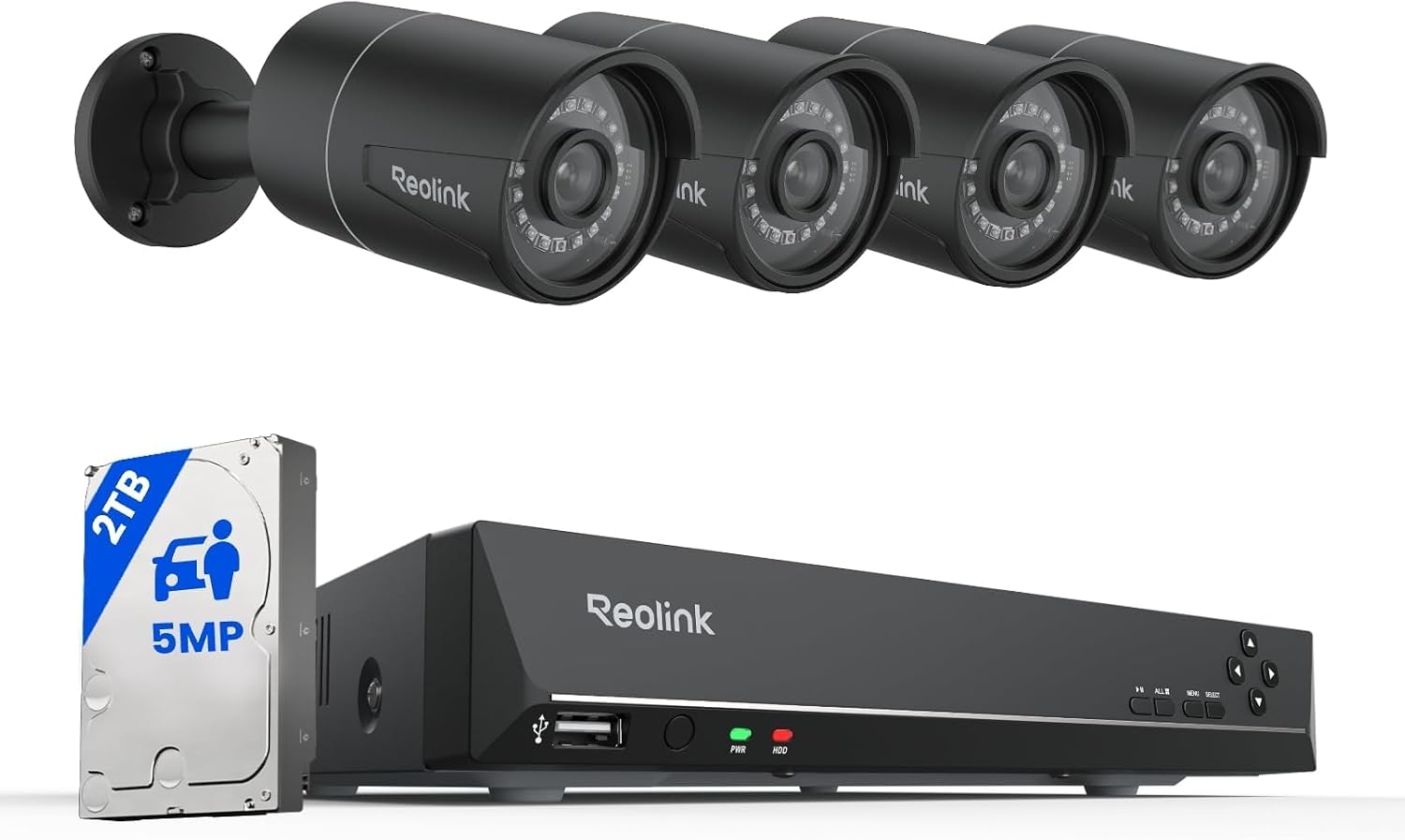
Key specs: 8-channel NVR with a 2TB drive and four wired 5MP PoE bullet cameras; 24/7 continuous recording; person, pet and vehicle detection; spare channels accept higher-resolution Reolink PoE cameras
This is the system most readers should buy, and the reason is the eight-channel recorder underneath four cameras. A typical house wants a camera at the front door, the back door, the driveway and one flank — four runs, a realistic weekend. The four unused channels mean the side gate you decide to cover in two years is one afternoon and one cable, not a new recorder. Reolink’s documentation is also unusually specific about cable limits and waterproofing, which matters more during an install than any spec-sheet feature. One thing to settle at the cart rather than after delivery: Reolink lists this same RLK8-410B4-5MP kit under more than one Amazon listing, distinguished by camera finish. The link here goes to the black-camera listing; the white version is the same system.
✅ Pros
- Eight channels under four cameras is genuine expansion headroom, not a marketing line
- Continuous 24/7 local recording, no subscription needed to view footage
- Largest owner base of any pick here, so installation help is easy to find
- Manufacturer documentation states cable limits and sealing requirements plainly
❌ Cons
- Fixed bullets — each covers one view, so four cameras means four blind sides
- Reolink’s stated cable ceiling of roughly 270 feet falls short of the standard’s 328 feet [1, 2], which constrains runs to outbuildings
- Spare channels take only Reolink PoE cameras, so expansion locks you to the brand
- 5MP rather than the 4K the pricier kits advertise
eufy Security 4K NVR System S4 Max — for people leaving a wireless app behind

Key specs: Four wired PoE cameras and a 2TB NVR; triple-lens bullet-and-PTZ camera with 360-degree pan and tilt; cross-camera tracking; 8x auto zoom; smart video search; expandable to 16 channels
The usual complaint about moving from a wireless camera to an NVR is that you trade a polished phone app for a recorder menu that looks like it was designed in 2011. This pick answers that objection. It is a genuine wired PoE system — same cable, same install work as anything here — but it carries the software behavior of eufy’s wireless line, including cross-camera tracking, 8x auto zoom and searchable video. The headline camera is a triple-lens unit combining fixed bullet coverage with a 360-degree PTZ, so one cable run delivers a static wide view and a steerable one. If you already own eufy hardware, our eufy camera guide covers how the range fits together.
✅ Pros
- Keeps an app-first experience while moving you onto wired reliability
- Triple-lens bullet-and-PTZ camera gets two useful views out of one cable run
- Expandable to 16 channels — the most growth room of any four-camera kit here
- Smart video search matters on a 24/7 archive, where finding the right two minutes is the real problem
❌ Cons
- Thinnest owner base of the four, so less installation troubleshooting exists online
- The most expensive system in this lineup by a clear margin
- PTZ hardware means moving parts outdoors — one more thing that can fail
- Deepest ecosystem lock-in of the four; expansion realistically means more eufy
Hiseeu 4K PoE System with Six PTZ Cameras — most coverage per cable run

Key specs: Six wired 8MP PTZ cameras with 360-degree view and automatic human tracking; two-way audio; 2TB drive; remote access with no required subscription
Every argument in this article comes back to one constraint: cable runs are the expensive part, not cameras. This system attacks that directly. All six cameras are PTZ units with a 360-degree view and automatic human tracking, so each cable you pull buys a camera that can look anywhere rather than one fixed cone. On an awkward property — an L-shaped house, a lot with a long side approach — six steerable cameras can replace eight or ten fixed ones. It is currently the Amazon’s Choice item for PoE camera systems. Go in with your eyes open about the tracking, though: automatic subject following on budget hardware varies more between individual units than a spec sheet suggests.
✅ Pros
- Six cameras rather than four, so more of the property is covered on day one
- 360-degree PTZ means one cable run covers ground that would otherwise need two cameras
- Amazon’s Choice for this category, so it is straightforward to actually obtain
- Local 2TB recording with remote access and no required subscription
❌ Cons
- Six runs is a materially bigger install day than four — budget the time honestly
- Motors and tracking add failure modes fixed bullets simply do not have
- PTZ cameras draw more per port, which counts against the recorder’s total PoE budget with all channels in use
- Modest owner base compared with the long-established kits here
- Auto-tracking is no substitute for a camera pointed at the spot that matters
ANNKE 16-Channel PoE System with Eight Cameras — one cabling day, done forever

Key specs: 16-channel NVR with a 2TB drive and eight wired 3K PoE cameras; two-way audio; red-and-blue strobe and audible alarm on detection; works with Alexa; eight spare channels
This is the pick for a property where the honest count of camera positions is closer to eight than four: a corner lot, a house with a detached garage and a shop, a long driveway with a gate. Eight cameras on a 16-channel recorder means you do the cabling once — and cabling is the part you do not want to do twice, because the second visit means going back into the same attic in the same insulation. The cameras add a red-and-blue strobe and an audible alarm on detection, a deterrence layer the other three picks lack: a camera that only records tells you who did it, while one that lights up and shouts sometimes prevents it. The listing is pitched partly at business surveillance, so if the premises is genuinely commercial, our business camera system guide is the better article — it covers procurement questions such as NDAA compliance that do not apply to a house.
✅ Pros
- Eight cameras and 16 channels — realistically the last recorder this property needs
- Strobe and siren give the system an active deterrent, not just a passive record
- Two-way audio and Alexa compatibility on a wired system
- One cabling session is far less total work than two separate installs
❌ Cons
- Eight runs is a large job, and the pick most likely to justify a professional installer
- Check the recorder’s total PoE budget before populating all 16 channels
- Aimed partly at commercial use, so some features are aimed past a normal household
- Strobe and siren cameras annoy neighbors if the detection zones are set carelessly
The Costs That Are Not in the Box Price
Three things routinely turn a wired system into a more expensive project than the kit price suggested. None are hidden in bad faith; they are simply not the manufacturer’s problem.
Cable, almost always more of it than shipped. Reolink states that its standard NVR kits include a 1-meter patch cable plus one 18-meter run — about 59 feet — for each camera. Generous for a camera on the recorder’s side of the house, nowhere near enough for the opposite corner once the cable has gone up a wall, across an attic and back down. Measure every path before ordering, and budget for the rating too: plenum-rated cable costs more than riser-rated, and any stretch through air-handling space is where Article 800 calls for it.
Tools you may not own. Reolink recommends a right-angle drill and hole saw bits for the larger bores, plus fish tape for pulling cable inside a wall cavity. Rentable, but a line item — and attempting the job without them is how people end up with holes in the wrong places.
Labor, if the answer is a professional. The largest variable, and worth pricing before you buy hardware. If the cabling is not for you, the alternatives are good: a locally-recording wireless kit, or for an outbuilding with no realistic cable path, a solar camera needing neither cable nor mains power. And remember cameras of any kind record events rather than interrupting them — if you want something that responds when a door opens, that is an alarm, and our DIY alarm system guide covers it separately.
Final Recommendation
Buy the Reolink RLK8-410B4-5MP 8-Channel PoE System. For a normal single-family house, four fixed cameras cover the approaches that matter, and the four spare channels mean the expansion you will inevitably want in two years costs one cable rather than a new system. Reolink also publishes the most usable installation documentation of the four brands here, which during a wired install is worth more than any camera specification [2, 3].
If the phone app is what you would miss coming off a wireless system, the eufy Security 4K NVR System S4 Max keeps it, with a thinner owner base as the price. If your property is awkward enough that fixed cameras would need doubling up, the Hiseeu 4K PoE System with Six PTZ Cameras gets more coverage per cable. And if you are honestly looking at eight camera positions, buy the ANNKE 16-Channel PoE System with Eight Cameras now rather than doing the attic twice.
Buy none of them if you rent, if your walls are solid masonry, or if you may move inside two years. That is not a hedge — wired systems are specifically bad at being moved, and no version of this purchase becomes a good one under those conditions. Test the wifi at the mounting points first; if it holds up, wireless costs a weekend less and gives up less than it used to.
Frequently Asked Questions
Do I need a separate PoE switch, or does the recorder power the cameras?
Every system here has PoE ports built into the recorder, so cameras plug straight into it and no switch is required. A standalone PoE switch only matters if you outgrow the recorder’s port count or need cameras placed far from it.
What happens to a wired system if the internet goes down?
It keeps recording. The cameras and the NVR sit on your own wiring, so footage continues to be captured whether or not the connection to the outside world is up. What an outage costs you is remote viewing and app notifications, not the recording.
How much drive space do I need for continuous recording?
It depends on camera count, resolution and how many days of history you want, and every recorder overwrites the oldest footage once the drive fills. The 2TB drives in these kits suit a handful of cameras and roughly a couple of weeks of continuous footage; a month of history across eight cameras needs a larger drive from the start.
Is a wired camera system actually harder to hack than a wireless one?
The cameras are not exposed over the air, which removes one category of attack. But the recorder is still on your network and usually reachable remotely, so the same basics apply either way: change the default password, keep firmware current, and do not port-forward the recorder straight to the internet if the manufacturer’s app will do.
Does a wired system need a subscription?
No. Every system in this article records to a drive inside the recorder that you own, so viewing, playing back and exporting your own footage costs nothing on an ongoing basis. That is the structural difference from cloud-first wireless cameras, and it is the main reason people accept the install work in the first place.
What if one camera sits beyond the cable distance limit?
Put a PoE switch partway along the route rather than trying to stretch a single run. Each leg then starts its own distance budget: recorder to switch, switch to camera. The switch needs mains power and a dry, sheltered spot, which in practice means a garage, a shed or an outbuilding rather than mid-attic.
Can I reuse the coax from an old analog camera system?
Not directly — PoE cameras need Ethernet. Adapters exist that carry Ethernet over existing coax runs, which is worth investigating if a house already has coax reaching the camera positions, since the hard part of the job is the cable path rather than the cable. It is a workaround, though, and it adds a device at each end that can fail.
Can I mix camera brands on one recorder?
Sometimes, and less often than the specification sheets imply. Many NVRs support the ONVIF standard, which lets third-party cameras connect, but feature support is usually reduced — you may get video and lose smart detection or two-way audio. Assume you are buying into one brand’s ecosystem, and treat cross-brand compatibility as a bonus.
Sources
Show sources (6)
- [1] NETGEAR Support — “Power over Ethernet (PoE) standards and compatibility,” kb.netgear.com/12902
- [2] Reolink Support — “Reolink Ethernet Cable FAQ,” support.reolink.com/hc/en-us/articles/12964120024089
- [3] Reolink — “How To Wire Security Cameras,” reolink.com/blog/how-to-run-security-camera-wires/
- [4] Enconnex — “Ethernet Cable Fire Ratings: CMP vs. CM vs. CMR-Rated Cables,” enconnex.com/ethernet-cable-fire-ratings-cmp-vs-cm-vs-cmr-rated-cables/
- [5] SafeWise — “Wired vs. Wireless Security Cameras,” safewise.com/home-security-faq/wired-vs-wireless-security-cameras/
- [6] Security.org — “How To Install Outdoor Home Security Cameras,” security.org/security-cameras/outdoor-install/
SafeBode does not yet run an in-house product testing program. This guide is built from manufacturer specifications, official support documentation, current retail listings and verified buyer feedback rather than hands-on testing, and we say so plainly rather than implying testing we have not done.


