Ring Floodlight Cam 2026: Which Model Fits, and Whether Your Wiring Allows Any of Them
Affiliate Disclosure: This article contains affiliate links. If you buy through these links, we may earn a commission at no extra cost to you. Our editorial opinions are our own and are not influenced by affiliate relationships. Read our full disclosure policy →
Contents
Quick Answer
The model comparison is the second question. The first is whether there is a powered, 4-inch round weatherproof electrical box where you want the camera, because Ring’s own installation documentation requires one and there is no battery-powered Floodlight Cam to fall back on. If that box exists, the Floodlight Cam Wired Plus is the sensible default and the Floodlight Cam Pro is worth the jump only if you need to identify faces and plates rather than just notice movement. If it does not exist, stop shopping for models and look at the Plug-In Mount or a battery camera instead.
Start at the Junction Box, Not the Spec Sheet
Most guides to this category open with resolution. That is the wrong end of the decision. A floodlight cam is not a camera you place where you want it — it replaces an exterior light fixture, and it lives wherever your house already has one.
Ring states the requirement directly: Floodlight Cam Wired Plus and Pro “must be installed on a 4 in (10 cm) round UL listed weatherproof electrical box”. Not a wall, not a soffit — a round box rated for outdoor use, already carrying line voltage. The same page tells you to kill the circuit at the breaker first and warns that “installation by a qualified electrician may be required in your area” depending on local building codes. If the spot you have in mind has nothing behind it but siding, adding a box and a circuit there is real electrical work, and that is a decision worth making before the camera is in a cart.
Check These Four Things Before You Order
1
Find the fixture
Stand where you want the camera. Is there an existing exterior light there right now? If yes, you almost certainly have a box. If no, you almost certainly do not.
2
Confirm the box shape
Ring specifies a 4-inch round weatherproof box. Older houses sometimes have a rectangular or undersized box behind a fixture, which needs swapping first.
3
Kill the breaker, check the rules
Power off at the panel before touching anything, and check whether your jurisdiction requires a permit or a licensed electrician for the work.
4
Test Wi-Fi at that exact spot
The mount is outdoors and often at the far corner of the house. Multiple owners report needing an extender to keep the camera reliably online.
Steps 1 and 2 decide whether any Ring floodlight cam is buyable at that location. Steps 3 and 4 decide whether the install goes smoothly.
Step four is not a formality. Across current buyer accounts for these cameras the most repeated complaint is not picture quality or brightness — it is signal, with owners adding Wi-Fi extenders after the fact to keep a corner-mounted camera online. Our guide to testing your Wi-Fi before you buy a wireless camera covers checking the mounting location rather than the room with the router in it.
There Is No Battery-Powered Ring Floodlight Cam
Worth stating plainly, because the assumption costs people time. Ring sells battery cameras and Ring sells floodlight cameras, but it does not sell a battery floodlight camera. Searching the current US catalog for one returns the Spotlight Cam Battery line instead — a different product, with a pair of small spotlights rather than a two-head floodlight fixture. There is a physical reason as well as a product-planning one: two 2,000-lumen floodlights firing for the length of every motion event draw far more than a battery pack can supply for months at a time.
So if you have no box and will not add one, your real choices are the plug-in route covered below, a battery spotlight camera, or splitting the job in two: a separate motion-activated outdoor light for the illumination and a solar or battery camera for the footage. That split is often cheaper and always easier to place, because the light and the camera no longer have to share one mounting point.
To compare other brands and power options before choosing a fixture, see our floodlight camera comparison.
Every Wired Model Puts Out the Same 2,000 Lumens
This is the fact that collapses most of the model comparison, and Ring’s marketing does not put it forward. Ring’s published specification for the Floodlight Cam Wired Plus lists 2,000-lumen floodlights. Its specification for the newest Floodlight Cam Pro — the 4K model recommended below — lists “2000 lumen motion-activated floodlights (up to 65 feet), 3000K”. The retail packaging for the 2nd Gen wired model prints 2000 Lumens on the front, and the current Pro is sold as a 2000 Lumen product. Moving up the line buys a better camera, not a brighter light. If you want the driveway lit more thoroughly, the extra money will not do it — a second fixture elsewhere on the wall will.
The Numbers That Do Not Change Across the Wired Line
2,000 lm
Floodlight output, published on every current wired model
4 in
Round UL listed weatherproof box every wired model mounts to
140° horizontal
Shared across the line; the vertical figure is not — 80° on the Wired Plus, 85° on the Pro
3000K
Floodlight color temperature on the Wired Pro
Sources: Ring’s own published specifications. The one number that genuinely differs between models is video resolution.
That 3000K figure explains a complaint that recurs from owners expecting stadium lighting. On the Kelvin scale lighting is sold by, lower numbers are warmer and higher numbers are cooler and bluer, and 3000K sits at the warm end of it. At 3000K a Ring floodlight is a warm white — closer to a porch light than to the blue-white of a commercial security lamp. Owners who describe it as amber are describing the product working as specified, not a defect. If you specifically want cool-white light on the driveway, this line will disappoint you, and that is better known before the purchase than after.
The Four Options Side by Side
Ring currently sells two generations of wired floodlight camera at the same time, which is the main reason the lineup reads as confusing. Here is what actually separates them.
| Option | Video | Zoom | Light output | Power | The reason to pick it |
|---|
| Floodlight Cam Wired Plus | 1080p HD | Digital | 2,000 lm | Hardwired to a round box | The straightforward fixture swap; the most established model in the line |
| Floodlight Cam Wired 2nd Gen | Retinal 2K | 6x Enhanced | 2,000 lm | Hardwired to a round box | More detail than 1080p without stepping up to Pro money |
| Floodlight Cam Pro Wired | Retinal 4K | 10x Enhanced | 2,000 lm | Hardwired to a round box | 3D Motion Detection and enough resolution to identify, not just notice |
| Plug-In Mount (accessory) | n/a — no camera | n/a | n/a | Standard outlet, 20-foot cord | You have an outdoor outlet but no junction box |
Ring Floodlight Cam Wired Plus — Best for Most Fixture Swaps
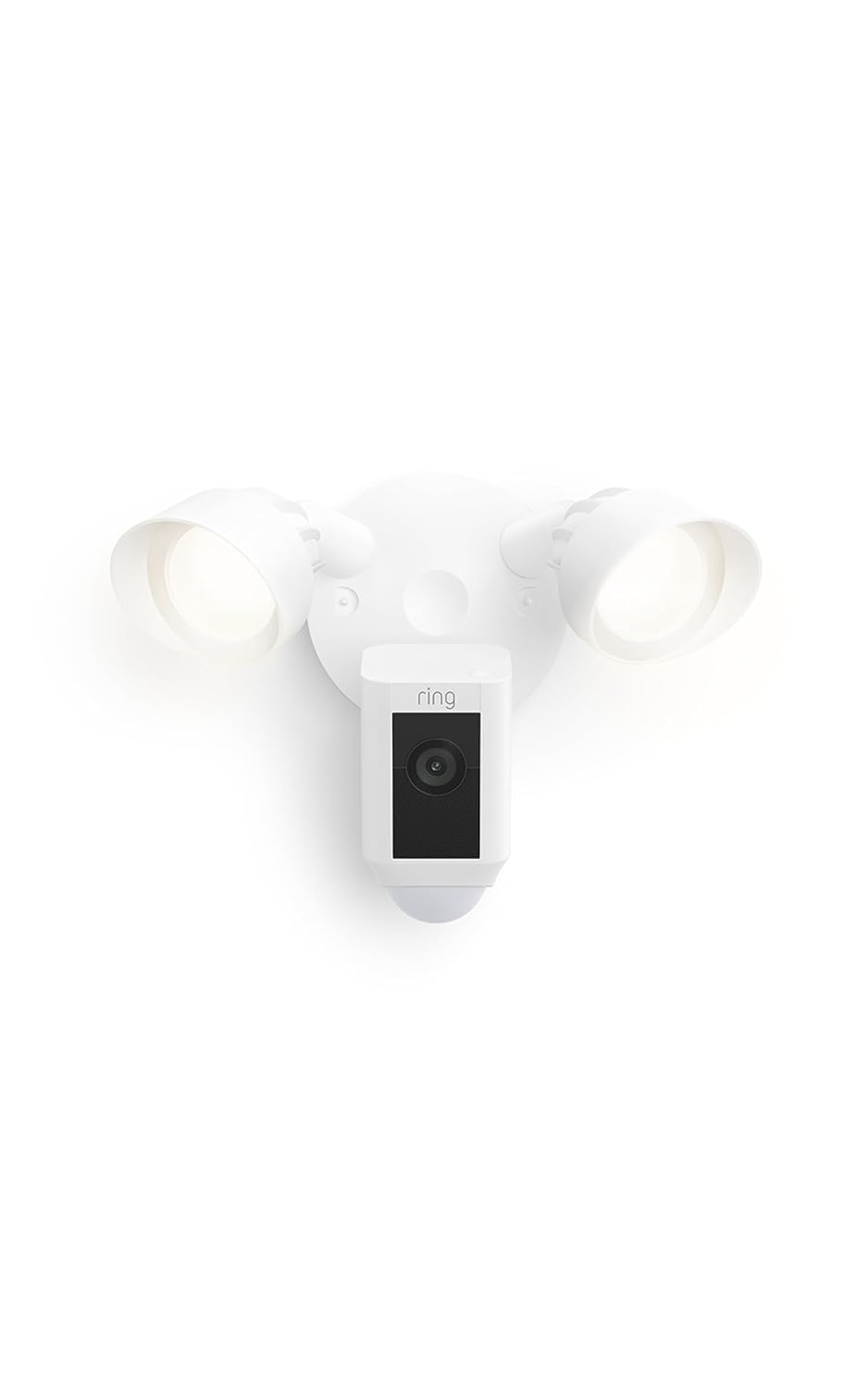
Key specs: 1080p HD video, color night vision, 140° horizontal by 80° vertical field of view, two 2,000-lumen motion-activated floodlights, remote-activated 105 dB siren measured at 4 inches, hardwired 100–240V, rated -5°F to 118°F
Buy this one if you are replacing a working exterior light and want the decision over with. It is the longest-established camera in the line, with by far the deepest pool of real owner feedback — which matters more than a spec bump when you are hanging something you expect to leave alone for years. In practice 1080p is enough to tell you a person is at the side of the house and what they are doing; it is not always enough to read a plate at the end of a driveway. Owners consistently describe the install as straightforward, with the camera hanging from a hook on the bracket so both hands are free for the wiring. If your fixture works and you mainly want to know when something moves, spending more buys resolution you may never look at.
✅ Pros
- Deepest track record of any camera in the floodlight line
- Same 2,000-lumen output as the models above it
- Rated -5°F to 118°F, so it survives most US winters
- Hangs from the bracket during wiring, making a solo install realistic
❌ Cons
- 1080p is the weakest resolution in the current line
- Digital zoom only — no enhanced zoom like the newer models
- Needs a 4-inch round weatherproof box, like every wired model
- No recording at all without a paid Ring plan
Ring Floodlight Cam Wired 2nd Gen — Best Middle Ground on Detail

Key specs: Retinal 2K wide-angle video, 6x Enhanced Zoom, 2,000-lumen motion-activated floodlights, app-activated siren, Live View and Two-Way Talk, hardwired installation on the same round weatherproof box as the Wired Plus
Ring’s current answer for people who want more than 1080p without paying Pro prices. It moves to Retinal 2K with 6x Enhanced Zoom, keeps the same 2,000-lumen floodlights and the same mounting requirement, and drops onto exactly the box the Wired Plus uses. Worth being honest about the size of the upgrade: an owner who installed one alongside a first-generation unit reported the picture is genuinely crisper but called the rest of the change modest, and suggested anyone with a working older unit keep it. That is a fair read. This is the pick if you are buying your first floodlight camera and want the detail to hold up for a few years — a weaker case as a replacement for a Wired Plus that is doing its job. If you do not need the floodlight at all, our comparison of the Ring Outdoor Cam and Outdoor Cam Plus covers the cheaper route.
✅ Pros
- Retinal 2K is a visible step up from 1080p for faces at distance
- 6x Enhanced Zoom instead of plain digital zoom
- Mounts to the same round weatherproof box as the Wired Plus
- Same 2,000-lumen output, so nothing is lost on the lighting side
❌ Cons
- Much smaller pool of owner feedback than the Wired Plus
- An owner reported the generational jump is modest outside picture quality
- Still hardwired only — no battery option exists in this line
- Recording still requires a paid Ring plan
Ring Floodlight Cam Pro Wired — Best When You Need to Identify Someone

Key specs: Retinal 4K wide-angle video, 10x Enhanced Zoom, 3D Motion Detection, Low-Light Sight for full-color view in near-dark with the floodlights off, 2,000-lumen floodlights, app-activated siren, hardwired installation
The Pro exists for one job: turning “someone was in the driveway” into “that person, in that jacket, in that vehicle.” Retinal 4K with 10x Enhanced Zoom is a real capability difference at range, 3D Motion Detection targets the false alerts a street-facing camera generates, and Low-Light Sight gives a full-color view in near-dark on ambient street lighting alone, floodlights off. If you want a camera you can pull usable evidence from, this is the one in the line that gets there. One requirement Ring publishes on that same specification page and no listing puts on the front of the box: 4K needs 15 Mbps, against 4 Mbps for Ring’s 1080p devices and 2 Mbps for 720p. Check your upload speed before paying for the resolution, the same way you checked the junction box before paying for the camera. Two honest caveats: it is the same 2,000 lumens as the cheapest model, so none of the extra cost is light, and at least one owner reported the 4K stream looking grainy or choppy at times even on a strong connection.
✅ Pros
- Highest resolution in Ring’s floodlight line by a wide margin
- 10x Enhanced Zoom is genuinely useful at driveway and street distance
- 3D Motion Detection targets the false-alert problem directly
- Low-Light Sight gives a color image in near-dark with the lights off
❌ Cons
- No brighter than the entry model — light output is identical
- An owner reported the 4K stream looking grainy or choppy on a good connection
- Most demanding of the four on upload bandwidth and Wi-Fi signal
- Costliest in the line, and recording still needs a paid plan
Ring Plug-In Mount for Floodlight Cams — Best When There Is No Junction Box

Key specs: Round mounting plate with a 20-foot cord that ends in a standard three-prong plug; converts a Floodlight Cam from hardwired power to a standard power outlet. Not a camera — it replaces the junction box, not the fixture.
This is not a camera, and we would rather say so than let a product card imply otherwise. It is the round mounting plate a Floodlight Cam attaches to, with a 20-foot cord ending in an ordinary three-prong plug — the one accessory that changes the answer for a reader who has an outdoor outlet but no fixture where the camera needs to go. Ring documents the configuration in its own Floodlight Cam Wired Plus specifications, listing a plug-in variant that plugs into a standard power outlet with a 20-foot cord. Owners who combine the two describe an install measured in minutes rather than an afternoon, with no wiring and no breaker work. Ring also sells the camera and mount together as one bundle, usually the easier way to buy both. The trade is 20 feet of visible white cord on the outside of the house.
✅ Pros
- Removes the junction-box requirement entirely, which is the real blocker
- Documented by Ring as a supported power configuration
- No breaker work, no wire nuts, no electrician question
- Makes locations viable that hardwiring would never justify
❌ Cons
- Not a camera — you still buy the Floodlight Cam separately or as a bundle
- Leaves a visible 20-foot cord running down the exterior wall
- Only works within cord reach of an outdoor outlet
- An exposed plug is easier to pull out than hardwired power
What These Cameras Will Not Do
Two limits apply to every model above, and both are easy to miss until the camera is already on the wall. The first is the subscription. Ring is explicit that a plan is required to review recorded video and that events are only recorded once you subscribe. Without one you can open the app, watch a live feed and respond to alerts as they happen, but nothing is being saved — a meaningful gap for a camera whose whole point is capturing what you were not there to see. With a plan, motion events are held in the cloud for up to 180 days. Our breakdown of whether a Ring plan is worth paying for goes through the tiers in detail.
The Subscription Question, Stated Plainly
Works with no paid plan
- Live video from the camera whenever you open the app
- Responding to alerts as they happen
- The floodlight and its motion trigger, which are functions of the fixture itself
Requires a Ring Home plan
- Any event being recorded at all — recording starts only after you subscribe
- Reviewing recorded video history
- Cloud storage of motion events, kept up to 180 days
The second limit is that none of these is a security system. A floodlight camera watches one approach and lights it. It does not know a door opened or a window broke, and it will not summon anyone. To be part of something that arms, disarms and escalates, it needs to sit alongside Ring’s alarm hardware. If you are still deciding how many cameras you need and where, the placement walkthrough beats another model comparison, and our wireless system roundup covers the multi-camera setups this line does not address.
Final Recommendation
If there is a working exterior light where you want coverage, buy the Ring Floodlight Cam Wired Plus. It swaps onto the box you already have, it puts out the same light as everything above it in the line, and its resolution is sufficient for the job most people actually want done, which is knowing that someone is there.
Step up to the Floodlight Cam Pro for a specific reason only: a long driveway, a street-facing camera where false alerts are the problem, or a real need to identify a person or vehicle rather than register that one passed. The 2nd Gen wired model is the reasonable middle for a first purchase.
If there is no box at that spot, do not talk yourself into a model. Either add the Plug-In Mount and run its cord to an outdoor outlet, or accept that the answer here is a battery camera plus a separate light. Ring’s floodlight line is good hardware built on one assumption — that your house already has power where you want the camera. When that holds, it is an easy recommendation. When it does not, no amount of resolution fixes it. Readers weighing this against Ring’s other cameras should also see our guide to the rest of the Ring camera range, which deliberately leaves the floodlight models out.
Frequently Asked Questions
Can I install a Ring Floodlight Cam myself?
If you are replacing an existing exterior fixture on a 4-inch round weatherproof box, many owners do it in under an hour. Ring tells you to shut off power at the breaker first and notes that a qualified electrician may be required depending on local building codes. Running new wiring to a spot with no box is a different job and belongs to an electrician.
Is there a battery-powered Ring Floodlight Cam?
No. Every current Ring Floodlight Cam is wired. The battery products in Ring’s outdoor lineup are Spotlight Cams, which use smaller spotlights rather than a two-head floodlight fixture. Battery power plus real floodlight output means two devices, not one.
Does the Floodlight Cam Pro have brighter lights than the cheaper models?
No. Ring publishes 2,000-lumen floodlights on the Wired Plus and on the Wired Pro, and the current Pro is sold as a 2,000-lumen product. The upgrade buys camera resolution, zoom and detection features, not more light.
Why does the floodlight look yellow rather than bright white?
Because it is specified that way. Ring publishes the Pro’s floodlights at 3000K, which is the warm end of the Kelvin scale, and a warm white reads amber next to a commercial blue-white lamp. That is the product behaving as documented, not a fault.
Do I need a subscription for a Ring Floodlight Cam to work?
The camera and light work without one, and you can view live video and respond to alerts as they happen. But nothing is recorded until you subscribe, and reviewing video history requires a plan. If you are buying to capture evidence of something you missed, budget for the plan as part of the purchase.
My old fixture sits on a rectangular box. Can I still fit a Floodlight Cam?
Not directly. Ring specifies a 4-inch round UL listed weatherproof electrical box, and older houses often have a rectangular or undersized box behind an existing fixture. Swapping the box is normal electrical work rather than a dead end, but it is work you want to discover before the camera arrives, not while you are up a ladder holding it.
There is no light fixture at all where I want the camera. What are my options?
Two, and neither is a different model. Either use the Plug-In Mount and run its 20-foot cord to an outdoor outlet, or split the job in two — a separate motion-activated outdoor light for the illumination and a battery or solar camera for the footage. Splitting it is usually easier to place, because the light and the camera no longer have to share one mounting point.
Why does my Floodlight Cam keep dropping offline?
Almost always signal rather than the camera. These fixtures live outdoors at the corners of a house, which is the far edge of most home networks, and that is the single most repeated complaint in current owner accounts. Test the Wi-Fi at the exact mounting spot before you buy; if it is marginal, plan on an extender or a mesh node as part of the install rather than as a later fix.
Sources
Show sources (4)
- [1] Ring Support, “How to Physically Install Floodlight Cam Wired Plus Security Cam” — electrical box requirement, breaker shutoff, and local permit or electrician rules.
- [2] Ring Support, “Floodlight Cam Wired Plus Information” — full published specifications, including the plug-in variant and its 20-foot cord.
- [3] Ring Support, “Floodlight Cam Pro (2nd Gen)” specifications — published specifications for the newest 4K Floodlight Cam Pro, the model recommended here: 4K (3840×2160), 140° horizontal by 85° vertical, 2000-lumen 3000K floodlights rated to about 65 feet, and a remote-activated 85 dB siren. Ring’s “2nd Gen” in that page title means the second-generation Pro, not the Floodlight Cam Wired 2nd Gen covered separately in this guide.
- [4] Ring Support, “Understanding and comparing Ring Home Plans” — what a subscription is and is not required for, and how long video history is kept.
SafeBode does not yet run an in-house product testing program. This guide is built from manufacturer specifications, official support documentation, current retail listings and verified buyer feedback rather than hands-on testing, and we say so plainly rather than implying testing we have not done.


