Nest Cam Indoor 2026: Wired 3rd Gen vs 2nd Gen vs Battery, and What the Subscription Adds
Affiliate Disclosure: This article contains affiliate links. If you buy through these links, we may earn a commission at no extra cost to you. Our editorial opinions are our own and are not influenced by affiliate relationships. Read our full disclosure policy →
Contents
Quick Answer
Google’s indoor lineup is three cameras with confusingly similar names. The Nest Cam Indoor (wired, 3rd Gen) is the only 2K model, with a 152 degree diagonal field of view and 6x digital zoom. The 2nd Gen wired is 1080p at 135 degrees, and the battery model is 1080p at 130 degrees but can go outside. Buy the 3rd Gen unless you specifically need battery placement. Then budget for Google Home Premium separately, because event history and continuous recording both live behind it.
Three Cameras, One Confusing Name
Google sells several cameras that are all reasonably described as a Nest Cam for indoors, and the naming does not make the differences obvious. A 2nd Gen wired camera and a 3rd Gen wired camera sit next to each other in search results looking nearly identical, and the battery model is marketed as indoor or outdoor rather than as an indoor camera at all.
The practical way to separate them is by two questions: does it need a cable, and how much does it see. Everything else – the app, the assistant integration, the subscription – is shared across the lineup, so those are the only two axes where your decision actually changes anything.
The two questions that decide it
Take a wired camera when
- There is an outlet within reach of the mounting point
- You want the highest resolution Google currently offers indoors
- You want continuous recording rather than event clips
- The camera will stay in one place indefinitely
Take the battery camera when
- There is no outlet where the camera needs to be
- You might move it between rooms, or indoors and out
- You are renting and cannot run a cable
- Placement flexibility matters more than resolution
The Specifications That Actually Differ
Google publishes full technical specifications for all of these, which makes the comparison unusually clean. Three rows carry the whole decision.
| Specification | Indoor (wired, 3rd Gen) | Indoor (wired, 2nd Gen) | Nest Cam (battery) |
|---|
| Resolution | 2K, 2560×1440, up to 30 fps with HDR | Up to 1080p, 1920×1080, 30 fps | Up to 1080p, 30 fps |
| Field of view | 152° diagonal | 135° diagonal | 130° diagonal wide-angle |
| Zoom | 6x digital | Not published as a headline spec | Not published as a headline spec |
| Power | Attached 10 ft USB-C cable | Wired | Battery, indoor or outdoor |
| Night vision | Night vision with HDR | Night vision | Night vision |
| Recommended upload | See bandwidth note below | At least 2 Mbps per camera for optimal 1080p | At least 2 Mbps per camera for optimal 1080p |
| Goes outside? | No | No | Yes – rated indoor or outdoor |
The gap between generations, in numbers
2K vs 1080p
3rd Gen sensor against the 2nd Gen and battery models
152°
3rd Gen diagonal field of view
135°
2nd Gen wired diagonal field of view
6x
Digital zoom on the 3rd Gen, which is what makes 2K useful
The zoom row matters more than the resolution row. Extra pixels only help if you can crop into them.
Google Home Premium: What the Camera Cannot Do Alone
This is the part that changes the real cost of the camera, and it is worth reading carefully before buying. Google’s own specifications for the 3rd Gen state that the camera includes up to 6 hours of event video previews, and that it captures and stores up to 30 days of event video history with the Standard plan as part of a Google Home Premium subscription, sold separately, or up to 60 days with the Advanced plan.
Continuous recording is gated higher still: Google states that continuous video recording, up to 10 days of 24/7 video history, requires the Advanced plan of Google Home Premium, sold separately. So the camera hardware supports 24/7 recording and the top subscription tier is what switches it on.
The 6-hour event preview allowance is the genuinely useful detail, because it is the one thing you get without paying anything ongoing. It is enough to check what happened this morning and not enough to review a weekend. Whether that is acceptable is the actual purchase decision, and it is the same structural question we walk through for the other big ecosystem in our guide to Ring’s subscription plans.
What each tier unlocks
1
No subscription
Live view, and up to 6 hours of event video previews on the 3rd Gen.
2
Standard plan
Up to 30 days of event video history, as part of Google Home Premium.
3
Advanced plan
Up to 60 days of event video history.
4
Advanced, for continuous
Continuous 24/7 recording with up to 10 days of history – Advanced only.
Note that these are Google Home Premium tiers rather than camera-specific plans, so the subscription covers more than the camera.
Nest Cam Indoor (Wired, 3rd Gen) — the one to buy
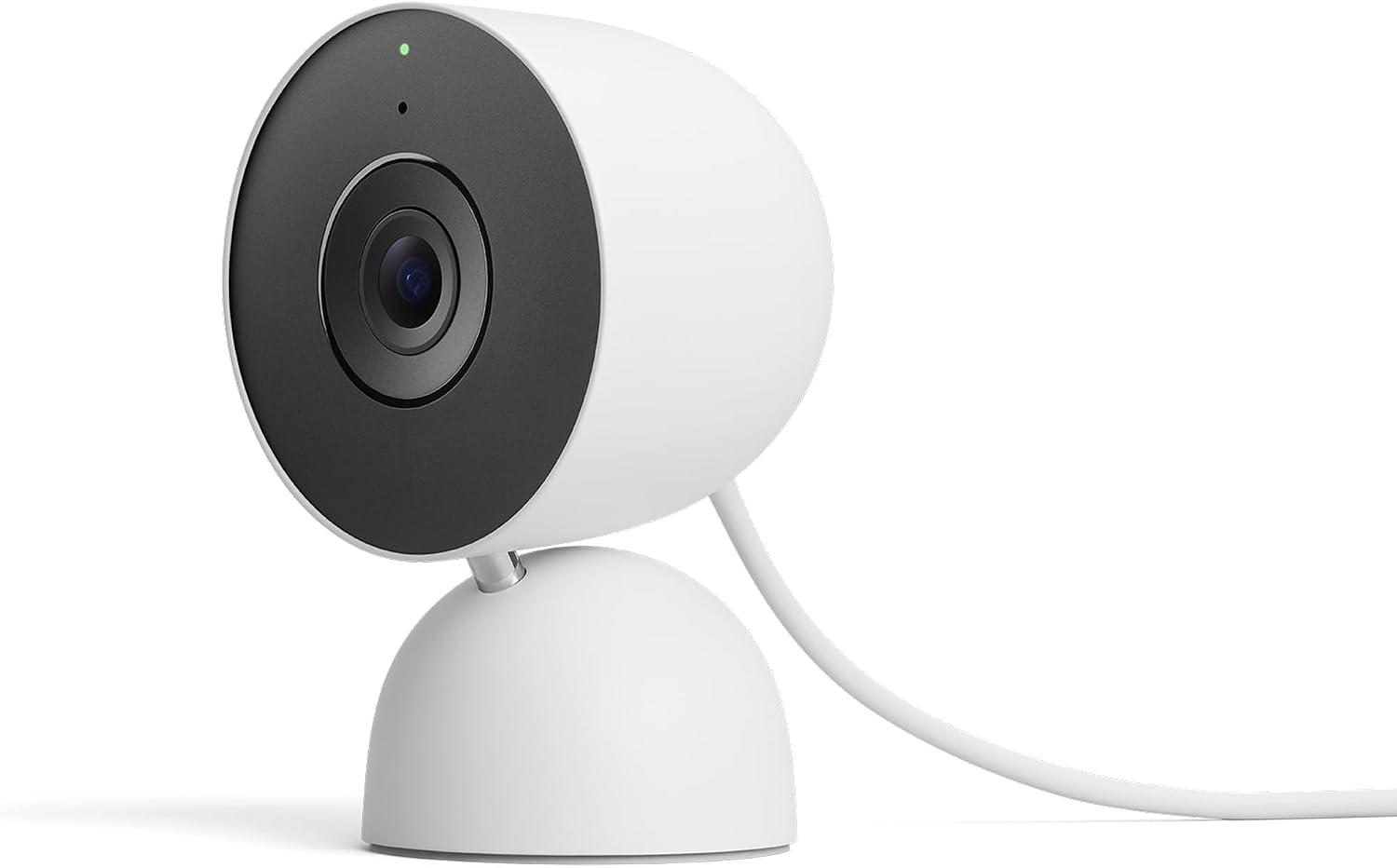
Key specs: 2K (2560×1440) sensor, up to 2K at 30 fps with HDR; 152 degree diagonal field of view; 6x digital zoom; night vision with HDR; attached 10 ft USB-C power cable; works with the Gemini for Home voice assistant and is compatible with Alexa; requires the Google Home app and a Google Account
This is the current camera and the only one in the indoor lineup with a 2K sensor, running up to 2K at 30 frames per second with HDR, a 152 degree diagonal field of view, and 6x digital zoom. The zoom is what makes the resolution worth having – without it, extra pixels on an indoor camera mostly go unused. It ships with an attached 10 ft USB-C power cable, works with the Gemini for Home voice assistant and is compatible with Alexa, and requires the Google Home app and a Google Account. That last requirement is not a footnote: Google states it is not compatible with the older Nest app or the home.nest.com site, so if you are running a legacy Nest setup this camera moves you onto the new platform.
✅ Pros
- Only 2K camera in the indoor lineup
- 152° diagonal – the widest of the three
- 6x digital zoom makes the resolution actually usable
- Night vision with HDR
- Compatible with Alexa as well as Google’s own assistant
❌ Cons
- Event history and continuous recording both need a paid plan
- Requires the Google Home app and account – not the legacy Nest app
- Wired only, so placement is limited by outlets
- Indoor only
Nest Cam Indoor (Wired, 2nd Gen) — still fine, and cheaper
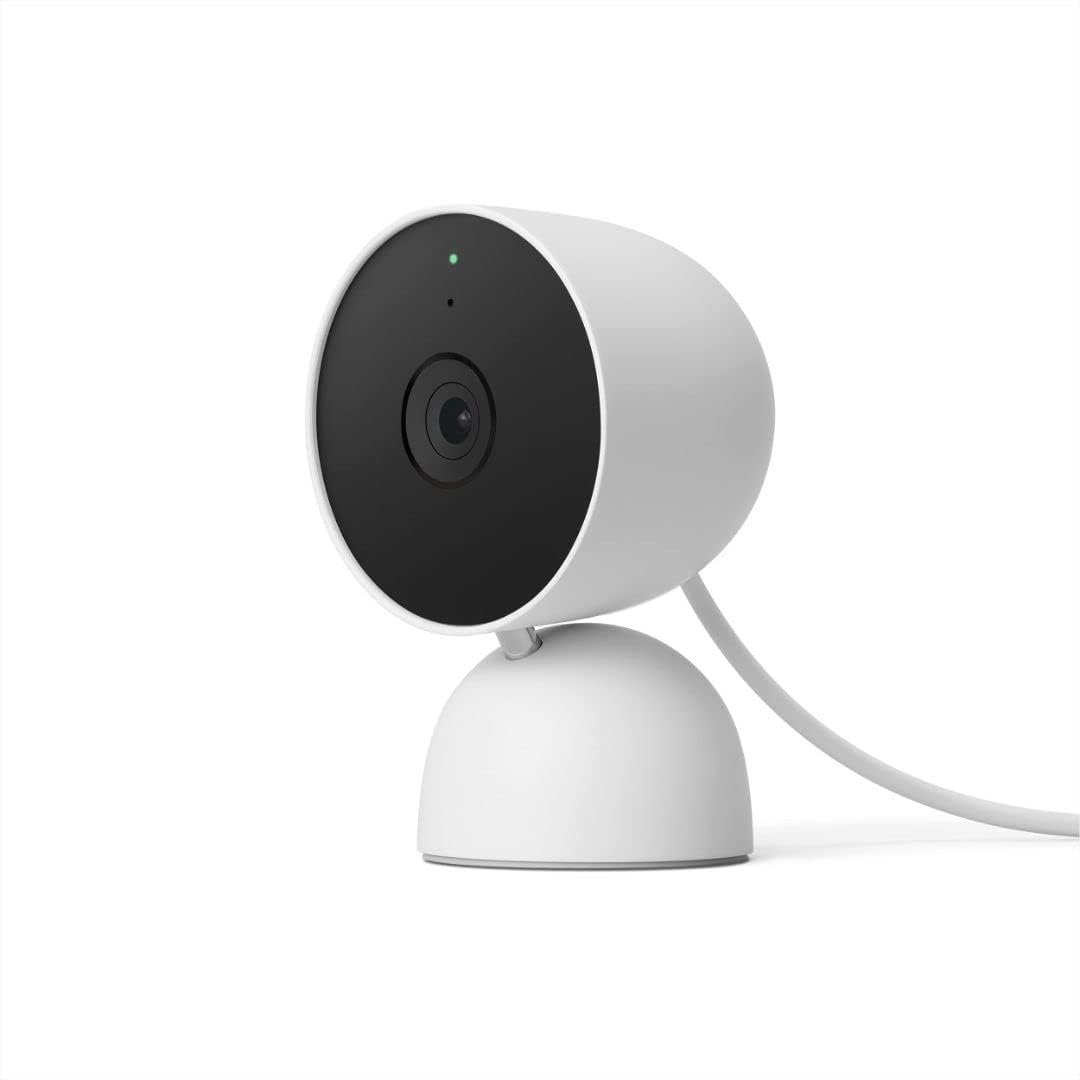
Key specs: Up to 1080p (1920×1080) at 30 fps; 135 degree diagonal field of view; wired indoor camera; Google recommends at least 2 Mbps upload per camera for optimal 1080p quality
The previous generation wired camera records up to 1080p at 30 frames per second with a 135 degree diagonal field of view. Those numbers are worth putting in context rather than dismissing: at indoor distances 1080p resolves faces and activity clearly, and 135 degrees is a genuinely wide view. What you give up against the 3rd Gen is the ability to crop in – without a comparable digital zoom and with fewer pixels to work with, a detail at the far side of a room stays a blur. Buy this one when the camera is watching a small room at close range and the budget difference matters more than reach.
✅ Pros
- 1080p is sufficient for most indoor rooms
- 135° diagonal is still a wide view
- Same app, same ecosystem, same subscription structure
- Usually the cheapest way into the Nest camera platform
❌ Cons
- 1080p against the 3rd Gen’s 2K
- 17 degrees narrower diagonally than the 3rd Gen
- No headline digital zoom spec published
- Same subscription requirement for any history
Nest Cam (Battery, Indoor or Outdoor) — when placement matters more than resolution
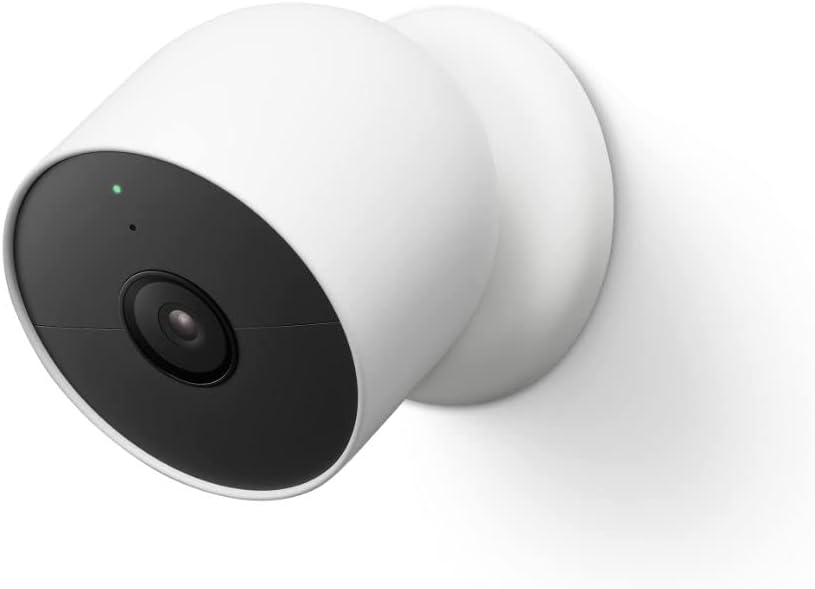
Key specs: Up to 1080p at 30 fps; 130 degree diagonal wide-angle view; battery-powered and rated for indoor or outdoor use, so it can move between the two; same 2 Mbps upload recommendation per camera
The battery Nest Cam records up to 1080p with a 130 degree diagonal wide-angle view, and its real feature is not in the spec sheet at all – it is rated for indoor or outdoor use, so it can go where a wired camera cannot. For a renter, a room with no convenient outlet, or a camera you expect to move, that flexibility outweighs the resolution gap. Be clear-eyed about the tradeoff: it is the lowest-resolution and narrowest option of the three, and it is a battery camera, which means the usual relationship between how much it records and how often you recharge it applies here as it does everywhere.
✅ Pros
- Goes indoors or outdoors – the only one of the three that does
- No cable, so placement is unconstrained
- Moves between rooms or properties easily
- Same Google Home app and ecosystem as the wired models
❌ Cons
- 1080p and 130° – the narrowest and lowest-resolution of the three
- Battery life falls as event volume rises
- Continuous recording is impractical on battery power
- Still needs a subscription for event history
The Upload Speed Requirement Nobody Checks
Google publishes a specific and easily-missed requirement: for optimal video quality at 1080p, it recommends a broadband connection with at least 2 Mbps upload speed per camera, and notes that DSL may not qualify. That is a per-camera figure, so a three-camera household is being asked for 6 Mbps of upload headroom before anything else in the house uses the connection.
The 3rd Gen pushes 2K rather than 1080p, so its practical requirement is higher still. This is the most common reason a camera that looks fine in the shop stutters at home, and it is entirely predictable if you test first. We walk through how to check the actual figure at the mounting location in our guide to testing wifi before buying a wireless camera.
The App and Assistant Situation
Google states that the 3rd Gen camera requires the Google Home app and a Google Account, and is not compatible with the Nest app or the home.nest.com site. If you have older Nest hardware still living in the legacy app, adding a current camera means running two apps or migrating, and that is worth knowing before the box is open.
On voice control, the 3rd Gen works with the Gemini for Home voice assistant and is compatible with Alexa – the second half of that sentence is the more interesting one, because cross-ecosystem support is not something people expect from Google hardware. We compare how the two big camera ecosystems actually behave against each other in our Google Nest vs Ring comparison, and our Nest outdoor camera guide covers Google’s outdoor lineup if you are building beyond one room.
Who Should Not Buy Into This
Anyone who refuses a subscription. Without one you get live view and up to 6 hours of event previews on the 3rd Gen, and no meaningful history. There is no memory card, so this is structural rather than a setting. If a recurring bill is the dealbreaker, our roundup of no-subscription systems is the honest place to start instead.
Anyone on a slow or asymmetric connection. The 2 Mbps upload per camera recommendation is real, and Google’s own note that DSL may not qualify is unusually direct for a manufacturer.
Anyone who wants one camera to cover a whole open-plan room. None of these pan or tilt. A 152 degree diagonal is wide, but it is fixed, and for a room with several approaches a motorized camera or a second unit does a better job. Our comparison of the Ring indoor lineup covers what a moving camera changes.
Final Recommendation
Buy the Nest Cam Indoor (wired, 3rd Gen). It is the only 2K camera in the lineup, it has the widest field of view at 152 degrees diagonal, and it is the only one with a published 6x digital zoom – which is the feature that turns the extra resolution into something you can actually use when you crop into a frame. Against the 2nd Gen the gap is real rather than marketing.
Choose the battery Nest Cam instead when placement is the binding constraint – no outlet, a rental, or a camera that needs to move between indoors and out, which is the only model rated for both. Take the 2nd Gen wired when the camera watches a small room at close range and you would rather put the difference toward a second camera, since 1080p at 135 degrees is genuinely adequate at those distances.
What would change this entirely: none of these store anything locally, and event history beyond about six hours requires Google Home Premium, with continuous recording gated to the Advanced tier. Price the subscription alongside the camera, not after it. And check your upload speed first – Google’s own recommendation of at least 2 Mbps per camera, with the caveat that DSL may not qualify, decides whether any of this works before the model choice does.
SafeBode does not yet run an in-house product testing program. This guide is built from manufacturer specifications, official support documentation, current retail listings and verified buyer feedback rather than hands-on testing, and we say so plainly rather than implying testing we have not done.
Frequently Asked Questions
What is the difference between the 2nd Gen and 3rd Gen Nest Cam Indoor?
Resolution and reach. The 3rd Gen has a 2K sensor, a 152 degree diagonal field of view and 6x digital zoom; the 2nd Gen is up to 1080p with a 135 degree diagonal view. Everything else – app, assistant, subscription structure – is shared.
Can a Nest Cam record without a subscription?
Only in a limited way. Google’s specs for the 3rd Gen list up to 6 hours of event video previews without a plan, with 30 or 60 days of event history requiring Google Home Premium Standard or Advanced. There is no local storage option.
Does the Nest Cam do 24/7 continuous recording?
Yes, but it requires the Advanced plan of Google Home Premium and gives up to 10 days of 24/7 video history. It is not something the camera does out of the box, and it needs a wired camera rather than the battery model to be practical.
Can I use the indoor Nest Cam outside?
No. The wired indoor cameras are indoor-rated. The battery Nest Cam is the model rated for indoor or outdoor use, which is its main advantage over the wired options.
What internet speed do I need?
Google recommends at least 2 Mbps upload per camera for optimal 1080p quality and notes DSL may not qualify. That is per camera, so a multi-camera setup needs correspondingly more upload headroom, and the 2K model asks more again.
Do these work with the old Nest app?
The 3rd Gen does not. Google states it requires the Google Home app and a Google Account and is not compatible with the Nest app or home.nest.com. If you still run legacy Nest hardware, expect to use two apps or migrate.
Does the Nest Cam work with Alexa?
Google lists the 3rd Gen as working with the Gemini for Home voice assistant and compatible with Alexa. That cross-ecosystem support is genuinely unusual and worth knowing if your house is not otherwise Google-centric.
Is 2K worth it indoors?
It is worth it if you will crop into the image, which is what the 6x digital zoom on the 3rd Gen is for. If the camera watches a small room where everything is already close to the lens, 1080p resolves it fine and the money is better spent elsewhere.
Sources
Show sources (3)


