Blink vs Ring 2026: Same Owner, Two Very Different Bets
Affiliate Disclosure: This article contains affiliate links. If you buy through these links, we may earn a commission at no extra cost to you. Our editorial opinions are our own and are not influenced by affiliate relationships. Read our full disclosure policy →
Contents
Quick Answer
Amazon owns both brands — it closed its purchase of Ring in April 2018, and Blink’s own US terms state that “Blink is an affiliate of Amazon.com Services LLC”. So this is not a rivalry; it is one company running two deliberately different product lines. Blink is the cheap, battery-first line that can save clips with no subscription at all. Ring is the premium, cloud-first line: without a plan you get live view and alerts, but events are only recorded once you subscribe. Buy Blink if you refuse a monthly fee — and check which hub is in the box, because several of Blink’s most popular bundles ship a Sync Module Core, which cannot do local storage at all. Buy Ring if you want the cameras to grow into a real alarm system with sensors, a keypad and dispatch, which Blink does not sell at all.
One Owner, Two Deliberate Bets
These two brands are not fighting each other for your money. Amazon announced on April 12, 2018 that its acquisition of Ring had closed, and described the two companies as working together from that point on. Blink arrived under the same roof slightly earlier, and its current US Terms of Service still say so plainly: “Blink is an affiliate of Amazon.com Services LLC and each Blink Service is an Amazon Service,” with the site’s footer identifying the brand as “Blink, An Amazon Company”.
That single fact changes how you should read every spec sheet comparison you find. These are two shelves in one store, aimed at two different shoppers, and the gaps between them are product decisions rather than accidents of engineering. Blink is not missing an alarm system because it could not build one. Each line has been given a lane.
What Each Line Is Actually Built to Win
🟦 Blink — the low-commitment lane
- Lowest entry cost of any major camera brand sold on Amazon
- Disposable AA lithium power measured in years, not charge cycles
- Genuine no-subscription recording, via local storage
- Cameras and doorbells only — no sensors, no keypad, no alarm
🟧 Ring — the whole-system lane
- One app spanning doorbells, cameras and a full alarm system
- Rechargeable removable battery packs rather than consumable cells
- Recording is a subscription feature, not a hardware feature
- Professional monitoring and emergency dispatch available as an add-on
Read those two columns as a question about your next three years, not your next three weeks. If the front-door camera will stay a front-door camera, the left column is cheaper and simpler. If it is the first piece of something larger, the right column has somewhere to go. Our guide to the current Blink lineup and our Ring model-by-model breakdown cover the individual hardware choices inside each lane.
Decision 1: Where the Video Actually Lives
This is the difference that decides the most purchases. Neither brand offers free cloud storage. What Blink offers is a way to skip the cloud entirely, and its own storage documentation states it directly: you can “save clips without a Blink Subscription Plan using local storage,” either on a USB drive attached to a Sync Module 2 or a microSD card in a Sync Module XR. The drive requirements are specific rather than vague. Blink asks for a Type-A USB drive in a supported format, with ExFAT recommended, a capacity between 1 GB and 256 GB, and at least 375 MB of free space before it treats the drive as full. Clips saved that way are yours without a recurring charge, and a subscriber’s cloud clips are additionally backed up to the same drive automatically once every 24 hours.
Ring works the other way around. Ring’s own plan comparison is blunt about what happens with no subscription: “Without a subscription, you can view live video and respond to alerts as they happen,” and “Events are only recorded after you subscribe”. With a plan, motion events are held in the cloud for up to 180 days from the recording date. A Ring camera with no plan is a live window, not a record of what happened while you were out.
Ring does have a local option, and it is fair to say so. Ring Edge stores and processes video on the device rather than in the cloud — but Ring lists the requirements as a microSD card, a compatible Ring subscription and a Ring Alarm Pro Base Station. That is a local-storage path you reach by buying more and still subscribing. For doorbells specifically, our wireless video doorbell roundup compares four models on exactly this question of where your footage ends up.
The Storage Numbers Each Brand Publishes
1–256 GB
USB drive capacity Blink’s Sync Module 2 will accept
375 MB
Free space Blink needs before it calls a drive full
180 days
How long Ring keeps motion events in the cloud on a plan
3 parts
What Ring Edge requires: Alarm Pro, microSD card, and a plan
Blink’s local route is a drive and a hub. Ring’s local route is a subscription and the most expensive base station in the lineup.
The Sync Module Trap Inside Blink’s Best Argument
The advantage that sends most readers toward Blink is undercut by the box it arrives in. Blink now ships several of its most popular bundles with a Sync Module Core — including the Amazon’s Choice Outdoor 4 system featured further down this page, whose listing says “Sync Module Core included.” Blink’s own local-storage support page carries a one-line note that changes the whole calculation: “Sync Module Core does not support Local Storage or Clip Backup”. Local storage is available on the Sync Module 2, which uses a USB drive, and the Sync Module XR, which uses a microSD card. The Core does neither.
So the honest version of Blink’s headline advantage is this: Blink is the only one of these two brands that can record without a subscription, but the module that makes that possible is usually not the one in the box. Budget for it. A reader who buys the cheapest Blink kit expecting subscription-free recording and then discovers the limitation after mounting the camera has been let down by the marketing, not by the product.
Check one more Blink detail before you order, because it decides whether you need a module at all: Blink states that the Wired Floodlight, Video Doorbell, Mini and Mini 2 do not require a Sync Module, while the Outdoor 4, Outdoor 2K+, Battery Doorbell 2K+ and the older XT-series cameras do.
How to Actually Get Subscription-Free Recording on Blink
1
Check which module you have
A Sync Module Core cannot store clips locally at all. Sync Module 2 and Sync Module XR can.
2
Add the right hub if needed
Sync Module 2 takes a USB drive; Sync Module XR takes a microSD card. Both are sold separately.
3
Fit a drive Blink will accept
Type-A USB, ExFAT recommended, 1–256 GB, with at least 375 MB free.
4
Confirm your camera is supported
Blink lists Mini, Mini 2, Outdoor 4, Wired Floodlight, Video Doorbell, Indoor and Outdoor (3rd Gen) as compatible; legacy XT models are not.
Work through this before you buy, not after the camera is on the wall.
Signal strength matters here too, because a hub adds a second radio hop between camera and router. If the camera will sit at the far corner of the property, test the wifi at the exact mounting spot first — a weak signal produces identical symptoms on both brands, and it is the most common reason a camera gets returned as faulty.
Decision 2: How the Camera Gets Powered
Both brands sell battery cameras as their volume products, and they solved the battery problem in opposite ways. Neither approach is objectively better; they fail differently, and that is what you are choosing between.
Blink runs on disposable cells. Its battery guide recommends Energizer Lithium 1.5-volt non-rechargeable batteries for optimal performance, and states that battery life of up to two years is expected based on default settings. You never take a Blink camera down to charge it. Roughly every other year you take it down once, swap two AA cells, and put it back — no charging routine, no spare pack, no downtime. The cost is that you keep buying lithium AAs, and heavy motion traffic shortens that two-year figure considerably.
Ring runs on a rechargeable pack. Its cameras use a removable Quick Release Battery Pack, charged with the USB or USB-C cable in the box connected to any USB power source, and Ring states the battery can take up to 10 hours to fully charge. Nothing is consumed, which is the genuine advantage. The cost is a recurring chore: unless you own a second pack to swap in, the camera is off the wall and off the network for those hours.
Mounting height turns this from a footnote into a real factor. A camera at eaves level is a ladder trip every time it needs charging, which is an argument for Blink’s two-year cells; a camera at head height on a porch post is a two-minute job, which removes most of Ring’s disadvantage. Our camera placement walkthrough covers where these cameras actually need to go, and it is worth settling placement before you settle on a brand.
Decision 3: What Each Subscription Actually Gates
Both brands sell a plan, and the plans are not equivalent: they gate structurally different things, which you will miss entirely if you only compare tier names.
Ring renamed its tiers in 2026. What used to be Home Basic is now Ring Solo, Home Standard without add-ons became Ring Multi, Home Standard with 24/7 professional monitoring became Ring Pro, and Home Premium customers were moved to a Premium Legacy plan; Virtual Security Guard remains an add-on layered on top. Ring states that subscriptions transitioned automatically and kept the same features. In terms of coverage, Solo unlocks recording for a single Ring device, while Multi covers all Ring devices at one location.
Blink’s plans are structured similarly on paper — a Basic plan limited to one device and a Plus plan covering all eligible devices on the account, each with an AI variant. What they gate is different. Without any Blink plan, Blink lists Live View, motion-activated notifications and manual thumbnail refresh as available to every camera. A plan adds cloud storage for up to 60 days, person and vehicle detection, Blink Moments clip compilation, photo capture and live view recording.
Put those two paragraphs side by side and the real difference appears. Ring’s subscription gates whether anything is recorded at all. Blink’s subscription gates cloud convenience and smarter detection, while recording itself stays possible locally without paying anything. That is the structural gap, and it survives any price change either brand makes. If you are weighing whether a Ring plan is worth it on its own terms, our breakdown of what a Ring plan gets you and what you lose without one goes deeper than this comparison can.
Decision 4: Whether There Is a System Behind the Camera
The last decision is the one people discover eighteen months in, when the question becomes what to add next.
Ring has a full answer. Its Alarm kits are built around a base station with a siren and a 24-hour backup battery, a keypad for arming and disarming, door and window contact sensors, a motion detector and a range extender, with professional monitoring available as a subscription add-on that requests emergency dispatch when the alarm triggers. That means a Ring camera bought today sits inside an ecosystem that can eventually cover every entry point in the house and call for help. Our look at what Ring Alarm actually includes covers that side of the lineup in detail.
Blink has no answer here at all. Blink’s current product listing covers outdoor cameras, indoor cameras, doorbell cameras, floodlight cameras, Sync Modules, a battery pack and a chime. There are no door or window contact sensors, no motion detectors, no keypad and no alarm base station anywhere in the range. A camera-only system cannot tell you a back window opened while nobody was watching the feed, and there is no Blink monitoring service to escalate anything to.
If the eventual destination is a monitored alarm rather than a set of cameras, that settles it on its own. If you are open to leaving the Amazon-owned pair entirely on that question, our Google Nest versus Ring comparison covers the other big ecosystem decision, and our wireless camera system roundup looks at brands that sell a hub and cameras as one package.
The Whole Comparison on One Screen
Every row below comes from one of the two companies’ own documentation rather than a spec aggregator, footnoted to the page it came from. For what each Ring tier covers under its current name, see our Ring subscription plans guide.
| Blink | Ring |
|---|
| Owner | Amazon affiliate, per Blink’s own terms | Amazon, acquisition closed April 2018 |
| Recording with no subscription | Yes — local storage on Sync Module 2 or XR [3, 4] | No — live view only; events recorded after you subscribe |
| Local storage medium | USB drive (Sync Module 2) or microSD (Sync Module XR) | microSD, but requires Ring Alarm Pro plus a plan |
| Battery approach | Two AA non-rechargeable lithium cells, up to two years | Removable rechargeable pack, up to 10 hours to charge |
| Cloud history with a plan | Up to 60 days | Up to 180 days |
| Plan tiers | Basic and Plus, each with an AI variant | Ring Solo, Ring Multi, Ring Pro, plus Premium Legacy |
| Single-device vs whole-home tier | Basic covers one device; Plus covers all eligible devices | Solo covers one device; Multi covers all at one location |
| Contact sensors, motion detectors, keypad | None sold | All included in Alarm kits |
| Professional monitoring | Not offered | Available as a subscription add-on |
Blink Outdoor 4 (1-Camera System) — the Blink side, represented
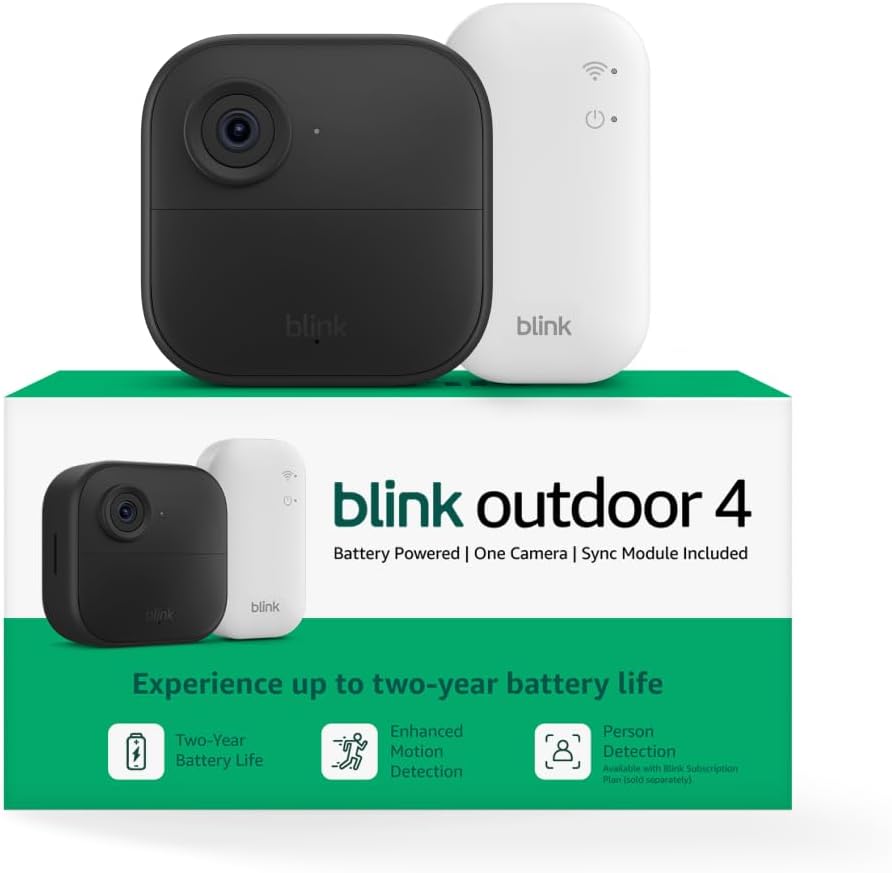
Key specs: Wireless outdoor camera; 1080p HD day and infrared night live view; two-way talk; manufacturer-rated two-year battery life on two AA lithium cells; ships with a Sync Module Core; currently Amazon’s Choice for this search
We picked this single-camera kit rather than a multi-camera bundle because it is the honest representative of what buying into Blink looks like: the cheapest credible entry point, currently Amazon’s Choice for this category, carrying the two-year battery figure Blink publishes as its headline. It also illustrates the caveat above — the listing includes a Sync Module Core, and Blink states plainly that the Core supports neither Local Storage nor Clip Backup. Treat it as the camera plus a planned second purchase, not a complete subscription-free system. Our Blink lineup guide compares the wider range.
✅ Pros
- Lowest realistic cost of entry into either brand
- Two AA lithium cells rated up to two years on default settings
- Live View, motion notifications and manual thumbnail refresh with no plan at all
- Belongs to the only one of these two brands that can record with no subscription
❌ Cons
- The bundled Sync Module Core cannot do Local Storage or Clip Backup — you need a Sync Module 2 or XR for that
- 1080p rather than the 2K the newer Blink and Ring models offer
- No path to contact sensors, a keypad or an alarm later
Ring Outdoor Cam Plus, Battery — the Ring side, represented

Key specs: Battery-powered outdoor camera; wide-angle 2K video with Ring Vision; Low-Light Sight for full-color night vision; mount-anywhere placement; removable rechargeable Quick Release Battery Pack charged over USB or USB-C; currently Amazon’s Choice
This is the fair counterpart on the Ring shelf — a battery outdoor camera at the same point in the range, also currently Amazon’s Choice, with 2K video and full-color night vision instead of Blink’s 1080p and infrared. The powered-by story is the opposite of Blink’s: a removable Quick Release Battery Pack you recharge over USB or USB-C rather than cells you replace, taking up to 10 hours to fill. Buy this one understanding what the subscription does, because it is not optional in the way Blink’s is: without a plan you get live view and alerts, and nothing is recorded. Our Ring model comparison covers where this sits against the rest of the range.
✅ Pros
- 2K video with full-color low-light night vision rather than infrared
- Rechargeable removable battery pack — no consumable cells to keep buying
- Up to 180 days of cloud history on a plan, triple Blink’s window [9, 6]
- Sits inside an ecosystem that extends to sensors, a keypad and dispatch
❌ Cons
- Records nothing without a subscription — events are only recorded after you subscribe
- Local storage exists but needs a Ring Alarm Pro base station and a plan on top
- Charging means taking the camera down for up to 10 hours unless you buy a spare pack
Blink Sync Module 2 — the part that makes Blink’s story true

Key specs: Blink system hub with a USB 2.0 Type-A port for Local Storage; accepts a Type-A USB drive between 1 GB and 256 GB, ExFAT recommended, with at least 375 MB free; enables clip saving and Clip Backup that the bundled Sync Module Core cannot do
This is here because without it, half of Blink’s advantage in this comparison does not exist. The Sync Module 2 carries the USB 2.0 Type-A port that Local Storage and Clip Backup depend on, and Blink names it alongside the Sync Module XR as the only two modules supporting those features. If your Blink kit shipped with a Sync Module Core — as the Outdoor 4 bundle above does — this is the upgrade that closes the gap. You will also need a drive: Type-A, ExFAT recommended, between 1 GB and 256 GB, with at least 375 MB free.
✅ Pros
- Turns a subscription-free Blink setup from a claim into a working configuration [3, 4]
- One module serves the cameras on that system rather than one per camera
- Cloud subscribers also get an automatic local backup of cloud clips every 24 hours
❌ Cons
- An extra purchase most Blink buyers do not realize they need
- The USB drive is sold separately on top of this
- Does nothing for cameras Blink lists as not requiring a module in the first place
Where Each Brand Genuinely Loses
A comparison that only lists strengths is a brochure. Here is the case against each.
Blink loses on ceiling. The mainstream Outdoor 4 tops out at 1080p while Ring’s comparable model runs 2K, cloud history stops at 60 days against Ring’s 180 [6, 9], and the range simply ends at cameras and doorbells. The Sync Module Core situation is a real own goal on top of that: the brand’s single best argument is undermined by the module it ships in its own bundles. Blink is also explicit that deletion is permanent — a deleted clip is erased from Blink’s servers and cannot be recovered by Blink Support.
Ring loses on the monthly fee, and it is not close. A Ring camera with no plan does not record. That is not a reduced feature set; it is the core function of a security camera sitting behind a paywall, and hardware quality does not compensate if you genuinely will not subscribe. Ring’s own local-storage answer makes the point rather than refuting it: Ring Edge needs an Alarm Pro base station, a microSD card and a subscription.
One limitation on our side, stated for the same reason: we have not run either camera through a hands-on battery test, so the two-year and 10-hour figures here are what Blink and Ring publish [7, 11], not what we measured. Real-world battery life on both brands moves significantly with motion traffic, temperature and how often live view is opened.
Final Recommendation
For most readers buying a first outdoor camera and unwilling to pay monthly, buy the Blink Outdoor 4 (1-Camera System) — and order a Blink Sync Module 2 and a USB drive at the same time. That combination is the only setup in this comparison that records video with no recurring charge [3, 4], and buying the module up front avoids the exact disappointment the Sync Module Core creates.
Buy the Ring Outdoor Cam Plus, Battery instead if you already expect to subscribe, or if you want this camera to be the first piece of a real alarm system. Ring gives you sharper video, a rechargeable pack rather than consumable cells, triple the cloud history [9, 6], and a lineup that continues into contact sensors, a keypad and professional monitoring. Blink has none of that and is not heading there.
If you would subscribe anyway, Blink’s headline advantage evaporates and Ring wins nearly every remaining row. If you are covering several cameras, compare Ring Multi against Blink Plus specifically — both cover all devices at one location rather than charging per camera [9, 6]. And if you want local recording without a hub at all, neither of these brands is the right shelf; the setup in our no-subscription solar camera write-up solves that problem differently.
Frequently Asked Questions
Is Blink the same company as Ring?
They are separate brands under the same owner. Amazon closed its acquisition of Ring in April 2018, and Blink’s own US Terms of Service describe Blink as an affiliate of Amazon.com Services LLC. They run separate apps, accessories and subscription plans, so in daily use they behave like two different companies.
Can a Blink camera record without a subscription?
Yes, but only with the right hub. Blink supports local storage on a USB drive attached to a Sync Module 2, or a microSD card in a Sync Module XR. The Sync Module Core that ships with many current Blink bundles supports neither local storage nor clip backup, so a kit built around a Core will not record anything locally until you add one of the other two modules.
Can a Ring camera record without a subscription?
No. Ring states that without a subscription you can view live video and respond to alerts as they happen, and that events are only recorded once you subscribe. A plan-free Ring camera is a live window rather than a record of what happened while you were out.
Does every Blink camera need a Sync Module?
No. Blink lists the Wired Floodlight, Video Doorbell, Mini and Mini 2 as not requiring one; those models can create and manage their own systems or join an existing one. The Outdoor 4, Outdoor 2K+, Battery Doorbell 2K+ and the older XT-series cameras do require a module.
Which brand has better battery life?
They are not measured the same way. Blink runs on two non-rechargeable AA lithium cells rated at up to two years on default settings, so there is no charging routine at all. Ring uses a removable rechargeable pack that takes up to 10 hours to fill, so there is no consumable to buy but there is recurring downtime unless you own a spare pack.
Can I run Blink and Ring cameras together in one app?
No. Blink devices are managed in the Blink app and Ring devices in the Ring app, so a mixed setup means two apps, two sets of notification settings and two subscriptions if you pay for both. Shared Amazon ownership does not merge the two systems.
Does Blink sell an alarm system or professional monitoring?
No. Blink’s current range is cameras, doorbells, floodlight cameras, sync modules, a battery pack and a chime. There are no contact sensors, motion detectors, keypads or alarm base stations, and no monitoring service to escalate an event to. Ring sells all of those.
Which should I buy if I only ever want one camera at the front door?
Blink, in most cases. A single camera that will never grow into a system makes Ring’s biggest advantage — the alarm ecosystem behind it — irrelevant, leaving the monthly fee as the main difference. Choose Ring if the sharper video and longer cloud history matter and you were always going to subscribe.
Sources
Show sources (13)
SafeBode does not yet run an in-house product testing program. This guide is built from manufacturer specifications, official support documentation, current retail listings and verified buyer feedback rather than hands-on testing, and we say so plainly rather than implying testing we have not done.


