Best Blink Cameras 2026: Which Setup Avoids the Subscription
Affiliate Disclosure: This article contains affiliate links. If you buy through these links, we may earn a commission at no extra cost to you. Our editorial opinions are our own and are not influenced by affiliate relationships. Read our full disclosure policy →
Contents
Quick Answer
Buy the Blink Outdoor 4 3-camera system for most homes — but understand before you order that the Sync Module Core it ships with cannot save clips locally. If avoiding a monthly fee is the point of buying Blink, you need a Sync Module 2 or XR instead. Go 2K+ for sharper footage, Outdoor 4 XR for outbuildings and long driveways, and the Wired Floodlight where you want light and a siren, not just a recording.
The Sync Module Trap
Most Blink buying guides rank cameras. That is the wrong variable. With Blink, the component that decides whether you pay monthly forever is not the camera at all — it is the small white hub in the box, and Blink currently ships three different ones that are not interchangeable in the way that matters.
Blink’s own support documentation is unambiguous: the Sync Module Core does not support Local Storage or Clip Backup. Local storage — saving clips without a subscription — requires either a Sync Module 2 with a USB flash drive, or a Sync Module XR or XR+ with a microSD card.
That matters because the Core is exactly what comes bundled in Blink’s most popular, most-bought kits. So the default purchase for a buyer who chose Blink specifically to avoid subscriptions is a kit that cannot record without one. This is not a hidden fee or a bait-and-switch — it is documented plainly on Blink’s own site — but it is buried in a support article rather than stated on the box, and it is the single most common Blink regret.
Which Sync Module Can Save Clips Without a Subscription?
❌ Sync Module Core
- No Local Storage support
- No Clip Backup support
- Ships in many of the best-selling Blink kits
- Clips require an active Blink plan
✅ Sync Module 2 / XR / XR+
- Sync Module 2 saves clips to a USB flash drive
- Sync Module XR and XR+ use a microSD card
- Works with Outdoor 4, Wired Floodlight, Video Doorbell, Indoor and Outdoor 3rd Gen, and Mini
- No subscription needed to save footage
One further detail worth knowing before you plan around it: clips saved to Local Storage can be viewed in the Blink app, but Clip Backups in Local Storage are only viewable by physically moving the USB drive to a computer. So local storage on Blink is real, and it is free, but it is not as frictionless as scrolling a cloud timeline.
The Four Setups Compared
| Setup | Best for | Resolution | Power | Range advantage |
|---|
| Blink Outdoor 4 | Most homes | 1080p | Two-year battery | Standard |
| Blink Outdoor 2K+ | Reading faces and plates | 2K | Two-year battery | Standard |
| Blink Outdoor 4 XR | Sheds, garages, long drives | 1080p | Two-year battery | Up to 400 ft typical |
| Blink Wired Floodlight | Active deterrence | 1080p | Mains wired | N/A — fixed position |
Blink Outdoor 4 (3-Camera System) — Best Overall
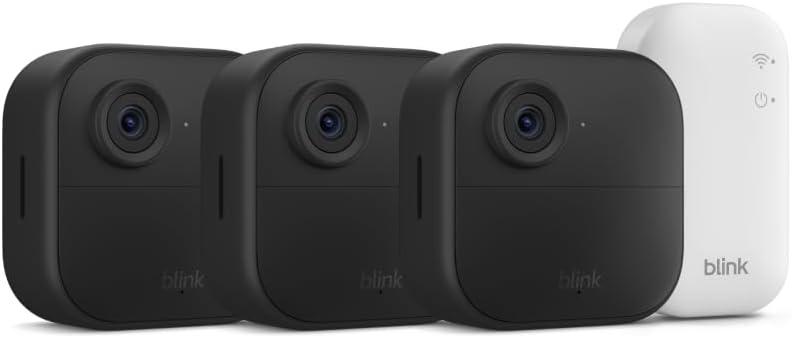
Key specs: 1080p · two-year battery life · two-way talk · Sync Module Core included
This is the Blink most people should buy, and the three-camera bundle covers the front door, back door and one side or driveway — which is where the large majority of break-ins happen: 34% of burglars enter through the front door, 23% through a first-floor window and 22% through the back door. The two-year battery claim is the real selling point: these are cameras you genuinely mount and forget rather than recharging every few months like most battery cameras. It also carries Amazon’s Choice status and has one of the largest review bases of any outdoor camera on the market. The catch is the Sync Module Core in the box — budget for a Sync Module 2 or XR if you want subscription-free recording.
✅ Pros
- Two-year battery life means genuinely low maintenance
- Three cameras covers the main entry points in one purchase
- Very large real-world review base
- Simple setup, deep Alexa integration
❌ Cons
- Ships with a Sync Module Core, which cannot do local storage
- 1080p only — fine for presence, weaker for identifying faces at distance
- Cloud clips need an active plan
- Battery life drops with heavy motion traffic and cold weather
Blink Outdoor 2K+ (2-Camera System) — Best Video Quality
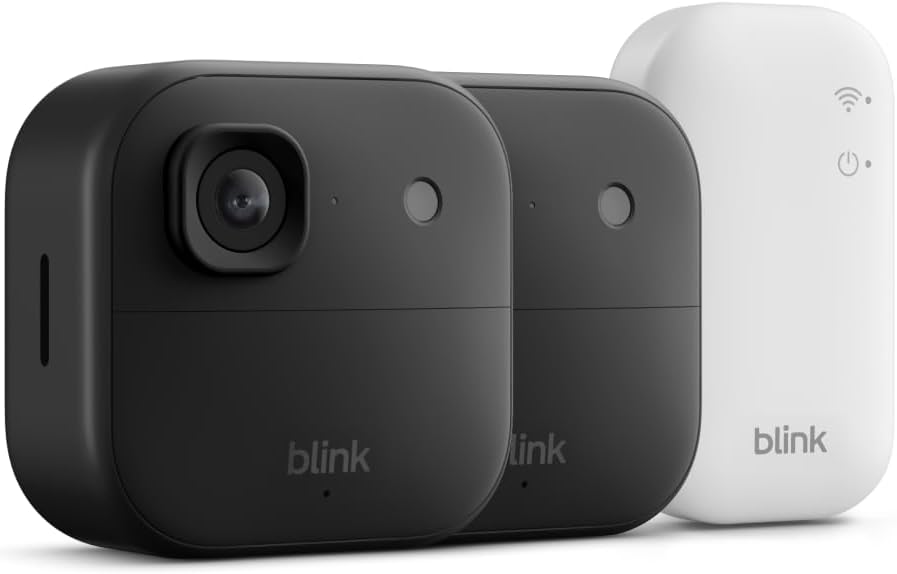
Key specs: 2K video · enhanced audio · two-year battery life · Sync Module Core included
The step from 1080p to 2K is the difference between knowing someone was there and being able to describe them. If your camera covers a driveway, a gate or any view where the subject is more than a few meters away, the extra resolution is the upgrade that actually changes what the footage is worth — a blurry 1080p figure at twenty meters tells you very little. Blink also improved the audio on this generation. The two-camera bundle suits a front-and-back setup rather than full perimeter coverage.
✅ Pros
- 2K resolution makes footage genuinely usable at distance
- Improved audio over the 1080p range
- Same two-year battery design
- Add-on cameras available separately to expand later
❌ Cons
- Also bundled with the Sync Module Core in most kits
- Two cameras rather than three at a similar price point
- Higher resolution means larger clips and more storage pressure
- Smaller review base than the long-established Outdoor 4
Blink Outdoor 4 XR (4-Camera System) — Best for Large Properties
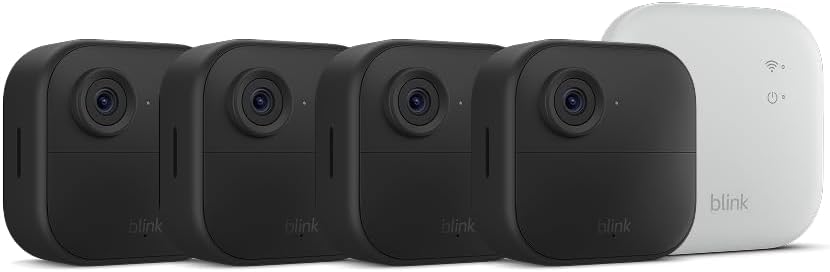
Key specs: extended range · up to 400 ft in typical use · two-year battery · Sync Module XR included
The XR exists for one specific problem: a camera that is too far from the hub to hold a reliable connection. Blink rates it at up to 1,000 ft in open air, or around 400 ft in typical real-world use with walls and obstructions in the way. That is the difference between covering your house and covering a detached garage, a shed at the end of the garden, or a gate at the top of a long drive. Crucially for this article, the XR ships with a Sync Module XR, which does support local storage via microSD. If subscription-free recording matters to you, this bundle solves both problems at once.
✅ Pros
- Genuinely long range — around 400 ft in typical use
- Ships with a Sync Module XR, which supports microSD local storage
- Four cameras covers a larger property properly
- Same low-maintenance two-year battery
❌ Cons
- Most expensive of the four picks
- Still 1080p, not 2K
- Range figures are best-case; walls and metal reduce them sharply
- Overkill for a small apartment or townhouse
Blink Wired Floodlight Camera — Best Deterrence
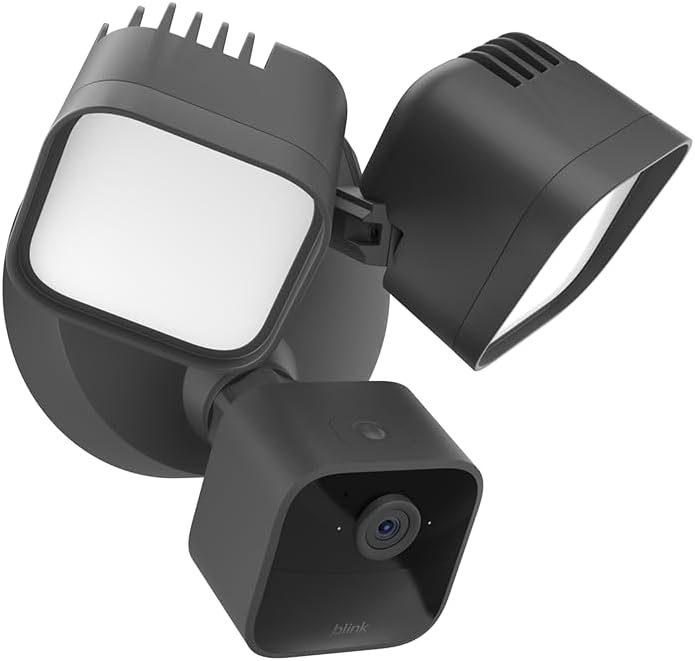
Key specs: 2,600 lumens · mains powered · built-in siren · works with Alexa
A camera records a break-in. A 2,600-lumen floodlight and a siren try to stop one. This is the only mains-powered pick here, which means no battery consideration at all and no compromise on how often the light triggers. If your problem is a dark side passage, an unlit driveway or repeated night-time nuisance, light plus noise does more practical work than resolution does. It needs existing wiring, so it is an installation job rather than a stick-it-up job — which is the genuine trade-off against everything else in this guide.
✅ Pros
- 2,600 lumens is genuinely bright, not a token LED
- Built-in siren adds active deterrence
- Mains powered — no battery management ever
- Large review base and a long track record
❌ Cons
- Requires existing outdoor wiring — not a DIY-anywhere option
- Fixed position once installed
- 1080p only
- No use in a rental where you cannot alter wiring
Do You Actually Need the Subscription?
Here is the honest answer: no, provided you buy the right Sync Module. With a Sync Module 2 and a USB drive, or an XR with a microSD card, Blink cameras save clips locally with no plan at all. What the subscription adds is cloud storage and the convenience of everything living in the app timeline, plus Clip Backup.
What Changes With and Without a Plan
Core
cannot store locally at all
Module 2
USB flash drive, no plan needed
XR / XR+
microSD card, no plan needed
App view
local clips viewable; backups need the drive
Sources: Blink Support. The module in the box — not the camera — decides whether you can avoid a monthly fee.
This puts Blink in the same category as the other genuinely subscription-optional systems we cover. If a zero-monthly-cost setup is your priority, it is worth reading our wireless security camera systems guide alongside this, because the trade-offs differ meaningfully by brand.
Who Blink Is and Isn’t For
Be Honest About the Fit Before You Buy
✅ Blink is a good fit if
- You want genuinely low-maintenance battery cameras
- You are already in the Alexa ecosystem
- You want the option of no monthly fee — with the right module
- You want to start small and add cameras over time
❌ Look elsewhere if
- You want 24/7 continuous recording rather than clips
- You need the sharpest possible footage at distance
- You want a full alarm system with door and window sensors
- You want local storage without researching which hub you’re getting
That last point is the whole reason this guide is structured the way it is. If you want a system that combines cameras with entry sensors and a siren rather than cameras alone, our DIY home alarm systems guide is the better starting place. And if you are weighing Blink against its stablemate Ring, note that both are Amazon-owned but run entirely separate apps, subscriptions and hardware ecosystems — see our Ring camera comparison for how Ring’s own kit compares.
Blink is not the only brand where the hub decides your storage options. Arlo takes it further — its cameras have no card slot at all — which our Arlo camera guide explains before you buy.
Final Recommendation
For most homes, buy the Blink Outdoor 4 three-camera system and pair it with a Sync Module 2 or XR if you want to avoid a subscription — that combination gets you the best-supported Blink hardware with no recurring cost. If the cameras are watching a driveway or gate where you need to identify people rather than just detect them, spend the extra on the Outdoor 2K+.
For a large or awkward property with outbuildings, the Outdoor 4 XR is the only pick here that solves both range and subscription-free storage in one box. And if the real goal is to stop something happening rather than record it, add the Wired Floodlight Camera at your darkest approach. Whatever you choose, check the module in the box before you order — that one detail decides whether Blink costs you nothing per month or something per month forever. Getting the positions right matters just as much, which our camera placement walkthrough covers in detail.
Frequently Asked Questions
Can Blink cameras work without a subscription?
Yes, but only with the right hub. Blink’s support documentation states the Sync Module Core does not support Local Storage or Clip Backup. To save clips without a plan you need a Sync Module 2 with a USB flash drive, or a Sync Module XR or XR+ with a microSD card.
Which Blink cameras support local storage?
Blink lists Outdoor 4, Wired Floodlight, Video Doorbell, Indoor and Outdoor (3rd Gen) and Mini cameras as eligible devices for local storage with a compatible Sync Module. Legacy devices such as XT, XT2 and Indoor 1st Gen do not support local storage.
How long does the Blink Outdoor 4 battery actually last?
Blink rates it at up to two years on the supplied batteries. Real-world life depends heavily on how much motion the camera sees, how often you view live footage, and temperature — a camera on a busy street will drain far faster than one watching a quiet backyard.
Is Blink Outdoor 2K+ worth it over the 1080p Outdoor 4?
It is if the camera covers distance. At close range on a porch, 1080p is perfectly adequate. Across a driveway or garden, 2K is the difference between footage that identifies someone and footage that only proves someone was there.
What is the real range of the Blink Outdoor 4 XR?
Blink quotes up to 1,000 ft in open air and around 400 ft in typical use. Treat the open-air figure as a laboratory best case — walls, metal cladding and dense foliage all cut it down significantly. It is designed for outbuildings and long approaches rather than ordinary homes.
Can I view local storage clips in the Blink app?
Clips in Local Storage can be viewed in the Blink app. Clip Backups in Local Storage, however, are only viewable by moving the USB drive to a computer. It is worth knowing that distinction before you plan around local-only recording.
Is Blink the same as Ring?
Both are owned by Amazon, but they are separate product lines with separate apps, separate subscriptions and incompatible hardware. A Ring subscription does not cover Blink cameras and the two do not share a hub.
Does Blink record continuously, 24/7?
No. Blink cameras are event-based — they record clips when motion is detected rather than a continuous stream. If you specifically want 24/7 continuous footage, a wired system with a recorder or a camera with continuous microSD recording is a better fit than Blink.
Sources
Show sources (4)
SafeBode does not yet run an in-house product testing program. This guide is built from manufacturer specifications, official support documentation, current retail listings and verified buyer feedback rather than hands-on testing, and we say so plainly rather than implying testing we have not done.

