Full Alarm System or Just Cameras? A Renter’s Apartment Security Decision Guide (2026)
Affiliate Disclosure: This article contains affiliate links. If you buy through these links, we may earn a commission at no extra cost to you. Our editorial opinions are our own and are not influenced by affiliate relationships. Read our full disclosure policy →
Table of Contents
A Full Alarm System and a Standalone Camera Solve Different Problems
Search “apartment security system” and you’ll get roundups that rank monitored alarm kits against each other, or roundups that rank standalone cameras against each other — rarely a guide that helps you decide which category you actually need first. That’s a real gap, because for an apartment or rental, “full alarm system” and “a camera or two” aren’t tiers of the same product. They answer different questions: a system with door/window sensors and a hub is built to detect and respond to an intrusion in progress, while a standalone camera is built to let you see and record what’s happening in one specific spot. Buying the wrong category for your situation means either overpaying for sensors and a hub you didn’t need, or ending up with footage of a break-in you had no way to actually stop.
This guide isn’t a ranked list of products — we already have two of those. Our DIY home security systems for renters guide ranks 5 full no-drill alarm kits, and our indoor camera guide ranks 4 standalone cameras. This guide sits in front of both: it walks through the 6 dimensions that actually decide which category fits your situation, then points you to the right roundup for the picks themselves.
Quick Answer
If you want an insurance discount, a monitored response, and coverage for every entry point, get a full alarm system — our top no-drill pick is the SimpliSafe 9-Piece Wireless Home Security System. If you just want to see and record one specific area — a front door, a living room, a pet — without a subscription or a hub, get a standalone camera like the Wyze Cam v4. Most renters end up wanting both eventually, just not on day one.
Who This Guide Is For (and Who Should Skip It)
This guide is for you if:
- ✅ You rent an apartment or condo and haven’t decided between a full system and standalone cameras
- ✅ You want to know whether either option actually lowers your renters insurance
- ✅ You share walls, hallways, or WiFi congestion with neighbors and want to know how that affects either setup
- ✅ You want a real answer, not just a product ranking, before you spend money
Upfront Cost and What’s Included
A full system’s upfront cost buys more than a single device — a base station, an entry sensor for every door and window you’re covering, and usually a motion sensor for common areas. That’s real hardware, and it adds up faster than a single camera, but it’s also the only way to actually know if someone opened a door or window while you weren’t looking. A standalone camera, by contrast, is a single purchase that covers whatever room or angle it’s pointed at, and nothing outside that field of view. Neither is “cheaper” in the abstract — a system is more expensive per box but covers your whole apartment, while a camera is cheaper per box but only covers itself.
For a full breakdown of every cost category — including permits and false-alarm fines most people never budget for — see our complete cost breakdown guide.
And before you assume the monitoring tier guarantees a police response if something happens, see our verified response policy guide — it directly affects whether the “police dispatch” benefit in the comparison table above is realistic for your city.
Monthly Cost and Subscriptions
This is where the two categories diverge the most. Most full alarm systems are built around an optional professional-monitoring subscription — you can self-monitor for free through the app, but the sensors, the hub, and the 24/7 monitoring center that actually calls for help when something triggers are a package deal if you want the monitoring part. Standalone cameras split further: some, like the Wyze Cam v4, record locally to a memory card with no subscription required at all, while others (most of Ring’s lineup, for example) require a cloud plan just to review footage after the fact. Before buying either, check specifically whether the recording and the monitoring are bundled or separate — that single detail changes the real cost more than the sticker price on the box.
Renters Insurance Discount Eligibility
This is the single biggest financial difference between the two categories, and it’s the one most comparisons skip entirely. Many renters insurance policies offer a discount for having a security system, smoke detectors, or deadbolt locks in place — but insurers consistently draw a line between a monitored system and an unmonitored device. As NerdWallet puts it, “you’ll get the best savings for devices that are online and monitored by a third party,” and larger discounts generally apply specifically to devices with professional monitoring.
Why This Usually Favors a Full System
A monitored full alarm system is built around exactly the kind of professional monitoring insurers reward. A standalone camera almost never qualifies on its own, even a genuinely good one, because it detects and records but doesn’t dispatch anyone. If a lower renters insurance premium is part of your decision, that’s a real point in the full-system column — but only if you actually pay for the monitoring tier, not just the hardware.
Always confirm the exact discount and requirements with your own insurer before buying — policies and discount amounts vary by company, and not every system qualifies.
Monitoring and Police Dispatch
A camera notification tells you something happened. A monitored full system can actually get someone moving toward your door. With professional monitoring active, a triggered sensor routes to a monitoring center that verifies the alarm and can dispatch police — that response chain doesn’t exist with a standalone camera, no matter how good its motion detection is. The tradeoff is that this response only exists if you’re paying for the monitoring tier; a self-monitored system with the app-only free plan gets you a push notification, functionally similar to what a camera already gives you.
What Happens Between a Trigger and a Police Response
1. Sensor triggers
A door/window sensor or motion detector picks up activity and signals the hub.
2. Center verifies
A monitoring agent tries to confirm it’s real — camera footage, a phone call, or an app response.
3. Dispatch requested
If verified, the center contacts local police and requests a response.
4. Police respond
Whether they actually come depends on your city’s verified-response policy — see our verified response guide.
Move-Out Portability and Your Security Deposit
Both categories can be genuinely deposit-safe if you buy the right hardware, but the failure mode is different. Most lease agreements require written landlord permission before you drill, wire, or otherwise alter the property, and even small screw holes for a mounting bracket can be deducted from your deposit if they aren’t patched and painted at move-out. A full system with peel-and-stick entry sensors avoids this entirely — nothing to patch, and every sensor comes off the wall and packs into a box when you move. A standalone camera has the same risk if you choose a screw-mounted model instead of an adhesive or freestanding one, so the category itself doesn’t determine deposit safety — the specific mounting method does, for either option.
Multi-Unit WiFi Reliability
This is an apartment-specific problem neither a system nor a camera actually solves on its own. In a building with many units close together, the coexistence of multiple WiFi networks from different apartments creates real congestion — when numerous routers operate close together and their signals overlap, the result is commonly called “WiFi congestion,” made worse by concrete and brick walls, neighboring routers on the same channel, and everyday devices like microwaves and Bluetooth speakers. A full alarm system’s sensors typically run on a separate low-power radio protocol (not WiFi) and only the hub itself needs a WiFi connection, which makes it somewhat more resistant to this problem. A WiFi-only camera has no such fallback — if your building’s WiFi is congested, that’s the camera’s single point of failure, and it’s worth checking whether a model supports the less-crowded 5GHz band before buying one for a dense building. See our guide to testing your WiFi before buying a camera for exactly how to check this before you buy.
Full System: Sensors Bypass WiFi
- ✅ Door/window sensors talk to the hub over a dedicated low-power radio protocol, not your WiFi
- ✅ Only the hub itself needs a WiFi (or cellular backup) connection
- ✅ A congested building network mostly can’t interfere with sensor-to-hub communication
Standalone Camera: WiFi Is the Only Path
- ❌ Every frame the camera streams or saves has to cross your building’s WiFi
- ❌ Congestion shows up as dropped connections, delayed alerts, or laggy live view
- ❌ Worth checking for 5GHz band support before buying one for a dense building
Full Comparison Table
| Dimension | Full Alarm System | Standalone Camera |
|---|
| Coverage | Every door/window sensor you install | Only the one room or angle it faces |
| Upfront cost | Higher — hub plus multiple sensors | Lower — single device |
| Monthly cost | Optional, tied to professional monitoring | Varies by model — some free, some cloud-only |
| Renters insurance discount | Possible with professional monitoring | Rarely qualifies on its own |
| Police dispatch | Yes, if professionally monitored | No — notification only |
| Deposit-safe install | Yes, with adhesive-mount sensors | Depends on mount type chosen |
| Multi-unit WiFi resilience | Better — sensors don’t rely on WiFi | Weaker — single point of failure |
Which One Should You Actually Buy?
Get a full system if:
- ✅ You want every entry point covered, not just one room
- ✅ A lower renters insurance premium matters to your decision
- ✅ You want an actual police-dispatch response, not just a notification
- ✅ You live alone or have valuables that justify the higher upfront cost
Get a standalone camera if:
- ✅ You just want to see and record one specific spot — a front door, a living room, a pet
- ✅ You want zero subscription commitment and local-only storage
- ✅ You’re on a tight budget or a short-term lease and don’t want to commit to a full setup
- ✅ You already have a full system and just want to add visual confirmation to one area
One Real Pick From Each Category
Neither of these is a full roundup — they’re the single pick we’d point a renter to first from each category, pulled from our two dedicated guides. See those guides linked below each pick for the complete comparison against other options.
Full System: SimpliSafe 9-Piece Wireless Home Security System
BEST OVERALL SYSTEM
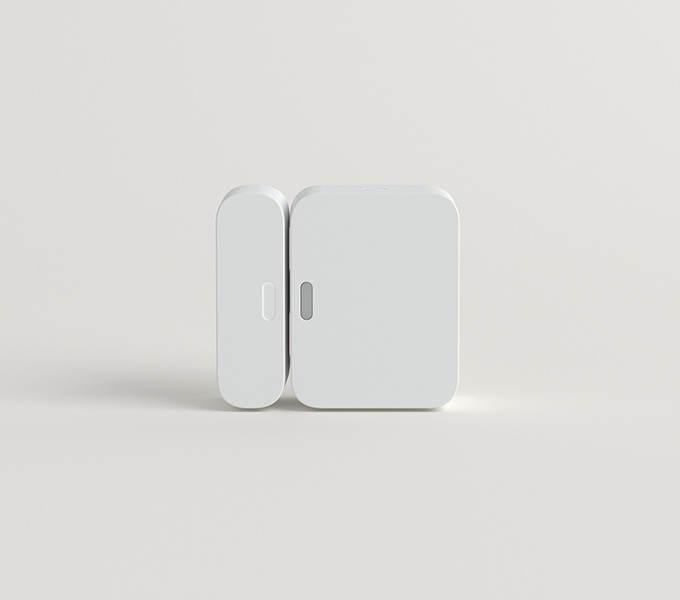
- Entry methods: Peel-and-stick sensors, no drilling required
- Monitoring: Optional professional monitoring, no contract required
- Best for: covering every door/window in an apartment with a portable, adhesive-mount kit
This is the same pick that tops our full renter systems roundup, and it’s the one we’d point most apartment dwellers toward first: adhesive-mount sensors for every entry point, no contract requirement, and optional professional monitoring if you decide the insurance discount and dispatch response are worth the subscription. See our full renter security systems guide for 4 more options, a full comparison table, and a landlord-notification template to protect your deposit.
Standalone Camera: Wyze Cam v4
BEST FOR NO-SUBSCRIPTION SINGLE-ROOM COVERAGE
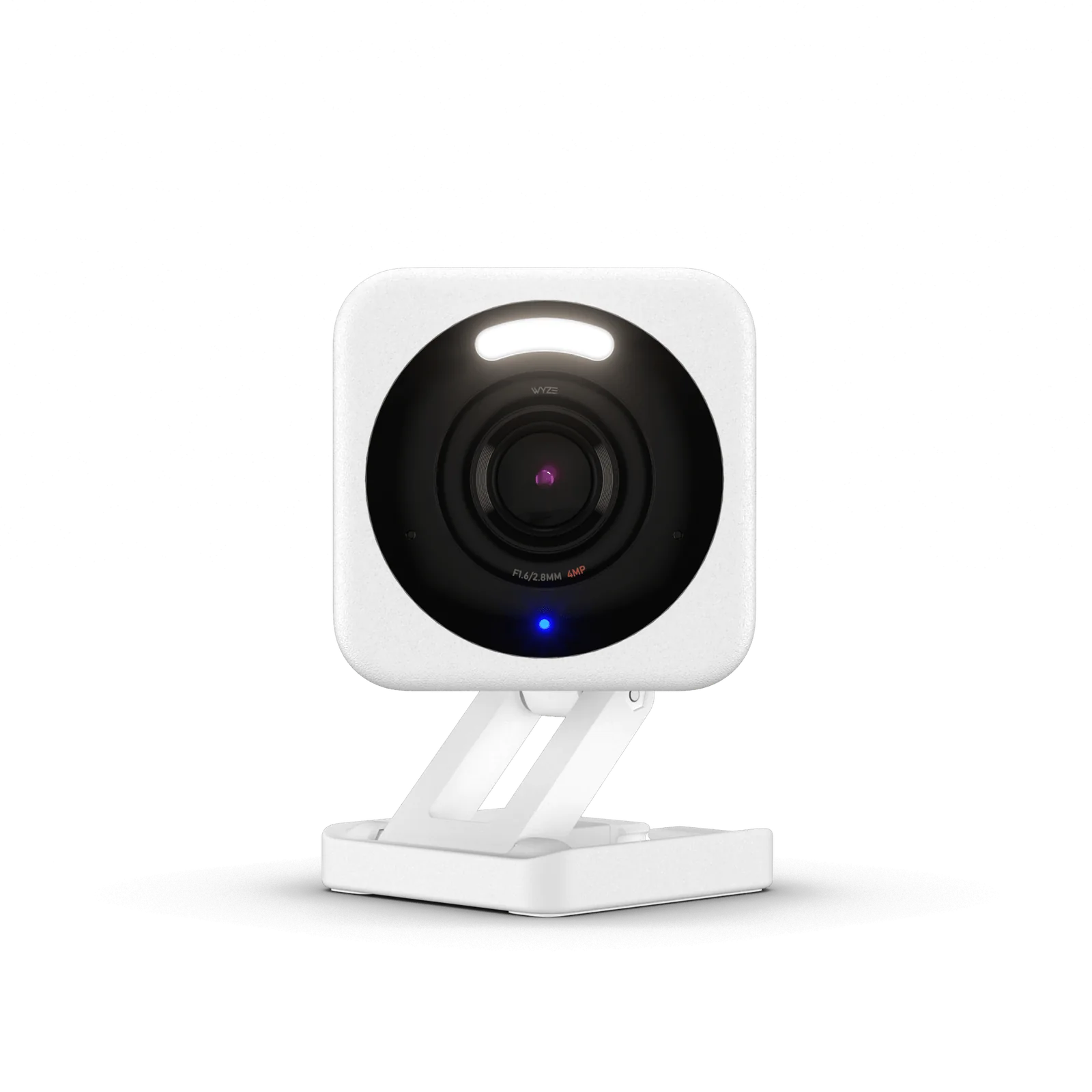
- Resolution: 2.5K QHD, 115.8° field of view
- Storage: Local microSD (up to 256GB), cloud optional
- Best for: renters who want one camera on one room with zero subscription
This is our top no-subscription pick from the indoor camera roundup: it records locally to a memory card at no extra cost and moves apartment to apartment with you, which matters if you’re not ready to commit to a full system’s ongoing decisions. See our full indoor camera guide for 3 more picks built around specific situations — baby monitoring, pets, and Google Home households.
Who This Guide Isn’t Right For
- You own your home and want a wired, permanently mounted system — see our wireless security camera systems guide instead, which covers systems this apartment-focused guide deliberately excludes.
- You’re securing a business or storefront, not a household — see our business camera systems guide.
- You want a standalone motion alarm for a driveway or yard, not an indoor system — see our driveway alarms guide instead.
- You want to protect specific valuables like cash or documents, not the whole apartment — see our home safes guide instead.
Final Recommendation
If you’re choosing between the two categories cold, default to a full system — the SimpliSafe 9-Piece covers every entry point, stays deposit-safe with adhesive sensors, and keeps the professional-monitoring option open for the insurance discount and dispatch response if you decide you want it later. Only skip straight to a standalone camera like the Wyze Cam v4 if you’re certain you only need to watch one specific spot and have no interest in the insurance or monitoring side of the decision. Most renters who start with just a camera end up adding a full system within a year or two anyway — if your budget allows it, it’s usually worth starting there.
Weighing this against other options? See our DIY Systems hub for a full breakdown by situation.
FAQ
Does a standalone camera ever qualify for a renters insurance discount?
Rarely on its own. Insurers consistently favor devices that are online and professionally monitored by a third party, and a standalone camera detects and records but doesn’t dispatch anyone. Confirm directly with your insurer, since policies and requirements vary.
Can I install either option without my landlord’s permission?
Most lease agreements require written permission before you drill, wire, or otherwise alter the property. Sticking to adhesive-mount sensors and cameras (rather than screw-mounted ones) generally avoids needing that permission in the first place, since nothing gets permanently altered.
Will my apartment building’s WiFi cause problems for either option?
It can, more for a WiFi-only camera than a full system. Buildings with many units close together see real WiFi congestion from overlapping networks. A full system’s sensors typically run on a separate radio protocol and are less exposed to this; a WiFi-only camera has no such fallback.
Can I start with a camera and add a full system later?
Yes, and it’s a common path. A standalone camera doesn’t lock you into anything, and most brands’ full systems are sold separately from their standalone cameras, so there’s no compatibility requirement forcing you to choose one ecosystem upfront.
Is professional monitoring worth paying for as a renter?
It depends on what you value. If a renters insurance discount and an actual police-dispatch response matter to you, professional monitoring is the only way to get either. If you just want to know if something happened while you were out, self-monitoring through the app (free on most systems) may be enough.
A note on our research approach: SafeBode has not purchased or installed the products referenced in this guide. This comparison is built from verified manufacturer specifications and cross-checked against the primary insurance, connectivity, and tenant-rights sources cited throughout. As our testing program develops, we’ll update this guide with genuine hands-on data and disclose that transition transparently.
Sources
Show sources (4)


