Doorbell Button Replacement: How to Test It First, Then Swap It in Ten Minutes
Affiliate Disclosure: This article contains affiliate links. If you buy through these links, we may earn a commission at no extra cost to you. Our editorial opinions are our own and are not influenced by affiliate relationships. Read our full disclosure policy →
Contents
Quick Answer
A doorbell button is a momentary switch on a low-voltage circuit, and it is the cheapest part of the system to replace – but it is not usually the part that failed. Before you buy anything, take the button off the wall and touch the two wires together. If the chime rings, the button is dead and a replacement fixes it. If nothing happens, the fault is in the transformer, the chime or the wiring, and a new button will change nothing.
How a Wired Doorbell Circuit Actually Works
The whole system is three parts and one loop. A transformer, usually mounted near your electrical panel or on a junction box, steps household voltage down to a low AC voltage. Two thin wires run from there to the button by the door and back to the chime unit inside. The button is a momentary switch: pressing it completes the circuit, the chime gets power, and it sounds.
Two things follow from that, and they explain almost every doorbell fault. First, the voltage involved is low – Ring’s hardwiring guidance lists compatible transformers for its doorbells in ranges from 8 to 24 VAC depending on the model. That is why this is a job most people can do themselves. Second, because it is a single loop, a break anywhere in it produces the same symptom: you press the button and nothing happens. The symptom does not tell you which part broke.
The loop, in order
1
Transformer
Steps mains voltage down to a low AC voltage, typically in the 8 to 24 VAC range for residential doorbells.
2
Wire out to the button
Two low-voltage conductors running through the wall to the door frame.
3
The button
A momentary switch. Pressing it closes the circuit; releasing it opens it again.
4
The chime
Gets power when the circuit closes and makes the noise. Mechanical chimes strike a bar; digital ones play a tone.
A break at any point produces the identical symptom, which is why testing beats guessing.
Test the Button Before You Replace It
This is the whole article in one paragraph, and it takes about ninety seconds. Unscrew the button from the door frame – almost always two small screws – and pull it forward. You will see two wires attached to two terminals. Loosen them, or leave them attached and simply touch the bare metal of one wire to the other.
If the chime rings, the button is the fault. The wiring, transformer and chime are all working, and you have just bypassed the only part that was not. Buy a replacement button with confidence. If the chime does not ring, stop – a new button will not fix anything, and the next section tells you where to look instead.
What the touch test tells you
Chime rings when wires touch
- The button has failed – corroded contacts or a broken spring
- Transformer is working
- Wiring run is intact
- Chime unit is working
- A replacement button is the correct fix
Nothing happens when wires touch
- The button is not the problem
- Suspect the transformer first – they fail silently and often
- Or a broken wire, usually where it enters the wall
- Or a seized mechanical chime plunger
- Buying a button now wastes money and time
Assuming the touch test produced silence, work through the rest of the loop in order of how often each part fails. Transformers are the most common culprit and the least obvious, because they sit out of sight in a basement, a closet or on the side of the panel and give no visible sign of having died.
It is also worth ruling out the obvious before the obscure: a chime that was working yesterday and is silent today, with no other change, is more often a tripped breaker or a loose transformer terminal than a failed component. The same ordered-elimination habit applies to most home security hardware – our guide to testing whether a smart lock battery is actually dying is the same approach applied to a lock.
The chime is next. On a mechanical chime the plunger that strikes the bar can seize with dust or old lubricant – if you can reach it, pushing it by hand tells you immediately whether it moves freely. Digital chimes fail electronically and give less warning.
The wiring itself fails least often but is the most annoying when it does, typically where the conductors flex at the door frame or where a staple was driven through them during some earlier work. If you have replaced the button and checked the transformer and it is still dead, that is where to look. We go deeper into the transformer side specifically in our doorbell transformer voltage guide. For the whole circuit in diagnostic order, our doorbell troubleshooting guide starts from the symptom rather than the part.
The Voltage Check That Saves You a Second Trip
If you own a multimeter, one measurement settles everything. Set it to AC volts, put the probes on the two wires at the button, and read. You should see the transformer’s rated output – a reading in the low tens of volts AC. Zero means no power is reaching the door, which points at the transformer or the wire run, not the button.
This measurement also matters if a video doorbell is anywhere in your future, because those have real requirements rather than a rough range. Ring publishes different transformer specs per model: 8 to 24 VAC at 5 to 40 VA for its battery doorbells and Video Doorbell Elite, 10 to 24 VAC at 8 to 40 VA for the Video Doorbell Wired, and 16 to 24 VAC at 10 to 40 VA for the Video Doorbell Pro, Wired Video Doorbell Pro and Wired Doorbell 2K Plus. An underpowered transformer is the single most common reason a video doorbell installs and then behaves erratically.
Transformer ranges Ring publishes, by model family
8-24 VAC
Battery doorbells and Video Doorbell Elite, 5 to 40 VA
10-24 VAC
Video Doorbell Wired, 8 to 40 VA
16-24 VAC
Video Doorbell Pro and Wired Doorbell 2K Plus, 10 to 40 VA
Not all
The Wired Doorbell 4K Pro except on PoE, and the 2K Plus, are not compatible with existing chimes at all
Ring warns that using an incompatible transformer or in-home chime kit could damage your devices. Measure before you buy, not after.
Replacing the Button, Step by Step
With a confirmed dead button, the swap is genuinely a ten-minute job. Ring’s own guidance notes that installation by a qualified electrician may be required in your area and that local codes and permits apply to electrical work – that is aimed at transformer-side work rather than a button swap, but if you are at all unsure which side of that line you are on, it is the right time to ask.
The swap
1
Kill the power
Switch off the breaker feeding the doorbell transformer. The voltage at the button is low, but the transformer side is not, and you may end up there.
2
Remove the old button
Two screws, then ease it away from the frame. Do not let the wires fall back into the hole – tape them to the frame or loop them around a pencil.
3
Note which wire went where
On a plain button it does not matter, because it is a simple switch. On a lighted button it can, so photograph it before you disconnect anything.
4
Connect the new button
One wire to each terminal, tightened properly. Loose terminals are the most common cause of a replacement that works intermittently.
5
Mount and restore power
Screw it to the frame, turn the breaker back on, and press it. If it rings, you are done.
If the new button does nothing but the touch test rang, check the terminal screws first – a wire that looks seated and is not accounts for most failed swaps.
Which Replacement Button to Buy
There is very little to a doorbell button, so the choice comes down to three things: whether you want it lit, whether the finish matches your door hardware, and whether the voltage range covers your circuit. Lighted buttons draw a small current continuously to keep the LED on, which is normal and is what the published voltage range accounts for.
| Button | Lit | Quantity | Stated voltage range | Best for |
|---|
| Saillong Lighted Button | Yes, white LED | 1 | 8V to 24V AC | The standard replacement for a lit button |
| Angoily Wired Button | No | 2 | Standard doorbell circuit | A plain swap where the old button was not lit |
| Dreyoo Lighted Button | Yes, yellow LED | 2 | Standard doorbell circuit | Front and side doors, or a spare |
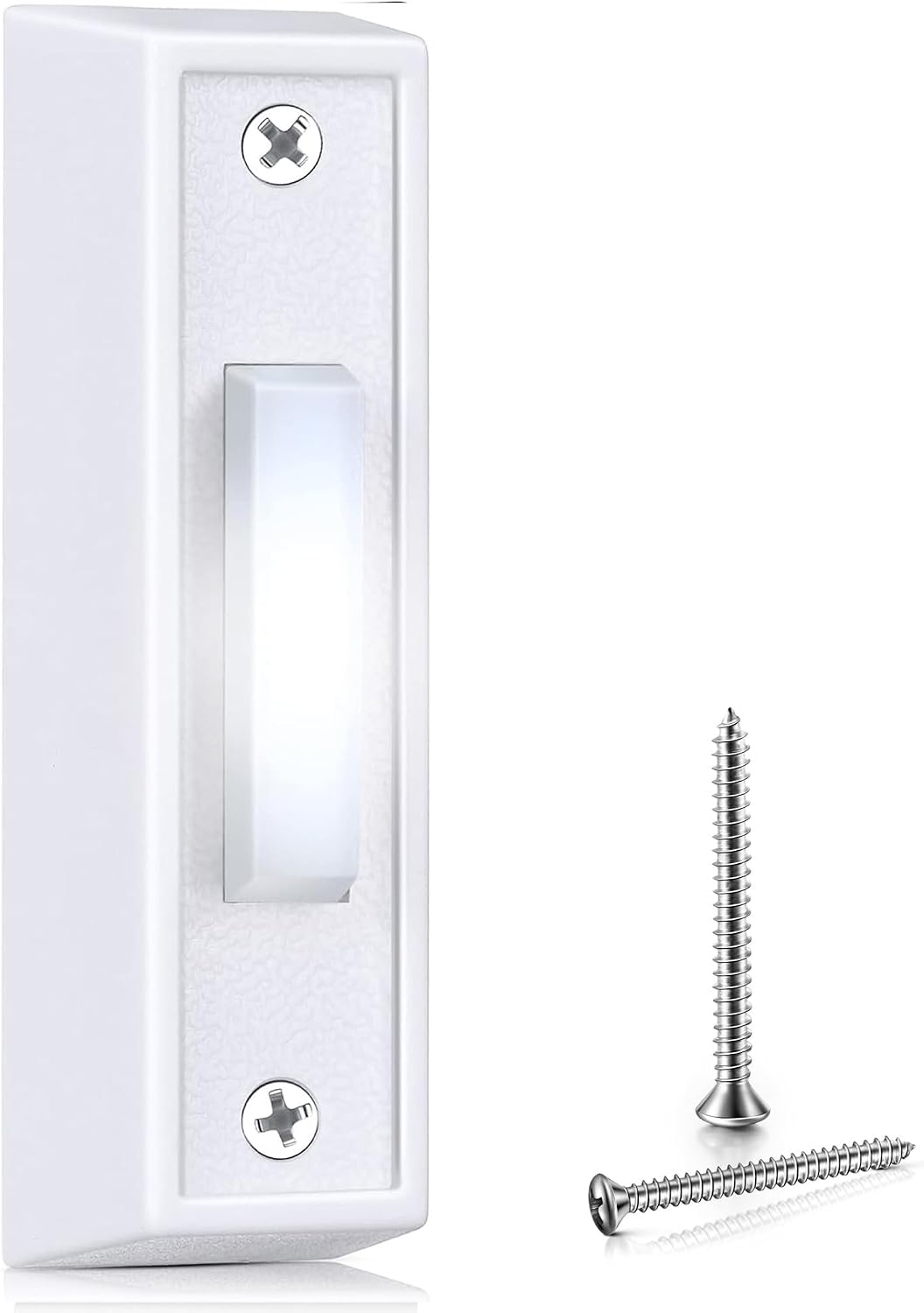
Key specs: Single lighted push button rated for an 8V to 24V AC doorbell circuit; white finish with a white LED; two-screw wired replacement for a standard button
This is the default replacement. It is a single lighted button with a stated voltage range of 8V to 24V AC, which comfortably spans what a residential doorbell circuit actually runs at, and it is the same two-screw, two-terminal fitting you just removed. A lit button is worth having even if your old one was not lit: it makes the button findable at night, which is the entire reason people press the wrong thing or knock instead. Check the finish against your door hardware before ordering – this is white, and a white button on a bronze handle set looks like exactly what it is.
✅ Pros
- Stated 8V to 24V AC range covers typical residential circuits
- Lit, so visitors can find it at night
- Standard two-screw fitting
- Sold singly – no spare you will not use
❌ Cons
- White finish will not suit every door
- Lighted buttons draw a small continuous current
- Single unit, so no spare if you have two doors
- Plastic body rather than metal
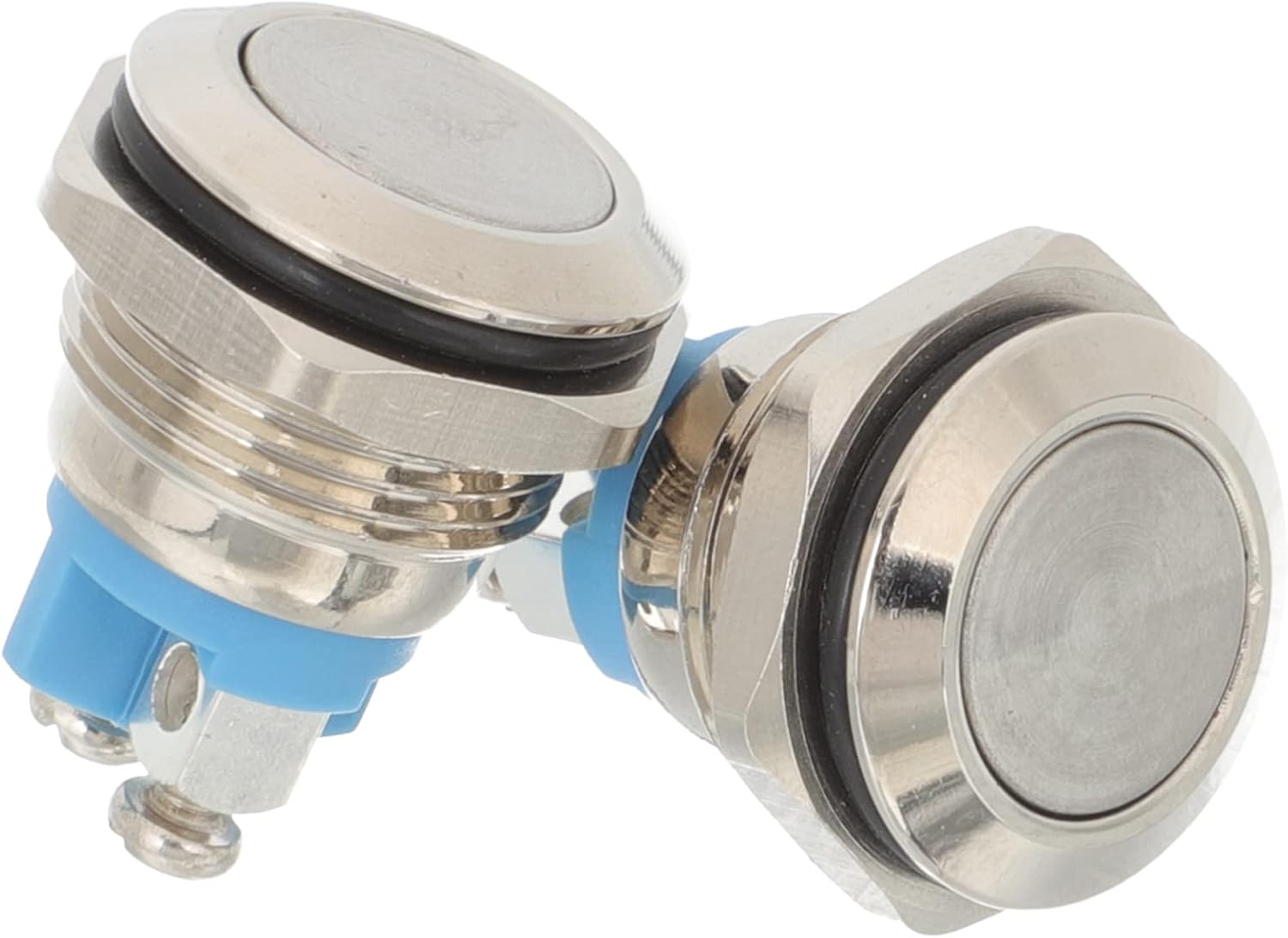
Key specs: Nickel-plated copper push button, two per pack, no illumination; a plain momentary switch for a standard wired doorbell circuit
If your existing button is not illuminated, the honest answer is that you do not need one that is. This is a nickel-plated copper push button with no LED and nothing to fail beyond the switch itself, sold two to a pack. Fewer parts is a real advantage on a component that sits outdoors through every season – there is no LED to dim, no resistor to cook, and nothing that draws current when nobody is at the door. Buy this one when the old button worked fine for a decade and you simply want the same thing again.
✅ Pros
- Nothing to fail but the switch
- Two per pack, so you have a spare
- Metal finish suits traditional hardware
- Draws no current at rest
❌ Cons
- Not illuminated – harder to find at night
- Very small review base
- No stated voltage range in the listing
- Plain styling will not match modern hardware
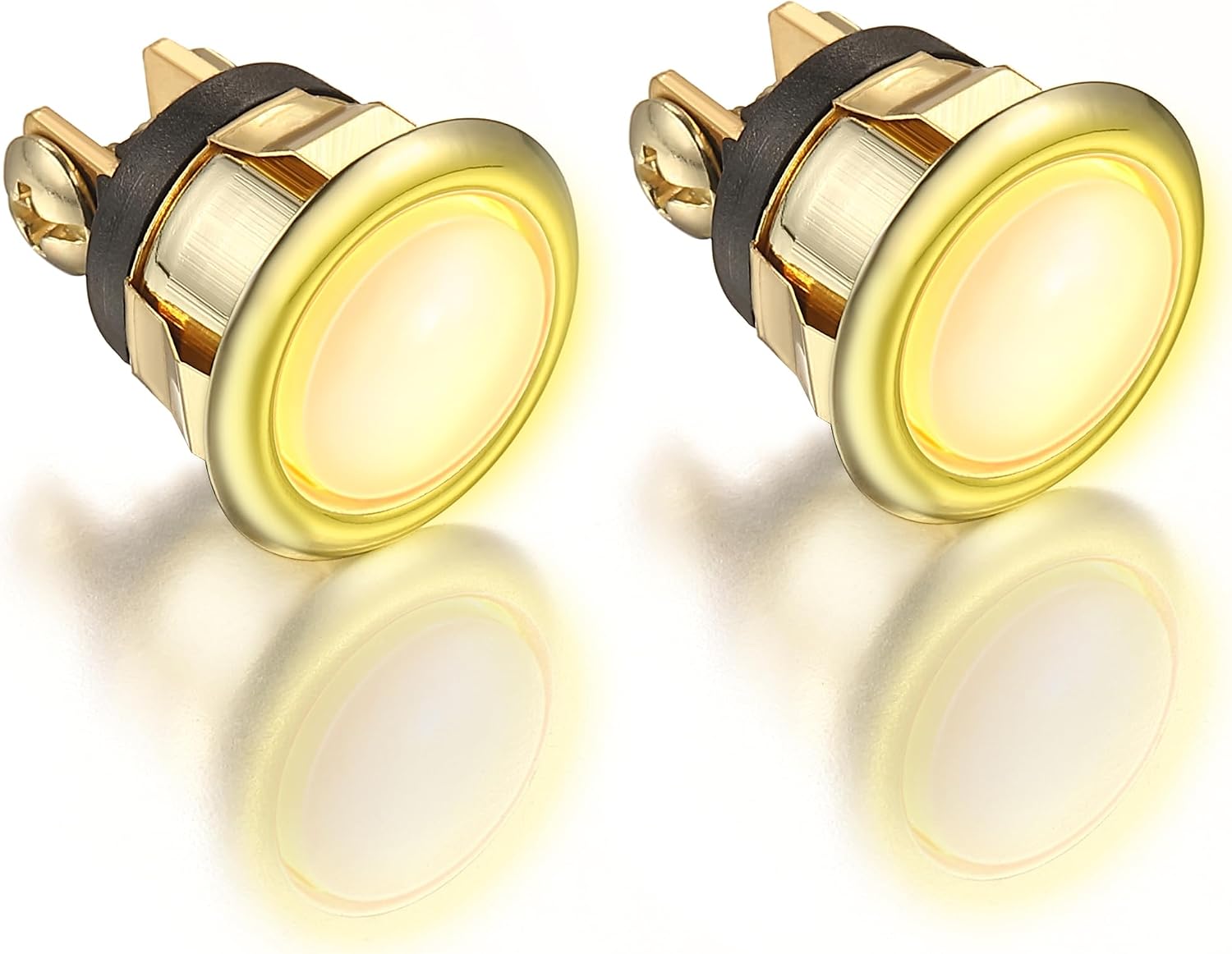
Key specs: Two lighted buttons in a gold finish with a yellow LED; wired replacement for a standard doorbell push button, sold as a pair for front and side doors
The practical case for this one is houses with a front and a side or back door on the same chime, where replacing one button and leaving the other original guarantees you are back on the ladder within a year. Two lighted buttons in a gold finish with yellow LEDs, in the same standard fitting. The finish is the deciding factor rather than any technical difference: gold hardware is common on older doors and a white plastic button next to it looks wrong. Buying a matched pair also means both doors light the same color, which sounds trivial and is the sort of thing you notice every night.
✅ Pros
- Two buttons, matched finish and LED color
- Gold suits brass and bronze door hardware
- Lit, so both entrances are findable at night
- Standard fitting, no adapter needed
❌ Cons
- Only useful if you actually have two doors
- Gold will clash with satin nickel or matte black hardware
- Listing does not state an explicit voltage range
- Lighted buttons draw a small continuous current
Should You Just Fit a Video Doorbell Instead?
It is a fair question while the wires are already in your hand, and sometimes the answer is yes. But there is a compatibility trap worth knowing before you commit. Ring states that the Wired Doorbell 4K Pro, except when powered over Ethernet, and the Wired Doorbell 2K Plus are not compatible with existing chimes at all, and that an in-home Chime Kit Mini is needed instead. Assuming your existing chime will carry over is the wrong default.
The transformer matters as much. If your circuit runs at the low end of the range, a video doorbell with a 16 to 24 VAC requirement will not work properly on it, and Ring publishes separate wiring diagrams for wired and for battery doorbells precisely because the arrangements differ. Measure first. If you decide to go that way, our Ring doorbell installation guide walks through the install, and our wired video doorbell comparison covers which model actually fits a wired circuit.
There is also a case for staying analog. A plain wired doorbell has no subscription, no app, no firmware and no dependency on your wifi – the same argument we make for keypad locks over smart locks. If the button broke and everything else works, the cheapest correct fix is a two-dollar switch.
What to Actually Do
Do the touch test first, and only buy a button if the chime rings. That one step separates the people who fix their doorbell in ten minutes from the people who replace three parts in sequence. If it rings, fit the Saillong Lighted Doorbell Button – the stated 8V to 24V AC range covers ordinary residential circuits, the fitting is standard, and a lit button solves a real problem after dark.
Choose the Angoily plain button instead if your original was not illuminated and you would rather have nothing that can fail, and the Dreyoo pair if you have two doors on one chime or your hardware is brass. Match the finish before you match anything else, because every one of these will work electrically.
What would change this entirely: if the chime stayed silent during the touch test, do not buy any button. Check the transformer, then the chime, then the wire run – in that order, because that is the order they fail in. And if you are replacing the button because you want to see who is there rather than just hear them, measure your transformer voltage before choosing a video doorbell, since Ring’s own compatibility notes make clear that not every model works with every existing circuit and chime.
SafeBode does not yet run an in-house product testing program. This guide is built from manufacturer specifications, official support documentation, current retail listings and verified buyer feedback rather than hands-on testing, and we say so plainly rather than implying testing we have not done.
Frequently Asked Questions
How do I know if my doorbell button is broken?
Remove it from the frame and touch the two wires together. If the chime rings, the button is the failed part. If nothing happens, the fault is elsewhere in the circuit and a new button will not fix it.
Do I need to turn off the power to change a doorbell button?
The voltage at the button is low, but switch off the breaker feeding the transformer anyway. It costs nothing, and troubleshooting frequently ends up at the transformer where the voltage is not low.
Does it matter which wire goes to which terminal?
On a plain button, no – it is a simple momentary switch. On a lighted button it can matter, so photograph the original wiring before you disconnect it.
Why does my doorbell buzz or hum instead of ringing?
That usually means the circuit is closing but the chime cannot complete its stroke – a stuck mechanical plunger, or a button whose contacts are staying partly closed. Check the chime mechanism before replacing the button.
Can I fit a lighted button if my old one was not lit?
Yes, on a normal wired circuit. A lighted button draws a small continuous current to keep the LED on, which is what its stated voltage range accounts for. Check that range against your transformer if you know its rating.
Will my existing chime work with a video doorbell?
Not always. Ring states that the Wired Doorbell 4K Pro, except on PoE, and the Wired Doorbell 2K Plus are not compatible with existing chimes, and that a Chime Kit Mini is needed instead. Check the specific model rather than assuming.
What voltage should I read at the button?
You should see the transformer’s rated AC output, which for residential doorbells is typically somewhere in the 8 to 24 volt range depending on the installation. Zero volts means the fault is upstream of the button.
How long should a doorbell button last?
Years, usually a decade or more. They fail from water getting into the contacts and from the return spring wearing out, which is why the exposed ones on unsheltered doors fail first. A button under a porch roof routinely outlives the chime.
Sources
Show sources (4)


