Best Glass Break Sensors 2026: Which Sensor Technology Fits Your Home
Affiliate Disclosure: This article contains affiliate links. If you buy through these links, we may earn a commission at no extra cost to you. Our editorial opinions are our own and are not influenced by affiliate relationships. Read our full disclosure policy →
The short answer: a glass break sensor listens or feels for the specific pattern of shattering glass and triggers an alarm before an intruder finishes climbing through — something a standard door/window contact sensor can’t do, since those only detect an opening, not a break. The right pick depends less on brand and more on two things: which detection technology you want (acoustic microphone vs. vibration/shock), and whether you already have a security hub it needs to talk to. This guide compares 4 real options across the ecosystems homeowners actually have — SimpliSafe, Ring, a Zigbee smart-home hub, and a standalone option that needs no hub at all. Sliding glass doors are one of the most common places to add one; if that’s specifically what you’re securing, our guide to securing a sliding glass door covers the physical fixes a sensor should be layered on top of, not instead of.
Table of Contents
Acoustic vs. Vibration: The Two Technologies Behind Every Glass Break Sensor
Every glass break sensor on the market uses one of two detection methods, and the difference matters more than the brand name on the box. Acoustic sensors use a small microphone that listens for the two-stage sound signature of breaking glass — a low-frequency thud as the glass flexes, followed by the high-frequency shatter. One acoustic sensor can cover every window in a room, since it’s listening to the whole space rather than a single pane. Vibration (shock) sensors work differently: they mount directly on or near the glass and feel for the physical impact, which generally means one sensor per window. A couple of the picks below blur this line further by pairing a vibration trigger with a loud built-in local siren instead of reporting to an app at all. Storefronts with large glass frontages have their own alarm needs, covered in our guide to small business burglar alarm systems.
Two Technologies, Two Tradeoffs
Acoustic (Microphone)
- Listens for the glass-breaking sound frequency
- One sensor covers a whole room
- Effective range: roughly 20–25 ft, 360°
- Can misfire on thunder, slammed doors, or dropped dishes
Vibration (Shock)
- Feels the physical impact on the glass itself
- Generally one sensor per window
- Mounts directly on or beside the pane
- Can misfire on thunder or a slammed door
Dual-technology sensors require both a sound match and a vibration match before triggering, which is why they false-alarm less often than either technology alone.
How We Chose These
We started from real Amazon search and sales data for glass break sensors and narrowed to products that (a) are still actively sold with a current listing, (b) have a real, verifiable review base rather than a handful of seeded reviews, and (c) represent a genuinely different situation rather than four versions of the same thing. That’s why this list spans four different ecosystems — SimpliSafe’s closed system, Ring’s flexible Sidewalk-or-base-station setup, the open Zigbee hub standard, and a standalone option with no hub at all — instead of ranking four near-identical acoustic sensors against each other.
The Best Glass Break Sensors for 2026
SimpliSafe Glassbreak Sensor — Best for Existing SimpliSafe Systems
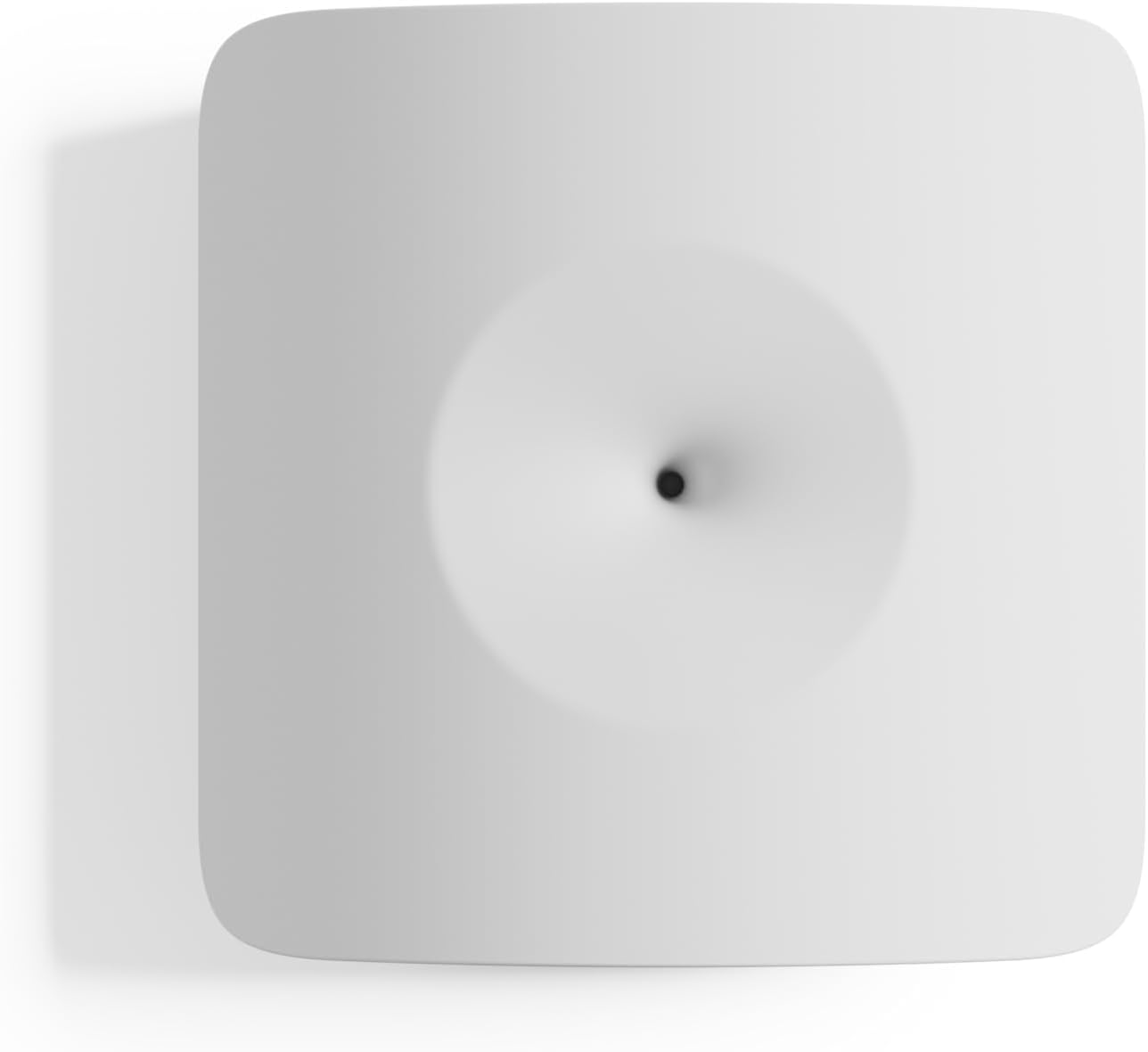
- Technology: Acoustic (sound detection)
- Range: 20 ft
- Requires: SimpliSafe base station (Gen 3 system)
- Battery life: Approximately 4 years
- Best for: Households that already own, or are buying, a SimpliSafe alarm system
This is the sensor to buy if you already have — or are about to buy — a SimpliSafe system. It listens for the specific sound frequency of breaking glass within a 20-foot range and reports directly into the same app and base station as the rest of your SimpliSafe hardware, with no separate account or extra hub. If you don’t have a SimpliSafe base station yet, our DIY home alarm systems guide covers the 8-piece kit this sensor plugs directly into, along with three other brands it doesn’t. SimpliSafe’s own installation guidance recommends mounting the sensor facing the window it protects, within 20 feet (or 5–10 feet if the window has heavy curtains), and notes it’s only intended for single- or double-paned glass — not laminated or anti-smash glass.
Honest limitation: this is a single-technology acoustic sensor, not a dual-tech unit, so it can occasionally misfire on loud, glass-adjacent sounds like a dropped dish nearby. It’s also a closed-ecosystem product — it works with SimpliSafe’s own system and nothing else, so it isn’t the right pick if you’re on a different brand’s hub.
Pros
- Plug-and-play with an existing SimpliSafe base station
- Long battery life (~4 years)
- Widest verified review base of any pick here
Cons
- Only works with SimpliSafe’s own system
- Single-technology acoustic, not dual-tech
- Not compatible with laminated or anti-smash glass
Ring Glass Break Sensor (2-Pack) — Best for Ring Users Who Don’t Want a Base Station

- Technology: Acoustic (sound detection)
- Connectivity: Amazon Sidewalk (no base station required) or a Ring Alarm Base Station
- Monitoring: Optional Ring Protect professional monitoring
- Best for: Existing Ring app or camera users who want glass-break coverage without buying into the full Ring Alarm system
Ring’s newest glass break sensor is built to recognize the sound of breaking glass while filtering out common household noise, and it’s genuinely flexible about what it connects to: it works directly over Amazon Sidewalk with no base station at all, or pairs with a Ring Alarm Base Station if you want it folded into a full system. Either way it shows up in the same Ring app as your cameras and doorbells, with real-time push notifications and optional 24/7 professional monitoring available as an add-on. If you do want the full base-station system this sensor can also connect to, our Ring Alarm System guide covers that hardware lineup in full.
Honest limitation: this is a newly released “latest model” sensor with a small review base so far (dozens, not thousands) relative to Ring’s long-established contact sensors, which have tens of thousands of ratings. The detection technology itself is proven, but this specific hardware revision doesn’t have years of track record yet, and a handful of early buyers reported needing a firmware update before pairing completed successfully.
Pros
- Works without a Ring Alarm base station, via Amazon Sidewalk
- Filters common household noise by design
- Shows up alongside existing Ring devices in one app
Cons
- Small review base so far, being a brand-new release
- Full professional monitoring requires a paid Ring Protect plan
- Costs more per sensor than the other three picks
Aqara Zigbee Vibration Sensor — Best for HomeKit, Alexa, and Home Assistant Automation

- Technology: Vibration and tilt (not acoustic)
- Requires: Aqara Hub (Zigbee) — not compatible with third-party Zigbee hubs
- Works with: Apple HomeKit, Amazon Alexa, IFTTT, Home Assistant (via the Aqara Hub)
- Battery life: Approximately 2 years
- Best for: Households already running an Aqara or Zigbee smart-home setup
This is the cheapest sensor in this guide by a wide margin, and the most genuinely multi-purpose. Aqara markets it as a glass break detector, but it’s really a general vibration and tilt sensor: beyond windows, buyers use it on drawers, jewelry boxes, delivery packages, and safes, with alerts routed through whichever smart-home platform the Aqara Hub is connected to. That flexibility is the real draw for households already invested in HomeKit, Alexa routines, or Home Assistant, since this sensor folds into automations the other three picks can’t touch.
Honest limitation: multiple verified buyers report this sensor performs more reliably as a general jolt or tilt detector than as a finely tuned vibration sensor — several needed to raise the sensitivity to its maximum setting before it reliably registered anything short of a hard, direct impact. Treat it as a smart-home automation sensor that’s marketed for glass-break use, not a dedicated acoustic listener like the SimpliSafe or Ring picks above. It also only pairs with an Aqara-brand hub, not a generic third-party Zigbee coordinator.
Pros
- Cheapest pick in this guide by a wide margin
- Genuinely multi-purpose: drawers, packages, valuables, not just glass
- Deep integration with HomeKit, Alexa, and Home Assistant
Cons
- Requires an Aqara-brand hub specifically
- Real-world sensitivity is inconsistent per verified buyer reports
- Lower average rating than the other three picks
EVA LOGIK Window Alarm (4-Pack) — Best Budget Pick, No Hub Required at All

- Technology: Vibration/contact sensor with a built-in 120dB local siren
- Requires: Nothing — no hub, no app, no subscription
- Power: 2 AAA batteries per unit (not included)
- Pack size: 4 units, one per window or glass door
- Best for: Renters, dorms, or anyone who wants a loud local deterrent with zero smart-home investment
This is a genuinely different category of product from the other three picks. Each unit peels, sticks, and arms itself — no wiring, no app, no account, no monthly fee. A built-in vibration sensor triggers a 120dB local siren the moment it detects an impact, with adjustable high/low sensitivity to cut down on nuisance triggers from wind or a slammed door, plus a small LED that flashes as a visible deterrent and doubles as a low-battery warning. For renters who can’t install a hardwired system or don’t want to commit to any single ecosystem, this is the fastest, cheapest way to cover four entry points.
Honest limitation: this does not connect to a phone, hub, or app at all — it’s a self-contained vibration sensor with its own built-in siren, full stop. That’s the entire point for a zero-setup deterrent, but it also means you get no notification if you’re away from home when it triggers; only whoever is within earshot will hear it. It’s also a vibration/contact sensor, not a true acoustic sound-detection sensor, despite “glass break” appearing in the product name — it’s listening for an impact on the window, not the acoustic signature of the glass itself. A sensor tells you the glass broke; it does nothing to stop it, which is the job our guide to window security film and bars covers.
Pros
- No hub, app, or subscription required at all
- Loud built-in 120dB local siren
- Cheapest way to cover 4 windows in this guide
Cons
- No phone notification if you’re away from home
- Vibration-based, not true acoustic glass-break detection
- Some buyers report inconsistent sensitivity unit-to-unit
Side-by-Side Comparison
| Product | Technology | Hub Required | Notification Method | Best For |
|---|
| SimpliSafe Glassbreak Sensor | Acoustic | SimpliSafe base station | SimpliSafe app | Existing SimpliSafe systems |
| Ring Glass Break Sensor | Acoustic | None (Amazon Sidewalk) or Ring Alarm base station | Ring app | Ring users without a base station |
| Aqara Zigbee Vibration Sensor | Vibration/tilt | Aqara Hub (Zigbee) | Aqara app, HomeKit, Alexa, Home Assistant | Smart-home automation households |
| EVA LOGIK Window Alarm | Vibration/contact + local siren | None | 120dB local siren only, no app | Renters, no-hub budget pick |
Where to Place a Glass Break Sensor for Best Results
Placement matters more for glass break sensors than for almost any other sensor type, because both major technologies have a real, limited range. For acoustic sensors, mount on a wall or ceiling with a clear, unobstructed line of sight to the glass you’re protecting, ideally within 20–25 feet. ADT specifically recommends keeping detection within roughly 5–20 feet of the actual window or door, depending on the sensor. Heavy curtains and soft furnishings cut an acoustic sensor’s effective range too — SimpliSafe’s own installation guidance shortens the recommended distance from 20 feet down to just 5–10 feet for windows behind heavy curtains. Keep acoustic sensors away from the kitchen and away from TVs or speakers, since dish-breaking sounds and on-screen glass-shatter effects are common false-alarm sources. Vibration sensors skip the line-of-sight problem entirely since they mount on the glass or frame itself, but that also means you need one per window rather than one per room.
Placement, At a Glance
20–25 ft
Acoustic sensor range, clear line of sight
5–10 ft
Range behind heavy curtains
34%
Break-ins via front door
23%
Break-ins via first-floor window
Glass break sensors are worth the extra step because of where burglars actually go: front doors account for roughly 34% of residential entries and first-floor windows for another 23%, with about 40% of all burglaries involving an unlocked door or window in the first place. A standard door/window contact sensor only tells you when an entry point opens — it says nothing if someone breaks a pane and reaches through without ever opening the frame, which is exactly the gap a glass break sensor closes. For the doors, a standalone door alarm is the hub-free equivalent, and our roundup explains which type fits which job.
Who This Guide Is For
This guide is for you if:
- ✅ You have large windows or sliding glass doors a contact sensor can’t fully cover
- ✅ You already own SimpliSafe, Ring, or a Zigbee smart-home hub and want a matching sensor
- ✅ You want a loud local deterrent without any smart-home setup at all
Final Recommendation
For most households, the right pick is whichever sensor matches the hub you already have: the SimpliSafe Glassbreak Sensor if you’re on SimpliSafe, the Ring Glass Break Sensor if you’re already in the Ring app, and the Aqara Zigbee Vibration Sensor if you run HomeKit, Alexa, or Home Assistant automations. If you have no hub at all and just want the cheapest way to cover four windows with a loud local deterrent, the EVA LOGIK Window Alarm 4-Pack does that job without asking you to buy into any ecosystem at all.
SafeBode does not yet run an in-house product testing program. This guide is built from manufacturer specifications, official installation documentation, independent industry sources, and verified buyer feedback aggregated through Amazon’s own review data — not hands-on testing in our own homes. We disclose this openly rather than imply testing we haven’t done; see our editorial policy for our full research process.
Frequently Asked Questions
Do I need a glass break sensor if I already have door and window contact sensors?
Contact sensors only tell you when a door or window opens or closes — they have no way to detect a broken pane if the frame itself never moves, which is exactly how a smash-and-reach entry through a large window or sliding glass door works. A glass break sensor closes that specific gap. It’s most worth adding in rooms with big windows or sliding glass doors that a handful of contact sensors can’t fully cover.
What’s the real difference between acoustic and vibration glass break sensors?
Acoustic sensors use a microphone to listen for the specific sound frequency of shattering glass and can cover an entire room from one central spot. Vibration (shock) sensors mount directly on or near the glass itself and feel for the physical impact of a break, which generally means one sensor per window rather than one per room.
Can a glass break sensor cause false alarms?
Yes. Both technologies can misfire: acoustic sensors on loud, glass-adjacent sounds like thunder or a dropped dish, and vibration sensors on a slammed door or a nearby impact. Dual-technology sensors, which require both a sound and a vibration match before triggering, false-alarm noticeably less often than single-technology models.
Will a glass break sensor work on tempered or laminated safety glass?
Not reliably. SimpliSafe’s own documentation states its Glassbreak Sensor is intended only for single- or double-paned glass, not laminated or anti-smash glass, and that limitation is common across the category since laminated glass breaks and vibrates differently than standard panes. If your home has laminated or impact-resistant windows, a door/window contact sensor is the more reliable choice for that specific opening.
How many glass break sensors do I need for one house?
It depends on the technology. One acoustic sensor typically covers every window in a single room, as long as it has a clear line of sight within roughly 20–25 feet. Vibration sensors need to be mounted per window, so a room with three separate windows would need three units. Most homes end up mixing acoustic sensors in rooms with multiple windows and skipping vibration sensors entirely unless there’s a specific pane that needs standalone coverage.
Sources
Show sources (5)


