How Much Does a Home Security System Cost? A Full Cost Breakdown (2026)
Affiliate Disclosure: This article contains affiliate links. If you buy through these links, we may earn a commission at no extra cost to you. Our editorial opinions are our own and are not influenced by affiliate relationships. Read our full disclosure policy →
Table of Contents
The Sticker Price Isn’t the Real Cost
Most “home security system cost” searches land on a single number — an average price meant to represent every system, every household, every city. That number is close to useless on its own, because the actual cost of a security system is spread across several categories that don’t move together: equipment you buy once, an optional monthly subscription, and a set of local fees almost nobody budgets for until they get a bill for one. Two households can buy the exact same hardware and end up with very different total costs, depending on whether they self-monitor or pay for professional monitoring, and whether their city charges for alarm permits or false alarms.
This guide breaks the real cost into its actual components instead of quoting one blended average, so you can see exactly where your money goes and where it doesn’t have to. For product picks by category, see our DIY home alarm systems guide or our renter-focused systems guide.
Quick Answer
Budget for four categories: equipment and required accessories, installation, monitoring, and applicable local fees. Compare the same ownership period for each quote: add the upfront charges, recurring plan payments, and any permit or renewal charges. Keep possible false-alarm charges separate as a contingency. Self-monitoring through an app is not always free; check which remote functions your chosen platform includes. The worksheet below lets you compare written quotes without relying on a national average.
Who This Guide Is For
This guide is for you if:
- ✅ You’re budgeting for a security system and want to know what actually drives the total cost
- ✅ You’re comparing DIY self-monitoring against a professional monitoring contract
- ✅ You want to know about permit requirements and false-alarm fines before you get surprised by one
- ✅ You want to understand how your monitoring choice affects your insurance discount eligibility
Skip this guide if:
- ❌ You already know which system you want and just need the picks — see our DIY home alarm systems guide instead
- ❌ You’re specifically choosing between a full system and standalone cameras as a renter — see our system vs. camera decision guide
- ❌ You want a review of a specific brand’s pricing (see our ADT review, or SimpliSafe, Vivint) rather than the category as a whole
The 3 Core System Costs
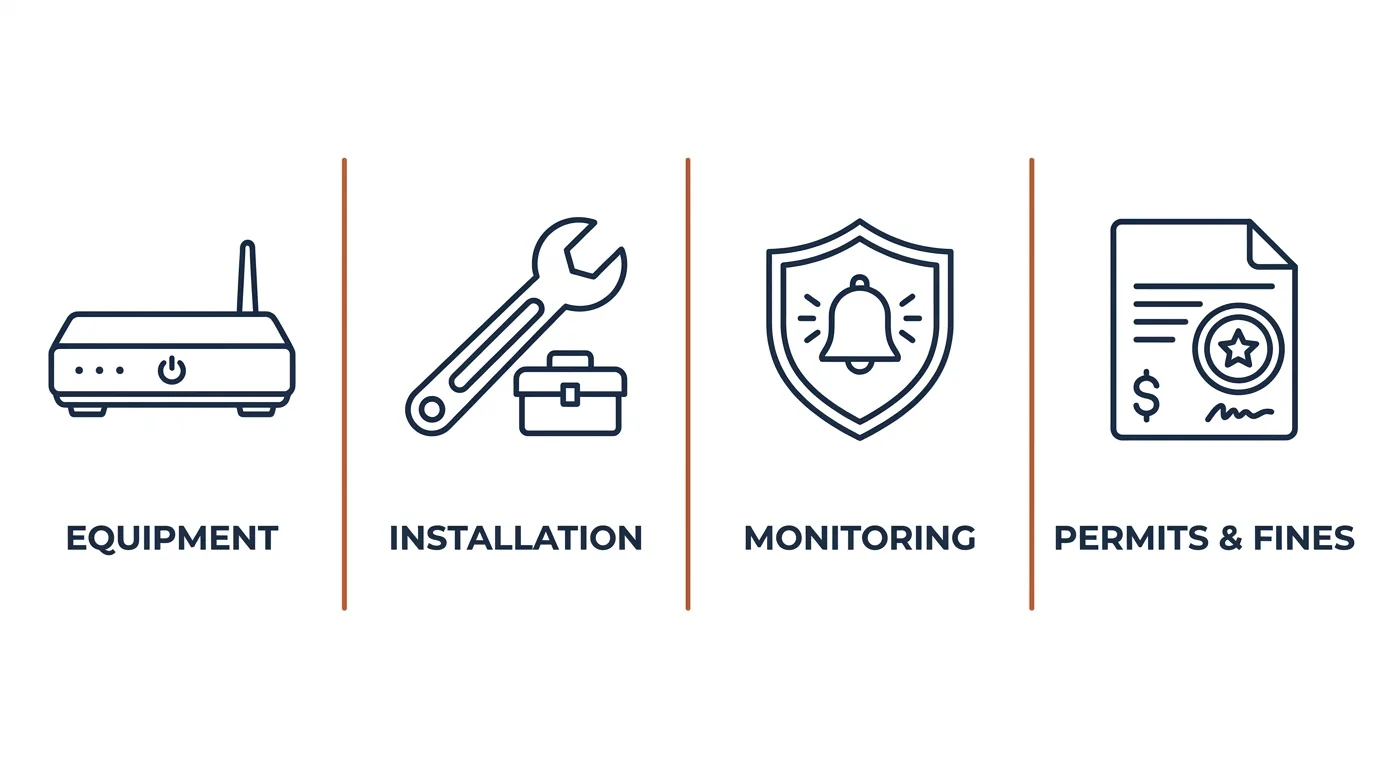
1. Equipment
This is the one-time purchase: a hub or base station, entry sensors for your doors and windows, and usually a motion sensor. It’s the most straightforward cost, since it’s a single transaction with a clear price tag at checkout, and it varies mainly by how many entry points you’re covering and whether you add extras like a camera or a smoke detector.
2. Installation
Most modern DIY-friendly systems use adhesive-mount sensors you install yourself in minutes, so this cost is effectively zero for most renters and homeowners. Professional, wired installation still exists for larger or more complex systems, and companies frequently advertise it as “free” — but that’s rarely the full picture, which is exactly why the next section exists.
3. Monitoring
Monitoring can include remote self-monitoring features, professional emergency response, or both. A self-monitored setup may have no recurring charge, but some platforms require a subscription for app functions: Ring, for example, requires a compatible plan for digital arming/disarming and certain other in-app features. Check the features included in your exact plan before entering a zero in your budget.
DIY vs. Professional: Where the Cost Actually Goes
The security system market really splits into two different cost models, not two versions of the same one. A DIY system asks you to pay more upfront for the hardware, then lets you choose among the monitoring options that platform supports; check the plan requirements and cancellation terms rather than assuming app features are free. A professionally installed system flips that: the installation and often even the equipment show up as “free” or heavily discounted, but professional monitoring typically requires a multi-year contract to unlock — which means the hardware cost hasn’t disappeared, it’s been folded into monthly payments you’re locked into for years.
The “Free Installation” Catch
When a provider waives installation or equipment cost, that cost hasn’t vanished — it’s typically recovered through the required multi-year monitoring contract. Before comparing a “$0 upfront” professional offer against a DIY kit’s sticker price, multiply the monthly monitoring fee by the full contract length to see the real total, not just the number on the box.
The Cost Most People Forget: Permits and False Alarm Fines
Permit requirements, exemptions and response rules depend on the jurisdiction and alarm type. Ask the city or county authority for the rules that apply to your address. Los Angeles, for example, requires an alarm permit and describes fee waivers for certain residential systems that are not monitored by an alarm company or monitoring device. A waiver of the permit fee is not the same as a permit exemption.
Do not assume the first false alarm is free. Los Angeles charges for the first false alarm and adds penalties for repeat incidents or an unpermitted system. Its published schedule took effect May 4, 2026; the first-incident examples below were checked October 16, 2026. They illustrate one city’s rules, not a nationwide price range.
Permitted
Los Angeles charges from the first false alarm; see its schedule effective May 4, 2026 for current amounts
Unpermitted
Los Angeles adds a penalty when there is no valid permit; repeat incidents increase that penalty
Check your specific city’s alarm ordinance before you buy, not after your first false trigger.
How Your Monitoring Choice Affects Your Insurance Discount
Many renters and homeowners insurance policies offer a discount for having a security system in place — and that discount is a real, if often overlooked, way to offset the monitoring cost. But insurers generally reserve the larger discounts for professionally monitored systems, not self-monitored ones, since a monitored system that can actually dispatch help is a lower risk to insure than one that just sends you a phone notification. If a lower premium is part of your cost calculation, confirm your specific insurer’s requirements before assuming a free self-monitored setup will qualify.
Full Cost Breakdown Table
Actual dollar figures shift constantly with promotions and inventory, so instead of a snapshot that goes stale, this table shows the relative cost tier and payment structure for each category — see Forbes Home’s current cost guide for today’s specific price ranges.
| Cost Category | Relative Tier | Payment Structure | Who Sets the Price |
|---|
| Equipment (DIY) | Moderate | One-time purchase | Manufacturer / retailer |
| Installation (DIY, adhesive-mount) | None | Your own time | N/A — self-installed |
| Installation (professional, wired) | Often waived upfront | Recovered via monitoring contract | Monitoring provider |
| Self-monitoring | Depends on platform and features | Local operation and remote app functions may have different plan requirements | Provider |
| Professional monitoring | Moderate to high | Recurring monthly, often contract-locked | Monitoring provider |
| Alarm permit | Check the applicable local schedule | Registration and renewal rules vary by jurisdiction | Local government |
| False alarm fine | Check local fees and repeat-incident penalties | Per incident; a charge may apply from the first false alarm | Local government |
Compare Your Written Quotes
Use the same term for every option and enter your own quoted amounts. This is a worksheet to copy, not a live price calculator.
| Budget input | Your amount or assumption |
|---|
| Comparison term in months | _____ months |
| Equipment, including required hubs, storage and accessories | $_____ |
| Installation and activation | $_____ |
| Monitoring and other required subscriptions over that term | $_____ per month × _____ months = $_____ |
| Applicable permit and renewal fees over that term | $_____ |
| Quoted tax, financing charges and other required fees | $_____ |
| Total planned cost | $_____ |
| Separate contingency: local false-alarm charges, repairs or early-exit obligations | Record the rule and amount; do not treat an uncertain event as a routine fee. |
If equipment is financed, count either its purchase cost plus finance charges or the full installment total, not both. Check any balance remaining after your comparison term. Record quote dates, promotional expiry dates and the exact features covered; subtract an insurance saving only if your insurer confirms it.
How to Lower Your Total Cost
- Check permit requirements before activating monitoring. Register and renew when your local authority requires it; include applicable fees and any unpermitted-system penalties in your comparison.
- Test your system after every change. Follow your provider’s test-mode instructions to avoid an unnecessary dispatch, and check your local schedule for first-incident charges and repeat penalties. See our guide to stopping false alarms for the specific steps that actually reduce this.
- Compare the full contract cost, not the headline offer. Multiply “free installation” offers by their required contract length before comparing them to a DIY kit’s upfront price.
- Ask your insurer what actually qualifies for a discount before assuming self-monitoring will save you money on your premium.
Who This Guide Isn’t Right For
- You want specific product picks, not a cost framework — see our DIY home alarm systems guide instead.
- You’re renting and choosing between a full system and standalone cameras — see our system vs. camera decision guide.
- You want a single brand’s exact current pricing — check that provider’s own site directly, since promotional pricing changes frequently.
Final Recommendation
Before comparing a product’s price tag, total the same four categories for each option: equipment and required accessories, installation, monitoring over your chosen period, and applicable local fees. Record false-alarm charges as a separate contingency, since they are not a routine subscription cost. Check the exact remote features and contract terms before assuming self-monitoring has no recurring charge. See our DIY home alarm systems guide for specific picks once you have chosen your monitoring approach.
Weighing this against other options? See our DIY Systems hub for a full breakdown by situation.
FAQ
Is “free” professional installation actually free?
Not usually. Professional installation and equipment discounts are typically recovered through a required multi-year monitoring contract, so the cost hasn’t disappeared — it’s just been spread into monthly payments you’re locked into.
Do I actually need a permit for a home alarm system?
It depends on your location and alarm type. Check the city or county authority responsible for your address before activating monitoring, including any registration, renewal or fee-waiver rules. Los Angeles publishes its permit requirements and fee waivers directly; do not assume that one city’s rules apply elsewhere.
How much can a false alarm actually cost me?
Check your local schedule for first-incident charges, repeat penalties and the period over which incidents are counted. There may be no free first incident. The official city example above shows how permit status also changes the bill.
Does self-monitoring ever qualify for an insurance discount?
Rarely to the same degree as professional monitoring. Insurers generally reserve their larger discounts for systems with active, professional monitoring rather than self-monitored setups. Confirm the exact requirement with your own insurer.
Is DIY or professional monitoring cheaper in the long run?
Compare written quotes over the same period, including equipment, required accessories, installation, plan payments and applicable local fees. A self-monitored system can cost less, but remote app features are not always free. Count an insurance discount only after your insurer confirms it, and compare the cost of any contract or financing obligation separately.
A note on our research approach: this guide describes cost structure and relative tiers rather than point-in-time dollar figures, since security system and monitoring pricing changes frequently with promotions and market competition. The Los Angeles false-alarm examples use the city’s published schedule, checked October 16, 2026. Local fees can change; verify the current schedule and rules for your address before relying on a budget.
Sources
Show sources (5)


