Google Nest x Yale Lock: What You Get Beyond a Regular Yale Assure
Affiliate Disclosure: This article contains affiliate links. If you buy through these links, we may earn a commission at no extra cost to you. Our editorial opinions are our own and are not influenced by affiliate relationships. Read our full disclosure policy →
Contents
Quick Answer
The Nest x Yale Lock is not a Yale Assure lock with a Google badge on it. It is a different piece of hardware built around Google’s now-legacy Weave protocol, and it needs a separate Nest Connect bridge to do anything beyond opening the door with a code. Here is the part most buying guides gloss over: Google itself no longer sells this lock. Manufacturing was discontinued and the product was pulled from the Google Store, which now redirects shoppers to a genuinely different successor, the Yale Smart Lock with Matter. The original is still a real, purchasable lock through retail stock, and it still gets Google Home app support — but you are buying hardware Google has moved on from, not its current recommendation.
Two Very Different Yale Locks Share a Name
If you have already read our Yale Assure lock guide, the Nest x Yale Lock can look like just another finish option in the same lineup. It is not. The Assure Lock 2 family connects to Wi-Fi directly through a swappable radio module built into the lock, with no separate bridge box required. The Nest x Yale Lock predates that design entirely: Google’s own documentation states plainly that “the Nest x Yale Lock doesn’t connect directly to Wi-Fi. Instead, it uses Weave to connect to a Nest Connect in your home”. Weave is the protocol Nest built before Matter existed as an industry standard, and it only talks to other Nest hardware — not to your router.
So the real distinction is not styling or price. It is that one lock is a general-purpose Wi-Fi deadbolt that happens to work with Google Assistant, and the other is a purpose-built piece of the old Nest ecosystem that happens to be a deadbolt. If your household is not already invested in Nest or Google Home hardware, the Assure Lock 2 is almost certainly the simpler, more future-proof buy. This article is for the reader whose question is specifically about the Nest-branded lock — what it actually gets you, and whether it is still worth buying given what has happened to it since launch.
Which Yale Question Are You Actually Asking?
🔑 “Which Yale smart lock should I buy?”
- You want a straightforward Wi-Fi deadbolt with no legacy hardware attached
- You are not tied to the Nest or Google Home ecosystem specifically
- You want the widest current review history and the simplest setup
- Read our Yale Assure lock guide instead
🏠 “What does the Nest x Yale Lock specifically get me?”
- You already run Nest thermostats, cameras or the Google Home app day to day
- You want whole-home geofencing that ties the lock into other Nest devices
- You understand it is discontinued hardware and are buying with eyes open
- Keep reading — this article is that answer
Is the Nest x Yale Lock Still Sold? The Honest Answer
Yes, with a real asterisk. Reporting on Google’s own product changes documents that Google discontinued manufacturing the Nest x Yale Lock in early 2025, and in July 2026 removed the product listing from the Google Store entirely — the old product page now redirects shoppers to the Yale Smart Lock with Matter, described as Google “going all-in on its replacement”. That is the first time in the product’s history that Google’s own storefront has not sold a smart lock directly.
What that does not mean is that the lock has vanished. Retail inventory — the units already manufactured and sitting with retail partners — is still moving through normal channels, and at the time of writing it remains a live, in-stock, ships-this-week listing rather than a discontinued or collector’s-market item. Existing owners are not being cut off either: the Google Home app added full support for the lock, migrating features that used to require the legacy Nest app. So the honest summary is a split one. As a current Google product, it is over. As a thing you can still buy and expect to work, it is not — at least not yet. If retail stock sells through without a restock, that could change quickly, which is a real consideration if you are deciding whether to buy now or wait. We covered a similar situation, with a harder ending, in our piece on what actually happened when Nest Secure was discontinued — worth reading if you want to know how Google tends to handle end-of-life hardware before you commit to more of it.
What Nest Connect Actually Does — and What Happens Without It
Nest Connect is the piece that makes the rest of this lock’s story make sense, and it is worth being precise about what it does rather than treating it as a vague accessory. Google’s support documentation describes it directly: “Your Connect, which is connected to your Wi-Fi network, lets your lock communicate with the Nest service and the Nest app on your phone”. Depending on where you buy the lock, a Nest Connect unit is either included in the box or was sold as an optional add-on — so if you are buying through a retail listing today, confirm what is actually included before you order, rather than assuming.
The lock does not stop working entirely without one. Google states you can still “turn the bolt handle to manually lock and unlock your door from inside your home,” and the exterior keypad keeps accepting your passcode regardless of network status. What you lose without a working Nest Connect in range is everything that makes it a smart lock: app control, remote unlock, push notifications, and any geofencing automation. Losing that connection quietly turns a premium smart lock into a keypad deadbolt with no phone integration at all — functional, but not what you paid for.
With Nest Connect vs. Without It
1
Keypad entry
Works either way — your passcode unlocks the door at the keypad regardless of network status.
2
Manual deadbolt
Always works from inside, bridge or no bridge, exactly like a non-smart lock.
3
App control & remote unlock
Needs an active Nest Connect in range. No bridge, no remote access.
4
Notifications & geofencing
Also needs the bridge — this is the feature set that disappears first when Connect drops offline.
The keypad and the physical bolt are the part of this lock that cannot go offline. Everything that makes it worth the premium over a plain deadbolt depends on the bridge.
There is one more wrinkle specific to long-time owners. Nest Guard, the hub from the discontinued Nest Secure system, used to double as a bridge for this lock. Google’s own support page states that once Nest Secure support ended, “the Nest Guard will no longer be accessible, and you can only connect your lock to Wi-Fi with a Nest Connect” — and notes that eligible owners were mailed free Nest Connect units when that transition happened. If you are buying this lock used or inheriting one, that history is worth knowing: a lock that used to rely on a Nest Guard for connectivity needs a genuine Nest Connect now, with no substitute.
Nest x Yale Lock (Satin Nickel) — for households already on Nest or Google Home
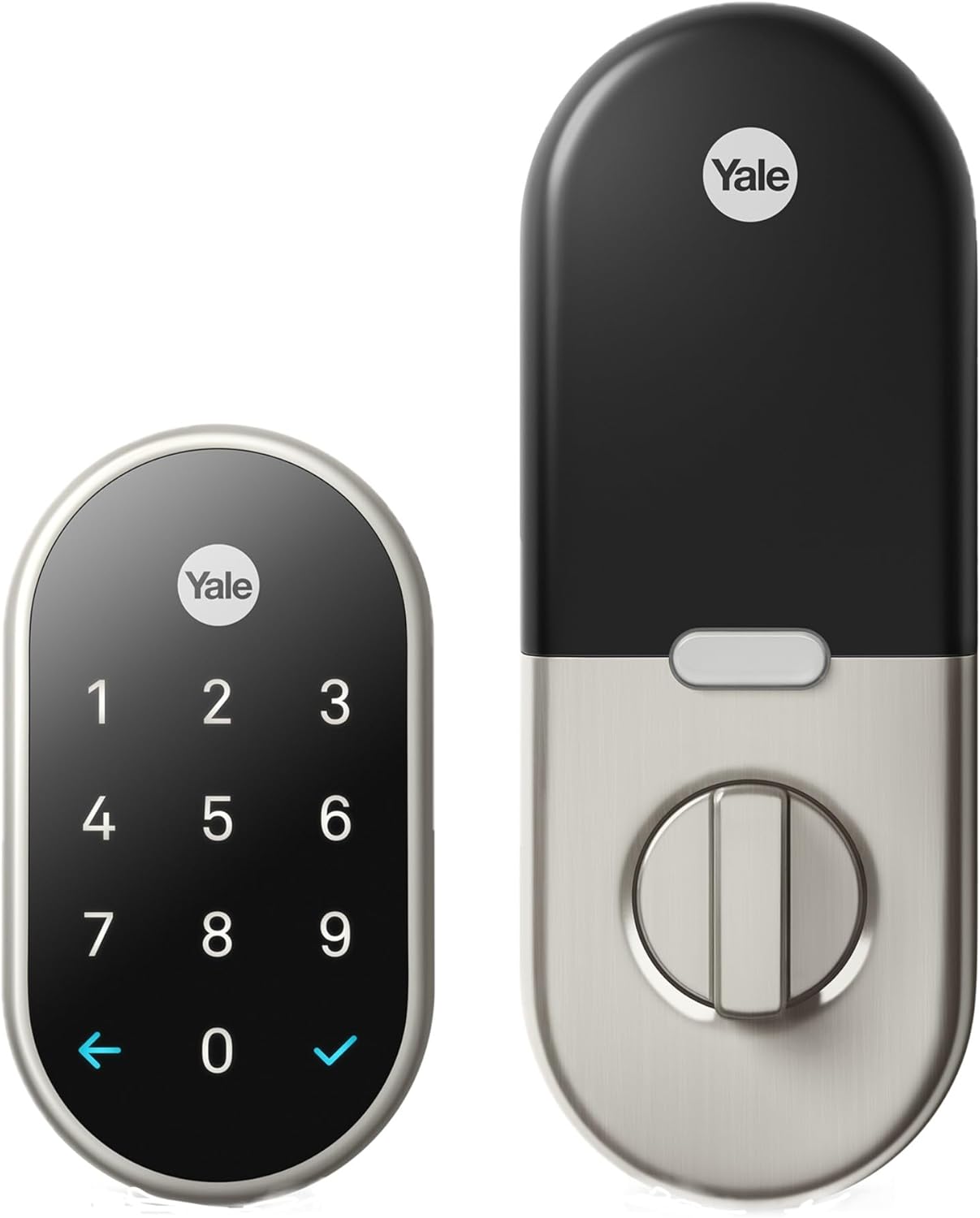
Key specs: Tamper-resistant, key-free keypad deadbolt; requires a Nest Connect bridge for Wi-Fi/app control since the lock uses Weave rather than connecting to Wi-Fi directly; 4 AA alkaline batteries, roughly a year of life; fits deadbolts on doors 1 3/8 to 2 1/4 in. thick, backset up to 2 3/4 in.; IP65 weatherproof rating, rated -22 to 140 F; controlled through the Google Home app or the legacy Nest app
This is the pick, and really the only reason to choose this lock over a newer Wi-Fi deadbolt, if your home already runs on Nest and Google Home hardware day to day. It keeps a key-free keypad as the only entry method — there is no mechanical keyhole on this lock, so a dead Nest Connect and a dead keypad battery at the same time is a real lockout scenario worth planning around. Four AA alkaline batteries power the keypad directly and typically last around a year under normal use, independent of whatever battery is in the Nest Connect itself. Before ordering, confirm through the specific listing whether a Nest Connect ships in the box, since that determines whether you get app control on day one or need to source the bridge separately.
✅ Pros
- Deepest available tie-in to whole-home Nest/Google Home automation, not just the lock in isolation
- Manual deadbolt and keypad both keep working even if Nest Connect goes offline
- No monthly fee for any of the lock’s core features
- Still a real, currently in-stock purchase, unlike Google’s own storefront
❌ Cons
- Google no longer manufactures or sells it directly — you are buying discontinued hardware
- Requires a Nest Connect bridge for any app, remote, or notification feature
- Runs on the legacy Weave protocol rather than Matter, the standard the industry is settling on
- No physical keyhole — keypad-only entry, with no mechanical backup if the batteries die
Home/Away Assist: The Real Reason to Want This One
If there is a genuine, still-relevant reason to prefer this lock specifically, it is Home/Away Assist — the feature that ties the lock’s auto-lock behavior to whether anyone in the household is actually home, using phone location sharing across every linked Nest and Google Home device, not just this one. Google’s documentation explains the logic directly: the system treats the home as occupied “when at least one person who has shared access to your home is home and sharing their phone’s location,” and switches to Away once everyone appears to have left. You can set the auto-lock delay to 10 seconds, 1 minute, or 5 minutes once that Away state triggers.
Two honest caveats worth stating plainly rather than letting the feature sound more solid than it is. First, Google’s own guidance flags a real lag: “it can take your app some time to realize that no one’s home,” meaning the door may sit unlocked for a stretch after the last person actually leaves. Second, this only works as well as your phone’s location permissions and battery-saving settings allow — an aggressively battery-optimized phone that stops reporting location in the background will make Away detection late or unreliable. Treat Home/Away Assist as a convenience layer on top of manual locking, not a replacement for it, which is exactly what Google’s own phrasing implies when it recommends not depending on it alone.
Nest x Yale Lock vs. Yale Assure Lock 2 vs. the Matter Successor
Laid out side by side, the three locks answer three different questions rather than competing head to head on the same spec sheet.
| Nest x Yale Lock | Yale Assure Lock 2 (regular) | Yale Smart Lock with Matter |
|---|
| Bridge or hub required | Yes — Nest Connect, over Weave | No — Wi-Fi module built into the lock | Yes for remote access — a separate Matter hub such as a Nest Hub or Google TV Streamer |
| Underlying protocol | Weave (legacy) | Wi-Fi, with a swappable radio module | Matter over Thread |
| Sold new by Google today | No — pulled from the Google Store | Not applicable — sold by Yale, never a Google product | No — Google’s own listing redirects to Yale and retailers |
| Whole-home geofencing built in | Yes, via Home/Away Assist across linked Nest devices | Not a native feature — would need a third-party routine | Not documented at launch for this specific lock |
| Monthly fee for core features | No | No | No |
| Physical keyhole backup | No — keypad only | Depends on model, some keyed, some key-free | No — keypad only |
| Currently purchasable | Yes, through retail stock | Yes | Yes, through Yale and retailers |
The row that should actually decide this for most readers is the first one. Every option here except the Assure Lock 2 needs a second box to do anything beyond opening the door with a code. The Nest x Yale Lock and its Matter-based successor have not solved that problem so much as swapped which second box you need.
Does This Lock Need a Google Home Premium Subscription?
No. Locking, unlocking, keypad codes, guest passcodes, auto-lock, and Home/Away Assist are all part of the base product — Google’s own documentation on buying the lock states there is no monthly fee or subscription needed to use it, and nothing in the Google Home app’s lock controls is gated behind Google Home Premium (the service formerly sold as Nest Aware). That subscription exists for camera video history and some AI-detection features elsewhere in Google’s lineup — it has no bearing on this lock. If you are weighing a Nest camera or doorbell alongside this lock and want the subscription picture for those specifically, our Google Nest vs. Ring comparison covers what each ecosystem actually charges for.
Yale Smart Lock with Matter (YRD510-MT1) — for buyers starting fresh today
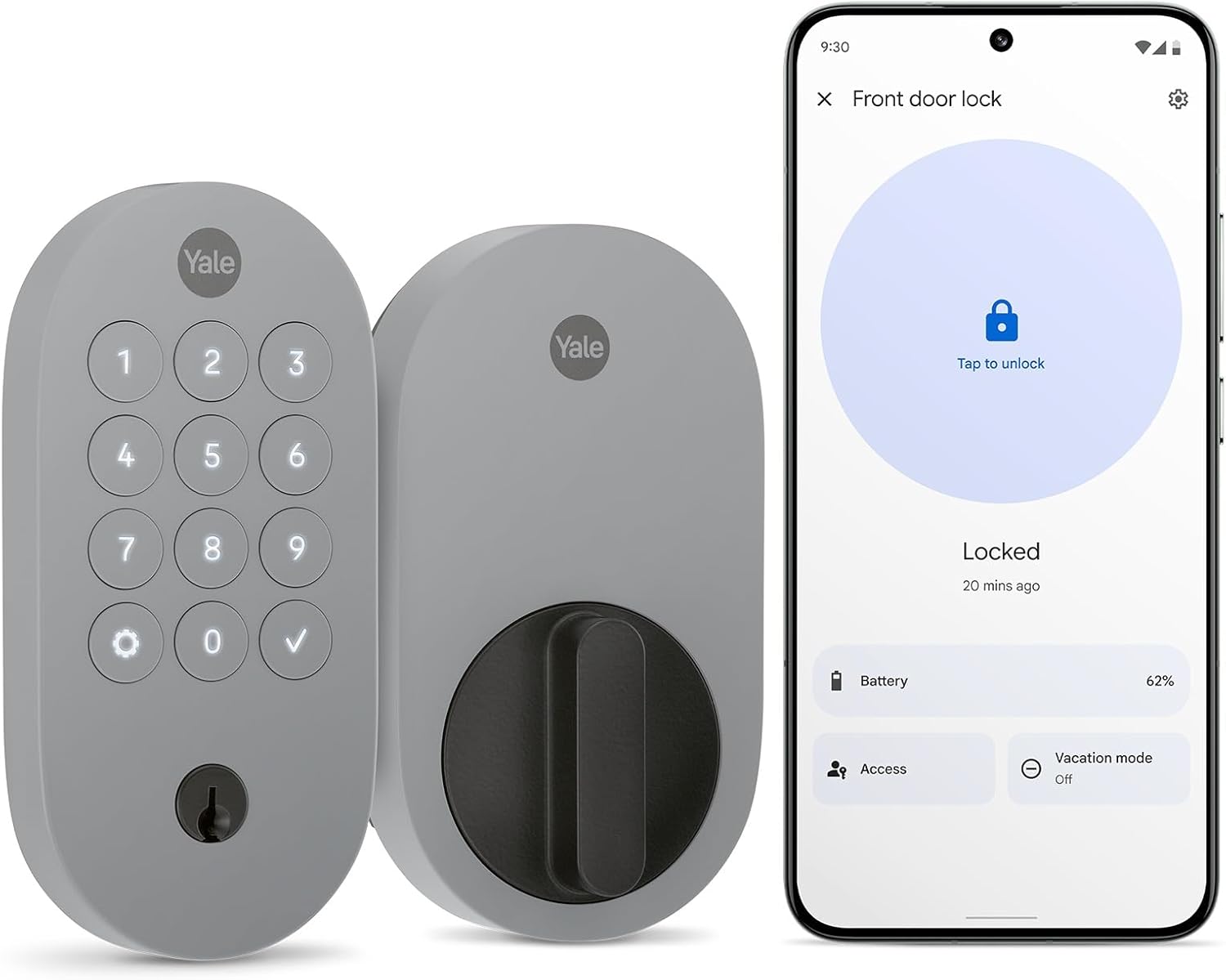
Key specs: Key-free pushbutton-keypad deadbolt, ANSI/BHMA Grade 2 certified; built on Matter over Thread rather than Weave, with no Nest Connect involved — remote access instead needs a separate Matter-enabled hub such as a Nest Hub, Nest Hub Max, Google TV Streamer or Nest Wifi Pro; AA alkaline batteries included; rated -22 to 140 F outside, 32 to 120 F inside
If you are choosing a lock today with no existing Nest x Yale Lock to replace, this is the one Google is actually steering you toward, and it is worth understanding rather than dismissing as a rebrand. It drops Weave and Nest Connect entirely in favor of Matter over Thread, the cross-manufacturer standard most of the smart-home industry — Apple, Amazon and Google included — has now committed to. It also carries an ANSI/BHMA Grade 2 residential certification, which our guide to what those lock grades actually mean breaks down in more detail than a single letter grade usually gets credit for. The honest catch: Yale’s own product page states plainly that remote access still “requires Matter-enabled hub,” naming the Nest Hub, Nest Hub Max, Google TV Streamer and Nest Wifi Pro as the qualifying devices. That is a smaller, more standard box to own than a single-purpose Nest Connect, and one many households already have for other reasons — but it is not “no bridge required,” and any listing or review implying otherwise is overstating it.
✅ Pros
- Actively sold and supported, not orphaned hardware pulled from its own maker’s storefront
- Matter over Thread instead of the legacy Weave protocol — the standard, not a dead end
- ANSI/BHMA Grade 2 residential certification stated directly on the product page
- No monthly fee for core lock features
❌ Cons
- Remote access still needs a separate Matter-enabled hub — the bridge requirement did not go away, it changed shape
- Far newer to market, so its real-world owner feedback is much thinner than the original lock’s years in circulation
- Not sold through Google’s own store either — the listing redirects out to Yale and retailers
- No Home/Away Assist-style whole-ecosystem geofencing has been documented for it at launch, though Google Home’s general automation tools may cover some of that ground
Should You Still Buy the Nest x Yale Lock?
Buy it if you already own Nest Connect-compatible hardware, you specifically want Home/Away Assist tying the lock into thermostats and cameras you already run, and you are comfortable owning a lock its own manufacturer has moved past. Skip it, and buy the Matter successor or the regular Assure Lock 2 instead, if you are starting from nothing — there is little upside to onboarding onto a discontinued protocol when the alternative costs roughly the same and has an actual future in front of it.
The Nest x Yale Lock Timeline, In Its Own Words
2024
Nest Guard retired as a bridge option after Nest Secure support ended; Nest Connect became the only way to connect this lock to Wi-Fi
2025
Google discontinued manufacturing the lock, according to reporting on the change
2026
Google removed the product listing from its own store, redirecting shoppers to the Matter successor
No
Monthly fee required for the lock’s core features, unchanged across all three of the events above
None of this affects a lock you already own and use locally — it affects whether buying one new, today, is the right call.
One more practical note if you do decide to buy: because this is retail-channel stock rather than a currently manufactured product, confirm the finish, whether a Nest Connect is actually included, and the seller before you check out — listings for discontinued hardware are exactly where mismatched bundles and old-stock condition issues tend to show up. If battery or connectivity behavior on a lock you already own seems off, our smart lock battery troubleshooting guide covers telling a genuinely failing battery from a false low-power warning, and applies to this lock’s AA cells the same way it does to any other keypad deadbolt.
Final Recommendation
If Nest and Google Home hardware already runs your house, buy the Nest x Yale Lock (Satin Nickel) and confirm a Nest Connect ships with your specific listing before you check out. It is discontinued as a Google product, not as a working one, and Home/Away Assist tied into devices you already own is a real, still-functioning reason to want it over a generic Wi-Fi deadbolt.
If you are starting from nothing, do not buy discontinued hardware to save a small amount of money. Choose the Yale Smart Lock with Matter (YRD510-MT1) if you want to stay inside the Google Home ecosystem on a protocol with an actual future, or step outside that ecosystem entirely with our regular Yale Assure lock guide or our guide to smart locks built specifically for Google Home if Nest-specific hardware was never the point and you just want something that works with the assistant you already use.
Either way, the protocol underneath the lock matters more than the badge on the front. Weave is a dead end Google itself has now walked away from; Matter is where the rest of the industry, including Google, is actually headed. Our Z-Wave versus Zigbee explainer covers the same protocol-longevity question for the other major smart-home radios, if you are hardening more of the house than just the front door.
SafeBode does not yet run an in-house product testing program. This guide is built from manufacturer specifications, official support documentation, current retail listings and verified buyer feedback rather than hands-on testing, and we say so plainly rather than implying testing we have not done.
Frequently Asked Questions
Can I still buy a Nest x Yale Lock in 2026?
Yes, through retail stock rather than directly from Google, whose own store now redirects to a successor product. It remains a real, in-stock listing at the time of writing, but there is no guarantee of a restock once current inventory sells through.
Does the Nest x Yale Lock require a subscription?
No. Locking, unlocking, keypad codes, guest access, auto-lock and Home/Away Assist are all included with the lock itself, with no monthly fee and no Google Home Premium requirement.
What is Nest Connect and do I actually need one?
Nest Connect is a plug-in bridge that links the lock to your Wi-Fi network, since the lock itself does not connect to Wi-Fi directly. You need one for app control, remote unlock and notifications. Without it, the keypad and manual deadbolt still work at the door, but nothing remote does.
Is the Nest x Yale Lock the same as a Yale Assure lock?
No. They share a manufacturer but not a design. The Assure Lock 2 connects to Wi-Fi directly through a built-in radio module. The Nest x Yale Lock uses the older Weave protocol and needs a separate Nest Connect bridge for the same functionality.
What happens if my Nest Connect stops working or I never had one?
The keypad keeps accepting passcodes and the deadbolt still turns manually from inside. What stops working is everything that depends on the bridge: app control, remote unlock, and push notifications.
Should I buy the Nest x Yale Lock or the Yale Smart Lock with Matter?
If you already own Nest or Google Home hardware and specifically want Home/Away Assist tied to those devices, the original lock still delivers that. If you are starting fresh, the Matter successor runs on the protocol with an actual future, even though it still needs its own separate hub for remote access.
Does Home/Away Assist reliably lock the door the moment I leave?
Not instantly. Google’s own guidance notes a real delay while the app confirms nobody is home, so treat it as a convenience layer on top of manually locking the door, not a substitute for it.
Can the Nest x Yale Lock work with no Wi-Fi or internet at all?
The keypad and the manual deadbolt do not need a network connection to function. What requires connectivity, through the Nest Connect bridge, is anything involving the app: remote access, notifications and geofencing.
Does this lock have a physical key as a backup?
No. The Nest x Yale Lock is keypad-only with no mechanical keyhole, so a dead keypad battery with no working Nest Connect is a real lockout scenario to plan around, such as keeping a spare battery pack accessible near the door.
Sources
Show sources (6)
- [1] Google Home and Nest Help — “Learn about the Nest x Yale Lock before you buy,” support.google.com/googlehome/answer/9251009
- [2] Google Home and Nest Help — “Keep your Nest x Yale Lock connected after support ends for Nest Secure,” support.google.com/googlenest/answer/14733187
- [3] Google Home and Nest Help — “Control your lock with the Google Home app,” support.google.com/googlehome/answer/10042812
- [4] Google Nest Help — “How to change lock” (Home/Away Assist and Auto-Lock settings), support.google.com/googlenest/answer/9232533
- [5] 9to5Google — “Google has stopped selling the Nest x Yale Lock as it goes all-in on its replacement,” 9to5google.com, July 2, 2026
- [6] Yale Home — “Yale Smart Lock with Matter” product page, shopyalehome.com/products/yale-smart-lock-with-matter


