Ring Camera Battery Replacement: How to Swap It, Charge It and Stop Doing It So Often
Affiliate Disclosure: This article contains affiliate links. If you buy through these links, we may earn a commission at no extra cost to you. Our editorial opinions are our own and are not influenced by affiliate relationships. Read our full disclosure policy →
Contents
Quick Answer
For a Ring device with a removable battery, a compatible charged spare can reduce the charging wait. Check your exact model before ordering; a built-in-battery doorbell does not accept a removable spare. The Quick Release Battery Pack releases with a metal tab. Allow time to remove and secure the device, then confirm that it powers on and reconnects while the flat pack charges indoors. Ring states charging takes up to 10 hours from a USB or USB-C cable, and that battery doorbells need a power source rated at a minimum of 1 amp to charge properly. Watch the two lights on the pack: solid green plus amber means it is still charging, and green alone means it is done. Compatible hardwiring or solar can reduce manual charging, but usage, weather and installation affect the result.
Two Kinds of Ring Battery, and They Are Not Handled the Same Way
Before you go outside with a screwdriver, work out which type of battery your device has, because the procedure is genuinely different and only one of them can be swapped.
Check Which One You Have
Removable Quick Release Battery Pack
- Slides out of the device with a metal release tab
- A charged compatible spare reduces the wait while the flat pack charges
- Charges away from the camera, indoors
- Check the exact model’s supported batteries; standard and Ultra pack compatibility must be checked separately
Built-in rechargeable battery
- Fitted in Video Doorbell 1st and 2nd Generation, and Battery Doorbell
- Cannot be removed — the whole device charges
- Connect the cable to the doorbell’s own charging port
- A solid circular LED on the front means fully charged
That distinction decides whether a spare battery is worth buying at all. On a device with a built-in cell, a spare does nothing — the camera is off the wall for the entire charge. On a compatible Quick Release device, a charged spare reduces the charging wait. The swap still takes time, including securing the device and checking that it reconnects.
The Swap, Step by Step
Swapping a Quick Release Battery Pack
1
Check the level first
Ring’s app shows remaining charge, so you can confirm the battery is actually the problem before taking anything off the wall.
2
Press the metal release tab
The tab unlocks the pack; slide it out of the device. On a doorbell this is the same motion, done at the battery compartment.
3
Connect the charging cable
Plug the USB or USB-C cable that came with the device into the pack’s charging port and into any USB power source.
4
Watch the two lights
While charging, the pack shows a solid green light and an amber one. It is finished when only the green light remains.
5
Slide it back until it clicks
Push the charged pack back into the camera or the doorbell compartment until it clicks into place.
6
Confirm in the app
Check the level has jumped and that the device is reporting normally before you walk away.
The one step people skip is the first. A camera that keeps reporting low battery within days of a charge usually has something else wrong — a weak signal forcing constant retries, or a motion zone catching a road. Swapping the pack treats the symptom. Our guide to testing Wi-Fi at the camera’s actual mounting position covers the most common underlying cause, and it is not the battery.
How Long Charging Actually Takes
Ring publishes the numbers, and they are longer than most people assume. A battery can take up to 10 hours to fully charge from a USB or USB-C cable. For battery doorbells there is an extra requirement worth knowing before you plug into an old phone charger: Ring specifies a minimum output of 1 amp to charge the battery properly. A low-output USB port will appear to be charging and simply will not finish.
Ring’s Own Charging Figures
Up to 10 hrs
full charge from a USB or USB-C cable
1 amp
minimum output for a battery doorbell
Green + amber
still charging; green alone means done
2 lights
the only status display the pack has
All figures taken from Ring’s own support pages for camera and doorbell charging.
The Charging Station changes that timing. Ring describes it as taking one or two Quick Release Battery Packs, plugging into a standard outlet, and charging both nearly twice as fast as a Micro USB cord alone. For a single camera that is a convenience; for three or four it is the difference between a routine and a chore.
Why It Ran Down Faster Than You Expected
Battery life figures assume a camera that wakes a handful of times a day. Four things reliably break that assumption, and none of them is a faulty battery.
| Cause | What it does | The fix |
|---|
| A busy motion zone | Every passing car or pedestrian wakes the camera, records, uploads and notifies | Narrow the motion zone and reduce sensitivity so the camera ignores the sidewalk |
| Weak Wi-Fi at the mount | The radio retries and holds a stronger transmit power, which is expensive | Move the camera, add a mesh point, or accept a lower video quality setting |
| Heavy live-view use | Opening the live feed is one of the most power-hungry things the camera does | Check recorded clips instead of watching live out of habit |
| Cold weather | Chemistry, not a fault — capacity drops as temperature falls and recovers when it rises | Charge indoors, keep a spare, and expect shorter intervals in winter |
The last one causes the most unnecessary purchases. A pack that seems to have collapsed in January and behaves normally in April was never faulty. If you are unsure whether a battery is genuinely failing or merely reporting badly, the same diagnostic logic we set out for smart lock batteries applies here: test the swap before you buy anything.
Ring Quick Release Battery Pack — the one spare to own
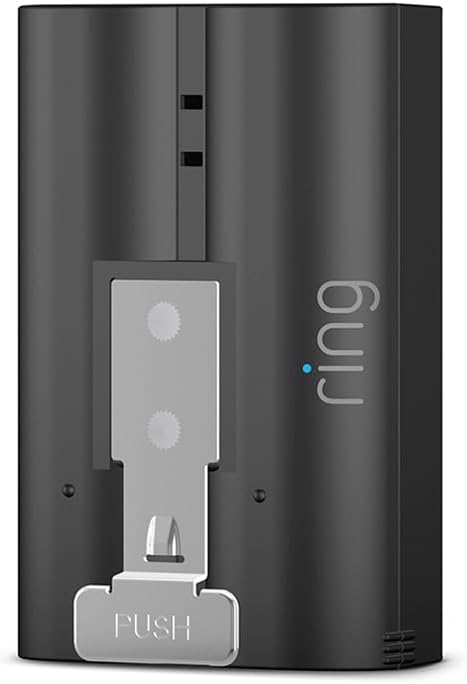
Key specs: A spare for models listed as compatible with the standard Quick Release Battery Pack; releases with a press of the tab and charges from a USB cable or the Charging Station. Check compatibility before buying; built-in-battery doorbells do not accept this pack
If your model supports the standard Quick Release Battery Pack, a charged spare can be useful. Check Ring’s supported-device list before ordering; the pack releases with a press of the tab. A charged compatible spare lets the flat pack charge indoors after the camera is reassembled and has reconnected. Allow time for the swap and startup. It is also the cheapest insurance against the specific failure that matters — a camera that is offline on the one night you needed it.
✅ Pros
- Fits the specific models on Ring’s standard-pack compatibility list
- Releases with a tab, no tools
- Charges from a USB cable or the Charging Station
- Reduces the charging wait when a compatible spare is already charged
- The single most useful Ring accessory for a battery camera
❌ Cons
- One spare covers one camera at a time
- Charging still takes up to 10 hours from a cable
- Does nothing for doorbells with a built-in battery
Ring Quick Release Battery Pack 2-Pack — for a spare-battery rotation
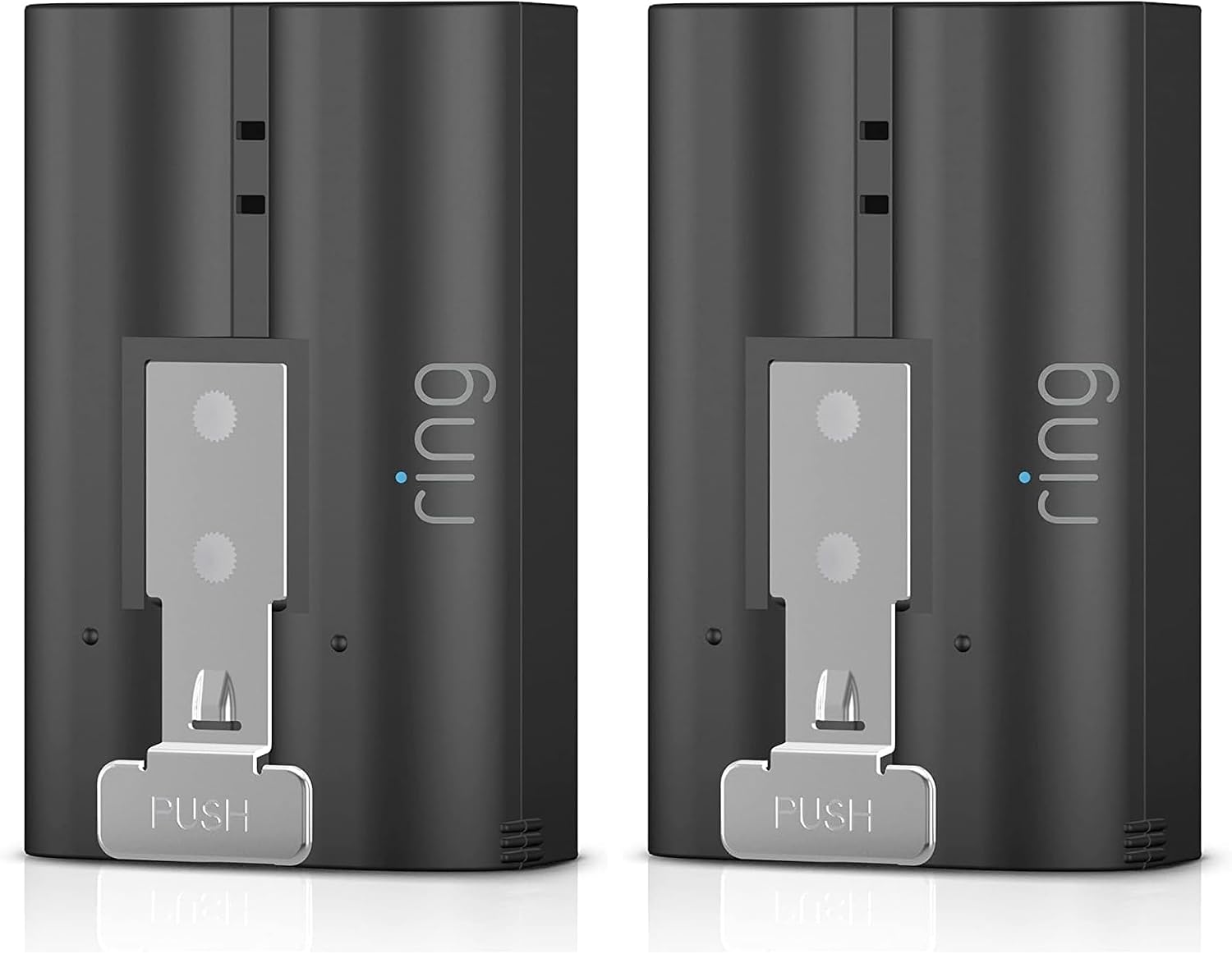
Key specs: Two standard Quick Release Battery Packs in one box for compatible models; one can charge while the other is in the camera. Check the model’s compatible pack before buying
The two-pack is the same battery, bought the way most people eventually wish they had. With two spares you can run a rotation rather than a scramble: one in the camera, one charged and waiting, and the swap happens whenever you notice rather than when the camera has already gone dark. It is the right purchase if you have two battery devices, or one device in a position where a gap in coverage genuinely matters.
✅ Pros
- Two packs allow a rotation if you keep the spare charged
- Same quick-release mechanism as the single
- Covers two cameras, or one camera with a real rotation
- Reduces the camera’s charging wait when the compatible spare is charged
- Cheaper per pack than buying singles twice
❌ Cons
- Overkill for a single low-traffic camera
- Two packs still need somewhere to charge
- Not a fix for a device with a built-in battery
Ring Charging Station with 2 Battery Packs — for more than one camera
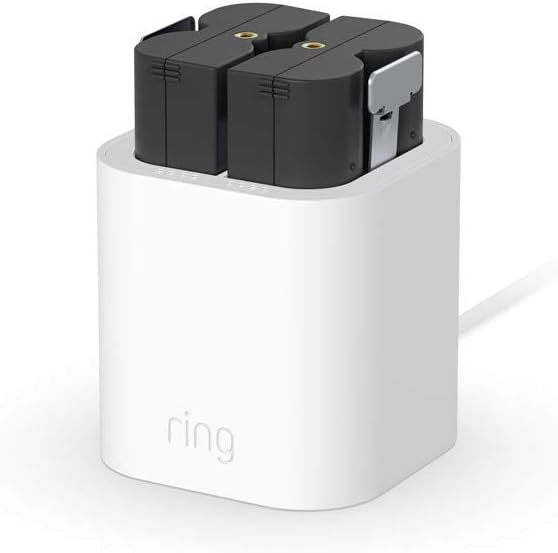
Key specs: Charging Station plus two standard Quick Release Battery Packs; check device and pack compatibility first. The station takes one or two compatible packs, plugs into a standard outlet and charges them nearly twice as fast as a Micro USB cord alone
Once there are three or four battery devices around the house, cables stop being the problem and organization starts. Ring’s Charging Station takes one or two packs, plugs into a standard outlet, and charges nearly twice as fast as a Micro USB cord alone. This bundle includes the station and two packs, which is the practical starting point for a multi-camera household — a single place batteries live, rather than four cables in four rooms.
✅ Pros
- Charges nearly twice as fast as a Micro USB cord
- Holds one or two packs at once
- Plugs into a standard outlet, no cable per battery
- Includes two Quick Release Battery Packs
- Gives batteries one place to live in the house
❌ Cons
- Only worth it once you have several battery devices
- Takes up an outlet permanently
- Still bounded by how fast the packs themselves accept charge
Ways to Reduce Manual Charging
Compatible hardwiring or solar can provide a trickle charge. Usage, weather and installation can still leave the battery needing a manual charge.
Hardwire the doorbell. Ring states you can hardwire a battery-powered doorbell to existing doorbell wiring or a low-voltage transformer to provide a trickle charge to the battery. The doorbell still relies on its battery. The trickle charge may reduce how often you take it down, but it does not guarantee that manual charging will stop. Check whether the exact model and wiring are compatible. Sizing the transformer is the part people get wrong, and our doorbell transformer guide covers it.
Add a solar panel. Ring supports connecting a compatible solar panel to cameras and doorbells to increase the time between charges. Read that wording carefully: it increases the interval, it does not promise to eliminate charging, and a panel on a north-facing wall under a tree will not do much of either. Our solar camera guide goes into how much sun these panels actually need. If you are still choosing which Ring camera to put where, the Ring lineup guide covers which models are battery, wired or both.
Final Recommendation
First check the exact model’s battery requirements. A Ring Quick Release Battery Pack is a useful spare only for a compatible model; built-in-battery doorbells cannot use it, and standard and Ultra packs have separate compatibility requirements. A charged compatible spare reduces the charging wait, with time still needed for the swap and reconnection. For one camera, that is the whole answer.
Two things change it. If you own several battery devices, buy the Charging Station bundle instead: two packs plus a station that charges nearly twice as fast as a cable, and one place in the house where batteries live. If your doorbell has a built-in battery rather than a removable pack, do not buy a spare at all — it will not fit, and your effort is better spent hardwiring the doorbell for a trickle charge. And before buying anything, check whether a busy motion zone or a weak signal is draining the battery in the first place, because a second pack makes that problem twice as convenient rather than solving it.
SafeBode does not yet run an in-house product testing program. This guide is built from manufacturer specifications, official support documentation, current retail listings and verified buyer feedback rather than hands-on testing, and we say so plainly rather than implying testing we have not done.
Frequently Asked Questions
How long does a Ring battery take to charge?
Up to 10 hours from a USB or USB-C cable, according to Ring. The Charging Station is faster, described by Ring as charging nearly twice as quickly as a Micro USB cord alone.
How do I know when the battery is fully charged?
The pack shows two lights while charging, a solid green and an amber. When only the green light remains, it is done. Doorbells with a built-in battery instead show a solid circular LED on the front when they are full.
Can I use any USB charger?
For a battery doorbell, Ring specifies a minimum output of 1 amp. A low-output port from an old phone or a laptop will appear to charge and may never actually finish, which is a common reason people think a battery has failed.
Do all Ring cameras have removable batteries?
No. Many use the Quick Release Battery Pack, which slides out with a tab, but the Video Doorbell 1st and 2nd Generations and the Battery Doorbell have built-in rechargeable batteries that charge in place.
Is it worth buying a spare battery?
A charged spare can be useful if it is compatible with your exact removable-battery model. Check standard and Ultra pack requirements before ordering. A built-in-battery doorbell cannot use a removable spare.
Why does my battery drain so fast in winter?
Cold reduces the usable capacity of a battery temporarily. It is chemistry rather than a fault, and the pack usually behaves normally again when the weather warms. Keeping a charged spare is a better response than replacing a healthy battery.
Will a solar panel mean I never charge it again?
Ring describes solar as increasing the time between charges rather than removing them. Sunlight, weather, usage and installation determine how much it helps; manual charging may still be needed.
Does hardwiring turn my battery doorbell into a wired one?
Hardwiring a compatible battery doorbell provides a trickle charge. It still relies on its battery, and usage, weather and installation may mean you still need to charge it manually.
Sources
Show sources (4)


